

Employees Don't Want to Learn? Blackboard and Quizzes Solve This
Employees take mandatory courses just to check a box: they open the materials, flip through slides, and forget the content within a few days. Engagement drops, and training budgets don't deliver results.
The reason isn't laziness — adults find passively reading instructions boring. They need a challenge, a clear goal, and quick feedback.
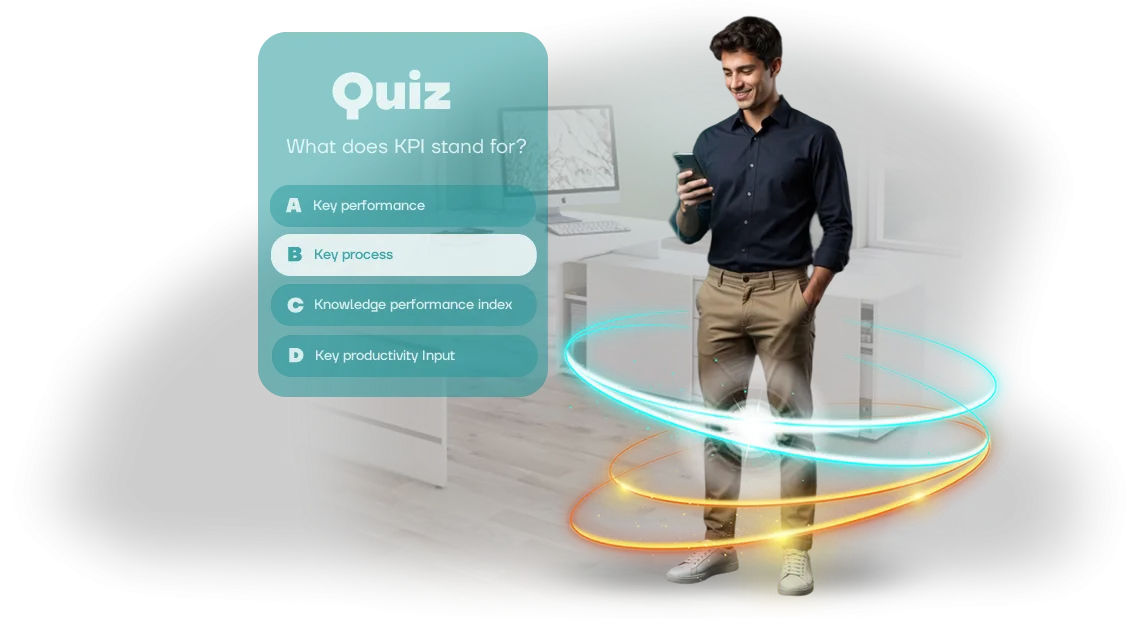
Educational quizzes turn dull theory into a game: multiple-choice questions, time limits, points, and a leaderboard. Internal competition and excitement make people return to the material, and mistakes immediately show which topics need review.
This works for both newcomers and experienced employees — everyone wants to score more points than their colleagues.
When the quiz is embedded in Blackboard, training becomes part of the familiar work environment.
Employees don't need to visit third-party sites or remember new passwords, and managers see statistics: who completed it, how many attempts they made, and which questions caused difficulty. This means training stops being a "black box" — decisions can be made based on it.
Well-designed quizzes boost staff motivation and reinforce knowledge even for complex procedures. We develop these scenarios around your tasks: from safety rules to customer service.
Leave a request, and we'll show you a sample quiz on Blackboard and explain how to launch it quickly for your team.
What a Quiz Delivers: Engagement, Knowledge Assessment, and Time Savings
Employees rarely finish reading long instructions and quickly forget procedures. Ordinary tests are seen as mandatory routine, so results don't reflect actual knowledge. A quiz solves this: it engages, holds attention, and shows what has truly been learned.
Engagement and Transparent Analytics
A quiz in a game format sparks employees' interest, so completing training stops being a formality. They return to the material to score more points, which means they actually remember the company's key rules and standards.
At the same time, the quiz integrates with your Blackboard platform — all results automatically go into a single database. You see who passed and who just went through the motions, and which topics are causing difficulties. No need to collect answers manually or guess how effective the training is.
Faster Onboarding and Time Savings for HR
For new employees, the quiz helps them master the product and internal standards faster. Instead of long orientation materials, there are short interactive tasks that immediately show what the employee understood correctly and what needs clarification.
HR and managers save time on reviewing assignments and re-explaining things: the full learning picture is visible in reports. You can support those who fall behind in time and shorten the ramp-up to full productivity.
As a result, you get higher training completion rates, objective knowledge assessment, and less workload for your team. Employees treat the quiz as a game rather than an exam, so they complete the material willingly and remember it better.
Quiz Formats: How to Choose by Goal and Audience
One format cannot serve every learning goal: sometimes you need to practice actions in a difficult situation, sometimes reinforce a procedure, and sometimes engage a large team in a competition.
When the format matches the goal, employees complete training faster and with more interest, and you get clear performance numbers.
Below are three working formats we use most often in corporate programs. Each solves its own task, all are built around your scenario, and they work inside your familiar learning system, such as Blackboard, where each employee's progress is immediately visible.
How to Match the Format to the Task
| Format | Best for | What the customer gets |
|---|---|---|
| Branching scenario | Practicing complex situations: negotiations, sales, conflicts, handling objections | The employee goes through a path with consequences for their decisions. You see exactly where mistakes occur and close gaps precisely |
| Timed test | Reinforcing procedures, safety rules, service standards | High concentration and quick reactions. You can assess a large team in an hour and get a clear picture for each participant |
| Quiz battle | Engaging the team, team spirit, initial introduction to the material | Competition creates excitement and discussion. People remember correct answers through emotions, not rote memorization |
Often a single format is not optimal: we combine them into one scenario — for example, a short quiz to warm up, then a branching scenario for key skills, and finally a timed test for reinforcement. This approach keeps attention throughout the course and gives you analytics for each stage.
Choose the format based on what the quiz should change: employee behavior, speed of action, or overall engagement. We'll build the mechanics for your task and show the result in the system your team already uses.
Quiz Development Stages: From Brief to Blackboard
Developing a quiz for employees is a process in which you participate at every step. We don't hide the stages behind technical details: you see when the scenario will be ready, when the game will appear in Blackboard, and how testing will go. Below is the standard path we take with clients from idea to launch.
-
Brief and goals. We define the target audience, the knowledge the quiz will assess, and the result you want: higher engagement, procedure checks, or onboarding for new employees. The output is a document with objectives and success criteria.
-
Plan and cost estimate. We agree on timelines, question format, number of difficulty levels, and Blackboard integration. You get a clear plan with dates, no surprises along the way.
-
Scenario approval. We prepare question texts, answer options, and scoring logic. You review the scenario in Russian, make edits — and only after your "OK" do we move to implementation.
-
Quiz implementation. We build the game on a professional game engine, add design in your company's style, sound, and animation. At this stage you receive a demo version to test.
-
LMS test. We set up Blackboard integration in advance: we check how results are transferred, whether the quiz opens in the browser, and whether attempts are recorded correctly. You receive a testing protocol.
-
Launch and support. We place the quiz in Blackboard, train administrators if needed, and stay in touch — for a month after launch, we fix issues for free and help with updates.
What do you get in the end? A working quiz embedded in your learning system, with clear instructions and support. All stages are transparent, and you make the key decisions yourself.
What's Included in the Delivery: Content, Integration, and Instructions
Delivering a quiz is not just a set of files; it's a ready-to-use learning tool that can be launched in no time. We build the scenario around your goals, develop the quiz, configure Blackboard integration, and prepare materials for everyone involved. All you need to do is set a start date — the technical work is already done.
- Scenario and question bank. A well-thought-out structure: introduction, main topics, and assessment tasks. The scenario reflects the specifics of your business and learning goals.
- Launch-ready quiz. A fully assembled and tested module that opens on desktops and tablets in modern browsers. Nothing needs to be finalized before launch.
- Blackboard integration setup. We connect the quiz to your platform so results automatically enter the system. The administrator won't have to collect scores manually — data appears in the gradebook right after completion.
- Administrator guide. A step-by-step guide in Russian: how to place the quiz, assign it to a group, open or restrict access, and view performance.
- User guide. A short cheat sheet: how to start the quiz, answer questions, and see your result. No unnecessary technical details.
- Test session together with you. We verify the quiz works correctly in Blackboard before the official launch. You see how an employee goes through the game and how the result is saved in the system.
- Launch support. In the first weeks, we support administrators and help resolve any nuances. Minimal downtime and a smooth training start.
Case Study: Quiz for 200 Employees with a 94% Result
A distributor faced a typical pain point: they needed to assess 200 employees' knowledge of a new product line in a short time, but ordinary testing met resistance. Manual completion tracking would have taken HR weeks, and gaps would remain anyway.
We proposed an educational quiz format and deployed it in the corporate Blackboard system — employees didn't have to learn new tools; everything ran in the familiar interface.
The quiz was built as a scenario with instant feedback: after answering, participants saw an explanation of why the option was correct, turning the assessment into mini-training.
What the Client Got
The result exceeded expectations: 94% of employees completed the quiz within the first week — without a single reminder. The HR team didn't have to send emails or collect reports manually: the system itself showed who hadn't started yet, and we set up automatic notifications.
Compared with classic tests, which usually see 60–70% participation, the difference is immediately noticeable. The quiz sparked excitement: employees shared results in the internal chat, and managers saw the real knowledge level in each team.
For the business, this means staff readiness to work with the new product without downtime or on-the-job retraining.
Why It Worked
The secret is not complex mechanics but the right scenario. We broke the material into short narrative situations from managers' real work, added points, speed, and a "moment of success" after each answer. As a result, a 10-minute quiz felt like a game rather than an exam.
The client was so pleased that a month later they ordered a second quiz for the logistics department.
Now the company regularly runs such assessments on Blackboard, saving on average 2–3 workdays for the HR team per training cycle and getting clean data on knowledge levels in numbers, not guesses.
How to Choose a Quiz and Connect It to Blackboard?
Choosing a quiz is always a matter of balancing launch speed with how accurately the game reflects the company's internal processes. A ready-made template covers basic scenarios: standard questions, time limits, simple statistics.
But if training needs to account for product specifics, terminology, or different employee roles, custom development delivers exactly the result training was started for: employees learn from real situations, not abstract examples.
We work in both formats and help you choose the best one for your task and timeline.
At the same time, connecting to Blackboard is equally simple for any option: the game is packaged as a standard learning object (SCORM), uploaded to the system like any regular course material, and assigned to the relevant employee groups.
The Difference in Practice
| Format | For whom | What the customer gets |
|---|---|---|
| Ready-made template | Quick launch, basic knowledge check | Launch in days, predictable cost, standard reporting |
| Custom development | Complex scenarios, company specifics | Full alignment with processes, unique mechanics, deep analytics per employee |
| Combined option | Pilot launch with further expansion | A ready-made base that is easy to extend with new levels and scenarios |
The final statistics in Blackboard are visible immediately: you see who passed, who retook it, and which questions caused difficulties. This lets you manage training rather than just record the fact of completion.
The key is not to cling to a format for its own sake but to start from the goal. If you need to quickly raise awareness, go with a ready-made template.
If training affects safety, sales, or service quality, custom development pays off through the right decisions employees make in real work. We help you choose and show examples tailored to your task, so you can decide with full clarity.
FAQ: Reliability, Changes, and Support
The first concern clients have is that the quiz will break the learning system. The module is uploaded to Blackboard as a separate SCORM file: it doesn't change settings, conflict with other courses, or affect reporting. For employees, it's a new page; for you, it's familiar statistics in one place.
The second concern is that the project will be abandoned after launch. We won't abandon it: content updates and support are built into the work from the start. Here are answers to common questions.
Will the quiz break our Blackboard?
No. The module is built as a SCORM file and runs in isolation: it doesn't touch system settings, interfere with other courses, or affect employee data. Before launch, we test it in your environment — there are no risks.
How do we update questions after training has launched?
Simply. You send new questions — we update the quiz and deliver the finished version. This is faster and cheaper than ordering a new project. If needed, we agree on a schedule for regular updates.
What if something doesn't work?
Write to us — support is already included. We diagnose the problem, fix it, and verify the result. We respond during business hours, so training won't be put on pause.
Will we make the planned launch date?
Yes, you will. We lock in the timeline in the contract and break the work into stages — you see intermediate versions and make edits. You receive the module exactly by the required date, with no surprises.
Order a Quiz for Blackboard: Start with a Short Brief
Submitting a request for a Blackboard quiz is easier than it seems: a short brief of 5–7 questions is enough. You describe the topic, audience, and desired result — we take care of the rest.
After you contact us, we get back to you within a day or two with a concrete proposal: a suitable game format, a cost estimate, and realistic deadlines.
No "let us think about it" — only specifics that immediately show how the quiz will fit into your training and what tasks it will cover.
What you get right after your request:
- Advice on quiz formats for Blackboard: from memory tests to narrative games with team scoring.
- Scenario selection tailored to your topic, employee level, and goals — so training doesn't become a "checkbox exercise."
- A clear cost estimate with no hidden items: we lock in the cost before work begins and don't change it along the way.
- Realistic deadlines: exact dates from brief to course completion, including a test run.
- A demo version or sample quiz so you can see the result before the final payment.
- Support at every stage: brief, scenario, development, Blackboard integration, and technical support after launch.
- A guarantee on the result: if the quiz doesn't meet certain parameters, we refine it at no extra charge.
You can order a Blackboard quiz through a short form on this page or via messenger. Tell us what your employees need to learn, and we'll offer a solution that easily fits into your training program.
The first step takes less than five minutes: start with the brief, and we'll handle everything else.