

Employees Abandon Courses in Moodle — How to Restore Interest in Learning?
Moodle courses are a standard corporate training tool, but for most companies they don't work. Employees open the material, glance at a couple of slides, and close it: walls of text and monotonous tests don't hold attention.
A familiar scenario: training is marked as completed, and a week later the employee acts the same as before, mistakes repeat, and the money invested in the course doesn't pay off.
The problem with training isn't the platform — it's the format. When there's no interactivity or competitive element, the brain stops absorbing information. Employee engagement drops, time is wasted, and the business gains neither new skills nor efficiency growth.
The result: repeated mistakes on the job, declining service quality, and lost profit from wrong decisions.
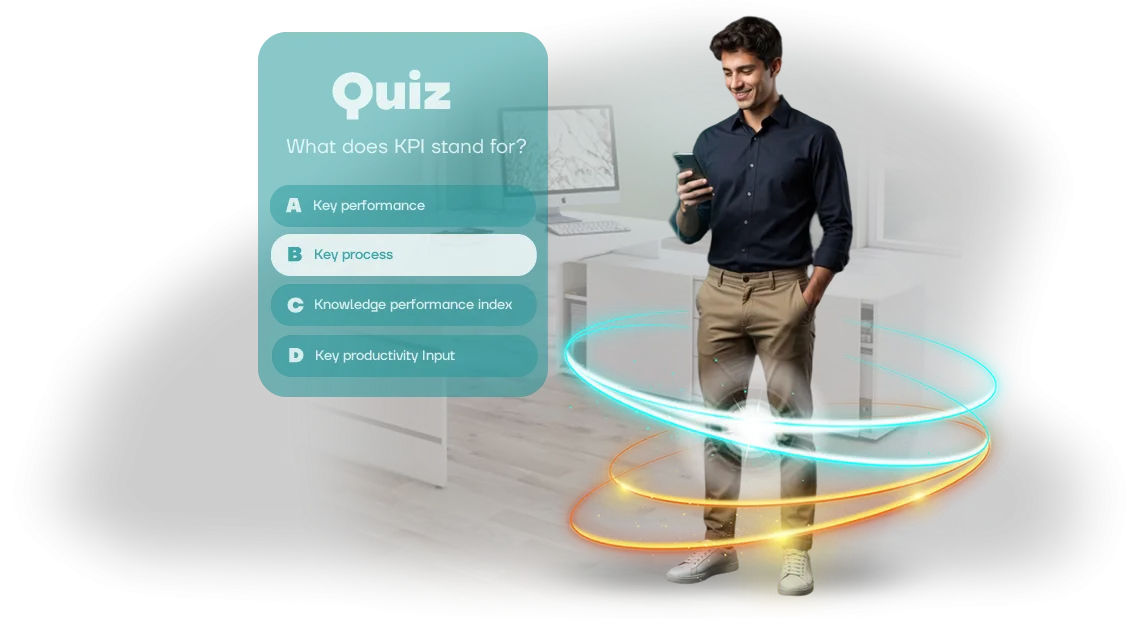
The solution is to turn training into a game. Interactive quizzes in Moodle, where employees answer questions, receive instant feedback, and see their progress, work many times better.
Interactivity makes people engage in the process, sparks healthy excitement, and creates the desire to finish the course. This approach boosts employee engagement and helps people actually apply knowledge in practice.
We will convert your courses into engaging game scenarios that work right inside your system. In a short time, you get ready-made quizzes tailored to your goals and see how training becomes a meaningful tool for team development.
What Results Do Game Quizzes Bring to Staff Training?
Game quizzes turn training from a mandatory chore into an event employees look forward to. Instead of passively watching slides — active participation, competition, and instant results.
For the business, this is a tool with measurable indicators: higher attention to the material, stronger knowledge, and clear KPI dynamics.
Higher Completion Rates
Courses with quizzes are taken more willingly and completed more often. Employees see a goal, earn points, and get feedback right after answering — so they abandon training midway less often.
The company onboards newcomers faster and increases the share of completed programs without manual oversight.
Memorability and Attention
The game format makes employees recall material rather than reread it: short questions activate memory, and repetition reinforces knowledge.
Employees ask mentors fewer follow-up questions and make fewer mistakes in standard operations — this reduces the workload on experienced specialists.
Feedback for Managers
Quiz results show who has absorbed the material and where the gaps remain. Widespread mistakes highlight weak spots in instructions and lessons — they can be fixed quickly. The manager gets objective data instead of guesses and can guide employee development with precision.
We design quizzes so they integrate into your training program and work through Moodle. You get not just a game, but mechanics that drive KPI growth: higher completion, stronger knowledge, and a clear picture of each employee's progress.
Quiz Formats for Training: Choosing by Business Objective
Some quizzes are needed to quickly verify knowledge after a course, others — to introduce a new product, and still others — to bring the team together. The scenario you choose determines how much employees engage and what results you get.
The table below lists five proven formats. They suit different tasks and audiences, and the ready-made module runs directly in your Moodle without installing additional software.
| Format | For Whom | What It Gives the Client |
|---|---|---|
| Timed quiz | Mass knowledge check after training | A quick picture across the group: who absorbed the material, who needs follow-up. The timer adds excitement and involvement |
| Story-driven quest game | New product, regulations, or a complex topic | Engages through narrative; emotions help remember key facts and reduce resistance to the material |
| Level-based quiz | Different roles and skill levels | Everyone answers questions at their own difficulty, motivation stays up, training follows an individual path |
| Team tournament | A department or several divisions | Employees discuss answers and share knowledge — collaborative learning and stronger team connections |
| Exam with certificate | Mandatory certification, competency check | Transparent results: percentages, grades, completion time. Qualification confirmation and reporting for each employee |
If you're unsure which format fits, tell us your task — and we'll suggest a scenario that delivers the result you need. The training quiz will work right in your learning management system and collect statistics for each employee.
How Quiz Development for Your Team Works
We start with a brief, not with code. It matters for us to understand who your employees are, what knowledge needs to be checked, and how you will use the results.
Based on that, we lock in goals, timelines, and the list of stages — so you always know what's happening and what result you'll get.
- Brief. We discuss training objectives, the audience, and success criteria. You receive a work plan and clear deadlines — no hidden surprises.
- Quiz scenario. We craft questions, answer options, difficulty levels, and hint logic. We agree the scenario with you before production begins, so the game solves exactly your task.
- Design and gameplay. We create a visual style for your brand, a friendly interface, and clear navigation. We show intermediate versions, you make edits — and only then we finalize.
- Technical integration. We assemble the quiz into a single course and embed it into your learning system (Moodle) as a SCORM module. You get a working tool, not a "dummy": employee results automatically flow into reports.
- Testing and debugging. We check the quiz on different devices and browsers, making sure scores are saved without failures. We give you access to a demo version so you can see everything with your own eyes.
- Launch and support. We deploy the course for all employees and explain to administrators how to grant access and view results. We stay in touch if anything goes wrong.
In the end, you get not just a game but a manageable training tool: the quiz motivates employees, and the system itself collects statistics for your reports.
What You Get After Launching a Training Quiz
After launch, you receive not scattered files but a complete learning module already embedded in your learning management system. We put together a package where every detail is thought through — from the scenario to instructions for administrators and employees.
Here's what's included in the delivery:
- Quiz scenario — questions, answer options, and explanations developed around your topic and training objectives.
- Company-style design — logo, brand colors, team names; no need to bring in a designer.
- Ready-to-upload module for your learning management system (e.g., Moodle) — all settings are verified, installation takes minimal time.
- Administrator guide — step by step: where to place the quiz, how to grant employee access, and how to set up result display.
- Employee cheat sheet — a short guide on how to complete the quiz from any device and what to do if technical issues arise.
- Access to completion statistics — you see who has finished, how many attempts were made, and which questions are answered incorrectly.
- Post-launch support — if something goes wrong, we help throughout the warranty period.
This way, you don't need to hire a separate specialist or dig into technical details. All that's left is to assign the task to employees and watch the results in reports. All materials stay with you: you can change questions, add new topics, and relaunch the quiz at any time.
Case Study: How a Game Quiz in Moodle Cut Training Time in Half
For a grocery chain with 1,200 employees, we developed a training quiz for new cashiers and sales associates. Previously, every newcomer sat through a two-hour lecture and took a paper test that took several more days to grade.
The training manager asked for a format that could be launched directly in Moodle and show each employee's progress immediately.
What We Did
Instead of a lecture, we created a game scenario with real work situations: service standards, handling objections, safety procedures. The employee completes the quiz in 30–40 minutes from any device — the result automatically appears in the Moodle report.
We split the training into 4 short rounds so it could be completed between shifts without disrupting work.
Results After Two Months
- New hire training time was cut in half: from 4 hours to 2.
- Average completion score rose from 72% to 94% — employees absorb the material rather than memorize answers.
- First-attempt pass rate is 86%, and probation-period turnover dropped by a third.
- The HR department freed up to 6 hours per week previously spent on manual test grading.
Moodle statistics confirmed that training became predictable: every result is tied to a specific employee, the manager sees difficult topics and can refine the scenario.
We also measured time-to-shift readiness separately — new cashiers started working 3 days earlier than before the rollout.
A detailed breakdown of the metrics and the project progress is described in the "Progressive Chain" implementation case study — a clear example of how game mechanics in Moodle turn training from a formality into a tool that saves time and improves work quality.
How to Choose the Right Quiz Format for Your Business Task
How do you choose a quiz? One main criterion applies: the business task. If you need to introduce a new team to rules and regulations, a linear quiz with questions and short explanations after each answer is enough.
If the goal is complex customer situations where employees must make decisions, a case-based simulator with branching and consequences fits better.
The right format starts from one question: "What should a person be able to do after training — recall information or apply it in practice?"
The second criterion is the audience. New employees need supportive feedback, the chance to make mistakes calmly, and immediate access to the correct logic. Experienced specialists need competition, time pressure, and analysis of complex cross-topic connections.
Also consider completion time: a ten-minute quiz holds attention well, while a longer format is better built as a scenario with levels and shifting mechanics so interest doesn't fade.
Technical details matter in format selection only where they affect the outcome. The quiz must load into your learning management system, for example Moodle, and results must automatically appear in each employee's report.
Before launch, it's worth checking whether you can see answers for every question or only the final score: this determines whether you can find weak spots across the whole team and refine training precisely.
The conclusion is simple: first the task, then the mechanics, then the platform. That's the order in which we help clients navigate — at the brief we clarify the goal, analyze the audience, and propose a format that delivers measurable results.
In the end, you get a quiz that solves a specific business problem, not just something that adds variety to the learning portal.
Common Concerns: How Well a Quiz Will Fit Your Moodle
Sometimes clients worry that a ready-made training quiz won't "take root" in corporate training: what if it's hard to connect, what if it needs lengthy rework to match the internal style, what if deadlines slip.
These concerns are understandable, but in most cases they relate not to the game itself but to uncertainty about the process.
We remove that uncertainty: from the very start, we show how the quiz will fit into your Moodle, what needs to change, and when you'll get the finished result.
Here are the three most common questions.
How difficult is it to upload a quiz to Moodle?
We provide a ready-made SCORM package — a standard format for learning systems. You don't need a developer: you upload the file to the relevant course just like a regular document and set access for employees.
If needed, our team joins the process and helps configure the quiz to match your training structure — from assignment to grade collection.
What if the quiz needs to be adapted to our corporate style and course logic?
The entire quiz is a constructor, not a frozen picture. We adjust the scenario, questions, difficulty levels, and visual design: colors, fonts, logo, gamification. You participate at the brief stage and receive intermediate versions, so you can make edits before the final launch.
What guarantees do we have that the quiz will work in our Moodle?
Before delivery, we verify compatibility with popular Moodle versions and standard SCORM settings. Along with the package, you receive a short installation guide and support contacts. If something goes wrong — we won't leave until it works.
As for timelines: a basic quiz with a discussion of questions and one round takes a few days. The main time usually goes not to the technical side but to aligning wording and design. That's why timely feedback matters most. On our side, we set deadlines at every stage and warn you in advance if anything might shift.In the end, you get not a "foreign game" but a fully adapted tool that's easy to launch and update. Even if employees take the quiz from a phone or a browser with restricted settings, we check the scenario in advance and avoid surprises at launch.
Order Quiz Development for Your Moodle Portal
Leave a request — and within one business day you'll receive a cost and timeline estimate for developing a quiz for your Moodle portal.
No "areas to clarify": we'll ask a few questions about your knowledge-check goals, the number of employees, and the question format, then propose a turnkey solution.
With us, you close the training question without headaches: we're responsible for the result, not just the code. That's why the price already includes testing on different devices, integration setup with your portal, and instructions for administrators and employees.
Immediately after contacting us, you'll receive:
- Consultation — we'll advise on the most effective way to check knowledge in your particular situation
- A transparent estimate with no hidden payments — you know exactly what you're paying for
- A clear work plan with launch dates — from brief to finished quiz
- Question formats matched to your tasks — tests, cases, scenarios
- Compatibility guarantee with your Moodle portal — no surprises at upload
- Post-launch support — we'll fix things, refine them, and help you sort out any issues
Leave a request now — and as early as tomorrow, your employees can start taking the first quiz. You'll see the result in numbers: who has absorbed the material and who needs additional training.