

Why conventional training fails and how WebGL fixes it
Corporate training most often turns into a formality: long presentations, PDF instructions, and webinar recordings are viewed “just to check the box.” An employee sits through hours, but a week later remembers only a small part of the material — which means the money spent on training is effectively wasted.
The problem is not people’s laziness, but the format: it does not engage and does not provide quick feedback.
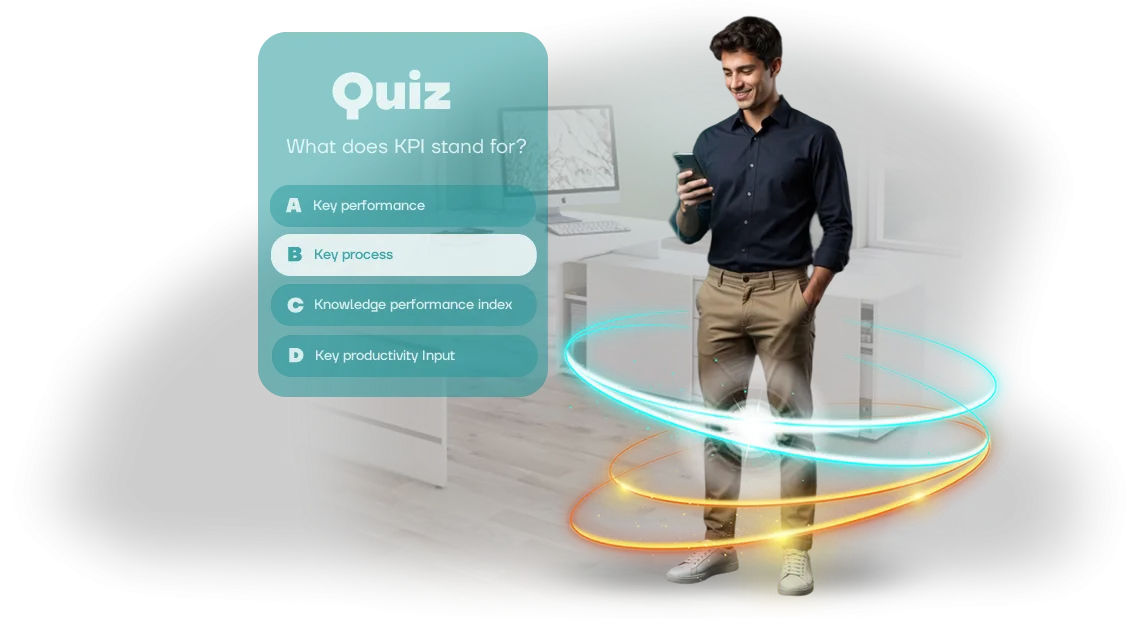
An employee quiz changes the approach. Instead of passive viewing — active participation: questions alternate with scenarios from real work, and mistakes are explained immediately.
Online learning in a gamified format holds attention, creates healthy competition, and turns a boring mandatory obligation into a clear and exciting process. Employees themselves want to complete it, because they see their results and progress.
WebGL technology makes it possible to run such quizzes directly in the browser — without installing software or complex setup. All you need to do is send a link, and the training is available from any device: a computer, tablet, or smartphone.
This is convenient for both the office and remote teams. At the same time, the interface remains smooth and responsive, like in a full-fledged game, because we build it on the professional Unity engine.
For business, this means measurable results: higher engagement, better retention of the material, and clear completion statistics. You can see which topics cause difficulties and can quickly adjust the program. And employees gain knowledge they actually apply at work, not a report on viewed slides.
We develop such quizzes on a turnkey basis: from the scenario and design to a ready WebGL version that employees will open via a link. We help address the pain point of formal training and make sure investments in team development deliver tangible returns.
What you get from a gamified quiz for employees
A gamified quiz is not just entertainment but a working tool that turns employee training from a formal obligation into a lively process.
Instead of passively watching presentations and reading instructions, people compete, test themselves and see progress — so they get fully engaged in what is happening.
The main advantage of a quiz is the growth of staff engagement. Employees themselves strive to answer questions, discuss results in chats and revisit the material to shore up weak spots.
Learning stops being a boring obligation and becomes an interesting challenge that you want to complete.
Game-based learning also delivers durable retention of the material. The mechanics of questions and answers, instant feedback and the emotions of victory cement knowledge more reliably than a dry presentation of text.
An employee doesn't just get a score but understands where they went wrong and immediately sees the correct solution — that way knowledge stays in the workflow.
An additional plus is strengthening the employer's image. A company that implements modern development formats shows that it cares about people. This is valued both within the team and on the job market: such organizations attract more motivated candidates.
As a result, you get a cohesive team with up-to-date knowledge, a high level of engagement and an objective picture of what has been learned. A quiz is easy to integrate into any training plan — from short checks after courses to large-scale competitions between departments.
WebGL Quiz Formats: From Quick Surveys to Assessments
WebGL quizzes are internal tests that an employee takes directly in the browser: no need to install software or configure a workstation. Just open the link on a computer, tablet, or phone — suitable for the office, warehouse, retail, and remote team. This format removes extra load from the IT department and speeds up training launch at any time.
Below are typical quiz formats that we deliver for different business tasks.
| Format | For whom | What it gives the client |
|---|---|---|
| Quick post-webinar survey | Entire team | Checks material comprehension in 5 minutes, collects feedback without lengthy questionnaires |
| Newcomer onboarding test | New employees | Reduces time to role entry, captures knowledge of company policies and standards |
| Training quiz with hints | Front-line staff | Turns a mistake into a mini-lesson: after a wrong answer, the employee sees the rule and remembers it |
| Period-end assessment | All departments | Provides an objective knowledge assessment with a results log for HR and managers |
| Corporate competition game | Departments, teams | Increases training engagement, creates a competitive moment and a reason for recognition |
Any format is implemented in WebGL with corporate style in mind: logo, brand colors, intuitive interface. After completion, you receive statistics for each employee — who passed, how many mistakes they made, which topics need to be reviewed.
This saves HR from manually collecting results and gives managers a transparent picture of the team's knowledge.
We will select a suitable format for your task: from a quick 5-question survey to a full assessment with a timer and protection against random answers. Training becomes fast, clear, and measurable — without extra tools and complex settings.
How we create a quiz: 5 steps from brief to launch
A quiz for employees is not just a set of questions, but a tool for training and engagement. To get a working tool, we structure the process into clear stages: from brief to launch and support. Below are the five steps that every project goes through.
We work remotely, agree on all key decisions online, and your employee can open the finished game in a browser without installation — thanks to WebGL technology.
- Brief and immersion in the task. We discuss the goals of the quiz: whether it is needed to train newcomers, improve product knowledge, or practice handling objections. We lock down the scenario, target audience, and result criteria.
- Scenario design. We think through questions, difficulty levels, answer options, and feedback for employees. We approve the content before work begins — this way you avoid costly revisions at later stages.
- Interface design. We draw screens in your brand style: main menu, question card, result screen, animations, and hints. You see mockups in advance and approve the visuals before code is written.
- Development and testing. We build the quiz on a professional engine, test it on different devices, in major browsers, and under load. You get a stable version that loads in a couple of seconds and does not let you down on launch day.
- Launch and support. We place the game on your website, corporate portal, or in the company’s closed environment. After launch, we stay in touch: promptly edit content, add new rounds, and refine the mechanics based on employee feedback.
What is included in your quiz package
Each quiz is delivered as a ready-made product. You get everything you need to launch training and see results from day one: from design tailored to your brand to training for your team.
The package includes:
- Branded interface design. Quiz screens are styled in your corporate identity, so the game looks like part of the work environment rather than an outside tool.
- Game logic and structure. We configure scenarios: difficulty levels, hints, timers, competition modes — tailored to your training goals.
- Integration with your systems. The quiz runs in the browser on WebGL, so employees do not need to install anything. If desired, we connect it to your internal portal or distance learning system.
- Administration and analytics. The admin panel shows who completed the training, where difficulties occurred, and how much time answers took. This data helps improve the program.
- Instructions and guide. We provide clear materials for administrators and participants so you can launch the quiz without our involvement.
- Training for your team. We hold a short online walkthrough: how to change questions, view results, and manage settings.
- Post-launch support. We stay in touch for the first month: we help with setup and answer questions.
All package elements are selected so that project handover takes minimal time and you can focus on employee development.
Case study: how a WebGL quiz improved learning outcomes by 30%
A large retail chain faced a typical problem: employees took training courses just to tick a box, and a month later forgot key standards. Tests were filled out mechanically, results didn't reflect real knowledge, and mistakes in customer interactions repeated again and again.
We proposed replacing boring questionnaires with an interactive quiz. It was developed in Unity with WebGL output — the employee doesn't need to install an application, just open a link in a browser on a computer or tablet.
Game mechanics, a timer, and clear feedback made the learning process exciting: people began taking the quiz several times to improve their score.
The effect turned out measurable: final learning metrics increased by 30% in the first month. The number of employees who completed the course to the end increased to 85%, and time spent in the training module tripled.
Managers also noticed practical benefits: the number of repeated mistakes in checklists and sales scripts decreased noticeably.
The head of training at Alfa-Retail commented on the collaboration: "We tried different formats, but it was the Unity quiz that got a lively response. The main thing is that it works in any browser without installation; employees take it even from a smartphone.
Learning results grew immediately, and our team promptly refined the questions and design for our tasks."
This case shows: a well-designed interface and gamification turn mandatory training into a useful habit. The WebGL format removes barriers — no need to install programs, update versions, or think about compatibility. Just open the link — and the employee is already inside the process.
How to choose a WebGL quiz format for your task?
“How to choose a WebGL quiz?” is a question we hear at almost every briefing. The answer is simple: first define the task, not the format.
A training quiz for an introductory course for beginners and a knowledge check after quarterly training are two different scenarios, and they require different approaches.
For a quick introduction to a product or policy, a short test with clear hints and instant feedback will work well.
If the goal is to hold attention on complex material, it is better to choose a story-driven quiz with levels and scoring: it turns learning into a game where the employee sees progress and wants to complete it to the end.
WebGL removes the main limitation — there is no need to install programs or configure equipment. The quiz opens directly in the browser on any device: computer, tablet, or smartphone.
This means an employee can complete training at the office, at home, or on a business trip, while you do not waste time on technical preparation.
Next, look at scale and control. If the quiz is one-time and needed for broad coverage, a simple format with results at the end is enough.
If training is regular and it is important to track each employee’s dynamics, choose an option with a personal account, completion statistics, and error review. This way you can see which topics cause difficulties and adjust the program in time.
Start with the goal: what should a person know and be able to do after the quiz? Based on this, we will propose the format, mechanics, and difficulty level — from a light survey to a multi-stage quest. This way, selection stops being guesswork and becomes a clear process with a predictable result.
Frequently asked questions about creating quizzes for employees
We've collected answers to the questions most often asked before launching a corporate quiz. Brief, to the point, and without technical details — if any doubt remains, just write to us and we'll advise on your situation.
How long does quiz development take?
Usually from two to four weeks from the brief. The timeline depends on the number of questions, task formats, and how deeply we need to immerse ourselves in your internal workings.
After the brief, you receive a clear plan with dates — and we stick to it, because missing a deadline derails your training or onboarding program.
For urgent tasks there is an accelerated format: a basic quiz using ready-made templates can be assembled in a few days. It will look decent and get the job done, though without unique graphics.
What happens if employees don't like the quiz? This is the main risk of any learning format: boring, difficult, doesn't land. That's why we do a short pilot launch with a group of 5-10 people and look at real reactions.
Based on the results, we make edits to the wording, difficulty, and presentation — before the quiz goes out to the whole team.
We guarantee this not formally, but through the process: you always have the opportunity to request revisions during the pilot stage. The final result is a quiz that employees forward to colleagues themselves and complete to the end, rather than abandoning halfway through.
How will employees take the quiz? Everything happens in the browser on any device: computer, tablet, or smartphone. Nothing needs to be installed — just send a link or provide a QR code.
Technically it runs on WebGL, but for participants it's just a page that opens instantly and without any hassle.
This is also convenient for offline events: connect a screen, hand out the link — and the whole room plays simultaneously from their phones.
What about support after launch? We don't abandon the project after delivery. The first month after launch includes full support free of charge: we fix any errors, answer questions, and help with administration.
After that, support remains available by subscription or on a one-off basis — whichever is more convenient for you.
If you want to update questions, add a new topic, or launch a quiz for another team, it's done quickly, because we know your project inside out.
Ready to make training effective? Launch a quiz
Employees remember information better when they are involved in the process rather than just listening to lectures. A quiz turns training into an engaging game where each participant strives to show results and, at the same time, absorbs the material without stress.
By ordering a quiz from our team, you get a ready-made solution that works right away. Here is what the result includes:
- A ready-made quiz scenario based on your training materials — no need to come up with or adapt anything.
- Design in the company's corporate style: employees see a familiar brand, not an abstract game.
- Clear statistics for each participant: who has mastered the material and who needs additional repetition.
- Launch via browser on any devices — computers, tablets, smartphones. Employees don't need to install anything.
- Built-in hints and explanations after answers — learning happens even through mistakes.
- Technical support during the event: we are available while your quiz is running.
You won't have to understand technical details. We will prepare the questions ourselves, develop the game interface design, set up the results screen, and conduct testing. You will simply receive a link for employees — and that's it.
Ordering a quiz is easy: leave a request on the website, and we will call you back within one business day. Or contact us via the contacts in the header — we will discuss the task, propose a solution, and give exact timelines. The first step to engaging training takes five minutes.