

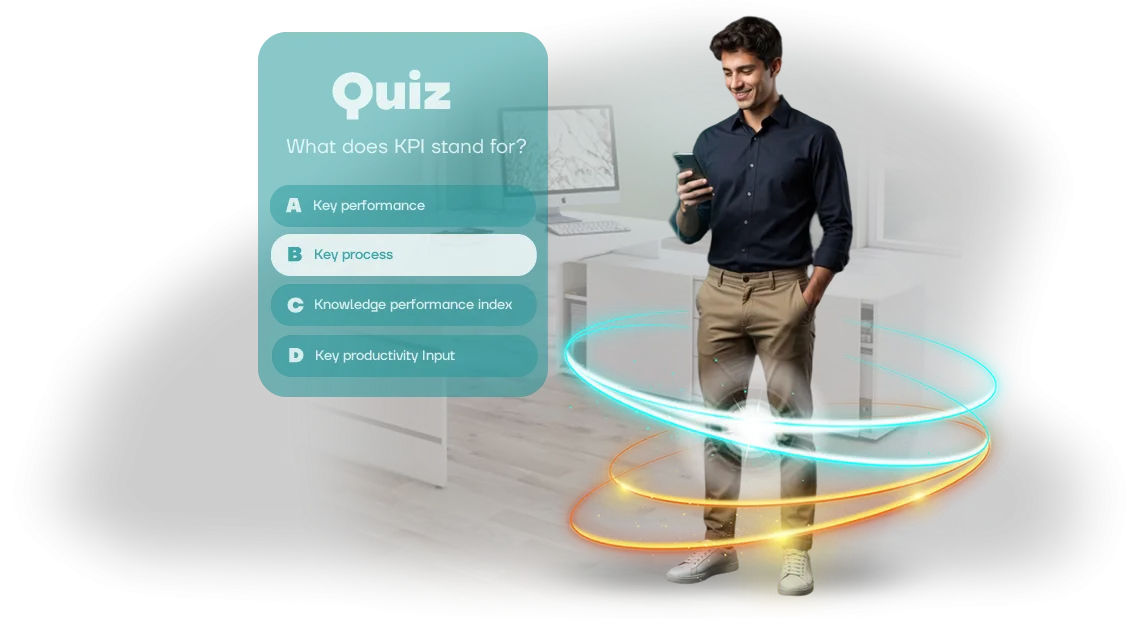
Box-Ticking Training? A Windows PC Quiz Changes That
Corporate training often turns into a mere formality: employees complete mandatory courses just to tick the box, without engaging with the material. Briefings, modules, and tests already exist, but they run idle.
Within a couple of weeks, the knowledge evaporates, and performance stays the same. Managers see low engagement but don't know how to turn the situation around. The training budget is spent, but the return is minimal.
A training quiz on Windows PC changes the approach. It is not a boring test but an interactive game where employees compete, receive feedback, and remember key rules. Engaging mechanics with points and levels make people return to the material, not just click buttons. Knowledge checks become an event people look forward to, not avoid.
Employee engagement grows because the quiz takes into account their speed and level. Each person sees their own result and understands what needs to be improved. And the manager gets an objective picture: which topics everyone has absorbed, and which need review.
The quiz can be adapted to any topic — workplace safety, product knowledge, internal regulations. Results are collected automatically and show each employee's progress.
It works on the familiar Windows PC — no need to buy tablets or set up complex servers. This is the standard in most companies, so you won't have to change workstations. Launch takes a minute, and the interface is clear even for those who don't like technology.
Training happens in the office or remotely, saving time and budget. Every employee has a Windows PC, so the quiz is available at any moment.
We handle all development: scenario, design, mechanics, and technical implementation. We create a quiz that truly engages and tests knowledge. Tell us about your task — together we'll design the mechanics and launch a training quiz on Windows PC. This is how training stops being a box-ticking exercise and starts delivering results.
What Game-Based Knowledge Checks Offer: Engagement, Reach, Results
Ordinary tests on paper or in a learning management system are formalities. Employees take them just to tick the box, the material doesn't stick, and the manager gets dry percentages that don't show where knowledge is actually lost.
A game-based quiz solves this problem: excitement and a spirit of competition engage participants, and emotional involvement directly affects retention and the desire to keep learning.
| Criterion | Regular assessment | Game-based quiz |
|---|---|---|
| Engagement | Low, done just to tick the box | High, excitement and interest |
| Material retention | Up to 20% after a week | Significantly higher thanks to emotions |
| Reach | Selective, often compulsory | All employees, including remote regions |
| Data for the manager | Overall percentage of correct answers | Breakdown by topic and individual participant |
| Atmosphere | Fear of mistakes, tension | Positive, team play, discussion |
This approach gives the manager an objective picture: which topics are weak, which employees need additional training, and where you can move forward. Quiz results easily turn into a team development plan — without long manual checks and interviews.
"We used to spend weeks preparing tests and still didn't understand what employees had actually learned. Now the quiz shows weak spots within one hour, and people themselves ask to repeat this kind of training," — Marina, head of the learning center.
A game-based knowledge check is not entertainment but a working tool for business growth. It increases employee engagement, gives honest results for personnel assessment, and reduces time spent on preparation and checking. Our quizzes run on ordinary Windows PCs — no need to purchase additional equipment.
Quiz Formats: We Match the Format to Your Team's Task
The same quiz can solve different tasks: introduce a new hire to the company, refresh experienced employees' knowledge, or check the team's readiness for new standards. That's why we start not with the interface but with your goal — and choose the right format for it.
The format determines the question structure, how long it takes, and the type of feedback an employee sees.
| Format | For whom | What it gives the client |
|---|---|---|
| Learning and engagement | Current employees who need to master a product or refresh their knowledge | Higher engagement: material is covered in game form, and the competitive element draws people back for another attempt |
| New-hire onboarding | New employees in their first weeks on the job | Fast familiarization with regulations, company history, and standards — without tedious lectures or thick manuals |
| Certification and control | Department heads, HR, and business owners | An objective picture of team knowledge: an automatic report for each employee, showing typical mistakes and growth areas |
In any format, the quiz runs on ordinary Windows workstations — no need to buy tablets or rent additional equipment. An employee takes the test in a familiar environment, and you get results immediately after completion.
If your task goes beyond the three basic scenarios, we combine mechanics: add video cases, open-ended questions, or dialogue scenarios. The quiz format is a tool that adapts to your team, not the other way around.
How a Quiz Is Created: From Brief to Launch
We designed the process so you always know who is responsible for what and when you'll see the result. Below are the typical development stages, from the first brief to launching the quiz on employees' work computers.
- Brief and task immersion. You tell us about the training goals, audience, and desired outcome. We clarify the details and propose a quiz scenario.
- Concept and plan. We lock in the question structure, game mechanics, and timeline. We align on the concept so everyone is on the same page before development begins.
- Interface mockups. At this stage, you see what the quiz will look like: screens, buttons, fonts. We make changes before final assembly starts.
- Development and content. We build the game in a professional tool, connect the questions, and configure the result-scoring logic.
- Testing and approval. We test with real scenarios — so nothing freezes and everything works on your Windows computers. You receive a demo version for review.
- Quiz launch. We install the game on the target devices, give the administrator a short briefing, and hand over all materials. After that, all that's left is to launch and get employees engaged.
- Post-launch support. If anything goes wrong, you contact us — we'll help quickly sort it out and fix it.
What's Included in the Delivery: A Complete Kit for Managers and HR
After the project is completed, you receive not just a program but a ready-made kit for launching training. We've put everything together so that a manager or HR specialist can run the quiz independently, without developer involvement.
The delivery set includes:
- A ready-made quiz application for Windows PC. It installs on work computers and works even without internet access.
- Interface design in your company's corporate style — with your logo, colors, and fonts. Employees see familiar branding, which increases engagement.
- Methodological materials: a detailed running script, a presenter's guide, and recommendations for analyzing answers and discussing results.
- A question management panel. You can update the quiz: change questions, add new topics, adjust difficulty — without a programmer.
- Reporting after completion. The manager sees who answered, how, which topics were mastered well, and where employees need additional preparation.
- A training webinar for your team. We show how to use the system and answer questions — so you can get started right away.
This kit is delivered in a convenient format with clear instructions. You get a working solution that can be used on the day of delivery and adapted for new training tasks.
Case: A Retail Chain Boosted Training Engagement
3. Implementation Case: A Retail Chain Boosted Training Engagement
To show how the approach works, let's look at a real story. A retail chain with 3,000 employees approached us: their standard training ran in a personal account, 40% of staff opened the materials, and only a third made it to the test.
Sales associates' complaints sounded the same: "boring," "doesn't stick," "no time."
What we did
We turned the mandatory course into a corporate quiz on Windows PC — with questions about the product, service standards, and handling objections. Employees answered questions in a game format: they saw progress, points, and a ranking among colleagues. The quiz took 10 minutes instead of the previous hour.
Results after launch
Two months after the quiz went live, the chain saw measurable changes in the business:
- The share of staff who completed training rose from 40% to 91%.
- The average test score rose from 54% to 82% — sales associates genuinely knew the product better.
- Repeat purchases from customers served by trained employees increased by 17%.
- Store managers stopped tracking "views" and began seeing real results.
We'd also like to note: the quiz became a tool for new employees. Onboarding time was cut from two weeks to five days, because new hires learned work standards faster.
The training manager noted that staff themselves asked for access to the game outside working hours — something that never happened before.
Today, the quiz runs at the chain on a regular basis — employees refresh their knowledge every six months. Two more retail chains from neighboring regions have also trusted us with similar projects.
If you want a similar result for your training — tell us about your task, and we'll show you how to make it happen at your pace.
What if we have specific requirements for the quiz?
Non-standard requirements are no reason to worry. We work with exactly such tasks: every client has their own processes, regulations, and rules of the game, so adapting the quiz to your specifics is a standard part of our work, not an exception.
It all starts with a briefing: we analyze how training is structured in your company, which scenarios matter, and what should happen after each employee's answer.
Based on that, we design the quiz logic — from the question set and hints to non-standard formats like team competitions or tests with a changing scenario.
We customize the interface to your corporate style and requirements: window sizes, fonts, error behavior, and integration with internal systems.
An individual approach also means flexibility in the details. Need a timed quiz with anti-retake protection? We'll build it. Need results exported into a report in exactly the format you want? We'll agree on it.
We work in the professional Unity engine, which lets us build interfaces for specific scenarios and run them on Windows PCs without unnecessary restrictions.
What if requirements appear after development has already started?
Nothing to worry about — we plan for refinements. At every stage, we show intermediate results so you can see the quiz in action and fine-tune the details. Changes are made as we go, and the final version is tested against your real scenarios.
What the Quiz Runs On: Reliable Launch on Windows PC
The quiz runs on any modern Windows PC — from an office laptop to a stationary accounting computer. We chose this platform for a reason: it's already present in every company, so you don't have to buy additional equipment or change your hardware fleet. Corporate training starts the moment an employee opens their familiar work computer.
The quiz interface is built on the professional Unity engine and optimized for Windows PCs with different specifications. That means graphics, video, and questions load without delays, even if the office has a weak internet connection or outdated drivers.
We eliminate typical glitches — freezes, black screens, audio dropping out — so training runs without technical interruptions.
For your team, this guarantees predictable results: the quiz works just as reliably on projector-connected devices as on employees' personal laptops. There's no need to configure each machine manually — a standard check we run before launch is enough.
And if your company follows corporate security policies, we adapt the launch to fit them, including installation on secured PCs.
We also take care of maintenance: when Windows updates or a new system version is released, the quiz keeps working without issues. Your employees focus on learning rather than fighting with technology, and you get a stable tool for employee development anywhere in the company.
Launch the Quiz for Your Employees: The Next Step
Launching a training quiz on Windows PC is not a one-time event but the start of systematic employee training. After the quiz is installed, the team works through the material at a convenient time, and you see what was actually learned. No complex setups: we deliver a ready-made product that works immediately.
Here's what you get after launch:
- Employees take the quiz at their own pace — no rigid schedule, no time away from core tasks.
- You see results for each participant: it's clear who has absorbed the material and who needs additional explanations.
- The quiz runs on Windows PC — no need to install additional software, buy licenses, or train staff.
- Questions and scenarios can be updated for new regulations, products, or changes in company processes.
- Built-in statistics show reach, average score, and repeated attempts — making it easy to assess training effectiveness.
- Results can be linked to your motivation system: points, team standings, awards.
After launch, the quiz works like a coach who never gets tired and never skips employees. You get not just a monitoring tool, but a way to raise engagement and the quality of knowledge. Training becomes measurable, not formal.
Leave a request for development — we'll create a quiz for your task and help with built-in employee training. We'll show intermediate results, launch it together, and stay in touch after the start. The next step is yours.