

Employees Failing Training in Canvas? Time to Change the Approach
You invest money and time in employee training, but you don't feel the return. Courses in Canvas open on schedule, tests are completed "just for show," and a week later the key rules are forgotten.
Mistakes repeat, customers suffer, and the training department keeps answering questions that have already been covered.
The problem isn't laziness or weak team motivation. It's the format: monotonous slides and tests don't trigger emotions, so engagement in training stays at zero. Canvas turns into a boring obligation that everyone wants to finish quickly and forget.
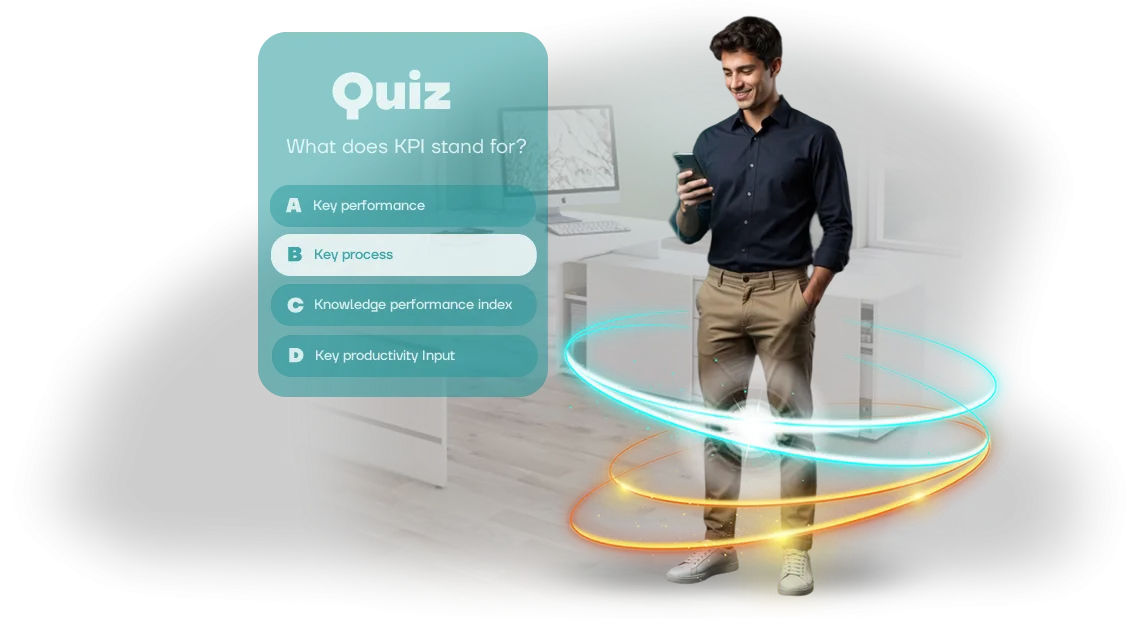
The solution is an interactive quiz that integrates into Canvas and turns learning into a game. Employees don't passively read — they actively answer, get instant feedback, and see their progress.
Excitement and a competitive element activate natural memory — material is absorbed without cramming and stays in mind for a long time.
The quiz works directly in the browser on any device: in the office, at home, or from a phone while traveling. Nothing needs to be installed — the employee opens a familiar system, launches the quiz, and completes training in a new format. At the same time, as a manager, you see objective results for each person and for the whole team.
As a result, employee training stops being a formality: engagement grows, work errors decrease, and the money invested in team development starts generating measurable business results.
This is exactly the approach chosen by companies focused on growth that are unwilling to tolerate losses from unabsorbed knowledge.
What a Corporate Unity WebGL Quiz Can Do for Your Business
A corporate quiz is not just a game — it's a working training tool. Check the checklist to see how it covers your business objectives.
-
Higher engagement. Employees willingly complete training in a game format. The Unity WebGL quiz launches directly in the browser, without installing software, and works inside your Canvas. This turns a boring lecture into an active quiz where everyone participates.
-
Better material retention. Interactive questions and instant feedback reinforce knowledge 60% more effectively than reading text. The employee answers, makes mistakes, sees the correct answer — information stays in memory.
-
Convenience for HR and managers. You upload the questions yourself, configure the scenario and deadlines. No development from scratch — the platform is already fine-tuned. Just place the game in Canvas and send the link to the team.
-
Time savings. No need to gather people in one room. Each employee takes the quiz at a convenient time from their computer or tablet. The process is automated: you assign, the system reminds, and results are collected on their own.
-
Performance analytics. In the personal dashboard you can see who completed the quiz, who answered correctly, and which topics cause difficulties. This data lets you refine the training program precisely and see the real effectiveness of each block.
We have been developing interactive training formats for over 10 years — we'll help you integrate a quiz into your process.
Training Quiz Formats: From Onboarding to Certification
Corporate training often underperforms because employees perceive it as an obligation. Lectures and PDF cheat sheets don't hold attention, and test results don't become a habit.
A quiz solves both problems: it engages people in the process and is remembered for real, not just until exam day.
But there is no one-size-fits-all quiz format. For newcomers, it's important to gently introduce rules and culture; for experienced employees, to assess knowledge without stress; for regular practice, to maintain momentum and interest.
We select the mechanics in advance based on your task and embed the game into your training system (including Canvas) so all completions are collected into neat reports. One project can combine several formats — for example, certification as a competition between departments.
| Format | Who it's for | What it gives the client |
|---|---|---|
| Onboarding quiz | New employees | Quick introduction to the product and rules, gentle adaptation, and reduced anxiety in the first weeks |
| Certification in game format | Current employees | Objective knowledge assessment without boring tests, honest statistics by team |
| Gamified training | Sales and support departments | Regular practice in a competitive format, higher engagement, and skill reinforcement |
If you don't know where to start, we'll send a demo with three formats based on your examples. You'll see what training looks like when employees don't get distracted and when it actually changes performance.
How Quiz Development for Canvas Works: 7 Steps
Developing a training quiz for Canvas is not a "black box." We divide the work into 7 clear stages and show intermediate results at each step so you can adjust tasks in time. Below is the step-by-step process your project goes through, from brief to support.
-
Brief and goal setting. We find out what skills need to be tested, who the audience is, and which format is appropriate. We record deadlines and requirements — and you always see the plan.
-
Scenario design. We define topics, number of questions, task types, and scoring system. This stage locks in the content so there are no surprises during development.
-
Visual mockup. We prepare design in your corporate style: logo, brand colors, fonts. The quiz looks like part of your ecosystem, which matters for the brand.
-
Development on Unity WebGL. We build game logic, animations, and result processing. The finished quiz runs in the browser — employees just open the link from Canvas, no installation needed.
-
Testing and debugging. We check it on different devices and popular browsers and eliminate any glitches. By the appointed day, you receive a launch-ready version.
-
Launch and publication. We place the quiz and open access to employees. If needed, we connect authorization through the corporate system — without extra headaches.
-
Analytics and support. We monitor completions: completion rate, time, difficult questions. We adjust content to make training more effective.
What's Included in the Delivery: A Kit for Launching the Quiz
When you order a corporate quiz, it's important to understand that you'll receive a ready-made tool, not a "semi-finished product." That's why we include everything needed in the delivery kit to launch employee training on the day the project is handed over — without developer involvement or extra approvals.
Here's what's included:
- Ready-to-use browser game. The quiz works on computers, laptops, and tablets through the browser — employees don't need to install anything. Just open a link or embed the game into the corporate portal.
- Admin panel for content management. You can change questions, answer options, add new topics, and adjust display settings yourself — no programmer needed. The interface is clear, and you can update the question bank in a couple of minutes.
- Instructions for administrators. A step-by-step guide: how to launch the quiz, how to grant employee access, how to view completion statistics, and what to do if a technical issue occurs.
- Training materials for employees. A short guide for participants: how to enter the game, how long it takes, and how results work. This reduces support questions on launch day.
- Full hosting documentation. A description of how to upload the quiz to your internal portal or learning management system. All steps and possible integration options are included.
Additionally, we provide the project source files and access to the server side so you can develop the quiz with your own team or order new modules from us in the future. All of this is packaged into a structured kit that is easy to hand over to any HR team member.
This way, you get not just a game, but a working training system with a clear management interface. All that's left is to upload the quiz to your portal, share links with employees — and the process can begin.
Case Study: How We Increased Course Completion in Canvas by 40%
The retail chain VkusMart faced a typical problem: employees didn't finish training courses in Canvas.
Out of five hundred people, only a few completed the program — staff saw training as a boring duty rather than a help at work, even though service standards and revenue depended on this knowledge.
We proposed turning dry modules into a browser-based quiz with levels, points, and an overall leaderboard.
Employees went through the material in small portions and immediately tested their knowledge in a game format — no software installation, from any device, right during a work break. Managers saw progress in real time and could support those who were falling behind.
The result exceeded expectations: the share of employees who fully completed the course grew by 40%. The average score on knowledge checks rose, and preparation time for new hires decreased — instead of reading long texts, people reinforced skills in practice.
What Changed for the Business
- Training completion grew from 20% to 60% — every employee passed the final test.
- Errors at checkouts and on the floor decreased — staff applied new standards faster.
- Department managers got clear statistics: who passed, who was lagging, and where retraining was needed.
The training manager noted: "For the first time, employees themselves asked for additional rounds and asked when the next quiz would be available." Six months later, the chain ordered four more games for different departments — training became part of corporate culture rather than a formality.
What If You Have Specific Requirements for the Quiz?
Specific requirements are not a problem — they're a reason to make the quiz more precise for your tasks. We don't force your business into a template; we adapt the mechanics, scenario, and presentation to the specifics of your industry, corporate culture, and audience.
If standard functionality isn't enough, we refine the game so it solves exactly your task — from knowledge checks after training to complex scenarios with multiple development branches.
We start with a brief: you tell us about your specifics, we ask clarifying questions and propose implementation options.
For example, for a manufacturing company — a quiz tied to regulations and instructions; for sales — interactive dialogues with a client; for newcomer training — role-play situations and error analysis.
Everything that can be adapted, we adapt: scoring system, difficulty levels, time limits, hints, feedback after answers, and design according to your brand book.
We work on a professional tool that allows us to implement non-standard logic without losing reliability. For you, this means: the quiz blends naturally into your training process and doesn't look like a third-party application.
Employees don't need to relearn anything, the rules are clear, and the result is measurable — you see who has absorbed the material and which topics should be reviewed again.
Even if you don't fully understand how the quiz should look — that's fine. We help formulate requirements, propose solutions, and show examples from related projects.
In the end, you get not "just a game," but a tool that works for your business metrics: reduces time spent on initial instruction, improves material retention, and decreases the number of errors at work.
Adaptation doesn't mean long timelines or unnecessary costs. We cover most non-standard tasks within a standard project, discussing all details in advance.
If a particular mechanic requires a special approach, we honestly say so at the planning stage and offer the optimal solution — no surprises at launch.
Frequently Asked Questions About Quiz Development for Canvas
We understand that before ordering a quiz you have questions: will we meet deadlines, will it be too expensive, and how will everything work together with Canvas. We answer the main ones — briefly and to the point.
How long does it take to develop a quiz for employees?
The timeline depends on the format: a simple quiz of 10 multiple-choice questions launches in 5–7 business days. A quiz with a storyline, video, and reward system takes two to three weeks. Before starting, we fix the date in the contract so you can plan the launch.
How much does development cost?
The cost is determined by the volume of content and scenario complexity. For an estimate, a brief is enough: send examples of topics and the number of questions — we'll return a quotation within two days. It includes development, testing, Canvas integration, and a guarantee.
How does the quiz integrate with Canvas?
We create the quiz as a separate module that can be conveniently opened from your course in Canvas. The employee completes the training and immediately moves to the quiz, while results automatically return to the system — grades, completion, and progress. You don't need to transfer data manually.
What if the quiz freezes during a corporate launch?
Everything runs on professional equipment and undergoes load testing before delivery. If problems arise during the process, we quickly connect and resolve them under the support agreement.
The main point is that there are no barriers for employees: the quiz opens in a regular browser without installing plugins.
What happens after launch? Will you just disappear?
After launch, we stay in touch: we'll fix questions, add new participants, and help with analytics. The first two weeks — at no additional cost; after that, we can extend support if you wish. This guarantees stable operation of the quiz in your training program.
Order a Quiz: Your Employees Will Thank You
Employees get bored with standard courses and quickly forget the material — anyone responsible for training knows this. A quiz turns the process into a competition: people get involved, remember the rules, and return to the topic with interest.
And when the quiz runs in the browser on Canvas, it can be taken from any device — computer, tablet, or smartphone, without installing apps.
The business result is obvious: higher engagement, faster onboarding for newcomers, and fewer mistakes caused by not knowing the regulations. You get a ready-made tool that is easy to update for new standards and use across different departments.
What's included in the order:
- a ready-to-use browser quiz styled to match your corporate identity and logo;
- a question bank based on your regulations, instructions, and product knowledge;
- game mechanics with points and a leaderboard for healthy competition;
- clear statistics: how many employees completed the quiz and which topics caused difficulties;
- the ability to change questions on your own — without contacting a programmer;
- launch instructions and technical support after project delivery.
To get started, leave a request for a consultation. We'll clarify your tasks, scope, and timelines, and calculate the cost — no hidden fees or unnecessary upsells.
And after ordering, you'll receive a bonus list: recommendations on how to embed the quiz into your current training program and which mechanics will strengthen the results.
Contact us in any convenient way — we'll discuss the details, answer your questions, and create a quiz your employees will thank you for.