

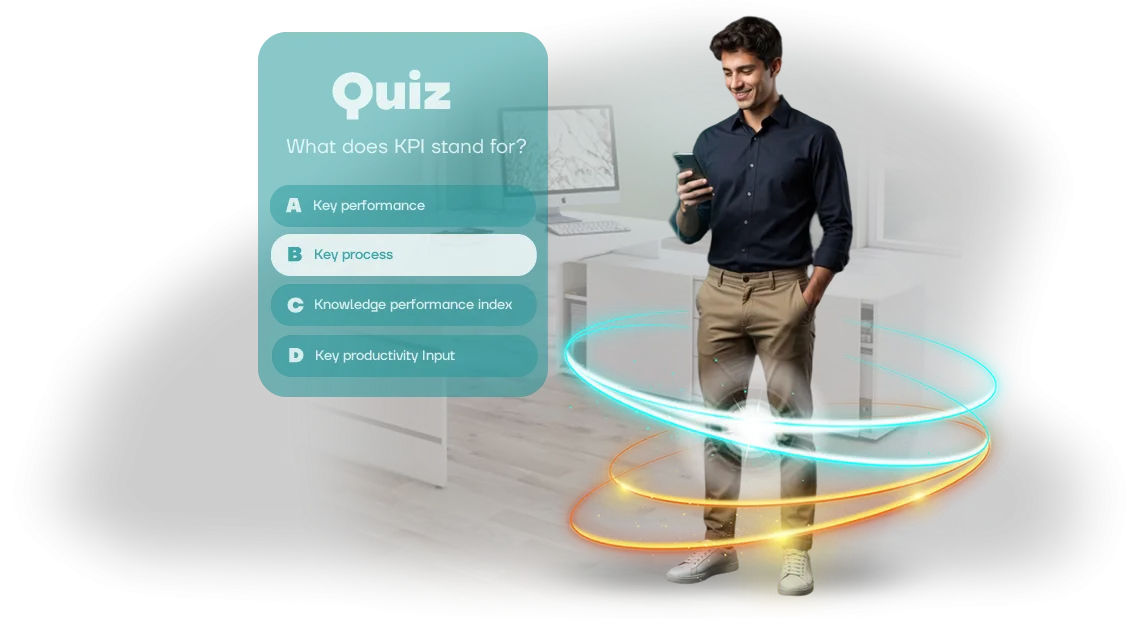
Why employees don't complete CrossKnowledge training
You've invested time and budget in corporate training, and employees formally open the course, tick the box and close the tab. Quizzes in CrossKnowledge often remain unfinished: a boring interface, long slides, a lack of engagement.
A familiar picture: the course completion rate drops, and the HR report shows that the knowledge never really stuck.
The problem isn't employee laziness — it's the format. Regular tests in CrossKnowledge are perceived as mandatory routine, not a useful experience. People need motivation: interest, excitement, a clear goal.
When learning looks like an exam, employees postpone it and complete it at the last moment, just to close the task in the system.
We solve this through game mechanics in quizzes: short rounds, visible progress, a competitive element. The employee completes the course because they genuinely enjoy answering questions and seeing their result. And you get real material retention, not a simulation of activity.
This approach increases training engagement: the quiz is completed in full, employees return to it for revision, and they retell key rules to colleagues on their own.
As a result, completing a course in CrossKnowledge stops being a formality and becomes a tool that develops the team.
What business tasks an educational quiz solves
Employees rarely read long instructions and regulations to the end — the material fades within a few days. An educational quiz turns dull familiarization into a short interactive action: the employee answers questions, immediately sees their result and remembers the key rules.
This isn't entertainment but a working tool that integrates into the existing CrossKnowledge training system.
The first business task is growing engagement. Instead of passively reading documents, employees get involved: the competitive element, instant feedback and clear mechanics hold attention. The result is a higher course completion rate and fewer cases where training remains a formality.
The second task is objective knowledge control. The manager sees who has truly absorbed the material and where gaps remain. Results are collected automatically, without manual test checking, and arrive in a convenient format for analysis. This saves hours that previously went into collecting and checking answers.
The third task is unified training standards. All employees go through the same scenarios, so everyone receives the same knowledge base: work standards, safety procedures, customer communication rules.
This is especially important for geographically distributed teams — the quiz levels the training level regardless of branch.
Finally, the quiz saves time on checking and administration. Automatic result processing and clear reports free your specialists from routine.
In the end, you get a measurable outcome: higher engagement, transparent knowledge control, and confidence that every employee works to unified standards.
Quiz formats in CrossKnowledge: from a quick warm-up to certification
Quiz formats in CrossKnowledge must match the task: a short warm-up for a newcomer to get started, a check for an experienced employee before certification, and team onboarding for new colleagues without wasting time on lectures.
We develop quizzes on Unity WebGL, so they run in the browser without installation, open on any device and integrate easily into your learning management system — employees don't need to download or install anything.
In practice, we use three basic formats — they cover most corporate training tasks:
| Format | For whom / When | What it gives the client |
|---|---|---|
| Warm-up | At the start of a course, to engage in training | Quick engagement, removing the barrier before the material |
| Onboarding | New employees in their first weeks | Faster time to productivity, unified standards |
| Certification | At the end of a month or quarter | Objective picture of competencies, a basis for a development plan |
Different formats are one well-tuned mechanism: you choose how to check knowledge at each stage, and we tailor the quiz to your goal. If needed, we combine them — for example, a warm-up before an onboarding course and certification after.
This approach keeps unrelated tasks separate: instead of one bulky test, you get several short checks, each solving a specific problem.
How quiz development works for your company
Developing an employee quiz is not a technical detail but a learning scenario that must deliver a measurable result. We've built a transparent process: you always understand what stage the project is at and can influence it at any point. Below is the step-by-step workflow we follow.
-
Brief and task immersion. We study what knowledge needs to be tested, who your audience is and how it prefers to consume material. We capture the quiz goals, difficulty level and the criteria you will use to evaluate its effectiveness.
-
Scenario and mechanics approval. We build the structure: topics, number of questions, answer options, hints and competitive elements. You receive a scenario document for approval — we refine it until it fully satisfies you.
-
Prototype and design. We create an interactive mockup with real screens and navigation logic. You see how the game will look on the employee's screen and evaluate the usability, design and presentation.
-
Implementation and integration. We build the quiz with your company's brand style in mind and configure it to run inside your training system, including platforms such as CrossKnowledge.
All work is done on professional equipment — a guarantee of stable performance in any user's browser.
-
Test launch and refinement. We run a check with a small group of employees and collect their reactions and comments. We fix errors, speed up navigation and only then hand you the final version.
-
Company-wide launch and support. We place the game in shared access and help with the announcement and instructions. We stay in touch: you can order new questions, a design change or an expansion of the quiz at any time.
On average, the entire cycle takes two to three weeks, including all approvals. In the end, you get a ready-made tool that is easy to embed in current training and quickly adapt to new tasks.
What's included in the delivery package of a finished quiz
You don't get an "impersonal template" but a ready-made training tool adapted to your tasks. We work through the questions together, turning them into an interactive scenario with explanations and rewards for correct answers.
The delivery package includes:
- Adapted questions — your materials or a ready-made base are turned into a quiz with clear hints and answer options.
- Corporate-style design — we use the logo, brand colors and graphics so the quiz looks native to your company.
- Administrator instructions — a short document on deployment, access configuration and viewing results.
- Employee instructions — a guide to how the quiz works, how long it takes and which devices it runs on.
- Post-launch support — we help resolve issues during deployment and address feedback on quiz performance.
- CrossKnowledge compatibility — the quiz is tested in your training system and runs in the browser without additional installations.
All materials are delivered as a single package within the agreed deadlines, and we handle the technical side. You launch training on the day you planned.
Case study: how a quiz raised course completion by 37%
Employees often abandon training halfway: dry lectures don't hold attention, and managers have no tools to influence course completion. A retail company ran into exactly this — only a third of staff reached the end of the mandatory program.
The client already used the CrossKnowledge platform to host materials but wanted to make the format more engaging. We proposed turning key modules into a series of short browser-based quizzes — with questions, clear scenarios and instant feedback.
The employee completes the game right in the browser, without installing additional software, and the results automatically flow into the shared training system.
How the quiz works
The quiz consists of rounds of 5–7 minutes — easy to fit into a workday. The questions are built on real cases from company practice, not abstract theory: after each answer, the employee sees an explanation of why the option is correct. This helps not just memorize the material but apply it on the job.
To keep interest high, we added a competitive element and individual progress. Employees can retake the quiz and improve their result, while the manager can see who has completed the training and who needs support.
Result: +37% course completion
A month after launch, the share of employees who fully completed the course grew by 37%. The average completion time dropped by two days — training no longer stretched over weeks. Repeated quiz runs showed that the material had stuck: the average score rose by 12%.
The client was so pleased that they ordered quizzes for two more training programs. And we got a clear case: if employees aren't completing training, it's usually not laziness but a boring format. Game mechanics on a familiar platform solve this problem quickly and measurably.
How to choose the quiz format for your task?
Three things define the quiz format: who will take it, how much time employees have for training, and what result the manager needs to see at the end. That's why there is no universal length or difficulty — selection starts with an analysis of the audience and the specific task. When developing training quizzes for CrossKnowledge, we always start with these three questions.
For mass training of new employees, short quizzes of 5–7 questions with instant feedback are more effective: they fit into ten minutes and provide a quick snapshot of knowledge on key topics.
If you need to reinforce complex material about a product or internal regulations, a multi-level scenario with increasing difficulty and explanations after each answer works better — the employee gets time to understand rather than just guess the right option.
The audience plays the main role. Frontline staff generally respond worse to abstract mechanics and long texts, so for them we choose simple formats with large buttons and clear feedback.
For office employees and managers, we can add competitive elements, cases and time limits per question to support engagement — but only when that fits your team naturally.
It's important to decide in advance which results you want to evaluate after the training. Some managers only need the percentage of correct answers; others need detailed statistics per department, before/after comparisons, or dynamics of repeated attempts.
In our practice, we first run a short brief with the manager to understand these criteria, and only then propose a specific format: length, difficulty and question types.
This upfront work eliminates the situation where the quiz is already built but doesn't deliver the data you need or misses the audience.
We match mechanics to your specifics, not to a ready-made template — and you end up with training that genuinely shows changes and pays back the implementation time.
Common doubts before ordering a quiz
Before launching a training quiz, almost every client goes through the same doubts. What if the game freezes at the most critical moment? How often can questions be changed? What if preparation takes longer than the quiz itself?
This is normal — any new format requires confidence that it won't let you down. That's exactly why we close these risks in advance at the development and support stage.
We usually build quizzes for learning management platforms such as CrossKnowledge and already know all the typical client concerns. Below, we cover the three most common ones.
What happens if the quiz breaks during launch?
Before launch, we run a full check with a realistic number of participants and load, so failures are ruled out.
If something does go wrong, you get a direct contact with our team — we resolve issues within a business day, not "someday later." In addition, the quiz runs in the browser and requires no installation on employee computers.
How often can quiz questions be updated?
Updating content is not a new development. We set up a convenient scheme where you change questions, answers and images yourself through a simple panel — no programmer needed. Want to update the quiz every month? No problem. Questions can be tied to new products, regulations or seasonal campaigns.
When is the best time to launch the quiz?
A quiz can be launched at any time: during onboarding of newcomers, after training, at the end of the quarter, or as part of a corporate event. We'll help you choose the best timing for your task and prepare everything for the target date.
If the format seems debatable, start with a pilot on one team — you'll see the result without a large investment.
In short: we take on development, support and launch. You get a ready, working tool for employee training that requires no technical knowledge from you. All that's left is to invite the team and discuss the result you want to achieve.What you get after launching the quiz
You don't need to wait for the end of the quarter to launch a training quiz — just submit a request for a calculation, and we'll prepare a plan for your task.
Within a few weeks, you'll have a working tool that employees complete in the browser — without installation or complex setup.
The quiz easily integrates into your training system, including CrossKnowledge, so completion data flows directly into the overall statistics. You see who has completed the course, which topics caused difficulties and where training needs to be strengthened. This isn't just a test — it's a tool for knowledge control and staff development.
After launch, we don't disappear: we set up analytics, monitor performance, update questions as needed and help with integration into current processes. You get full support — from the first assignment to stable ongoing operation.
What's included in the result
- a working browser-based quiz — no installation, accessible from any device;
- analytics for each employee and department: scores, errors, completion time;
- regular reports and recommendations for improving materials;
- technical support and fast response to requests;
- the ability to update questions without involving developers;
- administrator instructions and team training;
- a guarantee of stable operation at all stages of launch.
Submit a request — we'll calculate the cost and timeline for your task the very next day. You'll receive a clear launch plan, and after that, a ready-made tool that genuinely raises the level of employee preparedness.