

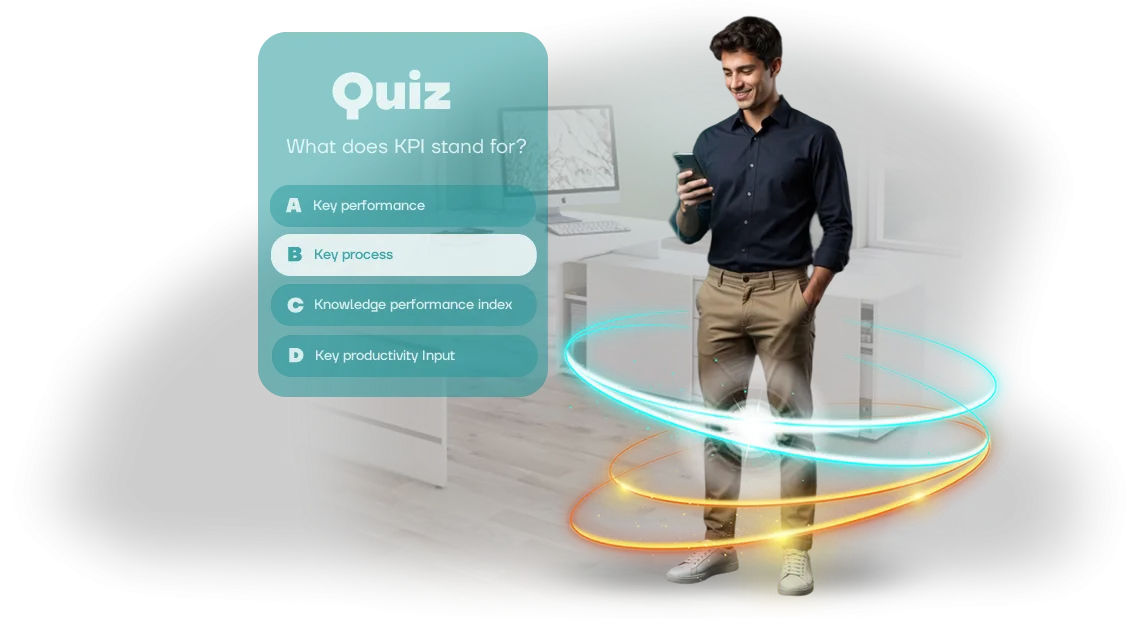
Employees losing interest in training in GetCourse: how to fix it?
Corporate training through GetCourse is convenient: courses, webinars, tests — everything in one window. But if content is delivered as a long lecture with occasional questions, employees quickly lose focus.
They go through the material just to check a box, and a week later don't remember key rules — and that costs the business more than it seems.
Low engagement in training directly hits results: managers make mistakes in scripts, newcomers take longer to reach their targets, and retraining eats the budget. The problem is not the platform but the format. Monotonous text and standard tests create neither interest nor healthy competition among employees.
Quizzes in GetCourse solve this problem. Short rounds with questions, a timer, and points turn boring mandatory training into a game where you want to show your best result.
Employees themselves revisit the material to climb the ranking, and you get clear statistics — who really mastered the topic and who needs extra support.
We develop browser-based quizzes on Unity WebGL that are embedded directly into your training program in GetCourse. You don't need to change your usual process — the game launches via a link or as an embedded block, and results are visible in the overall statistics. This way, training stops being a formality and starts working toward results.
What quiz development will bring to your training course
When training consists of videos and presentations, employee attention quickly drifts. They formally skim materials but forget half of them within a week. Quizzes turn the process into a game: the employee answers questions, receives instant feedback, and sees their result. This holds interest and encourages returning to the material until the topic is mastered.
The main advantage of quizzes is measurable effectiveness. You see who completed the course, which questions caused difficulties, and how well the material was absorbed.
Built-in analytics shows each employee's progress in your GetCourse system: you can compare departmental results and adjust the program if needed. This way, training stops being a formality and becomes a tool for improving the team's competencies.
At the same time, quiz development saves your time. No need to manually check tests and compile results — everything happens automatically. The employee takes the quiz right in the browser, and the data immediately goes to the training portal.
You get a ready-made tool that works without your involvement: assign it, employees complete it, you see the results.
We make such quizzes to order: professional development on Unity WebGL allows us to create interactive scenarios with any questions, timers, and levels. The quiz easily integrates into your GetCourse course, and employees can complete it from any device.
As a result, you get engaging training that genuinely improves qualifications and provides transparent analytics — without wasting extra time.
Quiz formats for GetCourse: from test to gamification
When the task of training employees through GetCourse comes up, many imagine a regular test with answer choices. But quiz formats are much broader: they cover the needs of onboarding, certification, professional development, and even team motivation.
The main thing is to match the mechanics to the specific business task so the quiz is not a formality but a growth tool.
We use different quiz formats for GetCourse — from classic tests to full-fledged gamification. Each format has its own goal, its own audience, and a clear result that you see in numbers.
| Format | For whom | What it gives the client |
|---|---|---|
| Classic test | Onboarding new employees, knowledge check after a course | Quick assessment of the level, automatic recording of results in GetCourse, clear statistics for each person |
| Situational cases | Managers, salespeople, support staff | Practice of real work situations, fewer mistakes, clearly visible who needs additional training |
| Gamified quiz | A team that loses interest in training | Increased engagement, excitement, desire to go through the material to the end, higher course completion rate |
| Quiz competition with rating | Certification, training of large departments | Transparent employee rating, motivation through healthy competition, instant snapshot of the whole team's knowledge |
Choosing a format is not just about "making it more interesting." The right mechanics turns training into a management tool: you see which topics are lagging, who is not absorbing the material, and where training has already produced an effect.
And since the quiz is embedded in GetCourse, all results automatically go into your records system — without manual summaries or data loss.
How corporate quiz creation works: stages and timelines
Every client wants to see how the project is progressing and when the result will come. That's why the process is built as a transparent system of five stages: you always know what's happening, who's responsible for what, and when the next milestone will be. No "black boxes" — only clear steps with fixed approval points.
-
Brief and task audit. We define the quiz goals: which audience we're engaging, what knowledge we're checking, and what result the business needs. The output is a technical specification that you approve before work starts.
-
Scenario and mechanics. We turn your materials into engaging questions with answer options, hints, and explanations. We coordinate the scenario with you — so the wording is clear to your employees, not just to methodologists.
-
Design and development. We assemble the quiz into a single browser game: branding-aligned design, smooth animation, and correct operation on any device — from laptop to smartphone. In parallel, you receive a test link and see the project live.
-
Approval and testing. You play the quiz, make edits, and we quickly process them. We test it on a real group of employees to make sure: questions don't hang, answers are counted, and each participant sees their result.
-
Launch and integration with GetCourse. We host the game on your platform or embed it via a link into the training course. After launch, we stay in touch: we help with refinements, monitor completion statistics, and make changes quickly if needed.
The entire cycle — from brief to launch — takes an average of two to three weeks. We fix the timeline in the contract and show intermediate results at every stage.
This way, you control the process and budget without unnecessary meetings, and we make sure the quiz truly works for your business goals.
What's included in delivery: quiz kit and documentation
Once development is complete, you don't just get files — you get a ready-made kit for launching employee training. It includes a browser-based quiz, an admin panel for independently managing content, a clear instruction guide, and full documentation adapted for GetCourse.
You won't have to dig into technical details or wait for a developer for every change — everything is already configured and documented.
Delivery package:
- Ready-made browser-based quiz: runs in a regular browser without installing any software, works equally reliably on employees' computers and tablets.
- Admin panel: you change questions, answers, and completion settings yourself — no need to order modifications from developers every time.
- Launch instructions: a step-by-step guide in Russian that even a non-technical employee can use to set up the game in one day.
- GetCourse integration documentation: connection scheme for linking the quiz to a training course, access configuration, and collection of completion results.
- Training administrator materials: recommendations for explaining the rules to employees, opening scenarios, and tips for reviewing results.
- Backup copies and project files: everything is stored with you, so at any time you can move the quiz to another server or hand it to another contractor.
Case study: how a quiz in GetCourse increased course completion by 40%
For one online school, we developed a training quiz on GetCourse — a browser test game embedded in the course for the sales department staff.
Before that, training consisted of lectures and paper questionnaires, so more than half of the team abandoned the course halfway and never made it to the exam.
We replaced passive reading with a game format: questions of increasing difficulty, real dialogues with clients, hints, and instant error breakdowns. The employee takes the quiz in the browser, sees their progress and points — this holds attention through the last question. And the manager sees results in the familiar GetCourse interface, without manual summary tables.
Result
After implementing the quiz, course completion grew by 40% compared to the old format. Topics that previously caused the most difficulties began to be covered on the first try — the number of retakes nearly halved.
Team performance improved, and the training department stopped spending time re-explaining the same material.
The client received transparent statistics: it's immediately clear who has mastered the material and who needs extra practice. A month after launch, they ordered a second quiz for a new employee — to practice client communication scripts.
This case shows that a quiz in GetCourse is not entertainment but a working tool for improving performance. This format reduces knowledge loss and delivers measurable results for the business.
Answers to frequently asked questions about quiz development
Before launching a training quiz, business owners have the same questions: how difficult is it, how long will it take, what about the budget, and how does it all connect to GetCourse. We answer directly and briefly — no technical details, only what matters for your decision.
Practice shows: these objections are easy to overcome when you see results across dozens of successful projects. So we've gathered the answers that come up most often in negotiations.
Will we have to maintain the quiz ourselves? We don't have a programmer.
No. We handle all stages — from scenario to launch. You don't need a separate specialist: we set up the quiz, connect it to GetCourse, and provide a simple instruction guide. After launch, we stay in touch and make edits if needed.
How much time does creating a quiz take?
A standard quiz with 10–15 questions and feedback takes 5 to 7 working days. If you need complex scenarios, animation, or custom graphics, we calculate the timeline separately — you receive a plan before work starts and can see each stage.
Does this fit into a reasonable budget?
Cost depends on the scope: number of questions, design, interactive elements. After the brief, you receive a fixed estimate with no hidden payments. You pay in stages, so the final amount doesn't come as a surprise.
How is the quiz connected to GetCourse? Will all results stay in the system?
The quiz is embedded in your course or email sequence via an embed code. Results are automatically transferred to GetCourse: you see who took the quiz, what answers they chose, and how many points they scored. You can immediately issue a certificate to the user and unlock access to the next lesson.
What are the risks, and what happens if something doesn't work?
Before launch, we test the quiz on different devices and browsers. After launch, we provide a guarantee for correct operation and support — if something doesn't display for an employee or a result doesn't make it to GetCourse, we fix it quickly. Your data and access are secure.
Order quiz development for employee training
Employee training often becomes a formality: materials are studied just to check a box, and real knowledge isn't retained.
A quiz solves this problem — it turns knowledge assessment into a clear and engaging process that employees complete with interest, not because they're forced to.
We handle all the development: from the question scenario to launching the finished quiz. You don't need to dive into technical details — after delivery, you get a fully working tool integrated into your training system.
What you get after ordering
- A quiz tailored to your needs — questions about your product, regulations, safety rules, or any internal materials.
- Ready-made integration with your course in GetCourse — employees complete the game right in a familiar interface, without switching between services.
- Automatic result checking — you see who mastered the material and who needs additional review.
- Gamification that boosts engagement: points, levels, competitive element — employees return to training on their own.
- The ability to update questions — change quiz content when rules or products change.
- Support at launch — we'll help integrate the game into the training process and explain how to use the results.
Submit a request — we'll discuss your task and propose a quiz format that solves exactly your problem. We'll tell you how quickly we can make the game and what we need from you — usually just a list of questions and design preferences.
How to choose the right quiz format for GetCourse?
Choosing a quiz format in GetCourse starts not with technical capabilities but with the goal of your training. What matters more: checking how well employees absorbed the material, practicing difficult situations, or boosting engagement in onboarding? The answer determines the question structure, duration, and delivery style.
If the goal is certification or knowledge control, a classic test works: a set of questions after a module, with error explanations at the end. For training on work processes, a scenario-based simulator is better, where the employee makes decisions and sees the consequences.
If you need to motivate the team — use competitive mechanics with points, a timer, and a rating: it creates excitement and increases returns to the course.
Also consider the audience level. Beginners need hints, gentle difficulty, and a calm pace; experienced staff need advanced cases so they don't get bored.
If your employees are varied, the format can be made adaptive: questions branch based on correct answers, and each person follows their own path.
The right quiz choice is determined by the metrics you want to see in GetCourse: completion rate, average score, retry attempts, time per answer.
We help you choose a format for your task, describe the question structure and scenario logic before development starts — you see in advance what the employee will get and how it will affect training.
The bottom line is simple: the format is chosen for your business task and real employees, not the other way around. Define the main result — we'll handle the rest.