

Does training in iSpring Learn fail to hold employees' attention?
Have you noticed that employees go through courses in iSpring Learn formally, just clicking through slides? They open a training module at the start of the workday, periodically get distracted by chat and email, and a week later no one remembers what the training was about. The corporate system works, but knowledge doesn't stick.
This isn't your instructional designers' fault. It's hard for people to stay focused on repetitive presentations and tests when dozens of notifications and other tasks are competing for their attention.
The result is box-ticking training — time spent, while employees keep making the same mistakes the training was supposed to fix.
This leads to manager dissatisfaction, extra hours spent on repeated onboarding, and losses that are hard to quantify. Training engagement directly affects how quickly new hires adapt and how well experienced specialists perform. The company loses the money invested in its corporate university.
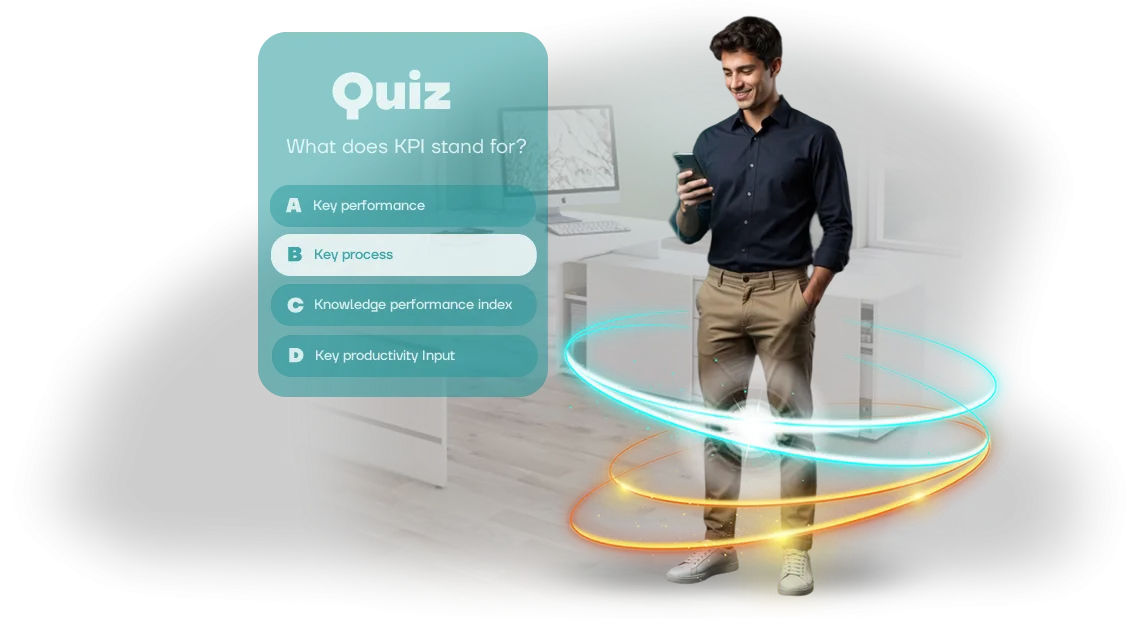
The solution is to flip the approach: turn knowledge assessment into a game. We develop educational quizzes that plug directly into your existing course on the platform where employees already train.
They look like engaging trivia games: questions, points, team competition, instant feedback. Employees actually want to complete this format — and along the way, they reinforce the knowledge they need without even realizing it. No routine, just excitement and results.
Gamification multiplies engagement and material retention. Your employees keep using the familiar LMS, but training stops being a chore. And the outcome is real knowledge, not empty entries in a completion log. You get employees who understand the material and apply it on the job.
What an educational quiz brings to your business
Employees complete regular instructions and tests "for the sake of ticking the box": attention drifts, and the material is forgotten within a week.
An educational quiz turns training into a competition — employees actually want to answer questions, see their progress, and compare results with colleagues.
A quiz embedded in iSpring Learn launches right in the browser, with no app installation required, so time-to-start drops to zero. It opens just as fast on a computer, tablet, or smartphone — an employee can even take it while on a business trip.
Gamification boosts engagement and reduces turnover: an interesting format reads as care for development, not as a mandatory chore. Companies using employee quizzes report higher course completion rates — people push through to the end for leaderboard spots and internal rankings.
At the same time, learning outcomes are easy to measure: iSpring Learn shows statistics for every question, so you immediately see which topics need to be explained again.
The share of employees passing the assessment on the first attempt grows — training stops being a "gray" process and starts delivering measurable results.
Time savings are the second major benefit. Game mechanics hold attention, so material is absorbed on the first pass — there's no need to repeat the same things manually.
Automated answer checking frees HR and managers from grading tests, and employees get instant feedback — the correct answer is explained right away, which strengthens retention. Instead of a full workday, training fits into 10–15 minutes.
Finally, the quiz strengthens employer brand recognition. Employees share their results with colleagues and on social media, and even a short corporate quiz creates the feel of a modern company where it's fun to work.
That's especially valuable in a market where candidates choose not only salary but also atmosphere. You get rising engagement, team time savings, and a stronger HR brand — all from a single tool.
Quiz formats for iSpring Learn for any task
Different tasks call for different formats. Quizzes for iSpring Learn cover the full range of learning scenarios: from rapid fact checks to practicing complex skills.
The key point is that employees take the test in a familiar interface, and you immediately get transparent statistics for every participant.
We match the task type to your specific goal and adapt the quiz to your LMS. Below are typical scenarios already used by our clients — and the results they get.
| Format | Who it's for | What it delivers |
|---|---|---|
| Multiple-choice test | Verifying knowledge of regulations, safety rules, standards | Quick knowledge check, automatic per-employee statistics |
| Quiz with answer options | Onboarding, new-hire adaptation | Engages from day one, reduces test anxiety |
| Interactive scenario | Practicing complex situations — client communication, sales, negotiations | Employee learns on real cases, remembers the correct course of action |
| Photo-based tasks | Product training, product range knowledge, brand recognition | Builds attention to detail, convenient on phone and tablet |
| Sequencing tasks | Business processes, application handling stages, production chains | Memorizing action order, fewer operational errors |
All of these formats work seamlessly in iSpring Learn: the quiz loads as a ready-made module, and results flow automatically into the overall course statistics. No manual answer collection or integration setup required.
If the goal is to check knowledge of instructions, a light 10–15-question test is enough. If you need to change employee behavior in a complex situation, a branching interactive scenario works better.
We'll help you pick the optimal format and tailor it to your LMS — from question structure to corporate-branded design.
Quiz development stages: from brief to launch
We structure our work so you see intermediate results at every stage and can influence the final product. No "black boxes": you always know what's happening with the project, when the quiz will be ready, and what steps remain.
- Brief and goals — we lock in who the quiz is for, what knowledge needs to be tested, and how results will be measured. The output is a clear technical specification.
- Script and structure — we define the number of questions, difficulty levels, answer types, and branching logic. You get a document you can review with your learning specialists.
- Design and content — we create visuals in your brand style and write or adapt question wording and explanations. The quiz looks natural inside your training course.
- Build in iSpring Learn — we prepare the game to platform requirements and configure result transmission to the LMS. At this stage, the quiz already works as part of the course.
- Testing and approval — we check it on different devices, fix issues, and walk through the entire user journey together with you. You see the final version before the official launch.
- Launch and support — we deploy the quiz in your system, help with access settings, and stay on call after launch. If edits are needed, we handle them promptly.
This approach saves your team time: you don't get bogged down in technical details, but you control every step. In the end, you get a finished quiz that's embedded in your training and starts delivering data on employee knowledge right away.
What's included in the project: the complete delivery package
We've put together everything you need to launch an educational quiz turnkey: from script to a ready-made report in iSpring Learn. You don't have to assemble the solution from pieces — you get a single integrated package that starts working for your employees immediately.
The complete delivery package includes:
- Ready-made quiz scripts for your needs: new-hire onboarding, post-training knowledge checks, regular team testing.
- A question bank built from your materials and corporate standards — with answer options and learning explanations.
- Integration setup with iSpring Learn: the quiz automatically appears in the right course, and results sync with your LMS.
- Your own admin panel where you can see who completed the quiz, how many attempts were made, and where people most often make mistakes.
- Instructions for employees and administrators: how to open the quiz from any device and what to do if something goes wrong.
- A training report for managers: team summary — correct answer percentages, trends, and growth areas.
- Logic and question updates for an agreed period — so the quiz doesn't go stale along with your materials.
Everything is packaged and documented so that launch takes an hour, not a week. You just share the link with employees — and get a transparent result: who absorbed the material and who needs extra support.
Case study: how we boosted course completion by 60%
Managers often complain: employees complete training just to tick the box, and courses aren't finished. Training investments don't pay off because knowledge isn't retained.
That's exactly the request a client brought us — a 400+ employee chain required to certify staff qualifications.
The company had a mandatory course on service standards in iSpring Learn. It had already been launched three times, but only a third of employees finished it. Text-heavy slides couldn't hold attention, and formally "clicking through" counted as completion.
We proposed replacing the dull materials with a browser-based Unity quiz embedded in iSpring Learn. Instead of reading a lecture, employees answer questions in a game format, get instant feedback, and see their progress. It's both a knowledge check and material reinforcement in a single tool.
One month after launch, course completion was up 60% — from 33% to 53% of employees finishing the entire course. Average completion time rose from 4 to 11 minutes: people were actually thinking about their answers instead of flipping slides. Knowledge quality improved too — the share of correct answers on control questions nearly doubled.
The client didn't get a one-off game but a tool that lives alongside the business. We handed over the source files and trained their team to change questions on their own — no programmers or lengthy approvals needed. Within six months, the company ordered a second quiz from us for new-hire onboarding.
How to choose the right quiz format for iSpring Learn?
Choosing a quiz format starts not with the tool, but with your training goals. If employees need to memorize work standards, a simple multiple-choice test is enough. If the priority is teaching them to act in non-standard situations, cases and scenarios deliver more value.
So first we work together to define what the quiz should achieve: test knowledge or practice a skill.
iSpring Learn supports various formats: a classic survey for quick checks, a timed quiz for engagement, situational tasks with consequence analysis. For onboarding, for example, a points-and-rating format works well — company regulations and standards stick faster that way.
For salespeople, a "what would you answer the client" scenario is more effective: employees see the consequences of their decisions and learn from mistakes without business risk.
When selecting a format, we weigh three criteria: who is taking the training, how complex the material is, and what should happen with the results. If the quiz needs to be embedded in an existing iSpring Learn course, we ensure correct result transmission and automated grading.
If self-assessment and sustained interest matter more, we add competitive elements and visual feedback.
The right format is one employees complete with genuine interest, while managers get clear metrics. We help you match it to your goals, adapt it to your brand style, and launch it in iSpring Learn without a hitch.
That way the quiz works as a growth tool: it closes knowledge gaps and raises your team's real performance.
Frequently asked questions about quiz development
The same doubts come up before ordering a quiz: will the game fit into current training, how fast can it be built, and will the final cost exceed the original quote. Here are our answers to the key pre-order questions. Didn't find yours? Just write to us — we'll reply within a couple of hours and help you decide.
How much does quiz development cost?
The cost calculated after audit depends on the number of questions, the mechanics required, and the complexity of integration with iSpring Learn.
After a short brief, we prepare an accurate estimate within one business day and lock it into the contract — no hidden fees or "surprise" add-ons.
What are the project timelines?
A typical quiz is ready in 2–3 weeks; more complex formats take up to 5 weeks. We agree on a stage plan with dates so you can track progress and plan the training launch. We take on urgent projects, but we honestly flag when prioritization may be involved.
How is the quiz embedded in iSpring Learn?
We connect the finished browser-based quiz to your course in iSpring Learn as training material. Employees complete the game inside the platform, and results automatically flow into the overall training reports. No separate links or manual data collection — everything in one window.
What about guarantees and support?
We provide an official 12-month warranty on the quiz's operation. For the entire usage period, we ensure proper loading, update the game when changes happen on your side, and make prompt fixes as long as they stay within the agreed scope of work.
Ready to turn training into a game? Leave a request
Ready to turn training into a game? Leave a request
You already know what your current training looks like: presentations, tests, mandatory courses. Employees complete them "for the tick box" and forget half the material within a week.
An educational quiz solves this problem — it engages people, and the competitive spirit makes them come back and remember what matters.
We build browser-based quizzes that embed into your iSpring Learn system. Employees don't need to install anything — just open a link and play. You don't need to restructure anything — everything works inside the familiar training environment.
We handle the technical side: from mechanics and questions to launch and support. Your job is to set goals and evaluate results.
What you get immediately after reaching out
- Mechanics consultation — we'll figure out which quiz format fits your task: trivia, marathon, team tournament, or level-based test.
- Structure proposal — we'll design how the quiz fits into your current course or becomes a standalone training stage.
- Timeline and budget estimate — we'll give you realistic development timelines for your volume of questions and number of employees.
- Examples of our work — we'll show you quizzes already running at other companies, so you can see how they look and feel.
How the process works
- Request — you leave your contact details, and we get in touch within one business day.
- Consultation — we discuss goals, audience, and expectations for the quiz.
- Plan and estimate — we lock in scope, timelines, and cost.
- Development — we build the quiz in your corporate style and tailored to your training specifics.
- Integration — we connect the quiz to iSpring Learn so results land in the overall statistics.
- Launch and support — we help with the initial rollout, answer questions, and refine the mechanics if needed.
Game-based training delivers measurable results: higher engagement, fewer incomplete tests, genuine interest in the material. The quiz turns boring mandatory training into an event people talk about in chats — and that works in favor of your internal brand.
Leave a request — we'll discuss your task and show you what a quiz could look like specifically for you. There's no obligation, but you'll walk away with a ready-made approach for your training format.
Translate the above into English. Preserve structure exactly.