

Training in Moodle Yields No Results: Employees Lose Interest
Corporate training in Moodle often turns into a formality: employees open the course, skim through slides, and mechanically answer test questions—just to get a mark in the gradebook.
Real knowledge is never built, the material is forgotten within a couple of weeks, and mistakes on the job remain the same. Managers see that time spent on training was wasted and begin to doubt the system itself.
The problem is not the platform, but the formats it offers by default. Linear texts, static lectures, and uniform questions fail to hold the attention of the modern employee. Adults remember only what engages them in the process, not what they are supposed to read off a screen. A vicious cycle emerges: low engagement — formal completion — no results.
For business, this means direct losses: training does not pay off, employees keep violating regulations and making mistakes in standard situations. Mentors explain the same things again, and new hires take longer to reach the required level. Ultimately, deadlines, service quality, and profits suffer.
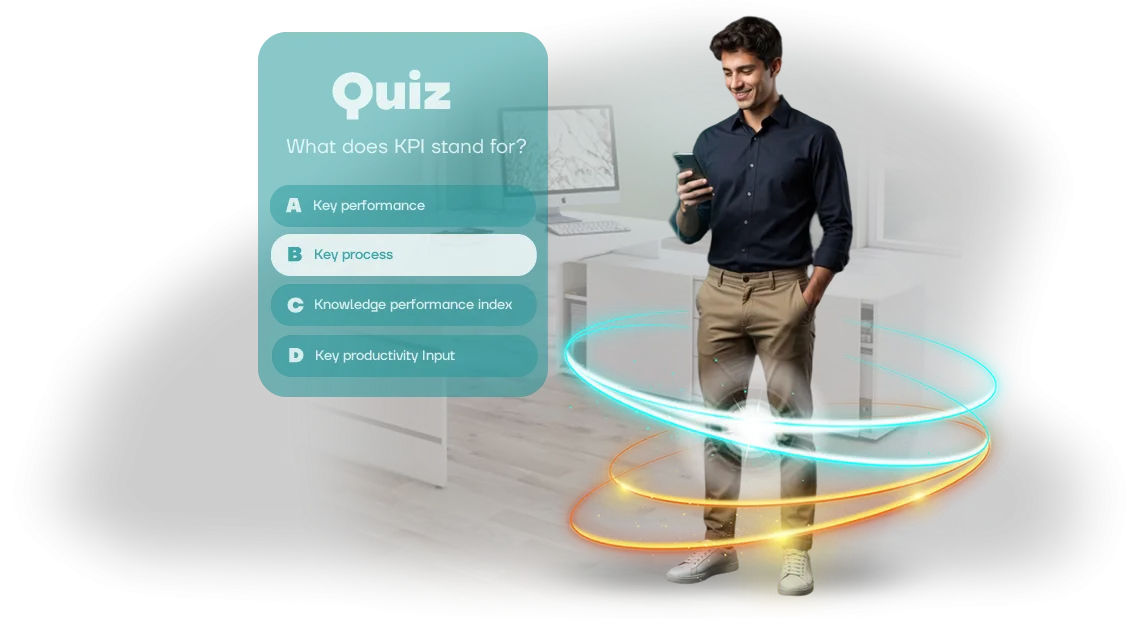
The solution is to change the format. Interactive learning quizzes integrate into the familiar Moodle environment but work on game principles: scenarios, action choices, instant feedback.
The employee controls the process, sees their own progress, and reinforces skills in practice. We help move training to this format so it delivers measurable results instead of a formal checkbox.
What an Interactive Quiz Gives Your Business
An interactive quiz is not a way to entertain employees but a working tool that solves specific business tasks. It turns passive learning into an active process: employees don't just read material—they immediately apply knowledge in practice.
Engagement and Motivation
The game format creates healthy excitement and the desire to show results. Employees return to the quiz on their own to improve their score, and the spirit of competition raises interest in the topic even among those who usually sit on the sidelines.
A quiz embedded in the corporate portal becomes part of the daily workflow, not an extra obligation.
Knowledge Retention
The quiz forces employees to recall and apply what they have learned, while instant feedback helps correct mistakes right away, not just after an exam. The material is absorbed more deeply because the brain actively works instead of merely receiving information. Regular short rounds move knowledge from short-term to long-term memory.
Time Savings
Automatic checking and result collection free your specialists from manual work. Employees complete training at their own pace, and you get an objective picture: who has mastered the material and who needs extra support.
A quiz embedded in Moodle combines engagement and tracking—all results automatically feed into the central system, so you don't have to gather data manually.
In short, the quiz works for your business: it increases engagement, accelerates learning, and provides transparent analytics. It is not a waste of time but an investment that pays off through a better-prepared team and lower control costs.
Quiz Formats for Moodle: Choose What Fits Your Goal
A learning quiz solves a specific task: quickly bring an employee up to speed on a topic, check material comprehension, or prepare for certification. The format determines how easily the team will complete the test and how accurate the data you get will be. In Moodle, you can build various scenarios—from short surveys to multi-stage checks with feedback.
The key is not the number of questions, but matching the format to your goal and audience. Below are the basic options we work with most often.
| Format | Who It's For | What It Gives the Client |
|---|---|---|
| Short test with 5–7 questions | Mass rollout for all employees | Quick check of topic understanding, high completion rate without disrupting work |
| Scenario with hints along the way | New employees during onboarding | Fewer questions for mentors, newcomers figure out the material on their own |
| Trainer with repetition of difficult topics | Employees working to regulations | Skill reinforcement, fewer errors in daily operations |
| Final timed challenge | Certification and readiness checks | Objective results, protection against formal completion, clear reports |
If you are unsure which option suits you best, we will analyze your task during a consultation and suggest a format that fits into your normal workflow.
The right choice is not a technical detail—it is what ensures training actually changes employee behavior and delivers measurable results.
How We Develop a Quiz: Work Stages
The quiz creation process is designed so that you see results at each development stage rather than waiting until the end of the project. We follow a transparent algorithm: we record the task, propose a solution, and move to the next step only after your approval. Below are the six steps a project goes through, from brief to quiz launch and post-launch support.
- Brief and task definition. We discuss which competency needs to be developed in employees, who the target audience is, and what materials already exist. You receive a short document with learning objectives and evaluation criteria—this serves as the foundation for all further work.
- Scenario and structure. We propose the game mechanics, number of questions, and difficulty levels. We select content or help you prepare it. We show you the quiz structure, and you approve it before development starts.
- Development and design. We create the quiz: interface, visual design, answer logic, and hints. You see intermediate versions and make edits along the way, not after the final deliverable.
- Testing and refinement. We check the quiz in a browser and on different devices, and give you access to a demo version. We collect feedback and fix issues before the live launch.
- Launch in your system. We integrate the quiz with the Moodle platform, configure access, and enable automatic result collection. After launch, employees receive a link and complete training without contacting an administrator.
- Support and evolution. We train your specialists and provide an administration guide. We stay in touch: we help update questions, add rounds, or adjust settings based on first results.
Thanks to this process, you control quality at every development stage and get no surprises. You know the timeline in advance, see where resources are going, and are confident that the quiz launch will go smoothly without delays or technical issues.
What Is Included in the Quiz Delivery
The delivery package for an employee training quiz includes everything needed to launch training without developer involvement. Turnkey: content, game mechanics, integration with your platform, and instructions for your team.
- Quiz content — questions on your topic with answer options and explanations. The scenario is split into short blocks so employees complete training with interest and absorb the material.
- Game mechanics — points, levels, timer, and competitive elements. The quiz holds attention, and employees return to improve their results.
- LMS integration setup — the quiz connects to your Moodle. Employees access it through the familiar corporate portal, and results automatically appear in the gradebook.
- Result delivery to the administrator — you see who completed the training, what percentage of answers were correct, and which topics cause difficulties. This data helps improve the program.
- Instructions for administrators and employees — short guides for launching and taking the quiz. Your team will quickly understand it even if they have never used such tools before.
- Launch guarantee — after launch, we test the quiz together with you and quickly fix any issues. You get a stable tool you can use immediately.
Case Study: How a Quiz Improved Team Results
For a manufacturing company with more than 200 employees, we implemented a learning quiz in their Moodle LMS.
The task was familiar: a mandatory quality standards course was being completed sluggishly—about 40% of the team opened the materials, and the average test score hovered at 62%. Managers spent time reviewing mistakes, but engagement did not improve, and new hires adapted slowly.
We turned the boring test into a browser-based quiz game on Unity WebGL, embedded directly into the Moodle course. Employees see questions with answer options, receive instant feedback, and view a colleague leaderboard—this creates excitement and the desire to finish.
Nothing needs to be installed: the game opens in any modern browser, and results automatically appear in the course gradebook.
The effect appeared within the first week. Course completion time dropped from three weeks to four days, completion rates rose to 85%, and average employee scores climbed to 91%. The number of attempts tripled—the team retook the quiz to improve their results.
For the business, this means fewer errors in operational processes and minimal costs for retraining.
After a month, managers noticed a decrease in regulation violations. The quiz began to be used not only for mandatory training but also for regular standard refreshers.
The case confirms: a game format inside a familiar LMS environment delivers measurable growth in engagement and real improvements in team performance—not just a formal "checkbox" for course completion.
How to Integrate a Quiz into the Learning Process?
A quiz does not replace the learning process—it fits into it as a natural stage. Usually it is enough to place it in the LMS next to a lecture or instruction: employees first review the material and then reinforce it in a game format.
No server configuration or course rework is needed—we prepare a quiz file that the methodologist uploads to the appropriate section just like an ordinary document or test.
The key point is that you decide exactly where the quiz appears. It can open immediately after watching a video, before the final test, or be used as a quick check of prerequisite knowledge.
The built-in tool lets you set time-based access, limit the number of attempts, or allow multiple completions—useful when you want to encourage employees to repeat material without rigid control.
Employee results automatically go into the system's central gradebook, so you don't have to collect data manually. You see who succeeded, who made mistakes, and which questions caused difficulty.
Based on this data, you can easily adjust the training program or conduct an additional review of common mistakes within a group.
Integration does not require our specialists to be present on site. We provide clear instructions for uploading and configuration, and if needed, hold a short demo for the administrator.
All preparation takes one or two working days, and the quiz is already running inside your learning environment. As a result, you get a more dynamic learning process without changing your familiar tools or distracting employees with new systems.
Common Concerns: How Difficult and Reliable Is This?
Implementing a learning quiz seems difficult until you see the result. Most clients worry about the same things: will the game break on employees' computers, will it fit into the existing learning system, and who will help after launch? We answer these questions directly, without technical jargon.
Is it difficult to integrate a quiz into our LMS?
No. The quiz runs in a regular browser and requires no software installation or infrastructure changes. We include integration with your learning platform at the brief stage—you receive a ready link or embeddable block, and the employee simply opens it and takes the test.
What if some employees have weak computers or slow internet?
The quiz adapts to different devices and is not overloaded with unnecessary graphics. We test it on several configurations before the official launch so that the test can be completed even with limited bandwidth. If anyone has issues, we'll help resolve them in a few minutes.
What happens after launch? Will you stay with us after project delivery?
After launch, you receive a short administrator guide and support for the period of active quiz usage. If questions or suggestions arise based on first results, we stay in touch and quickly make adjustments. If needed, we can refine questions, design, or logic based on real employee statistics.
What matters most to us is that you feel confident at every stage—from the first brief to the completion report. That is why, before we start, we lock down timelines, scope, and acceptance criteria—you always know what you will get and when.Order a Quiz for Your Employees
Ready to turn employee training from a mandatory formality into a tool that actually works? Developing a quiz for your team is a fast way to test knowledge, reinforce skills, and see progress for every participant.
We build learning games, so you get not an "off-the-shelf product" but a solution tailored to your task.
You don't need to understand the technical side. We handle the scenario, design, mechanics, and launch. The quiz easily integrates into your learning system (Moodle)—employees complete it in a familiar interface, and you see results without manual summaries.
When you order a quiz, you get:
- Fast start: we agree on the scenario and technical specification within a couple of days and begin development immediately
- Clear integration: the quiz works inside the learning platform you already use—no need to rebuild your processes
- Measurable results: after completion, you receive a report—how many people answered correctly, where they made the most mistakes
- Flexible scenario: we adapt to your company's specifics, whether it's onboarding new hires or staff certification
- Full support: we help with launch and stay in touch after project delivery
- Stress-free employee training: the interface is clear for everyone, no extra instructions needed
Take the first step—leave a request. We'll discuss your task, propose a format, and give you the timeline. Ordering a quiz for employees means getting a ready-made tool that boosts engagement and simplifies knowledge control.