

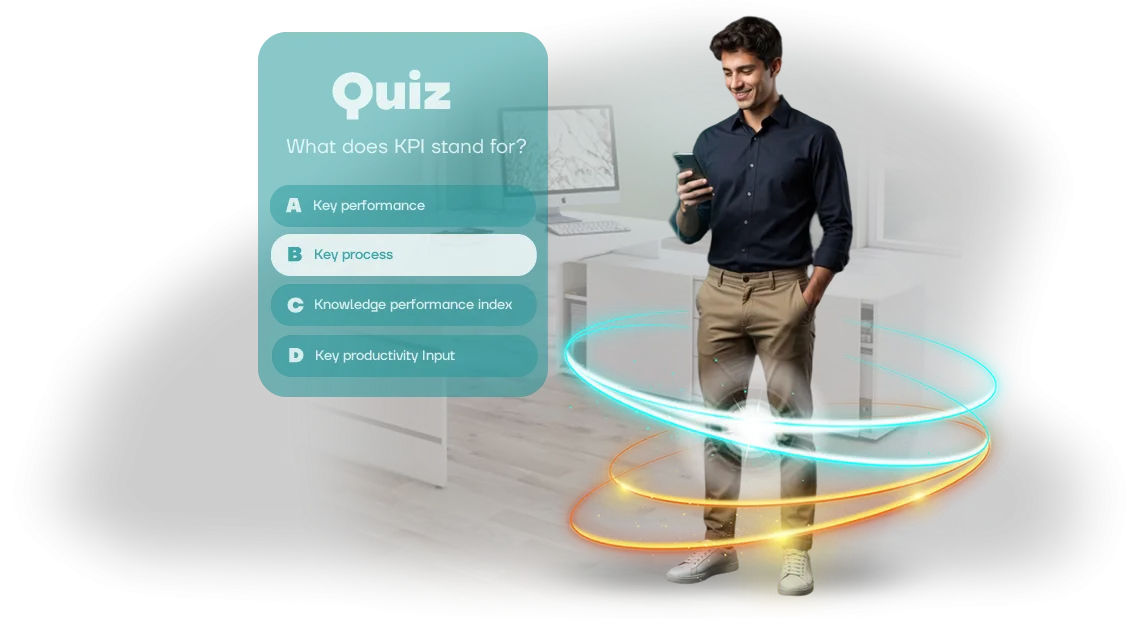
Development of educational quizzes for employees: SWIX experience
Standard courses for employees are most often lectures and presentations that are completed "for show." Employees put off completing them, and if they do open a course, they do it with resistance.
As a result, skills aren't reinforced, and managers have to repeat the same instructions over and over.
The material is forgotten after a few days because it doesn't evoke emotions and doesn't require active participation. This approach doesn't work when training is needed quickly and without interrupting work.
As a result, corporate training doesn't pay off the hours and budgets invested, and employee engagement remains formal.
Educational quizzes for employees change the mechanics: instead of passive viewing — a game where you need to answer, think, and compete. Gamification of learning creates an emotional connection, and the competitive element holds attention and suits different teams.
We applied this approach in a project for SWIX. The client needed a browser-based quiz game that would bring training to life and allow knowledge checks in a convenient format — without installing apps or complex setup.
As a result of the project, employee engagement grew, and training stopped being a boring obligation. The client received a tool that is easy to adapt to new topics and reuse.
What a corporate quiz gives: 5 measurable benefits
A corporate quiz is not entertainment but a practical training tool that delivers measurable results for the team and business. Unlike lectures and PDF instructions, it engages employees in a game and makes it easy to track progress. Here are 5 benefits you can verify after the very first launch.
-
Speed of onboarding for newcomers. A game-format quiz introduces a new employee to the product, regulations, and corporate culture. They remember the material through action, not formally, so they reach working results faster.
-
Objective knowledge assessment without stress. Instead of control tests, employees take the quiz in a comfortable game mode. You get an honest picture of the team's preparedness, and employees aren't afraid to make mistakes — which means they see their weak points and close them.
-
Increased motivation to learn. Competitive elements, points, and ratings turn the process into a thrilling challenge. People return to materials on their own to improve their results, instead of "sitting through" an hour of mandatory training.
-
Reduced "knowledge attrition." After standard training, information is quickly forgotten. Short, regular quizzes keep key rules in the team's active memory — that means fewer errors in processes and stable quality of work.
-
A unified corporate language. A quiz on company values and standards synchronizes the team: everyone speaks the same language and understands common goals. This is especially important for distributed teams and when scaling.
In the SWIX project, this approach helped shorten the adaptation period and increase employee engagement in training. We develop quizzes for specific business tasks — from onboarding to certification.
Corporate quiz formats: choose yours
The choice of quiz format directly affects the result: what works well for a quick knowledge check won't suit team building. So first we define the task, then we offer a suitable option — from short surveys to multi-stage tournaments.
Below are the main quiz formats that address typical business goals. The table takes into account the number of participants, the format of delivery, and the benefit the client receives.
| Format | For whom | What it gives the client |
|---|---|---|
| Quick survey | For a department or the whole company, 10–100+ people | Check whether new material has been absorbed in 5–10 minutes. Instant statistics: which topics are lagging. |
| Educational quiz | For newcomers, after a training or course | Reinforces knowledge and reveals gaps. The employee sees their own mistakes and improves weak areas. |
| Team game | For departments or related units, 2–20 teams | Team building and practicing interaction. Participants remember material through live discussion. |
| Corporate tournament | For the whole company, from 50 people | Long-term engagement: a series of rounds over several weeks. Constant reminders of company standards and values. |
Formats can be easily combined: for example, start with a quick survey to gauge the knowledge level, then launch a team game for reinforcement. This approach increases interest and gives a more complete picture of how employees absorb information.
An online quiz is a convenient solution for distributed teams: participants connect from any device, and the manager sees results in a single dashboard. No need to gather people in a conference room — just share a link.
And if the goal is mass training of personnel, a tournament or series of rounds keeps the topic in focus throughout the period.
We help you choose a format that fits your task, number of participants, and team style. In the end, you get a quiz that works toward your goal — whether it's a quick check or an engaging competition.
How quiz development goes: from brief to launch
We structured the process so you always know what stage the quiz development is at and what you'll get as a result. No "black box": you participate at key points, approve the scenario, and see intermediate versions. This removes the risk of rework and missed launch deadlines.
- Brief and immersion in the task. We fix the goals: which employees we're training, what knowledge we're checking, what result we consider successful. The output is a clear technical specification that both you and the team understand.
- Scenario and mechanics approval. We propose a question format, difficulty levels, and a hint and feedback system. You approve the texts and quiz logic before development begins — edits at this stage cost nothing.
- Design and user experience. We draw the interface in your brand style: corporate colors, logo, friendly characters, or strict statistics — as your HR brand decides.
- Development and assembly. We program the quiz logic on a professional game engine, adapting it to browsers and employees' work devices. You get stable operation without installing additional software.
- Testing with a focus group. We launch the quiz for several employees, collect feedback, and check how clear the questions and interface are. We fix what we find before the mass launch.
- Training launch and analytics. We place the quiz on your link or in the corporate portal. We set up result collection: completions, errors, time per answer — so you see the team's real knowledge level.
- Support and refinement. After launch, we stay in touch: we help with employee questions, make edits if training materials or regulations change. Content updates don't require new development.
This workflow has been proven across dozens of projects: it allows you to launch a quiz within 2–3 weeks and immediately get a measurable result — increased engagement and material retention. You control every stage, and we handle all technical details and guarantee timelines.
What's included in the package: quiz project composition
The delivery package is designed so the quiz can be launched without modifications and easily updated for new tasks.
You get not "program code" or an abstract idea, but a ready-to-use working tool that immediately answers the questions: what to ask, how to display, and how to make changes.
The project includes:
- Quiz scenario — a ready structure of rounds with increasing difficulty logic. Employees don't fall out of the process, and the host understands how to manage the pace and summarize results.
- Questions and answer options — formulations agreed with you, without ambiguity or controversial situations. Questions can cover product knowledge, skill checks, or logic — whatever suits you.
- User interface — screens, buttons, animations, and navigation that any participant understands without training. The employee doesn't need to figure out what to click: the interface itself leads from question to result.
- Admin panel — your manager's workspace. Through it, you change questions, deadlines, add new participants, and see completion statistics: who answered, how correctly, and where the audience "drops off."
- Instructions for the organizer and participant — short guides on how to quickly run the quiz and what to do if something goes wrong. No technical knowledge is required from your side.
All of this is assembled into a single project that you receive fully built. Then you simply share the link with employees and open the quiz for completion.
If a new topic appears in a couple of months or the product changes, the admin panel will let you update questions without new development. That's why the package includes an update mechanism, not just a static game.
Case study: how the quiz for SWIX increased engagement
When SWIX faced the task of updating its employee training program, standard presentations and tests were no longer delivering the needed effect. Materials were studied formally, and knowledge checks turned into mechanical completion of checkmarks. The team needed a format that would interest employees and genuinely improve information retention.
We proposed developing a browser-based quiz embedded directly into the work process. Employees completed it at a convenient time, and the game mechanics added excitement and a desire to show the best result.
The task was not just to "test" but to engage people in training and reinforce key knowledge.
The results exceeded expectations: 82% of the company's employees completed the quiz — several times higher than the usual coverage of internal training materials. At the same time, the share of correct answers grew by 30% compared with the previous testing.
These figures confirmed that employees weren't just "clicking through" but actually absorbing information.
For the business, this means direct benefits: new people settle into their roles faster, there are fewer errors in work, and client service quality improves.
And thanks to the game format, training stops being an obligation — employees themselves return to the material to improve their results.
It's also important that the quiz was easy to implement. It works in a regular browser, requires no software installation, and results are automatically collected into clear reports.
This allowed the SWIX team to immediately see which topics were well absorbed and which needed more work.
How to choose a training quiz format for your task?
When choosing a quiz, it's easy to get lost in technical details: number of questions, timings, task types. But in reality, two questions decide: who will play, and what should change after the game.
A team of ten people and a thousand employees across the country need different approaches — otherwise training becomes a formality.
Before choosing a format, answer three points for yourself. First: the audience. Newcomers need more hints and explanations; experienced employees need competition and speed. Second: the goal.
Do you need to check knowledge of regulations, practice a complex scenario, or simply engage people in the topic? Third: coverage and time. A short 10-minute quiz is convenient for regular review, while a large story-driven game suits annual certification.
| Format | For whom | What it gives the client |
|---|---|---|
| Quick quiz of 5-10 questions | Small team, weekly knowledge check | Instant feedback, low barrier to entry |
| Story-driven quest game | New employees, onboarding | Engagement from day one, remembering processes through narrative |
| Tournament with ranking | The whole company, motivation | Excitement and competitiveness, increased activity |
| Certification with a certificate | HR, training department | Transparent knowledge control, official result |
The quiz should be convenient for the employee: opens in one click, works in the browser, and requires no installation. For corporate training, this is fundamental — the fewer barriers, the higher the completion rate.
We build quizzes on Unity WebGL, so the game runs equally well on any device and easily integrates into your portal or distance learning system.
A typical mistake is overloading the game with options and mechanics. The employee came to learn, not to figure out an interface. That's why we limit functionality to exactly what serves your goal.
In the SWIX project, we chose a browser-based quiz with a leaderboard — this gave competitiveness without unnecessary complexity.
The main thing is to choose a format your employees will complete. If the quiz gets over 70% completion and positive feedback — you haven't made a mistake. We'll help you find such a format: send us your task, we'll select a scenario and show examples.
Frequently asked questions about developing a quiz for employees
Before launching a quiz, clients have the same questions about quizzes: will it disrupt the usual training schedule, how will employees react, and can the format fit into the existing system. We've collected answers to the main objections — briefly and to the point.
Implementing a quiz doesn't require restructuring processes or hiring additional specialists. You get a ready-made tool that launches in a couple of clicks and noticeably enlivens standard training without boredom.
Is it hard to integrate a quiz into current training?
No. We prepare the game for your scenario, you get a link to launch — nothing needs to be installed and no staff retraining is needed. Just allocate 15–20 minutes in the training schedule for employees to complete the quiz and immediately see the result.
On our side, implementing a quiz takes minimal time: usually a few days for preparation and approval, after which everything works automatically.
What if employees aren't interested?
That's exactly why we use game mechanics: points, ratings, competitive elements, and visible progress. A quiz for employees becomes pleasant rivalry rather than a mandatory test, so engagement stays high even among those who are usually skeptical about training.
Based on our project experience, this format captivates most participants from the very first game. Plus, you see results in real time and can boost interest with a small prize or a mention in an internal newsletter.
How do I integrate the quiz into a distance learning system?
The quiz works in the browser, so it's easy to connect to your distance learning system: via a direct link, a button on the corporate portal, or embedding it into a training module. If needed, we'll help with integration and advise how to best export results for the manager.
This approach doesn't break existing courses and doesn't require platform replacement — the quiz complements it and makes learning more lively and practical.
Let's discuss your task: we'll calculate a quiz for your team
We invite you to dialogue: describe the task the quiz needs to solve for your team — and we'll calculate the format, timeline, and cost. Turnkey quiz development frees you from technical hassles: you get ready-made mechanics, a scenario, and clear results for evaluating training.
To make the first consultation as useful as possible, prepare a few details — here's a list of questions:
What will help us calculate the project faster
- Training goal: onboarding of new employees, knowledge check after training, product introduction, or certification.
- Number of participants: how many people will take the quiz, and do you plan to run it regularly.
- Timeline: is there a connection to an event — product launch, internal celebration, end of quarter.
- Desired format: a short 10–15 minute check, a team game, or a story-driven quiz with several rounds.
- Reporting: do you need results per employee and export to your training system.
Even if some answers aren't ready yet — no problem. Send a description of the task in your own words, and we'll help formulate goals and propose an optimal scenario. You can order a quiz at any stage: from an idea to a finished scenario.
We work remotely, so the training consultation and detail approval don't require in-person meetings. Write to us — and within one working day you'll receive a preliminary estimate: format, timeline, cost, and recommendations for engaging your team.