

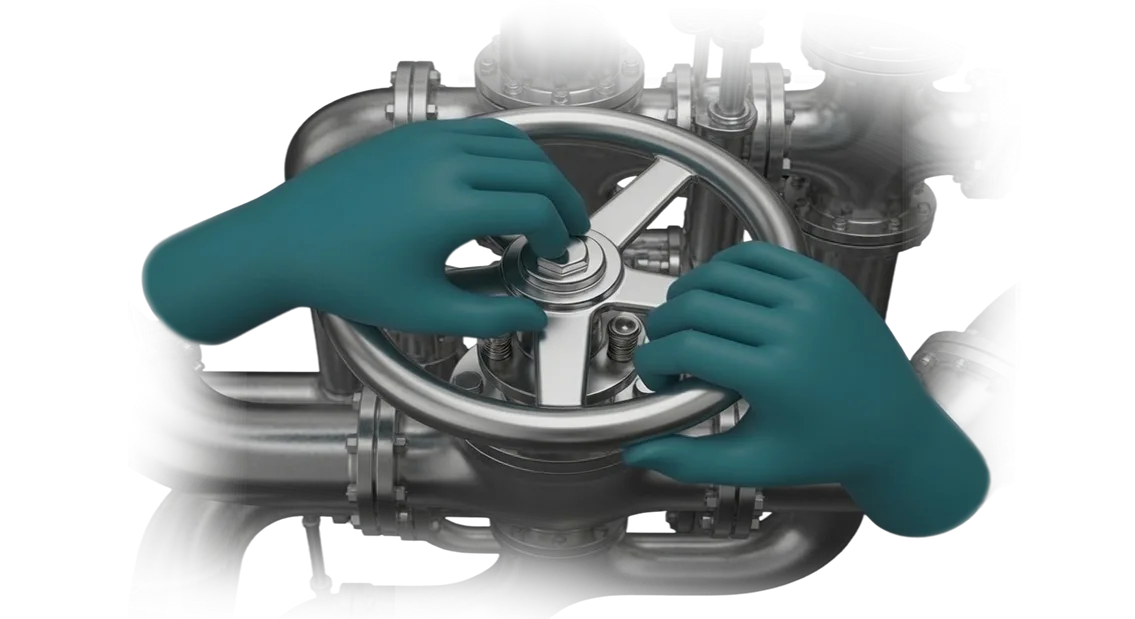
VR training simulator for an oil production rig: why an enterprise needs it
Training personnel in oil production runs into a simple problem: people can only be trained on a working rig, and that is expensive, time-consuming, and risky.
Every training shift takes hours of working time from experienced mentors, pulls equipment away from production, and still does not let a newcomer encounter an accident — because no one is going to stage a real accident at a training site.
At the same time, the cost of an operator's mistake is measured not by a fine but by shutting down the section: a wrong action at a critical moment means downtime, repairs, root-cause analysis, and a lost day of production. And an inexperienced shift arrives at the site precisely when none of the senior staff are nearby.
A VR training simulator for an oil production rig removes this contradiction.
A newcomer goes through the entire process chain — from startup and bringing the well onto regime to emergency situations — in a virtual environment where a mistake costs nothing: they see the consequences of their actions, review them with a mentor, and repeat the scenario until the skill is solid. Safety on the rig stops depending on whether the trainee managed to gain experience at a real site.
For the enterprise, this changes the economics of shift preparation.
People can be trained in a stream and without being tied to the production schedule, rare emergency scenarios that cannot be reproduced on a live rig can be practiced, and it becomes possible to objectively assess who is truly ready for independent work.
Oil production personnel training becomes a manageable process rather than a lottery of "whether you get lucky with a mentor."
We build such simulators for the customer's specific site — with its equipment, regulations, and typical emergency situations. We will analyze your task and come back with an assessment and a plan.
What an enterprise gains from a VR simulator
Fewer accidents and less downtime
Most incidents in the field are caused not by equipment, but by personnel actions in an emergency: someone panicked, someone reacted outside the regulations.
A VR simulator makes it possible to live through a dangerous scenario in advance — without risk to people and without stopping production. The operator makes mistakes in the virtual environment, sees the consequences, and memorizes the correct sequence.
In reality, they come to their shift already with a ready reaction, so the number of incidents caused by personnel decreases, and along with it — downtime and investigations.
Fast clearance for independent work
Today a new employee is trained "on the go": alongside an experienced mentor, at an operating facility where any mistake is costly. This path stretches over months, and the mentor gets distracted from their own tasks.
In the simulator, the employee practices the entire cycle — from startup to reaching operating mode — as many times as needed, and arrives at the facility prepared.
The adaptation period is shortened, mentors return to their work, and the enterprise fills shift staffing gaps faster.
Rare scenarios that cannot be rehearsed at the facility
A blowout, pump equipment failure, depressurization, fire — such situations occur rarely, and that is precisely why no one is prepared for them. Conducting drills on a live rig is dangerous and costly: the process has to be stopped and people evacuated.
In the virtual environment, these scenarios are repeated as many times as needed, with any shift composition, at any convenient time. Practicing emergency scenarios becomes routine rather than an annual event.
Objective assessment of competencies
It is important for a manager to understand who is truly ready for independent work and who is not yet. The simulator records every action: reaction time, order of steps, missed regulation items.
The output is a clear picture for each employee and for the shift as a whole, rather than a subjective "seems to be coping." On this basis, training plans are built and clearance decisions are made.
VR Simulator Formats for Enterprise Tasks
The simulator format is selected based on how your training is actually structured: where employees train, how many people need to be put through per shift, and who is responsible for certification. Below are four working scenarios that we most often build for industrial sites.
The same tower emergency scenario can be deployed both as individual skill practice and as a team training session with an instructor.
| Format | For whom | What it gives the enterprise |
|---|---|---|
| Single-user simulator | New employee, practicing a specific operation | Fast onboarding, objective skill assessment before going on site |
| Group simulator | Shift, crew, section | Coordination during an emergency, role distribution |
| Instructor-led training | Mentors, training center | The instructor sees each person's mistakes and addresses them immediately, not from memory |
| Mobile classroom | Remote sites, rotational shifts | Training directly on site, without transporting people or stopping operations |
How to choose a format
Single-user and group formats solve different tasks, and one should not be substituted for the other. If the goal is to bring a specific specialist's action to automaticity, a personal simulator with a clear results scale is sufficient.
If it is important that the shift operates as a single mechanism, a group scenario is needed: each person has their own role, and the outcome depends on coordination.
What this gives in practice
Instructor-led training adds debriefing: the mentor sees exactly where the employee loses time or violates the sequence of actions, and corrects it on the spot.
The mobile classroom addresses the main pain point of remote sites — people do not need to be pulled off rotation and transported to a training center.
We build the simulator around your scenario and, if needed, combine formats: basic course individually, certification — as a group with an instructor.
How a VR oil derrick training simulator is developed
The process is structured so that at every step you understand what is happening and why, and can influence the result before it becomes expensive to rework. Below is the path from the first conversation to a working simulator at your site.
- Brief and learning objectives. We figure out whom and what we are teaching: which operations employees practice, where they most often make mistakes, which situations need to be brought to automaticity. The output is a clear picture of what the simulator should be able to do and what should not be dragged into it.
- Approval of scenarios. We assemble training scenarios together with your instructors and process engineers: the sequence of actions, typical mistakes, pass/fail criteria. You approve the scenarios before development begins — this is the main control point.
- Prototype and testing on people. We build a working fragment of the simulator and give it to your employees. We watch where they get confused, what is unclear, and fix the logic while it costs minimal effort.
- Development and content creation. We assemble the simulator in full: the visual environment, equipment behavior, hints, and error analysis. We work on professional equipment, so the visuals and response remain stable even during long training shifts.
- Pilot launch. We conduct training with one group and look at the result: how quickly people complete the scenarios, where they make mistakes, what instructors say. Based on the pilot results, we make adjustments — this is cheaper than changing a finished simulator.
- Deployment and support. We deploy the simulator at your sites, train instructors, and help with methodology. After that we provide ongoing support: we update scenarios for new tasks and stay in touch when something needs to be refined.
Each stage ends with approval, so you see the result gradually and don't wait until the end to find out what came out of it.
What is included in the delivery
The delivery is put together so that the simulator can be launched on site without your involvement in technical details.
You receive a ready-to-use training tool, instructions for employees, and post-launch support — not a set of files that you then have to figure out on your own.
- Training scenarios tailored to your processes. A set of training situations covering key operations on the tower: shift preparation, working with equipment, actions during deviations and emergency situations. We build scenarios based on your regulations and actual inspection routes, not on an average template.
- Instructor training. We train your mentors: how to launch sessions, assign groups, and review mistakes based on completion results. After that, you conduct training on your own, without the ongoing involvement of our team.
- Methodological materials. Instructions for employees and mentors, recommendations for integrating the simulator into the shift preparation and work authorization program.
- Results tracking system. Reports for each employee and group: who passed, how many attempts were required, where mistakes repeat. Managers see the overall training picture, not just individual scores.
- Warranty support. We provide support after launch: we review requests, fix issues, and consult mentors. Terms and procedures are fixed in the contract before work begins.
- Scenario updates. When regulations change or new operations appear, we expand the simulator — training stays current, and the invested funds continue to work.
- Transfer of rights and documentation. All materials and access remain with you: the simulator is not tied to us as the sole contractor.
This package covers the entire journey — from the first session to scheduled updates. Describe your task: we will come back with an assessment, the composition of scenarios, and a launch plan.
Implementation results: oil production enterprise case
An oil production enterprise came with a typical pain point: new production operators took a long and expensive time to be cleared for work, and some mistakes on a real rig cost too much.
We built a VR oil rig simulator tailored to their technological process — with typical startup, shutdown, and emergency scenarios that an operator goes through before arriving on site.
What changed after implementation
The time to clear a new operator was cut almost in half: instead of months of internships under a mentor's supervision, an employee practiced key operations in a virtual environment and arrived at the real rig already prepared.
Readiness assessment based on internal checks increased — shift supervisors noted that newcomers acted more confidently in non-standard situations.
A separate effect was the reduction of incidents related to the human factor. Mistakes that previously led to emergency shutdowns and downtime were now practiced in a safe environment and were not repeated on site.
Oil production enterprise ordered a second batch of simulators — for adjacent areas and new scenarios. For us, this is the main indicator: the client returned not because it was "interesting," but because training became faster and risks became lower.
How to choose the right format for the task?
Choosing a format starts not with the equipment, but with the learning objective.
First, determine what skill the employee needs to develop: practicing a sequence of actions at a wellsite, recognizing an emergency situation, getting used to a regulation, or passing certification before being cleared for work.
This determines the scenario, the level of immersion, and how much detail is needed to reproduce the site.
Next, look at the real conditions: how many people are on a shift, how often staff turnover occurs, whether there is an operating unit at the site that cannot be shut down for drills.
If there are many people and they are distributed across different areas, a simulator with a shared scenario library and clear statistics for each employee makes more sense.
If the task is narrowly focused — for example, practicing equipment startup and shutdown — a compact solution for a specific area is sufficient.
The third criterion is how the results will fit into your processes. The simulator should give the manager a clear picture: who passed, where they made mistakes, who cannot be allowed to work without retraining.
If the reporting is unreadable or has to be compiled manually, the value is lost, no matter how realistic the visuals look.
We help match the format to your objectives during the discussion stage: we review scenarios, the number of shifts, and site conditions, and then propose a solution that addresses your specific need rather than an abstract "average" request. This way you get a simulator tailored to your specifics, not a one-size-fits-all template.
Common Doubts Before Ordering a VR Simulator
Before launch, almost every manager asks the same questions: what if the equipment fails right during a shift training session, how to handle people who have never encountered VR at all, and whether the premises will need to be reconfigured. Below are honest answers, without promises that "everything will be perfect."
What About Equipment Reliability
We select kits for real workshop conditions: dust, vibration, temperature fluctuations, intensive operation across several shifts a day.
Headsets and controllers are designed for continuous flow, not for an office demo, so the failure of one kit does not stop group training — the rest keep working.
If an Employee Has Never Worn a Headset
VR experience is not needed: the scenario guides the person by the hand — hints, voice commands, a clear sequence of actions. The first few minutes go into getting accustomed, after which the employee works just as confidently as on a real tower. The instructor sees each person's progress and steps in only where needed.
Is a Special Area Required
A separate classroom is not required. A free zone the size of a small meeting room is enough — the simulator operates in stationary mode and does not require markings or special flooring.
We inspect the premises in advance and tell you what to prepare so that the launch goes without surprises.
What Happens After Launch
Support does not end on the handover day: we accompany scenario updates, help with training instructors, and stay in touch when regulations change or new operations are added.
The enterprise gets a tool that lives and evolves together with production, rather than becoming outdated six months later.
What if the equipment does break down after all?
We have backup kits and a clear replacement procedure — training does not stop. An engineer connects remotely and, if necessary, travels to the site.
How long does implementation take?
We launch a typical simulator within a few weeks: first we agree on the scenarios, then we assemble and test it on real employees, and after that we hand it over to the instructors.
Let's discuss your VR training simulator project
Describe the task — and we will come back with a project plan, a timeline estimate, and a demonstration of the simulator.
You don't need to prepare a technical specification: it's enough to tell us whom you are training, which operations you are practicing, and what result you want to see. We will figure out the specifics together with your engineers and process specialists.
A development request is the start of a clear process, not months of back-and-forth correspondence. We lock in the stages, agree on checkpoints, and show intermediate results at early stages so that you see progress instead of waiting blindly for the final result.
What you will get after submitting a request
- Project plan — stages, timelines, areas of responsibility, and approval points.
- Estimate — labor costs and team composition for your training scope.
- Simulator demonstration — we will show how the scenario looks and works using your operation as an example.
- Pilot launch — we will run through one area or shift and collect feedback from mentors.
- Training metrics — completion time, typical errors, and progress by employee.
- Scaling plan — how to extend the simulator to other areas and shifts.
Why this is beneficial
You launch training without stopping production and without risk to equipment. A new employee practices actions in a safe environment, while the mentor sees an objective picture instead of relying on memory.
We work remotely and plug into your processes without requiring a constant presence on site. The team's track record includes projects for industry, where scenario accuracy and reliability matter.
Describe the task — we will come back with an estimate and a plan. We'll start with a demonstration and a pilot, and you will make the decision on a full launch based on the results.