

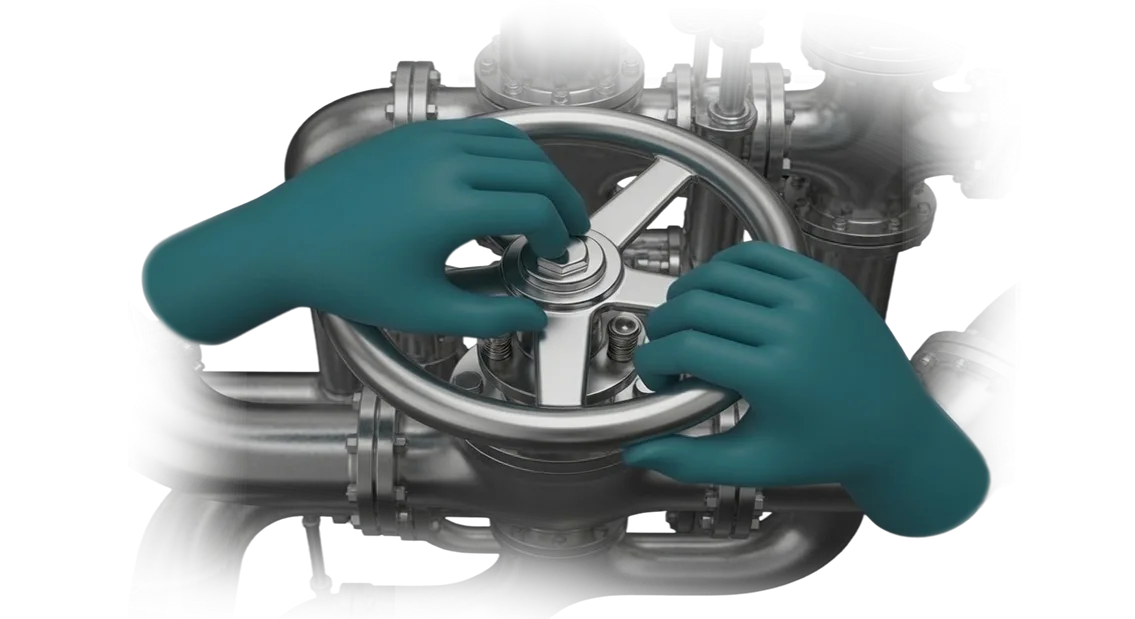
VR Operating Table Simulator: Preventing Errors and Accidents
Every training session on real industrial equipment carries risk: an operator error can lead to injury, equipment damage, or costly downtime. That is why enterprises are increasingly looking for ways to train employees without dangerous consequences.
A VR operating table simulator solves this problem: the trainee practices actions in a virtual environment where the cost of an error is zero.
Safe simulator-based training allows newcomers to master operational procedures while experienced employees can refresh their skills or learn a new model. The equipment does not wear out, raw materials are not consumed, and the production process does not stop for drills. The company gets trained personnel without emergency situations during the learning process.
Accident prevention is not just about protecting people — it also reduces unplanned repairs and downtime. When an employee first encounters an abnormal situation on the simulator, they act calmly and according to procedure.
On a real site, such scenarios are often impossible to recreate without threatening production — a VR operating table simulator makes them accessible and controlled.
Risk reduction also affects financial performance: fewer accidents, fewer insurance claims, higher supply stability, and a reputation as a reliable contractor.
In addition, managers see objective statistics for each employee — who is ready to work and who needs additional training. This turns training from a costly formality into a workforce quality management tool.
We help integrate a VR operating table simulator into your training system. We design exercises around your standards, integrate the simulator into the training process, and support you at every stage — from briefing to launch. The result is safe training, accident prevention, and stable production operations.
What a VR Trainer Delivers: Speed, Safety, and Confidence
Training employees on real production equipment always involves trade-offs: risk for the newcomer, machine downtime, or costs for consumables.
A VR trainer removes this contradiction: it allows trainees to practice actions with the operating table and related components in a safe virtual environment where a mistake does not lead to injury or breakdown. The enterprise gets a trained specialist with no losses on the shop floor.
Speed is the main advantage clients notice after the very first sessions. Instead of weeks of supervised work with a mentor, the employee goes through scenarios in virtual reality and receives immediate feedback on every action.
Training accelerates many times over because there is no need to wait for available equipment or set aside separate time for instruction — the trainer is available at any time, and the number of attempts is unlimited.
Workplace safety stops being a matter of luck. By practicing emergency and abnormal scenarios in virtual reality, employees learn to act calmly and follow procedures.
On the real site, they already know how to respond — and this reduces the number of incidents and downtime caused by human factors.
Skills development also becomes systematic. The trainer records each employee's progress, identifies areas requiring additional practice, and helps build a personal development path.
The manager sees an objective picture of team readiness and can close gaps intentionally, while employees gain confidence in their abilities because every action is practiced to the point of automation.
This approach pays off not only through faster onboarding but also through consistent quality of work on real equipment. A VR operating table trainer is an investment in production predictability: fewer errors, higher output, and peace of mind about personnel safety.
VR Trainer Formats for Your Enterprise's Needs
Every enterprise trains employees differently: some need to onboard newcomers quickly, others need to practice responses to abnormal situations, and still others need to improve shift coordination.
That is why we do not offer "one trainer for all cases" — we match the format to the specific task, regulations, and skill level of the personnel.
| VR Trainer Format | For Whom | What It Delivers to the Client |
|---|---|---|
| Individual trainer | New employees, operators | Mastering basic operations without risk or production stoppage, shorter time to full competency. |
| Scenario trainer with branching paths | Experienced employees, rare and abnormal situations | Practicing response algorithms for deviations, fewer errors in real conditions. |
| Team trainer | Shifts, crews, dispatchers | Coordinated actions, role distribution, practicing interaction between process participants. |
| Operating table trainer | Employees whose work takes place at the operating table | Precise sequence of operations and careful actions without risk to equipment or materials. |
Format selection begins with a short audit: we study your instructions, typical errors, and training program. This ensures you do not overpay for unnecessary scenarios and immediately get a trainer that fits into your current training process.
Want an example tailored to your task? Request a demo — we will show you what training on your regulations would look like.
How We Develop a VR Trainer: Stages for the Client
For enterprise managers and production leaders, it is important to see how VR trainer development is progressing and where time and resources are going.
We have structured the process so that each stage delivers a clear result: from scenario descriptions to a ready-to-use training program. Six steps — from brief to support — allow you to control timelines and adjust details without losing quality.
-
Brief and immersion in the task. We document training scenarios, trainer requirements, and success criteria. We agree on the technical specification — it becomes the basis of the contract and the reference point for all further work.
-
Concept and plan. We prepare the trainer structure, the exercise list, and the employee performance assessment scenarios. You receive a document and a cost estimate that clearly show what will be done and within what timeline.
-
Prototype creation. At an early stage, we show the key scene and interaction logic. You see what the future trainer will look like and can make corrections before full-scale development begins.
-
Full-scale development. At this stage, we create all program elements, fill scenarios with detail, and configure feedback for the trainee. We regularly send intermediate versions so you can monitor progress and adjust priorities.
-
Testing and approval. We collect feedback from your employees who will use the trainer, make corrections, and resolve any issues. You approve the result through several iterations, not just at the end of the project.
-
Launch and support. We install the trainer, train instructors, and support its use. If needed, we refine scenarios as production processes change — this is a separate option that keeps the trainer relevant over time.
What Is Included in the VR Simulator Delivery
You receive not a "raw program" but a ready-made operator training tool that can be launched as early as the week after handover. The delivery package includes everything needed: scenarios, design, methodology, trial operation, documentation, and training for your team.
- Training scenarios — standard, abnormal, and emergency situations with adjustable difficulty levels.
- Design and interface — visual design that mirrors the logic of a real operator station, with hints for beginners.
- Training methodology — guidelines for integrating into the training program, assessment criteria, and result recording.
- Trial operation — a pilot run with your employees and scenario refinement based on feedback.
- Staff training — we prepare your instructors and administrators for independent launch.
- Documentation — instructions for operators, administrators, and technical staff without unnecessary formality.
- Post-launch support — maintenance, updates, and scenario refinement to match regulation changes.
We pay special attention to documentation: a new specialist can understand the system from it without external support. Staff training is delivered in a convenient format — at your site or remotely, with verification of material comprehension.
As a result, implementation does not tie you to the contractor. Your team trains newcomers, updates scenarios, and develops the trainer to meet current production needs on its own.
Case Study: VR Trainer for Surgeon Training
Medical centers know how much it costs to train a surgeon. Training on real patients carries risk, and rare surgical scenarios take years to practice.
A VR trainer changes this logic: surgeons can repeatedly practice complex stages of an intervention until they become automatic, without stress or consequences for the patient.
How the Implementation Went
A representative case is the implementation at a specialized medical center — Center for Simulation Medicine. We developed a VR operating table simulator that fully replicates the stages of a surgical intervention: from instrument preparation to working with tissue.
The action sequence, familiar manipulations, and typical complications — all of this is reproduced with high fidelity.
What It Delivered to the Client
Training results are visible after the very first training cycle. The time required to prepare surgeons for independent operations decreased by 40% — instead of months of practice, a few weeks of intensive sessions suffice.
Exam success rates increased by 15%: surgeons perform key stages more confidently and make fewer typical errors.
Center leaders emphasize that VR training does not replace the mentor but relieves them of routine workload. Mentors spend time on complex case reviews rather than basic skill practice.
After the first cycle, the center ordered an expansion of the trainer for new surgical scenarios — they came back for more.
If surgeon training currently takes months, a VR trainer can shorten that path without losing quality. The implementation pays off through faster progression to independent work and higher certification success rates.
How to Choose a VR Operating Table Simulator for Your Task
Choosing a VR operating table simulator starts not with equipment but with a question: what specific problem are you solving? If the goal is to teach staff to act in abnormal situations without risk to the patient, you need not just 3D scenes but full scenarios with feedback.
If the task is skill assessment during hiring, assessment criteria and analytics take center stage. So first define who will use the trainer and what skills need to be reinforced — this protects you from buying unnecessary options.
The second criterion is the depth of scenario development and their alignment with your regulations. A good simulator models not only the surgeon's actions but also the "patient's" reaction to errors: bleeding, blood pressure changes, and atypical anatomical features.
Check whether scenarios can be configured to your standards or whether you will have to adapt to ready-made templates. The fewer configuration constraints, the longer the trainer remains useful — and the faster it pays for itself.
The third point is analytics and result tracking. The simulator must provide clear reporting: time spent on the operation, which errors recurred, and how the employee is progressing. Without this, it is impossible to assess training effectiveness or justify the budget.
Make sure you can export data to your own system or at least receive regular reports — this is the foundation for decision-making, not a nice extra.
Finally, evaluate the total cost of ownership: not just the license price but also maintenance, scenario updates, and instructor training. Often rental or phased implementation turns out cheaper than a one-time "buy for growth" purchase.
The right choice is a balance between tasks, content, and analytics. If you are unsure, we help you formulate requirements for your budget — so you get a solution that solves the problem, not just one that impresses with graphics.
Frequently Asked Questions About VR Trainer Implementation
Implementing a VR trainer at an enterprise raises similar questions: how to integrate it into existing programs, whether timelines will slip, and who is responsible for results after launch. Let us address the typical concerns — so you get a clear scenario without hidden risks.
Is it difficult to integrate a VR trainer into current training programs?
No. We adapt the trainer to your regulations: briefings, exams, internships. An employee puts on the headset and is working with a scenario within minutes, while results go into the shared log — you see who passed the standard and where additional training is needed. All you need is a space of 2–3 meters and someone responsible for the launch.
Is the trainer compatible with our equipment and programs?
Yes. We adapt the scenario to your training materials and typical operations, and export completion data to your accounting system or log. At the briefing stage, we run a compatibility test — this is a standard step, so unexpected conflicts with current processes do not arise.
What are the implementation timelines?
A typical project from contract signing to launch takes 4–6 weeks. This period includes scenario discussion, development, testing with your specialists, and instructor training. If a tighter schedule is needed — we accelerate without sacrificing quality.
What happens after launch? Is there a warranty?
Yes, we provide a warranty on the trainer and support your team during the first weeks so instructors work confidently with the system. If you notice an error or regulations change — we refine the scenario.
On request, we remain on support after the warranty period, so you are never left alone with the equipment.
If you have remaining questions about implementation — ask us. We will respond within one business day and show examples from your industry.Get a Cost Estimate for Your VR Trainer Project
We know how VR trainers are chosen: weeks of negotiations, vague estimates, and the answer to "when and how much" slipping away.
It is hard to evaluate non-standard scenarios — for example, a simulator for practicing actions at the operating table where every detail matters. Submit a request — and get a cost estimate for your project tailored to your specific needs.
We prepare a clear package with your inquiry so the decision can be made quickly. Here is what you receive after submitting your request:
- Individual consultation: we define training objectives, employee skill levels, and success criteria.
- Project estimate: scope of work, timelines, stages, and cost — with no hidden line items.
- Interface demo: see what the trainer looks like and how the main scenarios work.
- Implementation plan: we show how the trainer fits into existing training and technical maps.
- Technical description: required equipment and the ability to keep workstations running.
- Transparent process: you will know who is responsible at each stage and what the checkpoints are.
We send the documents within one business day, so you will have the budget planning material tomorrow. The interface demo will let you show management the future result before signing the contract.
Want to order a VR trainer without risk and unnecessary calls? Leave a request — it is non-binding. After your inquiry, you will receive a consultation and project estimate, including operating table use cases and adaptation to your tasks. Click the "Get a Cost Estimate" button.