

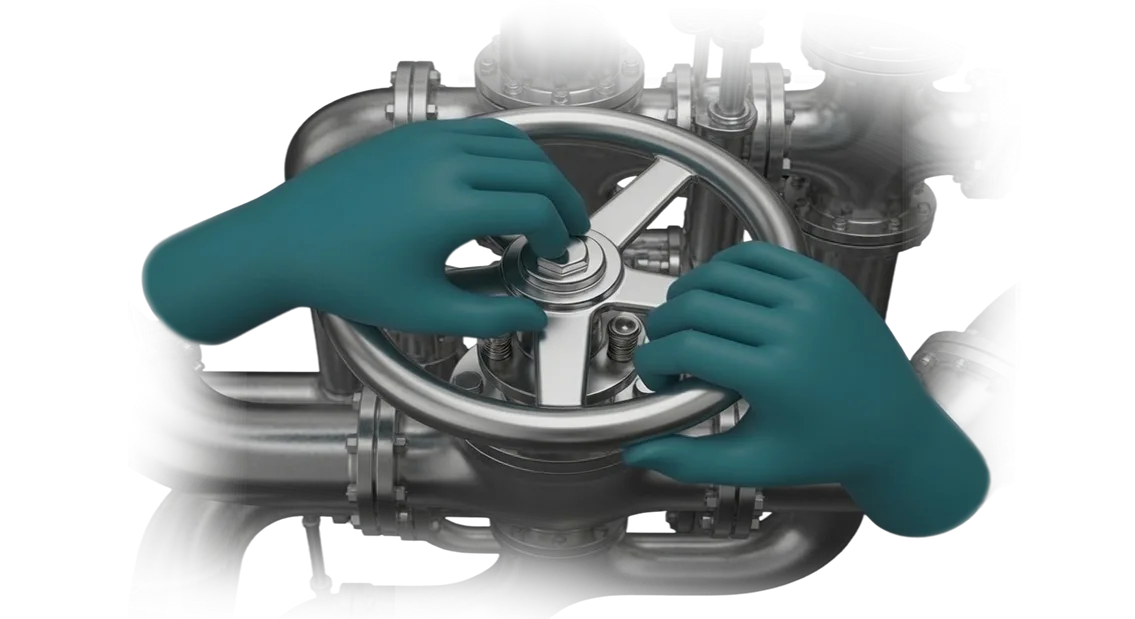
Accidents and downtime are costly — how machine building can avoid them
In machine building, every hour of downtime is an unfulfilled contract and lost profit. An industrial accident can stop a production line, lead to injuries, lawsuits, and missed deliveries.
The cause of most such incidents is not malicious intent, but a person’s unpreparedness for an abnormal situation. An employee who sees equipment failure or a leak for the first time acts hesitantly: practical experience cannot be gained from an instruction manual.
Traditional personnel training in industry is based on lectures and exams. It provides a foundation, but does not build durable skills. This is especially noticeable in machine building, where a specialist’s mistake can damage costly equipment.
At the same time, the market demands that new employees be brought up to speed quickly without lowering safety standards.
VR simulators for machine building solve this problem fundamentally differently. In a virtual environment, an employee practices both standard and emergency scenarios — from changing tooling to evacuating during a fire — without risk to themselves or production.
They can pause time, repeat a complex assembly, and receive feedback immediately after an action. That is how the confidence that matters on the real shop floor is formed.
For business, this means fewer industrial accidents and less downtime. Fewer breakdowns mean lower repair costs; fewer injuries mean lower fines and insurance payments.
VR-based occupational safety training makes it possible to objectively check each employee’s skills using a single algorithm, rather than relying on signatures confirming a safety briefing. The result is stable operation of the enterprise and fulfillment of obligations to customers.
We help factories implement training on VR simulators on a turnkey basis: we analyze the risks of specific areas, develop scenarios, and support the launch. Over 10 years, we have implemented dozens of industrial projects and know how to turn technology into lower costs. If you want to reduce accident rates and make training predictable — start with a consultation.
VR simulator for a factory: 5 measurable benefits for business
Training staff in real production is always a compromise: the newcomer gains experience at the price of mistakes, and mistakes result in injuries, spoiled parts, and machine downtime.
The VR simulator from our team moves skill development into a safe virtual environment, where an employee acts without risk to themselves or the equipment.
Implementation takes weeks, and the effect is measured in numbers: fewer injuries, stable schedules, and visible qualifications for every operator.
Benefit 1: Fewer injuries and emergency shutdowns
Employees practice hazardous scenarios — mechanism failure, leaks, smoke — until they become second nature, in a virtual workshop rather than on real equipment. Production safety is improved without stopping the line: no machine idles for exercises.
Mistakes that could lead to a serious incident in reality remain inside the simulator. The system records them and shows the employee the correct procedure before they go on shift.
Benefit 2: Reduced equipment downtime
Classic training requires taking a machine out of service or allocating a separate area. The VR simulator does not depend on the production plan: employees can train at any time without disrupting output.
As a result, downtime related to new-hire adaptation is reduced by multiple times. The line runs at full capacity while personnel simultaneously build competencies.
Benefit 3: Qualification growth without leaving the job
The simulator models real operations, including emergency situations that occur rarely but are expensive. The employee repeats a complex assembly until they achieve a confident result, rather than learning it “in words” from an instruction manual.
Training effectiveness increases through practice: in one day, the operator performs dozens of repetitions, and no instructor is needed at every step. Knowledge takes hold faster than with lectures or watching videos.
Benefit 4: Lower training costs
No consumables, no separate training workshop, and no payment for an instructor on every operation are required. One VR simulator serves all employees: from a new hire to an experienced operator undergoing retraining.
Courses are updated in software — no need to reconfigure machinery or buy new workpieces. The training budget becomes predictable, and the cost of each session decreases from the first month.
Benefit 5: Measurable results for management
The system shows how many operations each employee performed, where they make mistakes, and whether they are ready to work independently. You get an objective picture of qualifications without subjective assessments from an instructor.
This data is used for certification, promotion planning, and quality control. The manager does not see “time spent on training” but a concrete growth in the team’s skills, which affects safety, deadlines, and the factory’s reputation.
Formats of VR simulators for machine building: choose for your task
For a machine-building plant, a VR simulator is not merely technology, but a way to prepare employees faster and reduce the number of errors on real equipment. However, the same simulator will not suit both a welder and a machine operator: each task has its own format. Implementation timelines, cost, and the final result depend on this.
Below are the main formats of VR simulators for a factory and the tasks they address. We use them as a construction kit: we select the option for a specific group of employees and the enterprise’s goals.
Main types of VR simulators for production
| Format | For whom | What it gives the client |
|---|---|---|
| Desktop VR simulator | Mass training in theory and initial skills | Practice of procedures without a separate room, low cost per workstation |
| Stationary VR simulator | Welders, machine operators, maintenance personnel | Maximum immersion, muscle memory, objective assessment of actions before going to production |
| Multi-user VR simulator | Teams working on the same facility | Coordinated actions, role distribution, and emergency training without stopping production |
The choice of format depends on the number of trainees, the type of skills, and the budget. For welders, stationary systems are usually chosen — they provide realistic work with the tool.
For machine operators, a combination of desktop and stationary formats is effective: first, theory and process logic, then practice on virtual equipment.
We help select the type of VR simulator for your task, design the scenario, and integrate it into the training system.
As a result, the enterprise receives not a “simulator for the sake of a simulator,” but a tool that actually reduces the time required to bring new employees up to speed and improves safety.
Stages of VR simulator development: from brief to production launch
For a machine-building enterprise, the simulator must not just demonstrate attractive digital models, but provide practical skills. Therefore, VR simulator development at our teamis a transparent process of seven stages.
You always know at which stage the project is, what is happening now, and when the result will be ready.
- Brief and production analysis. We study your training regulations, review typical errors and hazardous operations. You receive a document with the simulator’s objectives and performance criteria.
- Scenario design. Together with your technologists and instructors, we describe every training step: what the employee does, what errors are possible, and how the simulator responds. This stage ends with an approved concept.
- Approval of plan and timelines. We establish the work schedule, acceptance stages, and responsible parties. You receive the project plan and understand which of your employees are involved and when.
- Simulator development. We create 3D models of your equipment, develop scenarios, and a hint system. We show you intermediate versions so all changes are made without delays.
- Production testing. We test the simulator on actual production areas with your employees, collect feedback, and refine it to a stable version.
- Launch and implementation. We install the system, configure workstations, and train personnel and instructors. We hand over documentation and a simple instruction manual.
- Support and updates. After launch, we stay in touch: we help update content, make changes according to new regulations, and keep the system up to date.
This is how you get a working tool that is integrated into the training process and adapted to your specifics. You control each stage instead of buying “a pig in a poke.”
What is included in the delivery: complete package for implementing a VR simulator
Implementation of a VR simulator at a machine-building enterprise is usually slowed down by fragmented purchases: equipment has to be found separately, software ordered separately, and implementation negotiated separately.
We supply a complete turnkey VR simulator package — you get a working system, not a set of components.
The delivery package includes:
- VR equipment — headsets, controllers, graphics workstations already configured for your production scenarios. Everything arrives tested and ready to use.
- Simulator software — a VR environment with your scenarios: training on assembling assemblies, machine maintenance, and emergency response. The software is updated during the support period.
- Methodological materials — regulations, instructions, and training programs for operators and instructors. Your specialists will not have to develop documents from scratch.
- Personnel training — we conduct training for instructors and operators at your site or remotely. After training, employees use the simulator independently.
- Installation and commissioning — we deliver the package, install and configure the equipment in the workshop or training room, and check its operation in real conditions.
- Warranty and technical support — one year of support: consultations, software updates, and resolution of any issues. Support can be extended.
This package covers the full cycle — from purchase to daily use. You pay once and receive a ready-made solution. To clarify the package composition for your task, write to us — an engineer will send a detailed description of the package within one business day.
Case study: how a VR simulator reduced accidents and saved 30% of the budget
At one machine-building plant, PromTechMash, the problem was typical: new turners and operators learned from paper instructions, but still made mistakes when working on expensive machines during their first months.
Every mistake meant a line stoppage, repairs, and a risk of injury. Managers understood that the current training system could not keep pace with the workload, but saw no safe alternative.
We proposed replacing part of the training with a VR simulator that reproduces work operations and emergency situations as accurately as possible. The employee practices actions in a virtual workshop before first approaching real equipment.
This gives experience without risk to health or production, and allows them to make mistakes and calmly correct them.
Implementation results
After a few months, the company recorded a 40% reduction in accidents — employees stopped “panicking” in unusual situations because they had already seen them in the simulator. Training time for new workers was cut in half: one and a half weeks instead of three.
As a result, the plant saved 30% of its training budget: there was no need to stop machines for training or pay instructors for overtime.
Why this is cost-effective
Training savings are not a one-time effect, but a permanent budget line. When a workshop launches a new line, it is enough to assemble a VR scenario once and then train hundreds of employees with it.
The result is stable: every worker goes through the same program, without the instructor’s “human factor.” That is why after the first pilot, PromTechMash ordered two more modules for other areas, and the plant began recommending the simulators to related enterprises.
The case confirms: a VR simulator in machine building pays off not because of its futuristic quality, but due to predictable reduction of accidents and savings on training.
How to choose the right VR simulator format for your production?
The format of a VR simulator for machine-building production is determined not by equipment characteristics, but by the specific training task.
If you need to quickly bring new employees into the profession at an assembly area, short 10–15 minute scenarios that practice typical operations are sufficient.
If you are dealing with rare emergency situations where the cost of an error is high, you need a full simulator with every step developed and the ability to repeat the scenario dozens of times.
The second criterion is the number of trainees and frequency. For a regular flow of new hires, simple modules that run without an instructor are more profitable. For narrow specialists, in-depth programs with action monitoring and result evaluation are better.
It is also important to understand what outcome is required: reducing injuries, accelerating readiness for a shift, or practicing rare operations. The depth of development and budget depend on this.
Practical advice: start with a pilot area. Select one operation or one group of employees, conduct training, and measure the result — time to mastery, number of errors, employee reaction.
From this data, it is easier to decide whether to scale the format to the whole workshop or adjust the approach.
We help you choose before development starts: we analyze your area, tasks, and audience, propose a suitable format, and test it on your employees.
In the end, you get not “VR for the sake of VR,” but a tool that solves a specific production task and pays off by reducing training and defect costs.
Frequently asked questions about implementing VR simulators at an enterprise
Managers of machine-building enterprises are often cautious about VR simulators: new technology, unclear timelines, the risk of rising costs. We have gathered answers to the questions that come up at every stage of negotiations — about cost, timelines, and guarantees.
How much does a VR simulator cost?
The cost depends on the complexity of the scenario and the number of workstations. Unlike buying a universal simulator, you pay for a simulator tailored to your technological process — it teaches exactly the operations that your employees perform.
We include payback in the calculation: most often it occurs within a year due to reduced defects and faster personnel training.
What are the development timelines?
A typical simulator for one technological operation takes 6 to 12 weeks. This period includes analysis of your regulations, creation of 3D scenes, configuration of scenarios, and testing on your equipment.
We work in stages: after each stage, you see the intermediate result and make edits — this eliminates the situation where “everything is wrong at the end.”
Is the simulator compatible with our equipment and systems?
We develop the simulator for the specific machines and controllers that you have. At the first stage, we send a list of the data you need to provide — drawings, regulations, and videos of operator work.
If accurate 3D models are not available, we create them from photographs and measurements. As a result, you receive a product that integrates into the current training process without restructuring infrastructure.
What about warranty and support after launch?
After project delivery, the simulator has a warranty: we fix errors and refine scenarios at your request during the warranty period. After that, you can take out a support subscription — scenario updates, technical support, and adaptation to changes in process sheets.
We train your instructors to work with the settings so that you do not depend on the developer in daily operations.
Shall we discuss a VR simulator project for your plant? Get a cost estimate
Leave a request to order a VR simulator for your production tasks — we will show how it will fit into the plant’s operations and where exactly it will have an effect.
We specialize in machine building, so we will offer scenarios that are understandable to your technologists and operators, not abstract demos.
After your request, we will conduct a short audit of your operations and propose the simulator format — from practicing repair work to responding to emergencies.
Then we will calculate the turnkey development cost based on the number of scenarios, timelines, and necessary equipment, so that you make a decision based on numbers, not on the “average market price.”
What you get after your request
- Audit of the production process and selection of scenarios that genuinely reduce the risk of errors and speed up the entry of new employees into their roles.
- Cost estimate for a turnkey VR simulator: scope, timelines, and budget are fixed before work starts, with no hidden surcharges.
- Demonstration of a prototype before full development — you see the result and only then invest the main funds.
- A ready package: scenarios, methodological materials for instructors, operation instructions, and launch at your site.
- Post-implementation support — we update scenarios and advise your specialists so that the simulator does not become outdated.
Call or write to us — we will discuss your tasks and offer a solution that pays off through fewer defects and fewer emergency downtime. Turnkey VR simulator development is a clear process with a fixed result, not an experiment.