

Personnel Errors in Metallurgy Carry a Heavy Cost
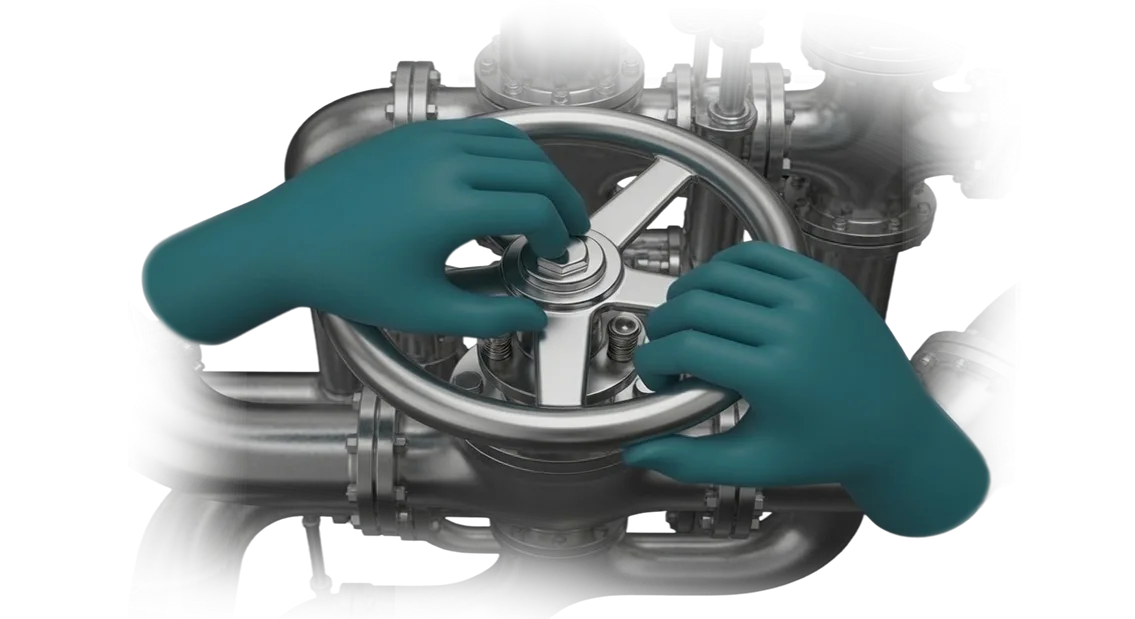
Personnel errors at a metallurgical plant are not just a process disruption—they are a direct hit to profit and reputation. One wrong move by an operator on the production line can halt the line, damage expensive equipment, or cause employee injury.
Accidents in metallurgy always have a cascading effect: lost time, repair costs, fines, breached contracts, and rising insurance payouts.
The cost of such incidents is substantial, and the root cause is almost always the same—insufficiently high-quality personnel training. Traditional safety briefings and paper regulations do not build lasting skills for handling abnormal situations.
An employee first encounters a critical scenario only on a real production floor, where every mistake is visible and has a price.
That is why industrial enterprises are increasingly turning to risk-free training. A VR simulator allows workers to practice action algorithms in a safe virtual copy of the workshop, drilling automatic responses to leaks, fires, and equipment failures.
Metallurgy is one of the most hazardous industries, and it is here that VR delivers the greatest effect: the employee gains experience without consequences, while the enterprise reduces accidents and ensures stable operation.
We develop simulators for specific technological processes so that personnel training is separated from real risks but precisely follows production logic.
As a result, the plant gets predictable employee behavior in non-standard situations and saves significant costs by eliminating the consequences of the human factor.
How a VR Simulator Improves Safety and Qualification
In metallurgy, the cost of a mistake is people's health and the enterprise's reputation. A newcomer learns on real equipment, where an incorrect action can lead to an accident.
That is why enterprises are replacing passive briefings and expensive on-the-job training with VR simulators: they make it possible to practice complex scenarios without risking lives and without stopping the workshop.
From an occupational safety standpoint, this is the biggest win: in a real workshop, you cannot rehearse an emergency. VR models critical situations—from molten metal leaks to equipment failures—and trains employee reactions until they become automatic.
After such training, personnel act according to procedures rather than panic, which reduces incidents and related downtime.
Staff qualification reaches a new level. The system records every employee action: reaction time, sequence of operations, and number of errors. A manager sees an objective picture—who is ready for independent work and who needs additional training.
This replaces “gut-feeling” assessments and enables targeted, individual training for specific specialists.
And the speed of training increases many times over. Instead of weeks of on-the-job internship, there are several intensive VR sessions, with better skill retention because the employee's attention is entirely focused on the task. New people reach full productivity faster, downtime shrinks, and mentors are freed for other tasks.
Thus, the VR simulator works on three key indicators at once—occupational safety, qualification, and training speed—and pays off by reducing accidents and accelerating workforce preparation.
VR Simulator Formats for Different Enterprise Tasks
For metallurgical production, one and the same VR program rarely covers all tasks: teaching a newcomer the basics, honing an operator's skills, preparing a shift for an emergency, or conducting an objective personnel assessment.
That is why we choose the virtual simulator format based on the specific workshop, employee skill levels, and business goals.
Below are typical formats used in industry and the benefit of each.
| Format | Target Audience | What It Gives the Enterprise |
|---|---|---|
| Orientation tour of the workshop | New employees, trainees | Fast onboarding without risk or production stoppage |
| Technological process simulator | Furnace operators, rolling mill operators, crane operators | Sustainable equipment operation skills before working on a real facility |
| Emergency scenario | Duty personnel, maintenance crews | Automatic correct actions during an accident and reduced downtime |
| Qualification assessment | Supervisors, process engineers, HR departments | Objective picture of each employee's readiness |
| Team shift scenario | Crews, shifts, joint operations | Coordinated collective actions in complex conditions |
For each format, we develop the scenario together with your process engineers: real equipment parameters, actual algorithms, and workshop logic are used.
Employees find themselves in a familiar environment rather than an abstract “space,” so the transfer of skills to real equipment is faster.
Such training shortens personnel preparation time and significantly reduces the number of errors in the first months of work. Managers get a clear control tool: every employee has already practiced key operations before stepping onto the production floor.
How We Build a VR Simulator for Your Needs
Developing a VR simulator for a metallurgical enterprise is not purchasing a ready-made product but running a joint project.
We have structured the process so that at every stage you understand what is happening, control the timeline, and get a solution that solves your specific task—not one that simply impresses with technology.
-
Brief. We discuss your tasks, the specifics of your production processes, and your personnel training requirements. We record goals so that the simulator reduces risks, accelerates staff preparation, and pays off in practice.
-
Scenario approval. We show how the training will be structured: which situations are modeled, which skills are practiced, and what the interface looks like. You approve the approach before development starts—this prevents rework at later stages.
-
Work plan. We detail the stages, deadlines, and responsible parties. You receive a calendar plan with checkpoints and always know where the project stands and what comes next.
-
Prototype. We create a working sample of the simulator that can be tested with your employees. You evaluate realism and usability and make adjustments before we invest effort in the full version.
-
Implementation and approval. We develop the full VR simulator, regularly demonstrating intermediate results. Edits at this stage are made quickly and without unnecessary costs—you are always aware of changes.
-
Launch and support. We install the simulator at your facility, train instructors, and support the rollout. You receive a ready-made solution that works from day one—with technical support throughout its service life.
What Is Included in the VR Simulator Delivery
The delivery of a VR simulator for metallurgy includes everything needed to launch training directly at your site. The client receives not a standalone scenario but a complete system: software, hardware, methodological materials, and support at every stage of implementation.
- Software—scenarios of real production and emergency situations, training, practice, and control modes. This makes it possible to build a full employee training cycle.
- Turnkey kit—virtual reality headsets and controllers are pre-configured and tested. There is no need to select equipment, worry about compatibility, or spend time on setup.
- Methodological materials—regulations, lesson plans, and instructor guides. Your staff can conduct training independently and are not dependent on the developer after launch.
- Analytics module—records each learner's results and typical errors. Managers can see progress and make informed decisions about work authorization.
- Adaptation to your production—scenarios are tied to your regulations, equipment, and job roles. Employees train on situations that actually occur in their workshop.
- Support and team training—we transfer experience to your instructors, update scenarios, and remain available after launch. The simulator evolves with the client's processes rather than becoming obsolete.
In the end, you get a working training tool that integrates into your current workforce development system and quickly delivers measurable results—faster skill acquisition and fewer personnel errors.
Case Study: VR Simulator for a Metallurgical Plant
At a metallurgical plant, training new rolling mill operators had always been a bottleneck: theory took a week, followed by two more weeks of practice on the line under a supervisor's watch.
Each such session meant a risk of injury, a risk of ruining an expensive batch of metal, and the distraction of an experienced mentor from other duties.
When the plant got an order to expand shifts, the question arose: how to train 50 people quickly, safely, and without stopping production.
We built a VR simulator that accurately replicates the mill's control console and the entire technological chain: billet pickup, heating, rolling, and parameter monitoring. The employee trains in a virtual reality headset, receiving instant feedback on every action.
This makes it possible to practice both routine operations and emergency situations—such as a stuck billet or a sudden temperature spike—things no one would ever let a novice near in real life.
The implementation results at UralSteel are measurable:
- Operator training time was cut from 14 shifts to 5—a 60% reduction.
- The number of errors in the first month of independent work fell threefold.
- Rolling mill downtime caused by incorrect staff actions fell by 37%.
- The economic effect per line was measured in annual savings from lower reject rates and faster ramp-up of new hires to full productivity.
- Payback period: 11 months. Six months later, the plant ordered three more simulators for other workshops.
For the client, the VR simulator became not an experiment but a working tool that pays for itself and scales. That is why we recommend starting with a pilot area—as in the case described—and then expanding coverage across the entire enterprise.
What if We Have Specific Requirements for the Simulator?
Specific requirements are normal practice, not the exception. No two workshops in production are the same: different furnaces, different procedures, and different safety standards.
So we design the simulator around your process from the start rather than adapting an average scenario.
We begin by reviewing your documentation: process charts, occupational safety instructions, and emergency response procedures. Then we conduct a series of interviews with your process engineers and supervisors, and if necessary, inspect the site.
As a result, the simulator contains not an abstract model but the logic of your specific production.
An individual solution is not just visuals. It includes scenarios that match your regulations, errors that reflect real risks at your site, and an assessment system that shows the metrics that matter to you.
If needed, we adjust the training logic for a specific job role, skill grade, or employee experience level.
The format is also chosen according to the task: a virtual reality headset for training one employee, a stationary workstation for skill practice, or a group option where several people act in a shared scene. The main thing is that the format solves your training task rather than merely following a trend.
The result is simple: you describe your requirements, and we turn them into a working simulator. No “let's rework a standard solution”—we design around your process from the very beginning. Tell us about your specifics, and we will propose an option that fits into your training system.
Common Concerns When Ordering a VR Simulator
When ordering a VR simulator, a production manager usually worries not about technical details but about consequences: how safe it is, who is responsible for the result, and whether the contractor will disappear after launch.
These are normal questions—the honest answers determine whether training becomes a working tool or a dusty prototype in a warehouse.
We have been implementing VR training in metallurgy for more than 10 years and hear these concerns regularly. That is why every project is built around three principles: predictable timelines, fixed responsibility, and post-launch support. Below are answers to the most common fears before signing a deal.
What if the VR simulator doesn't fit into our training system?
We start with an audit of your current training instructions and standards. The scenarios are adapted to your regulations, not the other way around. The result is not a standalone “attraction” but a clear element of your existing personnel development process.
Who is responsible if the scenario doesn't deliver the expected result?
At the pilot stage, we set acceptance criteria: completion rate, time per operation, and absence of critical errors. If the metrics are not achieved, we refine the simulator at no cost.
After launch, a dedicated manager is assigned to you—they help integrate VR into the shift schedule and answer employee questions.
What happens after a few months—will the simulator become obsolete?
We provide a functionality guarantee and maintain the scenarios: if regulations or equipment change, the program is updated. This is not a one-time delivery but a long-term partnership with material updates and consultations as needed.
Discuss Your Task with an Engineer
In metallurgy, the price of a mistake is high: a furnace stoppage, an injury, or a rejected batch leads to serious losses.
That is why we start a project not with a mockup but with a conversation with an engineer who knows production and has already built simulators for similar tasks.
During the consultation, you receive not general words but a preliminary assessment: whether the task can realistically be solved with VR, how long it will take, and what investment it requires.
The conversation usually takes 40–60 minutes. During that time, the engineer will ask about your processes, the operations that need to be practiced, and how your staff is currently trained.
After the conversation, you receive a cost estimate and a plan of concrete steps—before you decide whether to start.
How the process works:
- You submit a consultation request—the engineer contacts you within one business day.
- We discuss the task: which operations need to be mastered, who will be trained, and what constraints exist on the site.
- The engineer checks how the VR simulator will fit into your training and certification system.
- We prepare a preliminary cost and timeline estimate for the project.
- We send a commercial proposal with a pilot stage plan and the simulator's contents.
- After your approval, we finalize the technical specification and begin development.
Leave a request on this page—the engineer will contact you within one business day. You will receive a consultation, an estimate, and clear next steps. This is non-binding.