

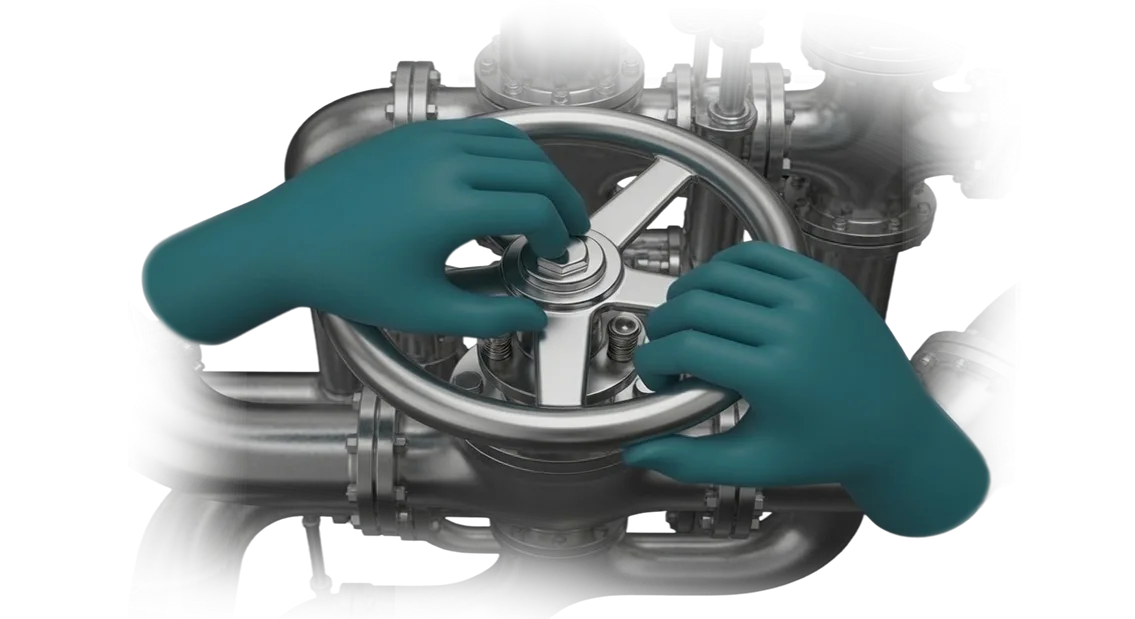
Food Industry: How Risk-Free Training Boosts Profit
In the food industry, the cost of a mistake is especially high: a recipe failure, a sanitary standards violation, or improper equipment handling results in defective batches, product recalls, and serious losses.
Meanwhile, staff training takes place right on the production floor — a trainee inevitably puts both raw material quality and personal safety at risk.
The solution is VR simulators, which allow skills to be practiced in a safe virtual environment without stopping the workshop or consuming real products.
For the enterprise, this means fewer accidents and injuries: an employee learns to act in emergency situations without ever being in one. Personal safety and equipment-failure response procedures drilled to the point of automation reduce downtime and insurance costs.
And when staff are not afraid to make mistakes, they master the technology faster and violate procedures less often — resulting in consistent quality and a minimal defect rate.
Employee retention is another win: instead of days of theory, a newcomer gets hands-on practice and confidently works the line after just a couple of shifts. This reduces staff turnover and the cost of rehiring.
The employee benefits as well — they settle into the role faster and feel competent, which boosts loyalty and motivation.
VR simulators solve tasks that classic briefings cannot cover: simulating rare emergencies, practicing responses to spills, fires, or equipment failures. Each scenario is repeated dozens of times until the skill becomes stable — with zero risk to production.
This is why virtual simulator training is becoming the standard in a food industry that values both safety and efficiency.
We develop VR simulators for the specific processes of your enterprise: from raw material intake to packaging and shipping. Employees train on a digital twin of your workshop and, after training, immediately work with real equipment without losing quality or time.
In this way, the investment in simulators pays off through fewer defects, accidents, and lower turnover — while management gets a predictable result and higher production efficiency.
Benefits of VR Simulators: Safety, Speed, Savings
Staff training in food production is always a compromise. While an employee learns, they do not work, and a mistake can cost a product batch or safety.
VR simulators remove this contradiction: the employee masters the process in a virtual environment where a wrong action does not lead to defects or injury, while training speed and quality grow.
Training speed is the key advantage. Instead of long theoretical lectures and apprenticeships on real equipment, the employee immediately enters an interactive scenario.
Practice shows that the required skills form several times faster: a newcomer gets their actions to the point of automation in a matter of hours, all without blocking the production line.
Training savings come from several components. There is no need to stop the conveyor, spend raw materials on training batches, or assign a mentor to every newcomer.
A single VR simulator replaces dozens of hours of instructor-led sessions and pays for itself after the first few groups of employees.
Safety and risk reduction are what bring many enterprises to VR. Practicing emergency situations — equipment depressurization, fire, spilled ingredients — is dangerous and expensive in reality, but in a virtual environment it is just a training task.
The employee gets used to acting correctly before ever facing a real emergency, and the number of incidents on the production floor drops noticeably.
Employee engagement changes too. VR training is perceived not as a boring obligation but as a modern format that holds attention and stays in memory. People complete the course faster, drop it less often, and more readily apply the skills they have learned.
In the end, you get a team ready for real tasks and production that runs without downtime or losses.
VR Simulator Formats for the Food Industry
In the food industry, the cost of personnel errors is high: recipe violations, non-compliance with sanitary standards, incorrect line setup — all of this hits product quality and reputation.
VR simulators allow skills to be practiced without risk to production or the cost of real raw materials.
But a "VR simulator" is not a single product. Different tasks require different formats: from a full line simulator to a short module for practicing a single action. Below are the main formats we use at food enterprises.
| Format | For whom | What the client receives |
|---|---|---|
| Full production line simulator | Operators, technologists, shift supervisors | Practicing the entire technological chain without stopping production, fast onboarding of new employees |
| Single-operation practice module | New employees, trainees | Mastering a specific skill to automation: portioning, packaging, parameter control |
| Safety training simulator | All production personnel | Practicing emergency response without health risks, reducing injuries and fines |
| Equipment service and setup simulator | Setup technicians, engineers, maintenance crews | Training for complex operations without risk of damaging expensive equipment, reducing downtime |
We design each format for a specific task so the enterprise gets a measurable result: fewer errors, faster staff adaptation, higher safety. We will select the format and show a demo — just describe your need.
Stages of VR Simulator Development for an Enterprise
Developing a VR simulator for an enterprise is a controlled process, not a "black box." We have structured the creation stages so that you see the result at every step, control the budget, and understand what you are getting.
The approach is proven on food industry projects, where precision of actions and fast employee training matter.
- Development brief — we dive into your production operations, typical errors, and training requirements. We define the task the simulator will be built for.
- Simulator design — we determine the learning objectives, scenario, and assessment criteria. You see how the scenario reflects your procedures and standards.
- Prototype development — we quickly assemble a working fragment of the simulator. You evaluate realism and usability before full development.
- VR testing — your technologists and operators go through the scenario and make changes. This removes awkward moments before launch.
- Implementation and launch — we configure the simulator for your infrastructure, install the equipment, and train the instructors. Employees start training without downtime.
- Support and development — we update scenarios, add new situations, and monitor stability. On request, we enable employee progress analytics.
Each stage ends with a clear result that you review and approve. Our team handles the project from brief to support — you always know what is happening with the VR simulator development.
What Is Included in the VR Simulator Delivery
You receive not just a virtual program, but a fully packaged staff training tool: with complete documentation, methodology materials, and support at every stage of implementation.
We deliver the project turnkey so that the occupational safety department and production personnel can start using the simulator immediately, without additional investments or fuss.
The delivery includes:
- VR project structure — the final description of all modules, scenarios, and difficulty levels. You clearly understand which skills an employee practices and in what order: from basic operations to emergency situations.
- VR documentation — a complete package of operational documents: administrator guide, operator instructions, and a description of the results assessment methodology. Everything is structured so a new employee can be trained without the developer's involvement.
- Instructions and procedures — ready-made templates for integrating the simulator into your mentoring system: session procedures, instructor checklists, and criteria for authorization to work independently.
- Training courses — a training program for your internal trainers and methodologists. They learn to work with the simulator, configure scenarios, and analyze staff errors — on their own, without permanent dependence on us.
- Technical support — prompt assistance throughout the entire service life: scenario updates to match procedure changes, consultations on any questions, and warranty maintenance. If a production process sheet changes, we quickly adjust the simulator.
- Training materials for employees — short reference guides and video instructions that help staff quickly master the virtual environment. This reduces onboarding briefing time and lowers the entry barrier for new workers.
- Reporting and analytics — administrator workstations with a results log: you see who completed the training, which errors recur, and how ready the staff are for real conditions.
Final acceptance is carried out against a clear list — you personally check every item on a real scenario. If anything does not meet expectations, we make changes until full approval.
After project handover, you receive all rights to the simulator and are not tied to us forever — but technical support stays with you so the result works reliably every day.
Case Study: Training 200 Operators in 2 Weeks
Food production requires impeccable quality, and an operator error can stop the line or lead to defects. Standard training takes weeks and pulls experienced employees away from their work.
The task facing Prime-Milk, a dairy products manufacturer, was to train 200 operators in one season without slowing production.
We created a VR simulator that fully replicates the workshop: from sanitary processing to emergency response actions.
The employee puts on the headset and safely goes through all stages, while the system immediately points out the error — this is how the correct skill is formed without risk.
Implementation Results
All 200 operators completed training in 2 weeks — previously it took about a month. Onboarding time was cut threefold, and the number of errors during filling dropped by 40%. Misgrading decreased, and productivity grew without additional investments.
The production manager noted that employees act more confidently in non-standard situations — skills that are difficult to practice without risking defects. The VR module is now part of new employee onboarding and periodic recertification.
We received a repeat order for a second workshop — confirming that the VR simulator works as a measurable workforce management tool: faster training, fewer errors.
How to Choose a VR Simulator for Your Production Tasks?
Choosing a VR simulator starts not with equipment, but with the task: what skill an employee should master and where exactly errors occur on the production line.
This is especially important in the food industry — the same operations can differ across lines, and a mistake is expensive. Therefore, the first criterion is the simulator format matching your specific technological chain, not a "universal" off-the-shelf solution.
Pay attention to three things: the realism of scenarios, the ability to adapt to your site, and the way employee actions are assessed. The simulator must model your procedures specifically — from sanitary processing to working with particular equipment.
If it contains abstract situations, the training value drops sharply: the employee gets used to a "toy" rather than a real workshop.
The second criterion is how quickly the simulator can be calibrated to changes. Production lives its own life: recipes change, new lines are introduced, requirements become stricter.
A good VR simulator is updated in days, not months, and does not require deep technical knowledge from your team. We always ask the client who will maintain the product after launch and build in a simple configuration interface.
The third point is the measurability of the result. Choose a solution that gives you clear statistics: where the employee made a mistake, how much time they spent, which steps they skipped. Without this data, training becomes a formality.
For the food industry, this is also the basis for certification and internal audits — you can always show that the staff actually worked through the scenario rather than just "listened to the briefing."
And finally, the contractor's expertise. Ask whether they have developed simulators for food production before: how they identified the specifics of your line, who the source of knowledge was — a technologist or only a manual.
We work remotely and have been developing simulators for various industries for 10 years, but we start every project by studying your site. The right choice is not buying a box, but a partnership in which the simulator solves a specific production problem.
Frequently Asked Questions About VR Simulator Development
We understand: before ordering VR simulator development, you have practical questions — from budget to compatibility with current processes. Below we have gathered answers to the main objections of clients in the food industry, so you can make a decision without ambiguity.
How much does VR simulator development cost?
The cost depends on the complexity of the scenario, the number of simulated situations, and the level of detail of the production lines.
In the food industry, clients most often order simulators for practicing safety procedures, sanitary processing, and equipment operation — these are standard scenarios that do not require unique development.
We calculate a transparent estimate after the brief: you see what you are paying for and can launch the project in stages. As a rule, the return on investment comes after the first training cycle: the number of novice errors and onboarding time both decrease.
How difficult is it to integrate VR training into current processes?
Integration happens without stopping production. The VR simulator works as a separate training module: an employee trains in a dedicated area or during a break between shifts, and the results automatically enter your training records system.
Our experience shows that full implementation takes 2–3 weeks if the enterprise already has a corporate training center. We support you at every stage: we help integrate scenarios to match your procedures, train the instructors, and hand over materials for independent work.
What equipment will be required?
To get started, one VR headset kit and an instructor workstation are enough — this takes up the space of a regular office. We use professional equipment that has already proven itself in industrial training, so it works reliably even under intensive daily loads.
The cost includes not only the software but also the configuration of equipment for your tasks. We also provide recommendations on the number of kits — usually 2–3 are enough for the first line, and then you scale up as the number of trainees grows.
What quality and support guarantees do you provide?
The simulator warranty is valid for the entire period of use: we support the project after launch, update scenarios when procedures change, and promptly resolve any issues that arise.
This is critical for food enterprises, because sanitary and safety requirements can change — you are never left alone with an outdated program.
Before handover, we conduct a test run with your employees and refine the scenario until it meets your standards. Only after your approval is the project considered complete.
Order a VR Simulator for Your Enterprise
Leave a request for a VR consultation — we will discuss your task and show how the simulator fits into your existing staff training system. No obligations: we will send examples of solutions for the food industry and provide a preliminary timeline estimate.
After your inquiry, you receive:
- Production task analysis. We will identify which operations and scenarios should be moved into the virtual environment to reduce risks, lower material consumption, and speed up newcomer onboarding.
- Turnkey development estimate. We will design the program, create scenarios, select equipment, and prepare the simulator for launch — from idea to a ready-to-use workstation.
- Plan for integrating VR into the training process. We will build training into the shift schedule, set up the equipment, and run a pilot launch at one of the sites so you can see the result before scaling.
- Training for your instructors. We will hand over the methodology for working with the simulator, so your employees can run sessions on their own, track errors, and assess progress.
- Post-launch support. We update scenarios for new procedures, help expand the number of exercises, and ensure stable system operation.
- Documents to justify the purchase. We prepare a solution presentation and an impact assessment for management, to align the budget and defend the project internally.
To order a VR simulator for your enterprise, fill out the form on the website or call us — we will respond within one business day.
We will start with a VR consultation: we will show which tasks can be solved fastest and propose the next step — a pilot project at your production facility.