

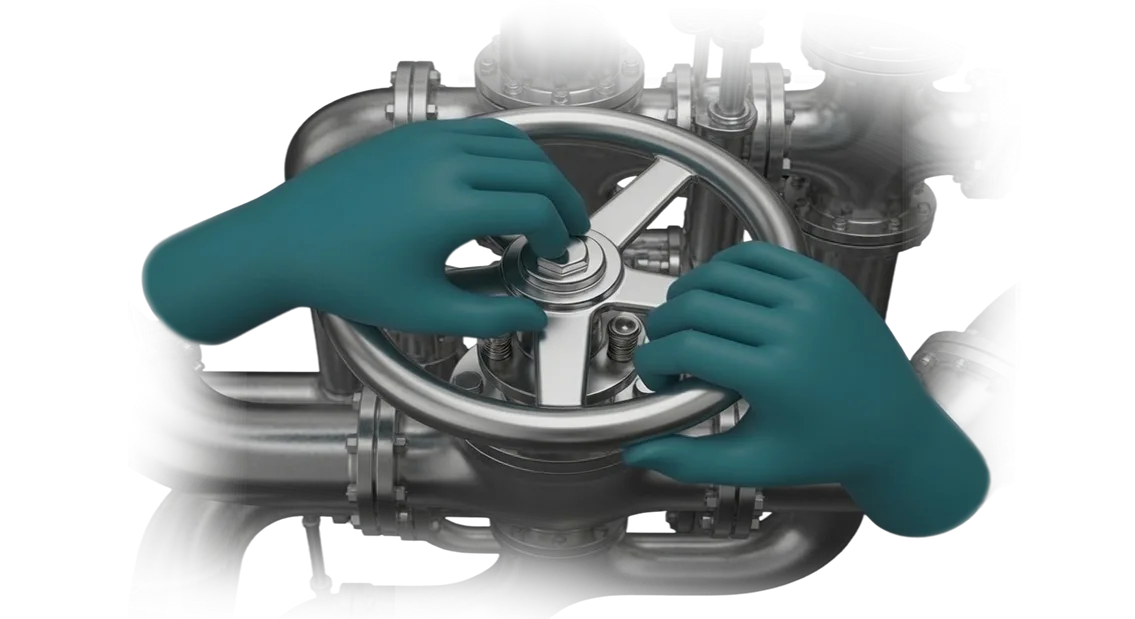
Training staff on real equipment is expensive, dangerous, and slow
Every training session on real equipment comes at a cost: line downtime, material consumption, and the risk of accidents. A trainee's mistake can lead to expensive repairs or injury, and an instructor physically cannot supervise everyone.
While an employee is mastering a skill, the enterprise loses time and money, and safety remains a question.
A VR simulator for industry addresses the issue of training safety. In a virtual environment, an employee works with an exact digital copy of your equipment—from the operator's console to emergency situations that are impossible to reproduce in reality.
Training staff in virtual reality does not require stopping production and poses no risk to either people or machinery.
At the same time, training quality does not drop—on the contrary, it improves. An immersive scenario engages muscle memory, and the system records every action and shows exactly where the employee made a mistake.
Once they have "gained experience" on the simulator, they then work confidently on the line.
We are the very Isaac Sim developers that manufacturing companies turn to. We use the Isaac Sim platform to make the virtual environment accurately replicate your equipment: physics, dimensions, and interfaces. The solution integrates into your current training system and updates when the machinery changes.
The main thing is the economics. Implementing a digital twin pays for itself by reducing downtime, material consumption, and accidents. You pay once for development and train personnel for years without additional costs for consumables and instructors.
What an Isaac Sim developer gives the client when creating a VR simulator
Training staff on real equipment brings the risk of downtime, material costs, and a long onboarding period. Every mistake by a newcomer costs the price of a component or the time needed to restore the line, and employee knowledge varies depending on the mentor's experience.
A VR simulator based on Isaac Sim removes these limitations: engineers practice actions in a digital copy of the workshop without stopping production.
The environment fully replicates the geometry, logic, and emergency situations, so the skill transfers to real machinery without "surprises." For the client, this means the simulator functions as a "second site" where the cost of a mistake is zero.
Benefits for business
| Format | For whom | What it gives the client |
|---|---|---|
| Training new employees | Line personnel, operators | Reduction in onboarding time by 2-3 times |
| Emergency response practice | Repair crews, duty personnel | Lower accident rates and preservation of expensive equipment |
| Professional development | Experienced employees, technologists | Standardization of knowledge and a unified skills assessment for the whole shift |
Each scenario is practiced to the point of automation, and the system records employee actions. A manager gets an objective picture of personnel readiness rather than relying on "paper" signatures in a logbook.
The simulator quickly pays for itself: a single prevented accident or reduced line downtime covers the development costs in the first month of operation.
The main economic effect is predictability. You understand when an employee is ready for independent work and can plan new project launches without staffing risks.
That is the simulator's return on investment—it is measured not in hours but in preserved revenue and reduced emergency repair costs.
VR simulator formats based on Isaac Sim for industrial tasks
We can prepare several formats—from emergency response practice to mastering complex equipment. The key question is which simulator will deliver the maximum result for your production task.
One client—several formats
We have been through this on dozens of projects: different tasks at the same enterprise require different levels of immersion.
In some cases, you need to drill a skill to the point of automation; in others, you need to test actions in an abnormal situation; and sometimes the main goal is for a new employee to safely try out equipment before first going to the line.
So we do not "sell" one option but choose a format to fit the task. We use your scenarios as the basis: which mistakes happen most often, where training is most expensive, and which production area is the most critical.
Then our engineers build a virtual scenario on professional equipment—so that the sensations are as close to real as possible, but without risk to people or machinery.
| Format | For whom | What it gives |
|---|---|---|
| Emergency simulator | Personnel who must respond during an incident | Practice without life risk; skill developed to automaticity |
| Equipment operation simulator | New employees, operators, repair personnel | Faster mastery of procedures; fewer mistakes in the first months |
| Production process simulator | Technologists, supervisors, managers | See process "bottlenecks"; change parameters and observe results |
| Assembly and repair | Repair crews, assemblers | Step-by-step practice without stopping production; no risk of breakdown |
How we choose the right format
At the consultation, we first analyze what exactly needs improvement: reducing training time, lowering accident rates, or speeding up onboarding. Based on that, we propose specific scenarios and depth of detail—from a short module to a multi-stage simulator with results tracking.
We have already built such simulators for mechanical engineering, energy, logistics, and extractive industries—each one was tailored to a real operation on real equipment.
So you get not a "pretty virtual world" but a working tool: after training, an employee arrives at the site already knowing what to do and in what sequence, and makes a minimum of mistakes.
Describe your production task in two or three sentences—we will suggest one or two appropriate formats and estimate implementation timelines.
How we create VR simulators: 6 steps from brief to launch
Developing a VR simulator is not just creating a virtual copy of a workshop but building a training tool that must fit into your processes.
We have structured the work so that you see results at every stage, understand what you are paying for, and can adjust direction without losing time or budget.
Work stages
-
Brief and expert interviews. We study real operations, typical mistakes, and safety requirements. Together with your technologists, we determine which skills to train first and how to measure success. The result is a document with training objectives and readiness criteria.
-
Scenario approval. We describe each exercise in detail: what actions the employee performs, what prompts they see, and how the system reacts to mistakes. You approve the scenario before development starts—this eliminates costly rework and disputes at the final stage.
-
Prototype and concept validation. We create a working sample of the key scenario. You see the future simulator with your own eyes, test the logic, and make adjustments before full-scale development. This reduces risks and speeds up approval.
-
Development and content creation. We build the graphics, logic, assessment system, and performance statistics. We work in iterations: you receive intermediate versions and see progress rather than a "black box" at the end of the project.
-
Pilot operation. We launch the simulator with a pilot group of employees, collect feedback, and refine details—usability, clarity of instructions, and operating speed.
-
Launch and support. We deploy the system on your equipment, train administrators, and help integrate the simulator into your training program. We stay available for enhancements and technical support.
What is included in the delivery of a VR simulator for your enterprise
When you order a VR simulator, you receive a complete employee training solution, not just a program. The delivery package includes everything needed for launch and daily operation—from software installation to regular specialist support.
- Software — installation and configuration of the simulator on your equipment, with the possibility of updates.
- Training modules — scenarios that replicate real production operations and emergency situations at your enterprise.
- Methodological materials — manuals for operators, instructors, and system administrators so that employees quickly understand how to work with the system.
- Operating instructions — clear step-by-step documents for setup, launch, and daily use.
- Personnel training — sessions for your instructors and technical specialists, after which they can conduct training independently without our help.
- Technical support — assistance at all stages, from launch to functionality expansion, with a fast response to requests.
This composition guarantees that the simulator will not remain just a "box with a program." You get a working tool that is easy to integrate into the educational process, and employees master skills faster without risk to production. We handle implementation and support, so your team can focus on what matters most—training results.
Case: 35% reduction in injuries and significant annual savings
One of our projects was a simulator for a major metal structures manufacturer that wanted to reduce the number of accidents at its hot rolling section.
In the previous year, there were seven workplace injuries there, and it took up to six weeks to train a newcomer in real operations. Each incident meant compensation payments, section downtime, and additional strain on the crew.
We used the enterprise's real procedures as the basis and built a scenario in which an employee practices the most dangerous situations: metal breakthrough, emergency mill stoppage, and mechanism setting errors.
In the virtual environment, such mistakes cost a couple of minutes of restart rather than days of treatment and repair.
What the annual statistics showed
Injuries at the section decreased by 35%—that is six prevented incidents.
Total annual savings were significant: almost half came from reduced compensation payments, a quarter from less equipment downtime, and the rest from accelerated onboarding—instead of six weeks of practice on the mill, three weeks on the simulator followed by supervised on-the-job training.
Why it worked
The operator does not just see an instruction—they experience an emergency situation and remember correct actions at the reflex level. On real equipment, you cannot do that: it is expensive, risky, and almost impossible to deliberately create a harmful scenario.
The client's investment paid off within the first four months. The result is easy to measure in money: lower injuries, less downtime, and faster transition of newcomers to independent work.
Answers to questions about VR simulator development
Before ordering a VR simulator, managers ask about cost, timelines, compatibility, and guarantees. We answer directly—so you rely on facts, not guesses. We use the Isaac Sim platform: the physics is realistic, and integration with your procedures is simple.
How much does development cost?
The price depends on the scenarios, equipment, and integration with your training programs. After the brief, we provide an exact quotation within 1–2 days. The fixed stages do not change—the final cost remains the same.
When will we see results?
We show the first version within 3–4 weeks. Full launch with instructor training takes 1–3 months. Staged previews allow you to make changes without shifting the deadline.
Is it compatible with our equipment?
We select VR kits according to your tasks: from standalone headsets to stationary systems. We configure integration with your training systems and databases so that results immediately flow into reporting.
What about warranty?
Official warranty and support after launch. In the first year, we update scenarios and make revisions free of charge; after that, you choose a support plan. Engineers are available during the working day.
We take on the complexity of implementation: design, delivery of kits, employee training. You get a tool that pays for itself through reduced accident rates and savings on real-world training.How to choose a VR simulator format for a specific task?
Choosing a VR simulator format starts not with technology but with a question: what production task are you solving?
It is one thing to train an employee to act in an abnormal situation on a complex unit, and quite another to practice a standard operation to the point of automaticity.
The depth of immersion, the duration of the scenario, and the number of simultaneously trained employees all depend on this.
We offer a simple selection algorithm. First, we define the goals: what skills need to be developed, how many people need to be trained, and how often procedures are updated.
Then we analyze real working conditions: workshop layout, equipment features, and typical mistakes of newcomers and experienced employees. Based on this, we choose a format—from compact instructions to full-scale simulations of the workplace.
For mass training and rapid personnel adaptation, short scenarios that can be completed right at the workplace are suitable.
For complex and dangerous operations, full immersion with maximum process detail is effective—it allows practicing actions without risk to people or equipment. A hybrid option is convenient when you need to combine theory and practice in one session.
We do not impose ready-made templates. Our engineers study your production, talk to technologists and operators, and then propose a solution that fits current processes and budget.
Before launch, we conduct a pilot test with a small group of employees, collect feedback, and adjust the scenario.
As a result, you get a simulator that solves exactly your task: reduces training time, lowers the number of errors, and improves safety. And if production processes change, the scenario can be quickly updated without reworking the entire system.
Discuss your project with a VR simulator developer
Are you ready for VR simulator implementation but do not know where to start or how to integrate the simulator into current processes? Leave a development request—we will provide a consultation, clarify the task, and prepare a commercial proposal tailored to your enterprise. No abstract estimates: only specifics on goals, format, and budget.
We work with industrial companies of various sizes—from local plants to holdings. For example, for Chelyabinsk Zinc Plant, our engineers designed a training complex for personnel, and a year later the client returned to expand it to a second workshop. That shows that we hear the task and provide a solution that works.
What you get after your inquiry:
- A VR simulator consultation—an engineer will clarify the tasks, production specifics, and implementation point so the proposal is realistic.
- A preliminary estimate of timelines and cost during the first call—no hidden fees or "asterisks."
- A commercial proposal with a clear list of work, equipment, and stages—we will send it within 2–3 business days.
- Demo examples of implemented simulators for your industry, so you can see how it looks in practice, not just in pictures.
- Format recommendations: a separate module for one area, a comprehensive training program, or a simulator for several scenarios.
The discussion itself will take no more than 30 minutes. You talk with an engineer who has already completed such projects, ask any questions—and receive solution options with pros and cons. No "let's sign the contract first."
The result: you get a transparent estimate, realistic timelines, and an understanding of how a VR simulator will affect safety and personnel training speed.
To get started, leave a request on the page—we will respond within a business day and choose a convenient time for the consultation.