

Tracheal Intubation: How to Refine the Skill Without Risk to the Patient
Classic methods of practicing intubation—manikins and observing a mentor—do not address the main task: turning the skill into confident, automatic action. A manikin provides only basic mechanics, while real patients differ in both anatomy and response to the procedure.
As a result, a significant part of training happens on a real person, where the cost of a mistake is especially high.
During tracheal intubation, any failure directly affects patient safety: the risk of hypoxia, airway trauma, and complications. That is why stress among novice specialists is significantly higher, further increasing the likelihood of error.
What is needed is an environment where they can calmly practice movements to the point of automaticity, try challenging cases, and not fear the consequences.
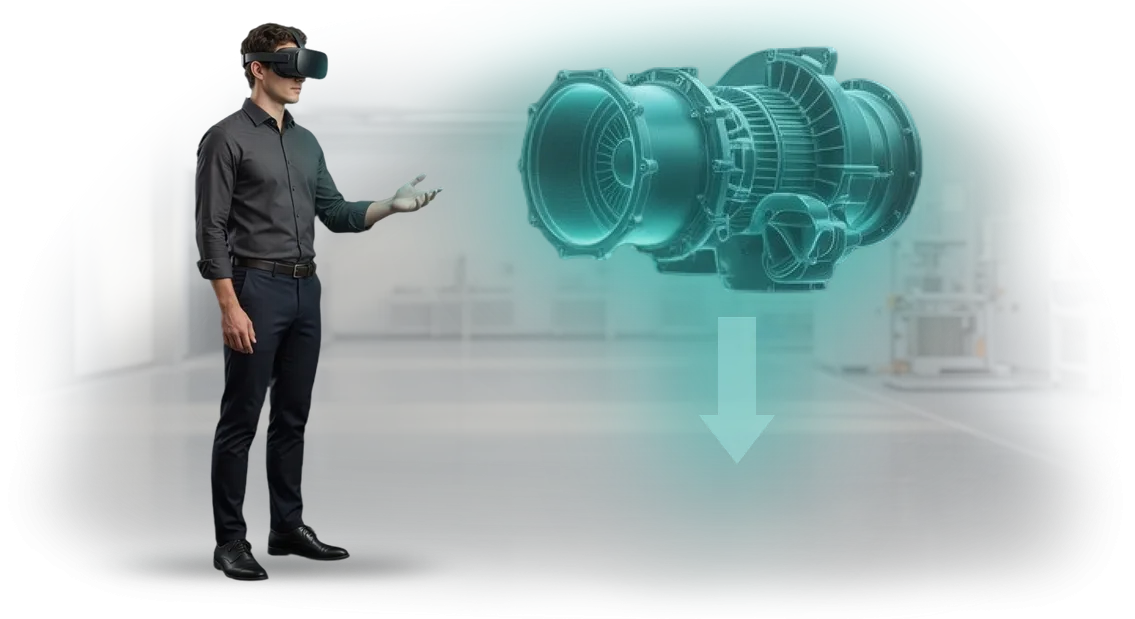
A VR simulator solves this problem through intubation simulation in realistic scenarios.
The learner sees the anatomy in 3D, performs all steps of the algorithm, and the system instantly shows where a deviation occurred: blade misalignment, incorrect insertion depth, excessive pressure.
The simulator adapts scenarios to different difficulty levels and allows returning to a difficult case until it is fully mastered.
That is how skill practice becomes safe and endlessly repeatable. A doctor or nurse enters the real operating room with already-developed muscle memory and a calm attitude toward unexpected situations.
For the clinic, this means lower risks, a shorter mentoring period, and a clear quality standard for staff training.
Simulation of intubation in VR is not a substitute for practice but a bridge to it. The specialist approaches a real patient prepared, and the manager gets a measurable learning outcome and confidence that every team member acts safely.
Advantages of the Virtual Simulator for Healthcare Professionals
The virtual tracheal intubation simulator immerses healthcare professionals in a realistic environment without risk to the patient. Immersive training allows them to make mistakes calmly, repeat complex procedures, and practice rare scenarios. This approach builds confident skills faster than lectures.
Repeatability is a key advantage of digital simulation. Each exercise can be performed dozens of times, including emergency situations that are difficult to recreate on traditional manikins. The healthcare professional gains experience before meeting a real patient.
Objective assessment—something that is difficult to guarantee when working with an instructor. The simulator records every action: insertion depth, angle, pressure, time taken.
The system compares metrics against a benchmark and provides independent feedback, helping to identify weak points.
24/7 availability allows learning at a convenient time without being tied to the simulation center’s schedule. For hospitals with shift work, this is an opportunity to improve qualifications without leaving duty.
Virtual training reduces staff training costs. There is no need to purchase consumables, rent expensive equipment, or hire additional instructors. At the same time, the number of trainees can be increased several times within the same budget.
VR Training Formats for Different Clinic Needs
VR for medicine is not a single scenario but a set of formats that integrate into tracheal intubation training in different ways.
When deciding how to train staff, you choose between self-practice, instructor-led sessions, and hybrid scenarios with a manikin—and each format addresses its own task.
| Format | For whom | What it gives the client |
|---|---|---|
| Self-practice | Practicing staff who need regular intubation training without being tied to a schedule | Fast development of muscle memory, reduced staff workload, no stress in front of colleagues |
| Instructor-led sessions | New staff, interns, physicians after a long break | Quality control, real-time error review, objective assessment of readiness for independent work |
| Hybrid scenario with manikin | Teams and departments where coordination is important | Transfer of intubation skills to real equipment, practicing the full procedure cycle |
This choice allows the clinic to decide for itself what matters more: individual training for targeted technique refinement or group sessions for establishing common standards.
For example, self-directed sessions can be conveniently scheduled in free windows, and hybrid sessions for a specific shift.
In any format, VR for medicine delivers predictable results: every doctor goes through the same scenarios, and the department head sees which intubation skills are already automatic and where more work is needed.
How We Develop a VR Simulator: Stages and Timeline
For staff training, what matters is not just “drawn” VR but a simulator that truly practices the skill. That is why we structure the process as a joint project: you know your specifics, we know the technology and methodology.
Below is the typical path from brief to launch, which takes 4 to 8 weeks depending on scenario complexity.
Stages of VR Simulator Development
- Brief and task analysis. We discuss which staff actions need to be trained—for example, tracheal intubation: algorithm, typical errors, evaluation criteria. We record learning objectives and success metrics so that the result can be measured at the end of the project.
- Script and methodological foundation. Together with your experts, we write a step-by-step scenario, a hint system, and solutions for non-standard situations. The scenario remains clear for both beginners and experienced staff.
- Prototype and approval. We quickly assemble a working prototype of the key training steps. You see what the training will look like and make changes before full development—this saves time and resources.
- Full version development. We create graphics, interactive scenarios, and an action assessment system. The simulator gives instant feedback: it points out a mistake, suggests the correct action, and records each employee’s progress.
- Pilot testing. We launch training on a small group of 5–10 employees. We analyze their reactions, errors, and suggestions, then refine usability and task difficulty.
- Deployment and administrator training. We install the simulator on your equipment and set up accounts. We provide clear instructions and teach your trainers to conduct sessions independently.
- Support and development. We stay in touch after launch: we update scenarios, add new training situations, and help with technical issues. On request, we provide a report on staff performance.
What Is Included in the Simulator Delivery Package
You receive not just a program but a ready-made training tool that can be launched from day one. Everything needed to work—from the anatomical model to the assessment system—is already included in the package.
- Ready-to-use 3D airway model — realistic anatomy with rotation and zoom. The physician sees every step of the procedure just as in real practice and practices the technique without risk to the patient.
- Step-by-step intubation scenarios — from basic technique to complex cases. Scenarios are arranged in increasing difficulty, so the employee masters the skill step by step rather than blindly memorizing a sequence.
- Methodological materials — ready-made instructor guides and handouts for staff. There is no need to adapt textbooks or write your own instructions: everything is already structured for the VR session format.
- Training for your trainers — a dedicated block after which in-house instructors run VR sessions themselves. You do not depend on external contractors and transfer knowledge within the team.
- Personal dashboard with results — for each employee you can see: number of attempts, which errors are repeated, who is ready for patient practice. This replaces a paper gradebook and makes control transparent.
- Support and updates — after launch, scenarios are refined to match your clinical standards and protocols. If requirements change, the simulator is updated rather than becoming outdated.
Training can be launched immediately after delivery. We take care of everything else—from equipment setup to administrator training.
Case Study: Tracheal Intubation in Virtual Reality
We implemented a VR simulator for practicing tracheal intubation in one city clinic.
The challenge was serious: young physicians received too little practice on live patients, and mistakes during their first independent procedures were costly—both for patients and for the department’s reputation.
The Department of Anesthesiology and Intensive Care contacted us with a specific request: to give staff a safe opportunity to build muscle memory before working with real patients.
Within two months, we built a scenario that replicates all stages of the procedure, from preparing instruments to checking tube insertion depth.
We trained 120 physicians and residents. Each practiced intubation in virtual reality at least 15 times.
Three months later, the clinic reported a 34% reduction in errors during real intubations, and more importantly, the confidence of young physicians grew: they stopped pausing and asking for confirmation at every stage.
The physicians themselves also appreciated the results: 9 out of 10 said that VR training helped them feel ready for independent work. At the same time, training took only 2 hours per person—without leaving shifts and without risk to patients.
This case shows that VR training in medicine is not a toy but a tool that measurably reduces errors and raises work quality. We can achieve the same results for your clinic or training center.
Frequently Asked Questions About VR Simulators in Medicine
Managers of medical centers and training programs often ask whether a VR simulator for practicing tracheal intubation is safe, easy to learn, and compatible with existing courses. We answer these questions—about safety, hardware requirements, and content support.
Is it safe to train on a VR simulator?
Yes. Training takes place in a virtual environment, without contact with the patient—mistakes have no consequences. The simulator realistically reproduces the steps of tracheal intubation, from head positioning to tube insertion depth.
This makes it possible to practice actions until they become automatic and to easily integrate the simulator into existing continuing education courses.
What are the equipment requirements?
We bring a ready-made set: a headset and pre-installed software configured for your clinic’s tasks. All you need is a computer with a modern graphics card and a classroom for sessions.
We handle installation, testing, and instructor briefing—your staff do not need to understand technical details.
Is it difficult for medical staff to learn the controls?
No. The controls are designed so that a doctor or nurse can start within 10–15 minutes, regardless of their experience with digital tools. The system prompts every step, so the first session immediately becomes a full training session rather than studying an instruction manual.
Who updates scenarios and training content?
Medical protocols are updated regularly, so we constantly make changes to intubation scenarios and related skills. New versions are uploaded remotely—you and your technical team don’t need to configure anything. You always work with the current program at no additional cost.
How to Choose the Right VR Simulator Format for a Clinic?
There is no universal answer. The right VR simulator format for tracheal intubation depends on the clinic’s objectives, the number of staff to be trained, and which skills need to be practiced first.
One institution may only need a compact scenario for regular training on the basic algorithm; another may need an extended simulation with rare complications and changes in patient management strategy.
When choosing a format, it is important to consider the clinic’s specifics: the department’s profile, staff skill level, staff turnover rate, and the availability of an in-house training center.
We help you navigate and choose a configuration that naturally fits into the current learning process rather than requiring you to break it or completely restructure it.
Scenario adaptation plays a key role. We tailor ready-made templates to your clinical protocols, patient age groups, and typical situations that physicians encounter in your practice.
This allows staff to practice exactly the techniques needed in the department and shortens the time to transition into real work.
Based on your goals and budget, we propose a format—from individual modules to a complete training cycle—and supplement it with clear progress metrics for measuring results.
This way, the clinic gets a tool that an instructor can easily integrate into the curriculum, and the chief physician sees a real increase in staff confidence and speed, without overpaying for unused options.
Order a VR Simulator for Training Your Staff
When it comes to training physicians and medical staff, a mistake can cost too much.
The VR simulator for tracheal intubation allows the skill to be practiced in a safe environment: the employee gets practice without risk to the patient, and you get a predictable level of team readiness.
We take on the full cycle: from defining the task to implementing the ready solution. You receive not just a program but a training system that integrates into your processes and delivers measurable results.
What you get by ordering development from us:
- Custom scenario — the simulator takes into account your methodology, protocols, and staff skill levels
- Quick start — first results after a short pilot launch, without lengthy approvals
- Turnkey training — admin panel, instructions, and support at every stage
- Progress tracking — statistics for each employee: number of attempts, errors, dynamics
- Result guarantee — we set deadlines and metrics in the contract and provide support after launch
- Scalability — the solution is easy to extend to other procedures and areas
Leave a request for a consultation—we will discuss your task, show examples of similar projects, and calculate the cost after an audit. We will tell you which formats suit you best: from a compact simulator to a full-fledged training complex.
We will send a commercial proposal with implementation options and timelines. You will be able to compare approaches and choose the optimal one.
[Submit a request] — we will start with a short call and answer your questions.