

Why Dental Clinics Lose Patients Due to Staff Errors?
Even one failed appointment is enough reason for a patient to switch clinics. Pain, fear, and doubts about the doctor's qualifications quickly turn into a negative review that hundreds of potential patients see.
A dental clinic's reputation is built over years—and destroyed by a few staff errors that could have been avoided.
Most often, problems start not with ill intent but with a simple lack of practice. A young doctor encounters a complex clinical case for the first time, a nurse mixes up the order of instruments, an administrator fails to ease a patient's anxiety before treatment.
Every such mistake is a risk of losing not just one client but also their family, friends, and colleagues who trust their recommendation.
Staff training in dentistry often comes down to lectures and occasional seminars. Theory doesn't give a doctor the muscle memory and confidence that only come from real work. As a result, mistakes repeat, and patients leave for competitors where they feel calmer and safer. Losing a patient is not a one-time missed bill—it's a lost stream of referrals for years to come.
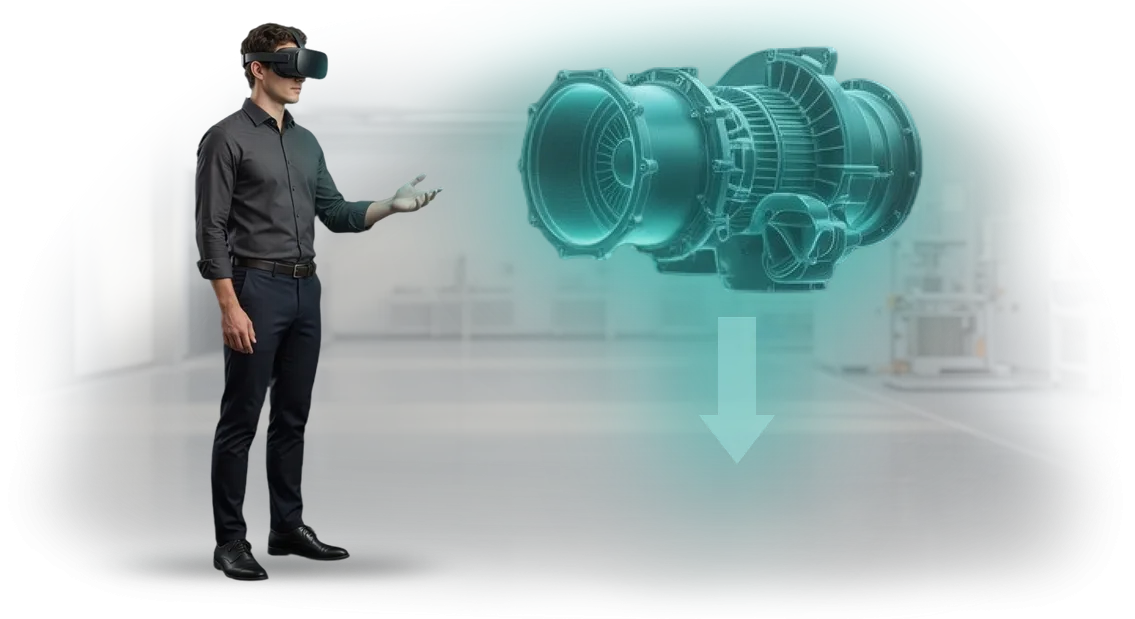
We solve this problem with VR simulators for skill practice. A doctor trains in a safe virtual environment where mistakes have no consequences for patients or the clinic's reputation.
This approach turns training from a formality into a real quality guarantee—and patients feel it from the very first visit.
What VR Training Gives Your Clinic
Every clinic faces the same challenge: how to raise the skill level of doctors and assistants without risking patients or inflating the budget. Training in real dental chairs means mistakes, nerves, and wasted materials.
A VR simulator moves skill practice into a safe digital environment where you can train without consequences.
The first result—higher qualifications without stress. A doctor practices complex procedures on virtual patients, learns to act in non-standard situations, and brings movements to automatism.
This kind of professional development works better than lectures: the employee doesn't just watch, they do.
The second—savings on materials and instruments. Every mistake on the simulator costs nothing: no need to spend impression materials, filling materials, anesthesia, or replacement handpieces.
Training costs stop growing with the number of attempts—a direct contribution to reducing clinic expenses.
The third—a uniform quality standard for the entire team. The VR simulator sets a single action algorithm, so both a newcomer and an experienced doctor work according to one clear scheme.
Patients get predictable results, and you get fewer complaints and more confidence in every staff member.
Finally, training goes faster and doesn't require time away from practice. A session lasts 20-30 minutes, can be scheduled between patient appointments, and scenarios can be updated to match new methodologies.
The clinic gets a prepared team without business trips or long courses—and, most importantly, without reputational risk.
VR Training Formats for Dentistry: From Simulation to a Full Course
Every clinic faces the same task: how to quickly and safely bring doctors to confident work with patients. Classic lectures don't provide practice, and training on real patients involves risk.
VR formats solve this: staff practice procedures in a realistic environment without consequences for people or the clinic.
We match the format to your specific task—from quick onboarding of a newcomer to certification of the entire staff. Below are the typical scenarios already used by dental clinics.
| Format | For Whom | What It Gives the Client |
|---|---|---|
| VR simulation of a single procedure (anesthesia, tooth preparation, extraction) | New staff, trainee students | Practice of basic skills without risk to patients. Fewer errors in the first months of work. |
| Full course of scenarios "from appointment to complex treatment" | The entire clinic team | A uniform standard of care. Young doctors start seeing patients independently faster. |
| Interactive cases with error analysis | Experienced doctors, orthopedists, surgeons | Practice of rare and complex clinical cases, professional development without taking time off work. |
| Virtual certification and skills assessment | Managers, head physicians | Objective data on each employee's competencies. Helps plan training and motivation. |
| Online course with VR modules | Remote staff, branch offices | Training anywhere under a single program. Theory—in a regular format, practice—in a virtual environment. |
Each format runs on professional VR equipment that we configure to your needs. You don't need to understand the technology—we handle installation, launch, and support. And after a pilot run, we'll show how the format affects staff training speed and the quality of their work.
If you don't know where to start—we'll start with a short demonstration of one scenario. At the meeting, we'll show what it looks like through the doctor's eyes and help you choose a format for your clinic.
How We Implement VR Training: 7 Steps
We've structured the process so you understand where the project is heading and what you get at each step. VR implementation takes 4 to 8 weeks depending on scenario complexity—and the entire journey is divided into stages with clear checkpoints.
You don't waste time on technical details and instead see the key thing: how training affects staff skills.
VR Implementation Stages
-
Brief and task immersion — we study your workflows, typical staff errors, and quality requirements. We define training goals and the criteria by which we'll evaluate results.
-
Scenario and methodology — together with your experts, we describe real work situations. We define the actions to be practiced and ways to assess the correctness of decisions.
-
Prototype — we create a draft version of the simulator with key actions. You see the logic and make edits before full production begins—this saves budget and time.
-
Development — we fill the simulator with details: graphics, sound, reaction to the employee's actions. We work on professional equipment to ensure stable results across any devices.
-
Testing with real staff — we launch training on a small group and collect feedback. We verify that the simulator actually changes behavior, not just looks impressive.
-
Launch and analytics — we integrate VR training into your system and set up reports for each employee. You see who completed the training, which errors repeat, and where additional training is needed.
-
Support — after launch, we maintain the simulator, update scenarios to match changing regulations, and help scale the program to other departments or branches.
Each project stage concludes with a concrete result that you accept and evaluate. This approach eliminates surprises: you know in advance what you'll get and control the budget.
And the end goal is one—employees start acting more confidently, and work quality becomes measurably higher.
What's Included in the Training Delivery Package
A VR simulator is not just a program—it's a complete delivery package that lets you launch training in a dental clinic from day one. We've assembled everything needed for independent use: scenarios, methodology materials, VR access, and process administration. You don't need to understand the technology or look for additional tools.
- Ready-made training scenarios — sequential exercises from simple procedures to complex clinical cases that reflect your internal work standards.
- Methodology materials for the instructor — lesson plans, delivery instructions, and evaluation criteria. The trainer gets a ready-made program, not an abstract "figure it out yourself."
- Work materials for the employee — reference notes, reminders, and checklists to reinforce the skill after a virtual reality session.
- Access to the VR platform — individual accounts for each trainee, progress tracking, attempt history, and error statistics. A manager can see at any time how many people have completed the training and which skills have already been practiced.
- Setup and quick-start instructions — short guides on connecting equipment and organizing the workstation. A clinic owner or administrator can launch a training session without hiring a contractor.
- Technical support and updates — for the entire period of use. Content and platform stay up to date, and support staff answer questions and help resolve any difficulties.
With this package, training doesn't depend on a specific specialist or extra purchases. You just appoint a person in charge—they open the platform, grant access, and see results in the report.
This way, you get not a one-time launch but a system of retraining and skills verification that's easy to integrate into the clinic's daily work.
Case Study: How a Clinic Reduced Staff Errors by 40%
The dental clinic network LumiDent came to us with a typical pain point: new staff made errors when practicing standard procedures, which hurt the patient experience.
Training on real people was risky, and classic training sessions didn't provide the needed engagement—knowledge faded after the first week.
We developed a VR simulator that recreates work situations in a three-dimensional space. Doctors and assistants practiced protocols, patient communication, and responses to non-standard cases in a safe environment. We built the scenarios on the real errors the clinic had collected from its own statistics.
Results After Implementation
After three months, the clinic recorded a 40% reduction in staff errors.
This directly impacted patient satisfaction: ratings rose for "staff attentiveness" and "comfort during the appointment." Department heads noted that newcomers reached full working pace two weeks faster, which reduced the burden on mentors.
Why the Clinic Stayed with Us
The success of the pilot project led to a repeat order: the clinic expanded the program to all its branches and added scenarios for front-desk administrators. This confirms that VR training solves business problems, not just looks high-tech.
For us, the main measure of effectiveness is not the number of launches but real changes in the clinic's work and growth in patient loyalty.
How to Choose the Right VR Training Format for Your Clinic?
Choosing a VR training format starts not with picking equipment but with questions: what exactly do staff need to learn, which skills need to be verified, and what outcome matters for the clinic.
For one team, short simulators for practicing a single action are enough; for another, a full program with theory, practice, and assessment is needed.
We help you work through these tasks before you make a decision and don't offer "universal boxes" that don't fit real processes.
At the consultation, we define scenarios together with you: patient reception, anesthesia, assisting, working with anxious patients, or emergency situations.
A format is matched to each scenario: a 15-minute mini-simulator, a series of modules for sequential training, or a combined course with regular materials and VR practice.
The key principle—you pay only for what will actually be used in training, not for "everything at once" or unnecessary options.
We also consider budget and timelines. If training needs to be done quickly without stopping the clinic's work, we choose short scenarios that staff complete one or two per week.
If deep immersion and a longer program matter, we plan it in stages, with progress tracking for each specialist and a clear evaluation system for the manager. In both cases, you see the scope of work in advance and understand how training will affect the team's skills.
We show sample work so you can evaluate the detail of graphics, interface usability, and scenario realism. After testing, you make a decision, and experienced methodologists adapt the scenario to your clinic's protocols.
No hidden requirements on your side—we handle all support, including installation and setup, ourselves.
Book a consultation—we'll discuss your tasks, choose a VR training format, and calculate the value for your team. It will take no more than an hour and will help you avoid spending on unsuitable solutions that won't take root in daily practice.
Frequently Asked Questions About VR Training for Dentists
Developing VR training for dentists raises natural questions among clinic managers: will familiar processes need to change, how much does it cost, and how difficult will it be for doctors and assistants.
We've been implementing such solutions in medical institutions for years and know that most concerns are based on myths. Below are direct answers to the questions we hear most often.
Is VR training compatible with our current protocols and equipment?
Yes. We adapt the scenario to your clinic: work protocols, types of interventions, and even office layouts. The simulator runs on professional headsets—we'll help you choose ones that fit your budget and needs.
Integration with your internal training system takes days, not months, and doesn't require replacing existing equipment.
How much time do staff need to get comfortable?
Most doctors and assistants work confidently after just the first session. An administrator or mentor goes through short preparation and then conducts introductory sessions for the team.
Staff train on a flexible schedule—without stopping patient care and while maintaining their usual workload.
How expensive is it to develop a scenario for our specific needs?
The cost depends on the number of scenarios and workstations, so we prepare an accurate estimate after a short brief.
We calculate not only development costs but also return on investment: reduced material consumption, faster onboarding of new specialists, and fewer errors on real patients. The commercial proposal fixes all stages and timelines—no hidden charges or unexpected add-ons.
How do you guarantee that the training will work?
We work under a contract with a clear list of stages and checkpoints. Before full launch, we run a pilot session with your team, collect feedback, and adjust the scenario.
After delivery, we maintain updates and advise on program expansion—you're never left alone with the solution.
Ready to Start Training? Submit a Request for a Demo
To evaluate the capabilities of a VR simulator for dentistry, you don't need to sign a contract or pay for development right away. Submit a demo request—we'll show real training modules in practice and analyze how they fit into the preparation of your specialists.
After your inquiry, you'll receive:
- Demo access to VR scenarios for dentistry: you can go through typical procedures yourself and see how staff train.
- An analysis of your training tasks—from manual skills and diagnostics to practicing patient communication.
- A preliminary cost estimate: from ready-made blocks to a fully custom simulator.
- An implementation plan with stages, timelines, and staff workload—no "surprises along the way."
- Case study examples for clinics and training centers with real results.
- Clear criteria for evaluating effectiveness: how to track staff progress and when to expect results.
- A ready launch protocol: who is responsible for the premises, equipment, and training schedule—nothing to figure out on your own.
The demo meeting will take 30 minutes. During this time, we'll clarify which scenarios you need, how long development will take, and how to launch training without stopping the clinic's work.
Submit your request—we'll get back to you within one business day with a proposal and a demo access link.