







3D Animated Twitch Overlays — A Trend That Keeps Viewers Watching
Streamers often lose viewers not because of their content, but because of their channel design. A static header, standard frames, and blinking alerts — all of it blends in with a hundred other channels.
When a viewer lands on a stream, the first seconds decide whether they stay or leave. A dull interface makes the content feel just as dull — even if the gameplay and commentary are top-tier.
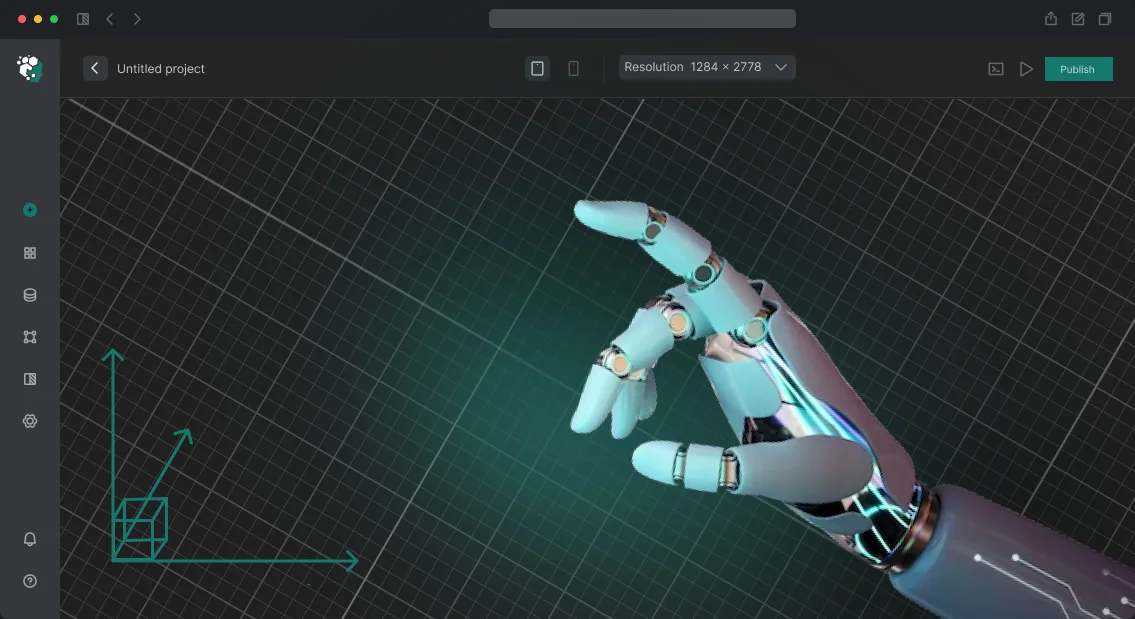
3D animated Twitch overlays change that perception. Live, dimensional elements move with the broadcast and shift attention to the right areas — the chat, new subscriptions, the donation button.
That kind of channel design looks expensive and modern, and it instantly signals the streamer's level. The viewer feels they've stepped onto a professional stage, not into a DIY room.
This is no longer an experiment — it's a trend: top streamers have long made animated overlays part of their brand. Everyone else is following suit because audiences get used to quality.
Twitch overlay design with 3D effects helps a channel stand out even in a crowded category — whether it's gaming, chatting, or creative content.
It pays off for the streamer, too. Thoughtful design holds the gaze, increases average watch time, and that means a better chance the viewer will subscribe, come back, and show support with a donation.
Overlays for streamers have become as essential a working tool as a good microphone or a stable connection — they turn a casual visitor into a regular viewer.
We've been building animated overlays for Twitch turnkey for years: from idea to finished integration. Our engineers and designers use professional software and treat your vision with care — you get a design that works for your growth, not just one that looks nice.
Why Animated Overlays Increase Chat Activity
Higher engagement and a more active chat
A viewer comes to a stream for emotion, and animated overlays deliver it from the first second. Bright reactions to subscriptions, donations, or new chat messages hold attention and encourage viewers to take part.
A channel with these elements feels alive rather than merely broadcast — which directly boosts average watch time.
Channel recognition and stream branding
Overlays in a consistent brand style make a channel memorable: viewers can pick you out among hundreds of similar streams.
The animation acts as mini brand advertising — every time you go live, it reinforces the association "this channel means quality." Over time, that converts into subscriber growth and returning viewers.
More donations and subscriptions
When a donation is met with a striking 3D animation, the donor gets a public thank-you and an emotional payoff. That encourages others to support the channel: guests are more willing to subscribe and donate when they see their contribution will be noticed and showcased. For the streamer, that's steady extra income with no additional ad load.
Tools that deliver results
We build animations around the specific goals of a channel: from simple 2D banners to full 3D scenes that react to live events. After years of work, we know Twitch design inside and out and understand which mechanics genuinely hook viewers rather than just look flashy.
The result isn't "art for art's sake," but a tool that pays for itself through donations, subscriptions, and audience growth.
Types of Overlays for a Twitch Channel and Their Purpose
A streamer needs to hold the viewer's attention: a plain webcam-and-game picture quickly gets boring, while 3D overlays turn the broadcast into a cohesive show. They help you stand out among thousands of channels, boost engagement, and make the brand memorable.
There are several formats: intros, alerts, widgets, and transitions. Each has its own job — from the first impression to monetization. We'll put together the set that works specifically for your audience.
| Format | Best for | What it delivers |
|---|---|---|
| Stream intro | New and mid-size channels | Memorable start, signature style, fewer drop-offs in the first minutes |
| Subscriber alerts | Growing communities | Visually celebrate every subscriber, encourage more subscriptions |
| Donation alerts | Monetizing streamers | Turn donations into an eye-catching event, drive viewer activity |
| Twitch widgets | Mid-size and large channels | Show goals and top viewers, structure the broadcast |
| Transitions and interstitials | Channels with regular segments | Smoothly change scenes, keep the stream's pace |
We select an overlay set that fits your channel's goals: at the start, an intro and alerts are enough; for regular streams, a full package with widgets works best. Tell us about your stream — we'll show you an example and give you a turnkey timeline.
Turnkey Overlay Development: From Brief to Launch
The project workflow is designed so you always see what's happening and how much time is left. We don't hide the process behind technical details: you make decisions based on images, mockups, and animations — not code.
- Brief and goals. We gather the channel's objectives: what content you make, what should catch viewers' attention, and which elements you need — alerts, panels, transitions, video design. We lock in the timeline and scope of work.
- Concept and references. We propose 2–3 visual style directions and show examples of similar solutions. You choose what best fits your brand and streaming style.
- Mockup approval. We design a static mockup of all the future overlays. You see how the screen will look and can make edits before approval — with no extra charges.
- Building the animated overlays. Based on the approved mockup, we bring the elements to life: smooth entrances, scene changes, and clean accents. The animation doesn't distract from the game but keeps the viewer's attention.
- Testing in a live stream environment. We check how the overlays behave on screen: text readability, interface overlap, trigger speed. We make final refinements so the picture is flawless.
- Going live. We package the finished files and connect them to your streaming software. We provide installation and update instructions — you'll handle it without tech support.
- Post-launch support. We stay on call: if something doesn't display, you want a color changed, or an element added, we quickly make the fix and send back the updated version.
This process delivers two key results: you control every stage of overlay development and you get exactly the visuals that strengthen your channel. After launch, you're not left alone with the files — support is already included.
What's Included in Your Overlay Package
You don't just get images — you get a complete, ready-to-work package you can connect to your broadcast on the day of delivery. Nothing needs to be finished on your end: we've already accounted for typical stream scenarios and prepared everything turnkey.
Here's what's included:
- Ready-to-use overlay files in standard screen resolutions — connect them to your broadcast in a couple of minutes.
- Project source files — if you want to change a color, text, or element size, you can do it without us and without losing quality.
- Adaptation for key scenes — intro, break, talking to chat, stream end, brand zones. Every screen looks cohesive, not like a random collection of details.
- OBS setup — we provide configuration files and a simple guide on which elements to anchor where, so everything displays correctly and stays in place.
- Test-broadcast check — before delivery, we run the overlays in real time, watch how the animations and transitions behave, and confirm everything is stable.
- Mini usage guide — what to do if something doesn't show up, how to quickly replace text, and where to reach support.
We don't disappear after handing over the files. If anything goes wrong during the first connection, our engineers will help you configure and troubleshoot. So you get not just a set of images, but a working design system that saves you time on every stream.
Case Study: How Overlays Doubled a Streamer's Donations
Streamer PixelStorm came to us with a familiar pain point: strong content, but donations and subscriptions were growing slowly. Viewers watched but didn't engage — standard alerts didn't grab them, and the most exciting moments of the stream got lost against generic graphics.
We proposed a set of animated 3D overlays that don't just inform about an event but become part of the show.
In two weeks, we created a unique set: overlays for new subscribers, donations, raids, and the top viewer. Each trigger appeared smoothly, with signature animation and sound, without covering the gameplay.
The streamer didn't change their hosting style — they simply added the overlays to the broadcast. The effect was noticeable right away: viewers started reacting to events more often and jumping into chat.
Results after two months
| Metric | Before overlays | After overlays |
|---|---|---|
| Average donations per stream | 8–10 | 18–25 |
| Average donation size | baseline | up ~70% |
| New subscriptions per month | 12–15 | 27–30 |
| Viewers returning for the next stream | 35% | 55% |
The main change was viewer behavior. Animated events became a reason to write in chat and support the streamer, not just watch. Subscriptions doubled with no additional promotion — purely through visual engagement.
Today the streamer uses the overlays as the foundation of their channel branding and plans to expand the set with new segments.
How to Choose the Right Overlay Format for Your Niche?
The overlay format shapes how viewers perceive your stream: for gaming broadcasts, fast information scanning matters; for talk streams, atmosphere and personality matter. There's no universal solution, but there are proven principles that help you avoid missing the mark.
For gaming streams and esports, the key is not to distract from the action. Dynamic overlays with large follower and donation numbers work worse than clean infographics: the viewer watches the match, not the frame.
A good option is minimalist panels with highlights for key moments — a new record, a win, a subscription milestone. These create emotional moments and reasons to react.
For chatting, music, and lifestyle streams, the visuals become part of the content. Smooth 2D animations, background changes, and large new-subscriber notifications work well here — they hold attention in pauses between conversations.
The main thing is that the design matches your persona: warm tones for cozy chats, neon graphics for late-night broadcasts.
A tip for choosing: look at your retention stats. If viewers leave in the first minutes, your overlays may be overloaded. If the audience is active in chat, add more interaction triggers. Choosing a format isn't a one-time decision — it's an iteration: launch, observe, improve.
We help you select and build overlays for your niche: we account for platform specifics, viewer behavior, and your goals. You get a design that strengthens your brand without getting in the way of your content.
Frequently Asked Questions About Overlays and Setup
Before buying overlays, the same questions come up: will it work with my stream, how long will it take, what happens if something breaks. Here are the main answers so you can make your decision with confidence.
Are the overlays compatible with OBS?
Yes. The overlays work in OBS and other streaming programs. They connect as a browser source — it's simple. If you need help, we'll assist over a video call.
How long does setup take?
Basic setup takes 15–20 minutes. All you need to do is add a source in OBS and choose the mode. We handle complex integrations ourselves.
What happens if an overlay breaks?
We provide a warranty on all work. If an overlay stops working due to updates or an error, we'll fix it free of charge. Support stays available afterwards, too.
Can I change the design or animation after launch?
Yes. You receive the source files and can change colors, logos, and texts. For significant additions, we'll calculate a separate cost after audit.
How quickly will you make an overlay for my channel?
A standard set takes 5–10 days; complex projects take up to 3 weeks. The exact timeline is fixed in the contract.
Order Animated Overlay Development and Gain Viewers
We've already helped dozens of streamers design channels that keep viewers after the first click — and we're ready to do the same for you. Fill out a short form, and we'll get back to you within a day with a selection of ideas and a preliminary cost estimate for your format.
What you get when you order
- We'll discuss your project in whatever messenger is convenient for you: you share references and tell us about your content
- We'll create 2–3 overlay mockups so you can pick a direction before we start
- We show intermediate versions at every stage — you see results, not a "black box"
- After delivery, we hand over the source files and a mini-guide for future use
Bonuses and guarantees
- We lock in the price in the contract before we start — it won't increase during the process
- We work in stages with clear timelines: an average project is completed in 7–14 days
- Free revision fixes within 14 days of delivery
- The design is tested across different resolutions so it displays correctly on popular monitors
- You can review our overlay portfolio before we start and talk to streamers we've already designed for
We don't just "draw pictures" — we think about viewer behavior: where to place the chat, how to show donations unobtrusively, and how to avoid overloading the image.
That's why our overlays work well on live <cite>Twitch</cite> broadcasts, not just look great in screenshots.
Leave a request on our website — we'll get in touch, answer your questions, and show examples for your niche. If after the conversation you decide you're not ready — you'll still walk away with ideas and recommendations. There's no obligation to proceed.