







Special Equipment Sales Stall Without a Virtual Showroom
A special equipment buyer makes a decision based on the feeling that the machine will handle their task. But how can you demonstrate that when the equipment is at a warehouse hundreds of kilometers away, and sending a sample is expensive?
As a result, special equipment sales get stuck in presentations and calls, while the client looks at a competitor's website where the equipment works in 3D.
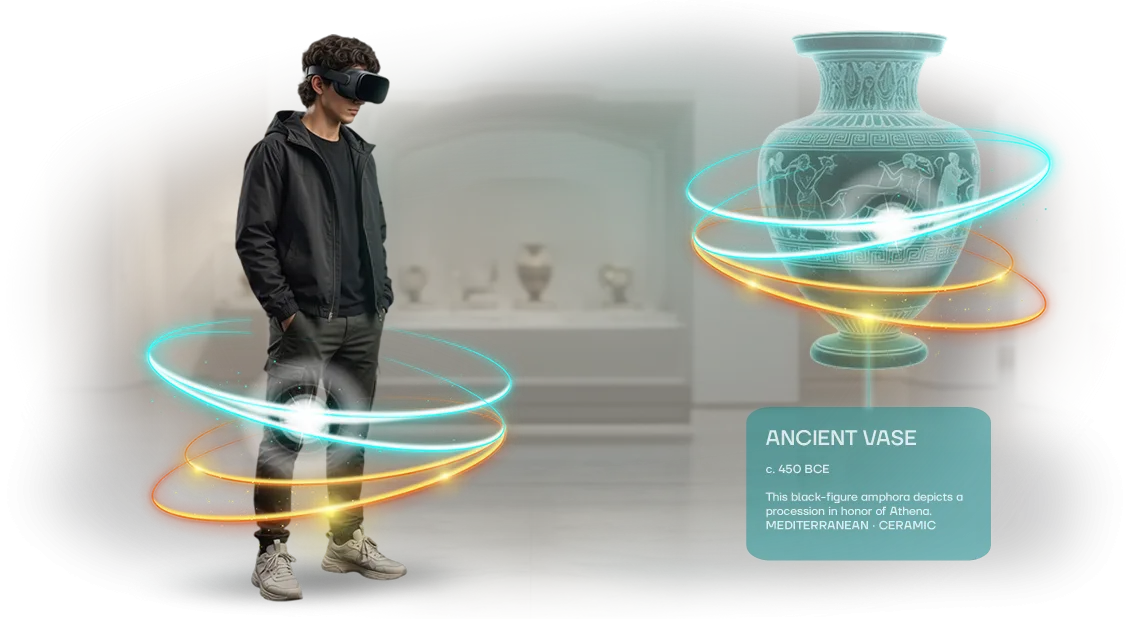
A virtual showroom demonstrates the equipment in action even before a meeting: the buyer inspects the excavator from the right angle, compares models, and “places” them into their job-site conditions. This is not a picture, but a sales tool that shortens the deal cycle. An interactive demonstration with realistic detail addresses objections that a photo cannot convey.
Companies with 3D showrooms get twice as many inquiries for high-ticket items: it's easier for clients to justify the purchase to their management. A virtual showroom turns budget into measurable results—the number of inquiries and the speed of negotiations.
Inquiries keep coming even outside working hours: just send the client a link to the virtual showroom.
We handle the equipment modeling based on your drawings, the interface, and launch on your website. You get a 24/7 sales tool without an engineer having to travel. This solves the pain that causes deals to go to competitors.
What a Virtual Showroom Delivers: 5 Measurable Benefits
A virtual showroom for special equipment is not just a 3D display, but a working sales tool.
It turns catalog browsing into full interaction with the equipment: the client can inspect the machine from all sides, look into the cabin, and examine the details—just like at a real exhibition, but without logistics and venue rental. Each of the five benefits directly affects business metrics, and each is easy to measure.
Growth in audience engagement. Visitors spend several times more time in the virtual showroom than on an ordinary page with photos. This is brand contact time: as the client explores an excavator or crane, they build trust in the product and remember your company.
Engagement is measured by viewing depth and repeat visits—these metrics grow within the first weeks of the showroom's operation.
Shorter deal cycle. Previously, to make a purchase decision, clients had to travel to a warehouse, see the equipment in person, and schedule meetings. With a virtual showroom, they get access to a detailed inspection at any time, right from their computer or tablet.
Many questions are resolved before the first contact with a manager, so the deal moves through several stages faster—from inquiry to contract signing.
24/7 availability. An exhibition works on a schedule, but a showroom is always open. A client in another time zone can inspect the equipment at night, on weekends, or on holidays—whenever it is convenient for them, not when your office is open.
This is especially important for international sales and for working with regions where you have no representative offices. Each such visit is a potential lead that arrives without a manager's involvement.
Expanded sales geography. To show equipment to a client in a neighboring region, you used to have to bring a machine to an exhibition or organize an on-site demonstration.
A virtual showroom removes this limitation: you sell across the country and internationally without business trips or transport costs.
A salesperson can demonstrate the model to a client online or send a showroom link in correspondence—and the reach of your offer becomes almost unlimited.
Lower logistics and demonstration costs. Organizing a real exhibition with special equipment samples is expensive: transportation, security, rental, insurance. A virtual showroom requires a one-time investment and then works with no ongoing expenses.
You save on every demonstration and can direct the budget toward more effective customer acquisition channels. The savings are easy to calculate by comparing estimates for traditional exhibitions and for developing a virtual space.
These five benefits turn a showroom from a marketing experiment into a clear business tool. Each of them is measurable in numbers: conversion, average ticket, deal duration, acquisition cost.
Order a virtual showroom developed for your special equipment line—and you get a sales channel that works around the clock without your involvement.
Virtual Showroom Formats: What to Choose for Your Task
Different tasks require different tools. One person only needs a quick look; another needs the “I’m sitting in the cabin and in full control” effect. The format determines how quickly a visitor makes a decision and how deep their familiarity with the equipment will be.
| Format | Who it's for | What it gives the client |
|---|---|---|
| Web showroom | Broad audience, website, advertising | Model display without installation, color and options customization |
| VR simulator | Sales departments, exhibitions, dealers | Immersion in the cabin, control and visibility test |
| Interactive catalog | Managers, distributors, buyers | Parameter-based selection, model comparison, specifications |
A web showroom is convenient for a broad audience: open a link—and you’re already inspecting the machine. It works as a storefront in advertising and social media, and trim-level updates happen without reshoots. For initial contacts and interest nurturing, this is a practical choice.
A VR simulator changes the nature of the conversation. The buyer stops watching a presentation and starts interacting: sitting in the cabin, looking around, trying actions. Such a demonstration addresses objections about comfort and safety—decisions are made with more confidence.
An interactive catalog is indispensable as a base for the entire product line. Managers quickly select a model for a task, compare options, and build a proposal. Combined with a web showroom or VR, it becomes a unified sales system.
A hybrid approach is often used. The catalog becomes the foundation, the web showroom is embedded in the website and advertising, and the VR simulator is used at exhibitions and meetings.
We’ll help you assemble a format that gives your clients exactly the experience that drives them to purchase.
How We Develop a Special Equipment Showroom: 7 Steps
Developing a special equipment showroom is not just a 3D model, but a well-thought-out sales tool. To get you exactly what you need, we have built a process of seven clear steps. At each stage, you participate in decision-making and see the intermediate result.
- Brief and task analysis. We study your catalog, target audience, and showroom usage scenarios. This lets us build a foundation that solves business tasks rather than just becoming a pretty picture.
- Concept and structure development. We determine which equipment units will be in the showroom, how navigation is organized, and which functions matter: inspection, comparison, configuration customization.
- 3D modeling of the equipment. We create detailed models of your special equipment, taking into account brand colors, proportions, and characteristic details. The equipment looks realistic, which increases client trust.
- Layout approval. We show a draft version of the showroom at an early stage so you can make changes without extra costs. This is a key moment—you see what the product will look like and control the process.
- Interactive scenarios. We add the ability to inspect the equipment from different angles, open the cabin, and change options. The visitor controls the viewing themselves—this keeps them on the page longer and helps them remember the product better.
- Testing and launch. We test the showroom on different devices and internet speeds to ensure everything loads quickly and without failures. After launch, you receive a ready link to place on your website or in a newsletter.
- Support and refinement. We analyze user behavior, make changes, and add new items if your catalog requires it. The showroom stays relevant and continues generating inquiries.
What’s Included in the Delivery: A Launch Kit
When you order a virtual showroom, you get not just a “picture,” but a ready-made solution you can show clients right away. We put together a turnkey kit—from the equipment 3D model to instructions for your employees.
What’s included in the delivery:
- 3D models of special equipment — a detailed copy of an excavator, loader, or another machine, viewable from outside and inside. The model can be rotated, zoomed, and the body color changed.
- Interactive scenario — a well-designed sequence of actions: open the cabin, show the boom working, demonstrate dimensions. The visitor controls the process themselves, making the equipment easier to remember.
- Website integration — we embed the showroom into your product page or a separate section. Nothing needs to be installed to view it—everything works in the browser.
- Usage instructions — short guides for your managers and clients: how to open the showroom, what functions are available, and how to share the link.
- Team training — we conduct an online session so your employees can then demonstrate the equipment to clients and answer questions themselves.
- Technical support — after launch, we stay in touch: help with updates, fix bugs, and advise on using the showroom.
This kit allows you to launch the showroom within two weeks after layout approval and start receiving test-drive requests right away. You won’t need to hire a separate specialist—your current team will gain the necessary skills.
Case Study: How a Showroom Accelerated Excavator Sales
Problem
For special equipment manufacturers, an exhibition is a compromise: bringing several excavators is expensive, and without real machinery, the booth loses half its appeal. Showing catalogs means yielding to competitors.
So for Uralspetsmash, we created a virtual showroom—an accurate digital copy of the equipment that replaced half of the exhibition booth.
Solution
The booth featured an interactive screen and VR headset. A visitor selects a model, inspects the cabin, rotates the bucket, lifts the boom—all just like in real life. A single device displays several trim levels at once without taking up extra floor space.
The controls are simple: even a beginner gets the hang of it in a minute. It runs on professional hardware without lag, so guests stay focused on exploring the machine.
Results
The exhibition generated 40% more inquiries than the previous year with a standard booth. The average time at the booth grew from two to ten minutes—managers had time to identify needs and immediately move the conversation to a commercial proposal.
Many clients arrived already knowing which model they needed, so negotiations went faster. After the event, the showroom was used to present the equipment to remote clients in other regions.
After the exhibition, the client ordered a second version for another machine line. This confirms that a virtual showroom pays for itself at the very first event and keeps working afterward.
How to Choose a Showroom Format for Non-Standard Equipment?
For non-standard equipment, a standard catalog with photos is a compromise that conveys neither the scale nor the specifics of a particular model. A special equipment buyer decides based on details: dimensions, compatibility with attachments, cabin ergonomics.
None of this can be explained with a flat image, and building a separate physical display for each unit is expensive and slow.
That is why we build an individual showroom around your equipment, not the other way around. This means the virtual space adapts to the actual shapes and sizes of an excavator, crane, or combine harvester.
You choose what to show in detail—the working area, articulation points, control panel—and how the visitor will interact with the model.
In the end, the client gets not a pretty 3D mockup, but a sales tool. A customer can “step into the cabin,” assess visibility, compare the equipment with the scale of a site—and make a faster decision without going to a warehouse or demo area.
This is especially valuable for rare models: each such display resolves a question that previously required hours of consultations.
Adapting to your equipment takes the same amount of time as a standard project—there is no difference. We work with drawings, photos, and 3D scans, so your actual machine goes into the showroom, not a generic analog.
Even if the model is discontinued or exists in a single copy—for us, that is not a limitation, but an interesting challenge.
As a result, you get a virtual display that works like a personal manager: it shows the product at its best, addresses objections, and shortens the deal cycle.
That is why an individual showroom is a smart choice for equipment with non-standard characteristics and specific requirements.
Addressing Concerns Before Launching a Virtual Showroom
Before launching a virtual showroom, any manager has questions: will clients understand the interface, will the investment pay off, will the complexity turn people away. That’s normal.
We have addressed these risks in dozens of projects and are ready to show how each one is resolved during the discussion stage.
Below are answers to the most common concerns of business owners. If your question isn’t here, just ask us: we’ll discuss the details and propose a solution for your task.
Won’t clients struggle with the virtual showroom—aren’t they more used to viewing photos or videos?
Modern special equipment buyers already actively use online catalogs and messengers when choosing equipment. The showroom works in a regular browser via a link—nothing needs to be installed. The controls are intuitive: rotation, zoom, model switching. If a client can use online maps, they can handle a showroom.
Isn’t 3D showroom development expensive, and isn’t it unclear when it will pay off?
We design the showroom around your business goal: you can start with one or two key models rather than the entire fleet at once. That way, you get a measurable result with a limited budget.
Payback comes from fewer manager business trips, less time spent on preliminary equipment selection, and more inquiries from regions where samples were not previously delivered.
What if a client has weak hardware? Won’t the showroom fail to open?
We develop the showroom so it works correctly on regular laptops, tablets, and smartphones without any special settings. For heavy models, simplified modes are provided—the equipment remains presentable even on weaker computers. You get a tool that needs no gaming graphics cards or additional programs.
How can we tell that the showroom is really helping sales?
We define metrics in advance: model viewing depth, number of quote requests, session time. We connect analytics and see which items generate interest and which ones clients linger on less.
This lets you adjust your product range and marketing—you make decisions based on data, not guesswork.
We don’t sell “code for the sake of code.” Our goal is to make the showroom a working tool for growing your sales. Leave a request, and in a single meeting we’ll show you what that looks like using your special equipment line as an example.Order a Virtual Showroom—Get Your Cost Estimate in 1 Day
Ordering a showroom for special equipment means getting a clear action plan and real numbers you can base a decision on. You don’t have time for lengthy approvals or budget uncertainty.
So we’ve prepared a simple process: you leave a request, and within a day you receive a commercial proposal with the exact cost and timelines.
How the cost estimate works:
- You leave a request on the website—specifying which special equipment needs to be displayed and who will use the showroom.
- We contact you within one business day and clarify the details: the number of models, whether interactive zones are needed, and where the showroom will be hosted.
- We prepare a cost estimate and send a commercial proposal—it includes the exact cost, timelines, and scope of work.
- If needed, we adjust the estimate: we change the scope of models or additional functions to fit your budget.
- After approval, we sign the contract and start work—you receive the virtual showroom exactly within the agreed timeline.
In the commercial proposal, we detail what is included in each stage, so you understand what you are paying for. No hidden items or unexpected surcharges. If the project isn’t fully clear yet, we’ll help you formulate the task and offer several options in terms of scope.
Send a request right now—specify your equipment and task. Within a day, you’ll have a completed estimate in hand and can plan your budget without risks.