

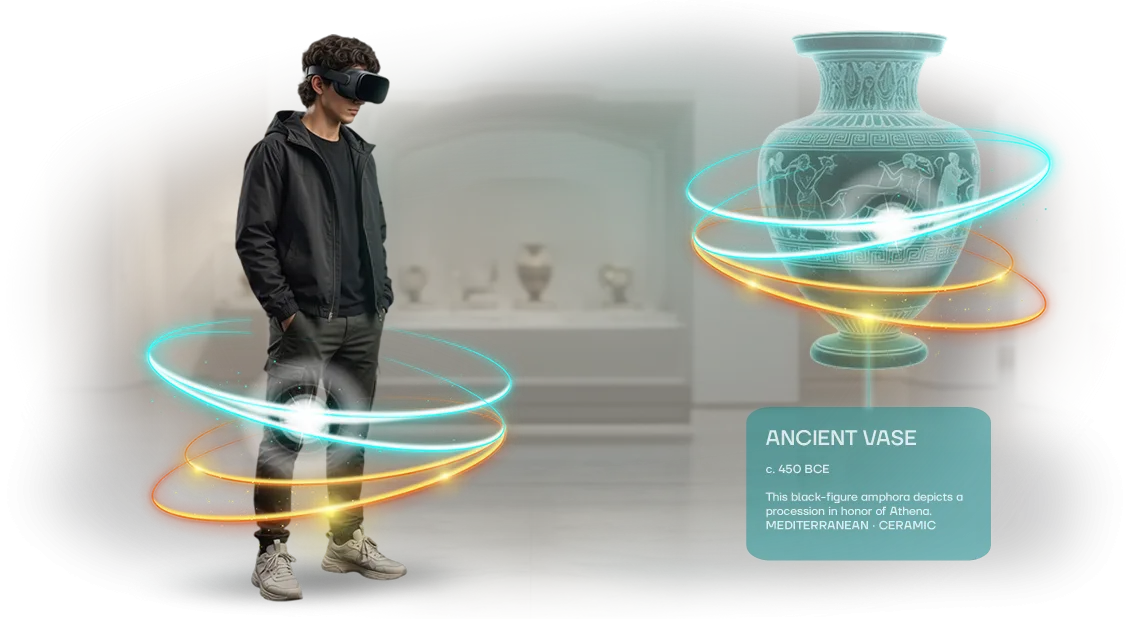






Professional Simulators and Training Systems: Why a Virtual Showroom?
Sales managers spend weeks on business trips just to show a client professional-grade simulators and training systems.
Every meeting requires logistics, a dedicated venue, and a specialist's time — and in the end, the client sees only part of the capabilities and makes a decision on a whim.
If the product is complex, photos and videos aren't enough. A procurement manager can't "touch" the simulator, assess its ergonomics, or understand how it will fit into their processes.
At that moment, they check competitors' websites — and those who already have a virtual showroom gain the advantage before the first phone call even happens.
A 3D showroom solves this problem. The client enters the page, inspects the simulator from every angle, launches a demo of key modes, and zooms in on working components. It works like a full-fledged presentation, but without scheduling dates or business trips.
The link stays with the client — they can return to the review at any time and show the solution to colleagues within the company.
This format is also convenient for your team: one and the same virtual showroom can be sent to hundreds of potential buyers at once. Use it in email campaigns, negotiations, and correspondence — your reach will grow, and demonstration costs will drop severalfold.
We've already implemented similar projects for manufacturers of complex equipment, so we know how to present professional simulators and training systems to their best advantage.
We'll help you design a 3D showroom tailored to your specifics — from structure to visual presentation — so clients choose you from the very first stage of getting to know your product.
What You Gain from a Virtual Showroom: 5 Business Benefits
A virtual showroom is not just a 3D showcase but a fully-fledged sales tool for companies producing simulators and training systems. It pays off not only as an impressive presentation but also as a system that brings in customers and accelerates deals. Let's look at five key benefits you get right after launch.
The first benefit — audience reach with no geographic limits. A physical demo hall is only seen by those who actually travel to it. A virtual showroom is accessible to clients from any city or country — you just send a link.
You show the product to hundreds of specialists without spending budget on business trips or exhibition space rental.
The second benefit — brand recognition. A modern interactive space stands out and sets you apart from competitors who still send out static catalogs. Clients transfer the feeling of high-tech quality and attention to detail onto your entire company. This strengthens your position as an expert in the professional environment.
The third benefit — quality leads. Visitors who come to the showroom are not random passersby but an interested audience. You see which models and features are studied most often and receive requests from those who are genuinely considering a purchase. Your sales team works with warm contacts instead of wasting time on a cold database.
The fourth benefit — increased sales. Inside the showroom, the client can examine the simulator from every angle, launch a working demo, and compare modifications. This resolves most objections before negotiations even begin and noticeably shortens the deal cycle.
The customer arrives at the meeting already with a decision, and all that's left for you is to agree on the details.
The fifth benefit — a long-term marketing asset. Unlike one-off exhibitions, the showroom works around the clock, seven days a week.
You integrate it into mailings, your website, and social media — and each channel brings the client into a single space where the product is already shown and described. It keeps paying off again and again, not just on launch day.
Virtual Exhibition Formats: How to Choose the Right One
The choice of virtual exhibition format directly affects how visitors perceive your product and how much time they're willing to spend interacting with it.
For simulators and training systems, it's important to show not just a picture but realistic equipment behavior, so the format must match the product type and the event's goals.
Main formats and their advantages
| Format | Who it suits | What it gives the client |
|---|---|---|
| 3D showroom | Companies with a broad lineup of simulators | Visual display of the entire range in one space, quick navigation |
| Virtual exhibition with simulation | Manufacturers of complex equipment | The visitor "tries out" the controls live and sees the system react — trust in the product grows |
| Interactive stand | Participation in online events and conferences | Live communication with managers directly from the 3D space, without losing context |
| VR presentation | Demonstrations for individual clients | One-on-one immersion, detailed inspection of components and operating modes |
Each format solves its own task: mass reach, in-depth demonstration, or personal selling.
The level of interactivity determines engagement: the more the visitor influences what's happening — launching a simulation, changing modes, zooming in on details — the longer they stay at the stand and the better they remember your brand.
Based on these criteria, we select the optimal format for your goals and timeline. One project can combine several types of virtual exhibitions to cover both image-building and commercial objectives for your event.
How a Virtual Showroom for Simulators Is Developed: Stages
A clear process means a predictable result. You always know what stage the project is at, what's already done, and what comes next — no "black box" in the contractor's work.
Work stages for the showroom
-
Brief and product immersion. We analyze your professional simulators and training systems: goals, audience, display scenarios. The output — clear objectives and success criteria for the showroom.
-
Concept and structure. We propose the layout of the virtual hall: navigation, zones for models, interaction points. We agree on the scenario before launch — you approve once instead of reworking things later.
-
3D copies of the equipment. We create virtual models that preserve the look and details of the real simulators. The visitor recognizes the product and assesses its dimensions and features — just like in real life.
-
Interactive build. We set up navigation, free inspection, pop-up descriptions, and feature demonstrations. The client "walks" through the exhibition on their own and explores what interests them.
-
Testing and refinement. We check performance with different users and on different devices: everything loads quickly and without glitches. We make fixes before launch, not after complaints.
-
Launch and support. We publish the showroom, connect it to your website or mailing lists, and train your team. We stay in touch: add models, change scenarios, update content.
What's Included in a Virtual Showroom Delivery: The Complete Package
You get not a "picture for the website" but a ready-made working tool for demonstrating your equipment to clients, partners, and dealers.
Everything we create is handed over to you as an organized package — you can update it, expand it, and use it across your sales channels.
Here's what's included in a virtual showroom delivery:
-
A ready-made virtual exhibition — a fully assembled 3D space featuring your products. The visitor enters through a link, examines the simulators and training systems, and studies them in detail — with no software or app installation required.
-
3D models of your equipment — realistic high-quality digital copies of the simulators. The models can be reused in other materials: catalogs, presentations, promotional videos.
-
Interactive interface — convenient controls: zoom, rotation, switching between zones, pop-up cards with specifications. Your client chooses what to look at and isn't distracted by anything unnecessary.
-
Exhibition materials — texts, descriptions, photos, and videos that we craft to your brand. You don't need to create anything from scratch — the content is already adapted for the virtual space.
-
Visit analytics — you see how many people came in, how much time they spent, and which stands were viewed most often. This data helps you understand interest in specific models and adjust your offering.
-
Demonstration scenarios — ready-made routes through the exhibition for different tasks: quick overview, in-depth study of features, side-by-side comparison of two models. You simply send the client a link to the desired scenario.
-
User guide — a simple document explaining how to open the exhibition, share the link, and enable analytics. Everything works in the browser, so your managers can master the tool in a single day.
Each item in the package is checked before it's handed over to you. You get a clear, complete system for presenting your products — without needing to understand technical details. If questions come up, we're available and will help at any stage of use.
Case Study: Leads Grew 3x After Launching a Virtual Exhibition
We frequently work with manufacturers of simulators and training systems that hit the same pain point: the buyer needs to "feel" the equipment, but shipping it around the country is expensive. Physical exhibitions create spikes, but between them, leads drop off.
A virtual exhibition solves this problem — it works around the clock and shows the product in detail.
Case Study: How PromSim Got 240 Leads in Two Months
Our client — PromSim, a manufacturer of professional simulators and training systems. Before the virtual exhibition launched, leads came only from offline events and referrals.
We built them a virtual showroom where buyers can walk around the simulator, study the specifications, and even "test" the simulator in an interactive mode. Visitors get a complete impression of the product without leaving their office.
Numbers That Speak for Themselves
In the first two months of the exhibition's operation, the company received 240 targeted leads versus the usual 80 for the same period.
Visitor-to-lead conversion grew from 1.5% to 4.2%, and the average time spent on the showroom floor was 6 minutes — people carefully study each model.
The geographic effect was also notable: 70% of leads came from regions where the equipment had never been shipped before. This means the virtual exhibition not only replaced the offline stand but expanded the sales market without spending on business trips and logistics.
The client was satisfied and renewed their subscription for the next year, ordering the addition of new simulator lines.
How to Choose a Virtual Exhibition Format for Your Task?
The main criterion when choosing a format isn't flashy technology but the task the exhibition needs to accomplish.
For professional-grade simulators and training systems, there are usually three such tasks: show the equipment in detail, give potential buyers a sense of how it works, and reach the widest possible audience without logistics costs.
The answer to the question "what should happen after the visit" determines which format becomes a working tool rather than just a website decoration.
If your main goal is to demonstrate how the simulator performs its functions, an interactive 3D showroom with virtual simulation elements will work. Visitors can launch a demo scenario, study the control panel, and see realistic equipment behavior.
This is ideal for those selling complex simulators who want to cut down the number of initial meetings — the client gets a full first impression before they even call a salesperson.
When the priority is presenting the entire equipment fleet — for example, at an exhibition stand or during a closed dealer showing — it's more rational to choose a virtual showroom in the form of a 360° tour or a navigable showroom space.
Inside, you place a stand for each simulator, each with a spec card, video, and a request button. This format works well for self-navigation: guests pick what interests them, and you get data on which models attracted the most attention.
For professional simulators where realism and precision of details are critical, we always recommend a format that lets you zoom in on the object and inspect it from all angles. Deep detailing — the housing, controls, movement dynamics — builds trust in the product.
That's why in development we focus on credible physics and quality materials rather than decorative animation. The client sees that the equipment isn't just drawn but truly recreated.
The final choice always comes down to your audience's specifics. If your buyers are engineers and technologists, they need access to specifications and the ability to inspect details. If the financial director makes the decision, visual clarity matters.
Our job is to select a format for your specific task and audience so the virtual exhibition works toward a result, not just for the sake of a nice picture. We propose the optimal structure ourselves and guarantee the showroom will address your exact goal.
FAQ: Virtual Showroom Creation Questions in Brief
Before ordering a virtual showroom for professional simulators and training systems, the same questions come up: timelines, budget, quality, and support. Virtual exhibitions have already become a familiar sales tool, but doubts before the first project remain. Here are short answers to address them before your brief.
How long will development take?
After the briefing, we show a prototype within 1–2 weeks and build the main version in 3–6 weeks. Timelines are fixed in the contract, and we notify you in advance about every stage.
How much will it cost?
Cost depends on scope: the number of models, scenarios, and integrations. The exact cost is calculated after a detailed audit and fixed in the contract — no hidden fees.
Will it work on a regular computer?
Yes, the base version opens in the browser with no installation required. For complex scenes, we use professional equipment and check compatibility in advance so users don't run into issues.
What will the quality be like?
We use proven tools so the graphics present your product to its best advantage. We add interactivity: detailed inspection, color changes, comparison modes — this lets clients "feel" the simulator without logistics.
What about support?
We stay in touch after launch: update the catalog, add models, fix bugs. Further refinements for new tasks — handled by the same contractor.
Discuss Your Virtual Exhibition Project: Get an Estimate and a Plan
Professional simulators and training systems are hard to present in an ordinary catalog — the buyer needs to "feel" the product, understand its capabilities, and imagine it in their own workflow.
A virtual exhibition solves this problem, but only if it's built to a clear plan. We help you plan the project so you understand the timelines, cost, and outcome from day one.
Start with a development request — describe what you want to showcase, and we'll propose a format for your audience. An individual consultation clarifies your goals, and a project estimate gives you a transparent cost breakdown without hidden work. No technical routine — you work with a manager who speaks the language of business.
Here's how our process works:
- Development request. You submit a request on the website or in a messenger — we respond within one business day.
- Consultation. We discuss goals, target audience, and the virtual space scenario for your simulators.
- Project estimate. We define the tasks, prepare a proposal on timelines and cost, and agree on the stages.
- Implementation plan. A detailed work plan: what we do, when we show intermediate results, and what you receive at the end.
- Virtual exhibition launch. We build the space, set up the logic, and test with real users.
- Post-launch support. We train your team, help with content, and stay available for refinements.
Each stage is fixed in the contract and clear reports, so you control the process without getting lost in details. Submit a consultation request — we'll prepare an estimate and plan for your project, and you can make a decision without rushing or unnecessary risk.