







Virtual tour of a cultural center: why it is needed
A cultural center lives within the boundaries of its district: those who are already nearby make the trip, while the rest of the audience simply does not know there is anything worth seeing inside.
Guided tours, exhibitions, and lectures fill the halls, but outside the city the center is judged by a single line in the events listing. Partners and sponsors rarely visit — and do not see the scale you invest in the space and its programs.
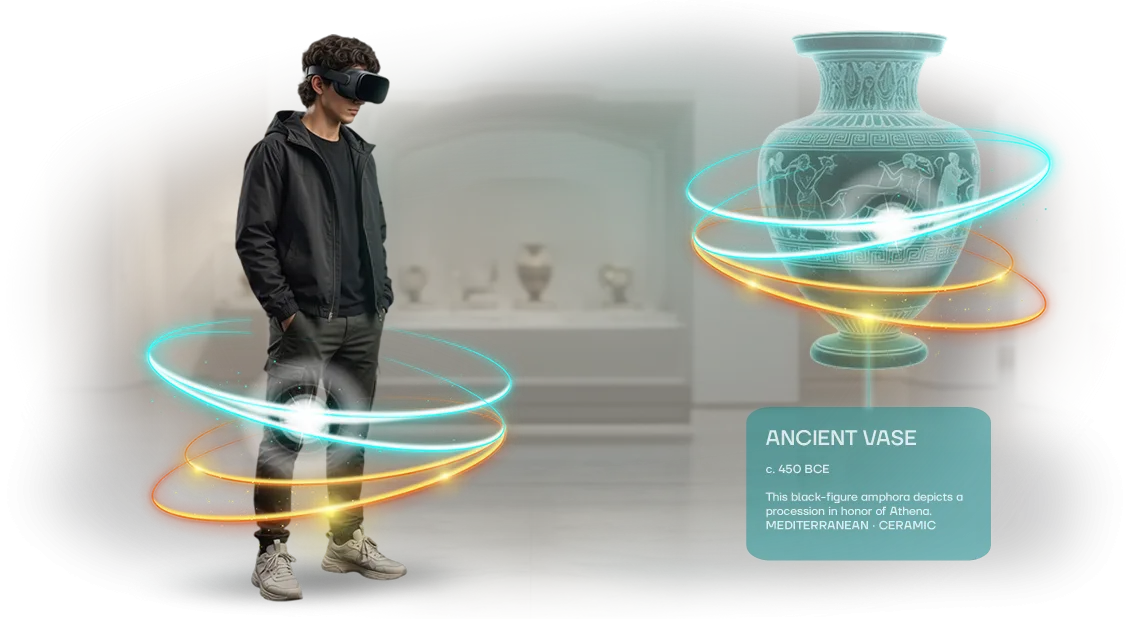
A virtual tour of a cultural center removes this limitation. It turns the building and its exhibitions into an online visit, accessible from any city and at any time: a person walks through the halls, examines the exhibits, and understands how you differ from neighboring venues.
A remote audience stops being an abstract number in a report — it becomes real views, requests for group visits, and subscriptions to the events listing.
For the center, this works in three directions at once. Recognition grows beyond the usual geography: the tour lives on the website, in social media, and in letters to partners, continuing to bring people in even after the exhibition has changed.
Schools and tourist groups get the opportunity to plan a visit in advance and arrive prepared. And sponsors and grant foundations see the space with their own eyes — it is easier for them to assess what they are investing in and to come back with a new project.
We create such tours for museums, galleries, and cultural venues and we know where clients lose their audience: unclear navigation, weak camera angles, a tour that was abandoned after launch.
That is why we build not a one-off presentation but a working tool — with a clear visitor path from the first screen to signing up for an event.
What a cultural center gains from a virtual tour
Audience reach that is not limited by walls or schedule
A tour of a cultural center today runs into physical limits: a hall holds a limited number of people, groups follow a schedule, and out-of-town and international guests often simply do not make the trip.
A virtual tour removes these limitations — the center can be visited online at any time, from any device, and from anywhere in the world. For a director, this means that the same exhibition begins to work for an audience many times wider than with regular in-person admission.
Brand recognition and sponsor interest
Online tours live in search and social media: they are forwarded, embedded in articles, shown in schools and on specialized platforms. Each such touchpoint works toward the center's recognition and builds a reputation as a modern venue.
This also matters to partners and sponsors — it is easier for them to support a project that has measurable digital reach and a clear audience, rather than just walls and a poster.
Team relief and accessibility for everyone
A virtual tour takes on the initial introduction: a visitor sees the halls, the route, and the key exhibits in advance, arrives prepared, and guides spend their time on live interaction rather than repetitive introductions.
A separate value is accessibility: people with limited mobility, families with children, and those who cannot travel gain full access to the collection. We build such a tour for a specific center — with its exhibition, tone, and reach goals.
Virtual tour formats for the center's task
The virtual tour format determines who comes to you and why: a visitor before a visit, a tourist from another city, an event organizer, or a sponsor. Below are four working formats that we assemble for the center's specific task, not "just in case."
| Format | For whom | What it gives the center |
|---|---|---|
| Panoramic tour | Visitors and tourists choosing where to go | Shows the halls and atmosphere before a visit, removes the question "what do you have inside" |
| 3D showroom | Partners, sponsors, event organizers | Provides a venue for negotiations and presentations without being tied to an address |
| Interactive exposition | Schoolchildren, students, families with children | Engages with the topic through play and tasks, holds attention longer than a regular tour |
| Audio guide tour | Foreign guests, people with visual impairments | Allows them to follow the route independently and at their own pace |
The formats are not mutually exclusive: a panoramic tour often becomes the foundation, on top of which interactive points and audio accompaniment are added. This way the center gets a single route that works both for a first introduction and for deep immersion.
How to choose a format for the goal
If the task is to attract more visitors to offline events, start with a panoramic tour and an audio guide: they directly influence the decision to come.
If you need to sell the venue to partners and conduct presentations remotely, we bet on a 3D showroom with an interactive exposition.
We analyze your audience and goals, after which we propose one or two formats, not the entire list at once.
This way the budget goes toward what actually brings results: growth in the number of visits, repeat inquiries, and reach among those who cannot physically travel to the center.
How work on a tour proceeds: project stages
Work on a virtual tour for a cultural center proceeds in transparent stages — you always understand what is happening now and what will happen next. Below are seven steps that the project goes through from the first conversation to post-launch support.
- Brief. We discuss the task: which halls and exhibitions to show, who your audience is — visitors, tourists, partners — and what result you expect. We fix the goals and scope so that later we don't waste time on anything unnecessary.
- Plan and estimate. We prepare the tour structure, the route through the halls, the list of shooting points, and the schedule. You see the scope of work and the timelines before the start, not along the way.
- Approval. We approve the scenario, the emphases, and the texts. Revisions at this stage are free and quick — it is cheaper to adjust the plan than to reshoot a finished tour.
- Shooting. We arrive at a time convenient for the center, work carefully, and do not disturb visitors. Professional equipment ensures consistent quality even with challenging lighting in the halls.
- Assembly. We combine the panoramas, add navigation, captions for the exhibits, sound, and interactivity. The tour is assembled so that a visitor understands where to go without instructions.
- Launch. We place the tour on the website and platforms, test it on phones and computers, and hand over the access credentials to you. We show you how to update the exhibitions on your own.
- Support. After launch, we stay in touch: we help with revisions, add new halls, and monitor stable operation.
What this gives you as a client
You don't immerse yourself in technical details and don't spend time monitoring every step — the project has one responsible person and a clear schedule.
Approval at the early stages reduces the risk of rework, and post-launch support means the tour stays up to date when the exhibition changes.
Describe the task — we will get back to you with an estimate and a plan for your cultural center.
What is included in the delivery
You receive not a set of scattered files, but a working virtual tour of a cultural center that can be shown to visitors, partners, and sponsors right away.
Everything needed to launch and independently run the project is delivered in a single package — with a clear structure and without the need for your team to "finish it up."
- A ready-made tour of all halls — interconnected spaces: the permanent exhibition, temporary exhibitions, and the entrance area. The visitor goes through the entire route, just like in a real center, rather than viewing individual panoramas.
- Mobile version — the tour opens correctly on phones and tablets, which most guests use. We separately prepare a version for display on large screens in the lobby and at events.
- Control panel — you change texts yourself, add new exhibits and halls, and update the schedule. Edits do not require a developer and take minutes rather than weeks of waiting.
- Training for your team — we show employees how to run the tour: upload materials, change descriptions, and keep the sections in order. After the training, you are left with an instruction manual and a recording of the session.
- Warranty and support — we provide support after launch: we answer questions, help with updates, and make sure the tour runs reliably on all devices.
- Promotional materials — short clips and stills from the tour that can be published on social media and on the website to invite new visitors.
This package covers the task entirely: the tour launches, lives, and updates without your constant involvement. You get a tool that works for the center's reach and recognition, not a one-off project "for the sake of a checkmark."
Case: How a Virtual Tour Changed the Center's Operations
Task
A cultural center with a permanent exhibition and a steady flow of school and tourist groups.
The halls are overloaded during peak hours, guides physically cannot serve everyone who wants to visit, and part of the audience — out-of-town and foreign guests — simply never makes it to the center.
At the same time, the center was preparing sponsorship applications and needed clear evidence of its reach.
What We Did
Our team digitized the exhibition and built a virtual tour of the cultural center: visitors walk through the halls at their own pace, stop at key exhibits, and listen to explanations.
The tour runs directly in the browser — no app installation or special equipment required, which removes the barrier for older and school audiences.
Results in Numbers
- Online visits grew many times over: the tour became a standalone channel rather than an add-on to an offline visit.
- The load on guides decreased: standard overview groups partially moved online, and live guides focused on in-depth programs.
- Conversations with sponsors became more substantive — the center shows audience reach and geography, not just box office statistics.
- The share of repeat inquiries grew: schools use the tour to prepare for a visit, and partners use it for presentations.
Why It Worked
We started with the question "what tasks does the tour solve for the center," not with a technical specification. That is why the foundation is a visit scenario and the presentation of the material, not a set of effects.
Professional filming and a stable server architecture deliver a smooth picture on any device — visitors do not encounter freezing and do not leave.
I would like to separately mention the project for Городского культурного центра: after the tour launched, the center gained a tool that works around the clock and does not require staff presence.
Six months later, the team came back to us for an expansion — we added new halls and a version for foreign guests.
How to choose the right format for the task?
The format of a virtual tour is almost always dictated by the task, not the other way around. If the goal is to show the cultural center itself to future guests and partners, a panoramic tour of the halls with clear navigation and points of interest is enough.
If you need to convey the atmosphere of an event, an exhibition, or the story of an exposition, it makes sense to add interactive scenes, an audio guide, and augmented reality elements.
And when the center sells its venue for events, the tour becomes a sales tool: the client "walks" through the space in advance, sees the capacity and layout scenarios.
The budget here is not the main constraint, but a guide to the scope. The cost is influenced by the number of halls and scenes, the depth of detail, the presence of voiceover, and the devices on which the tour must work equally well.
That is why we first analyze the center's goals, and then propose two or three formats with different coverage — from a compact tour of key zones to a full-fledged 3D showroom with interactivity. This way you see what you are paying for and what you will get in the end.
The recommendation is simple: do not chase maximum complexity where you need a quick launch and clear value. Often the winning format is the one that solves one specific task — attracting visitors, supporting partners, or extending the life of a temporary exhibition.
We help you choose this format at the start, so you do not have to redo a finished tour or waste time on unnecessary scenes.
If you are unsure between options, describe the task and the audience — we will come back with an estimate and a plan for which format will cover it best.
Frequently asked questions before ordering a virtual tour
Before launching a virtual tour, a cultural center director usually has the same doubts: what if something breaks at the worst possible moment, who will manage the project after handover, will we have to call the developers every time for a new exhibition. Below are honest answers to what is most often asked before the start.
What happens if the tour "breaks" or freezes during a showing?
A virtual tour is a product hosted on a server, not a program on a single computer, so there is nowhere for it to "break": a visitor opens a link in a browser and sees the current version.
We host the tour on reliable server infrastructure and monitor its stability — if something goes wrong, we fix it on our side, without a visit to you and without any downtime for the exhibition.
Do visitors need a fast internet connection or special equipment?
No. The tour opens on an ordinary smartphone, tablet, or laptop — right in the browser, without installing apps. We optimize the materials so that even with a weak connection, scenes and panoramas load smoothly, and the visitor does not wait or leave.
For those who want full immersion, the tour also works in virtual reality headsets — but that is an option, not a mandatory requirement.
How do we update the tour when the exhibition changes or a new one appears?
This is one of the main reasons people order a virtual tour specifically: updates do not require re-shooting the entire center. We change individual halls, add new exhibits, edit texts and captions — the tour stays current without a large investment of time. We show your team how to make simple edits on their own, and we take on complex changes on request.
Who manages the project after handover and what does support include?
After launch, you are not left alone with the product. We support the tour: we help with updates, monitor its performance, and advise your staff on any questions.
If needed, we train the center's team to work with the tour so that routine tasks are handled in-house, while we step in for development: new halls, guided tours, integrations with the website and ticketing system.
If there are questions that are not on the list, ask us directly. Describe the task, and we will come back with a clear plan: what will be included in the tour, how soon it will be ready, and how it will be supported going forward.
Let's discuss your virtual tour of a cultural center
A virtual tour of a cultural center begins not with equipment or the choice of technology, but with a conversation about your task. What is important to show: a permanent exhibition, temporary exhibitions, a historic building, a stage, collections?
Who is your audience — tourists, school groups, researchers, sponsors? The structure of the tour depends on these answers, as does which spaces we shoot first and which we assemble as a three-dimensional model.
Once the task is clear, we come back with an estimate and a work plan: stages, timelines, what is needed from your team at each step. You see the entire route of the project before the start, rather than learning about the nuances along the way. Then comes shooting, assembly, content filling, and launch, with acceptance at each stage.
After placing an order, you receive:
- a finished virtual tour that opens in a browser without installing any software;
- clear navigation through halls and exhibitions — the visitor does not get lost and reaches the exhibit they need;
- accompanying texts, captions, and hints styled to match your branding;
- a version for mobile devices — most of the audience comes from a smartphone;
- placement on your website or a separate page with the ability to embed it into an existing section;
- training for your team: how to update exhibitions and add new halls on your own;
- post-launch support — we answer questions and help with refinements.
To get started, describe the task: what kind of space it is, what the goal of the tour is, whether there are deadlines tied to an exhibition opening or an event. We will study the materials, ask clarifying questions if needed, and come back with an estimate and a work plan.
After that, all that remains is to agree on the stages and set the project start date — and your exhibition will become accessible to those who cannot come in person.