

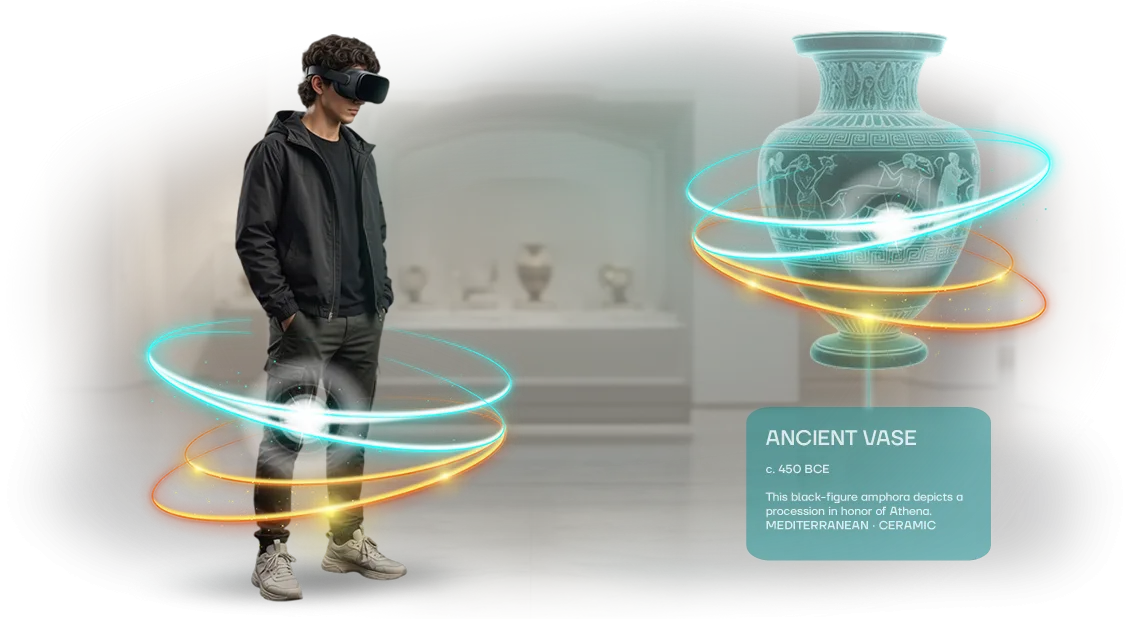






Virtual tour of an office building: why are you losing clients?
When a potential tenant or buyer sees only flat photographs, they cannot understand what the space looks like in reality.
Doubt arises: “Is it worth driving across the city to see it?” Most of these clients choose other options—those they have already explored online without extra trips. As a result, you lose inquiries at the consideration stage, even though your office is worthy.
Competitors have long been using virtual office tours: they show the lobby, meeting rooms, offices, and even the view from the windows.
This removes the main objections—“too far,” “unclear what’s inside,” “hard to imagine yourself here.” The client views a 3D tour of the business center in the browser from any device and makes a preliminary decision faster. They save time, and you receive only warm visits and informed inquiries.
The problem is that high-quality online presentations of office spaces are still rare on the market. Those who adopted them first are already taking the audience that is used to verifying everything online.
Your potential client compares not on paper but on their phone—and chooses the property that can be “walked through” in advance.
A virtual tour of an office building, created for your specific task, solves this problem: it shows the layout, atmosphere, movement logic, and advantages that are difficult to convey in words.
We build such tours with professional equipment, so the image looks natural and inspires trust. The result is more interested inquiries and fewer lost clients at first contact.
What a virtual tour gives your business
A virtual tour of an office building works for you even before the personal meeting. The client sees the layout, meeting rooms, workstations, cafeteria, and common areas—and already mentally places themselves in the space.
This removes the barrier of the unknown and helps them decide faster, without tedious scheduling and site visits.
The main advantage of a virtual tour is trust. The transparency of the space removes the question “what’s inside?”: a tenant or partner already feels inside the property, sees the condition, level of finishing, and ergonomics.
This is especially important when the stakes are high—long-term rental, a large corporate contract, or an office move involving several decision-makers.
Why do you need a 3D office tour? First, it saves your time. Instead of repeated physical showings to the same guests, you shoot the tour once and send the link to all interested parties.
Only “warm” clients come to the personal meeting—those who have already seen everything and are ready to discuss terms. Managers do not idle, and deals move faster.
A separate advantage of a virtual tour is attracting out-of-town clients. Companies from other cities and countries can view the building without business trips and at any hour. You remove geographic restrictions and receive inquiries from regions you could not reach before.
The outcome is predictable: increased conversion. The tour turns cold interest into a conscious desire to work with you. This is not just a beautiful visualization, but a working sales tool that pays off on the first deals and continues to bring in inquiries around the clock.
Formats of virtual tours for an office building
The same office can be presented in different ways—and the format you choose determines whether you achieve your goal. Some need to quickly show a client the layout, some need to create a wow effect for an investor, and some need to rent out a space without extra meetings.
Let’s look at three main formats: panoramas, an interactive office tour, and a virtual showroom of the building.
| Format | Who is it for | What it gives the client |
|---|---|---|
| 360° panoramas | Managers who need to show an office remotely in 5 minutes | Quick overview of the premises without editing or special effects, minimum budget |
| Interactive office tour | Sales managers, HR, property owners | Free movement through floors, switching between offices, immersion in the real atmosphere |
| Virtual showroom of the building | Marketing directors, developers, event organizers | Presenting the office in the best light: lighting, furniture, usage scenarios, photorealistic 3D model with a sense of presence |
Panoramas solve the “see” task, 3D tours solve the “visit” task, and a virtual showroom solves the “imagine the future” task.
The budget grows in the same order, but the return is different: a showroom works as an intangible asset that can be used at exhibitions, presentations, and on the website.
We choose the 3D tour format according to your goal and budget. If you are in doubt, we do a short audit and show examples of similar projects—so you will understand the difference before signing the contract.
How virtual tour development works
We talk step by step about how we structure the process—so you understand what happens at each stage of creating a virtual tour and what development timelines to expect. We take on the entire cycle: from the brief to publication.
You do not need to understand technical details—you get a ready-made 3D tour with a predictable result.
- Brief and goals. We discuss who will view the tour and what it should accomplish: show the layout to tenants, introduce partners to the office, conduct a tour for guests. The answers determine the navigation scenario, the number of points, and the accents.
- Measurements and floor plan. We go to the site, record the geometry of the premises, the placement of partitions, windows, and lighting levels. This helps plan the shooting and think through the logic of transitions between zones in advance.
- Shooting panoramas. We use professional equipment and stabilization to get images without distortion or noise. At this stage, it is important to capture the space in high quality—the tour is assembled from these frames.
- Processing and assembly. We stitch the panoramas into a single environment, add transition points, labels, and pop-up information blocks. We set it up so visitors feel confident: intuitive navigation, quick transitions, clear hints.
- Interim approval. We show a draft version of the tour. You see how the space looks, try moving from room to room, and make changes: edit labels, rearrange points, add materials. At this stage, it is easy to correct details without wasting time.
- Launch and support. We publish the tour on your website or a separate page and test it on computers, tablets, and smartphones. If needed, we add copy protection, set up visit statistics, and stay in touch for future updates.
Creating a turnkey 3D tour usually takes from a few days to two weeks—the exact duration depends on the size of the property and the number of shooting points. But you always see which stage the project is at and understand when you will get the finished result. This approach avoids surprises and makes the process transparent for both sides.
What is included in a finished virtual tour
A ready virtual 3D tour is not just a panorama, but a full-fledged tool for showing an office building to remote clients, partners, and candidates.
You get a package that immediately works toward your goal—selling, renting, or presenting the space without extra expenses for organizing physical tours.
Here is what the delivery package includes:
- Interactive transition points between floors, offices, and common areas—visitors move around the building freely, as in a real office.
- A clear floor plan with routes—helps quickly understand the layout and find the right office or meeting room.
- Descriptions of the premises: purpose, area, infrastructure—all the useful information right in the tour interface, without a separate brochure.
- A ready module for website integration—the tour launches in one click and does not require special knowledge from your team.
- An adaptive version for smartphones and tablets—it is convenient to send a link in messengers; the client can open the tour from anywhere.
- Additional markers with photos and video materials—you can show office details: the lounge area, meeting rooms, the view from the window.
As a result, you get a tool that is understandable to management and attractive to clients. The tour is easy to update—we add new points, change descriptions, or expand coverage zones when new spaces appear. This package covers marketing, sales, and HR tasks simultaneously—all in one solution.
Real case: virtual tour for the Meridian business center
Tenants and buyers are not ready to drive across the city to see the layout and finishes. Each such showing is management time, arranging access passes, and preparing the premises, and out-of-town companies often refuse the viewing altogether.
For Meridian, we created a virtual tour of all the floors being leased: with views of the lobbies, meeting rooms, offices, and panoramic window views.
The tour was placed on the website and inserted into commercial proposals—the tenant could “walk through” the building before the visit, without spending a minute of personal time.
What changed for the business center
The results of implementation were measurable already in the first quarter of the tour’s operation.
The number of viewing requests grew by 40%, and the time managers spent on showings decreased by half—some clients made a decision about the contract after the tour without a second visit.
We especially noted interest from out-of-town companies: about a third of inquiries came from other cities. Previously, such clients were eliminated at the “send photos” stage; now they saw real spaces with accurate geometry and detailing of the finishing. This removed the main barrier—distrust of the “picture from the website.”
The tour continues to work as a permanent sales tool: it is opened 3 times more often than ordinary photographs in listings.
Six months later, the client ordered an expansion of the tour to new floors and the reception—this is how a repeat project was born, which we delivered on a shortened timeline because the entire technological foundation had already been refined.
This case shows that a 3D tour of an office building solves not the “beautiful presentation” task, but the business task: accelerating deals, reducing the load on managers, and capturing an audience beyond your city.
Frequently asked questions about virtual tours
Most clients worry that a virtual tour will be difficult for visitors, and development will take a lot of time and require serious investment. In practice, a modern tour opens via a regular link in a browser, and production takes only a few days. Let’s look at the most common questions.
Is it difficult for users to navigate a virtual tour?
No. The visitor opens the link and examines the space by moving the image with a finger or mouse. There is no need to download or install anything—the tour works on a phone, tablet, or computer via a browser.
This format is intuitive, so it is suitable even for people without experience using similar services.
How much does developing a tour cost?
The cost depends on the number of locations and the format: an overview tour of an office building or a full 3D showroom with interactive labels. We fix the price at the brief stage and do not change it during the work.
So you know the budget and financial result in advance—most often, the tour pays for itself at the first showings due to its reach and savings on personal meetings.
How quickly can a tour be created?
A standard tour of an office or exhibition is made in 3–5 days: shooting, processing, assembly, and configuration. If the property is ready and an urgent format is needed, we can do it within a day. We give the exact timeline after a short brief; this usually takes one business day.
How is a tour useful for business?
It shows your space to partners and clients without waiting for a personal visit. The visitor immediately imagines themselves inside the premises, makes a decision faster, and spends less time studying information.
And the tour itself can be embedded on a website, sent in a messenger, or shown in a presentation—in any situation, it is an argument that works for you 24/7.
Leave a request for a virtual tour
For a tenant or investor to appreciate an office, they do not need to drive across the city—it is enough to open a virtual tour. This way, you show the property to clients anywhere in the country, spend a few minutes showing it instead of several hours, and get a decision faster. For the owner, this is direct money: less downtime, more inquiries, and higher tenant loyalty.
To prepare an exact proposal, leave a request and get a consultation on the tour. We will clarify what the tour is needed for—sale, rent, or demonstration—study the layout and any existing materials, and offer the optimal format without unnecessary expenses.
Here is what the work on a request includes:
- Calculation of the 3D tour cost: a transparent estimate based on area, number of scenes, and deadlines—no hidden surcharges.
- Consultation on the tour: we will advise what options your property needs—furnishings, interactive markers, panoramic views.
- Shooting and processing: professional equipment and a streamlined process—you are not involved in the technical details.
- Examples for offices and business centers: we will show projects that are already helping our clients rent out properties.
- Timelines before publication: we determine them at the start and set them in the contract.
Ordering a virtual tour is simple: write to us or leave a phone number—we will contact you within one business day. No complex preparation is required; you provide all materials according to a short checklist.
We will handle the rest: you get a finished tour with support and can immediately integrate it into your sales and presentations.
How to choose a virtual tour format for your task?
How to choose a 3D tour for an office building? It is better to start not from technology, but from the goal. If you need to show the building to tenants or investors—a panoramic tour with high-quality photography is enough.
If you need to demonstrate the layout, future interior, or redevelopment options—you will need a 3D model. The first criterion for choosing a virtual tour is the business task.
The second criterion is budget and deadlines. Photo-shooting a finished building takes days and costs several times less than full 3D modeling.
Panoramas give a sense of presence and allow you to move between floors, while a 3D model lets you virtually change furniture and finishes—but it requires weeks of work.
The tour format for business is chosen according to the scale of the task: a quick showing or a detailed presentation.
The third criterion is the specifics of the property. A finished office with finishes and furniture is best conveyed by photo panoramas. For a business center under construction or a concept, a 3D visualization of the future space is needed.
Combined options are also possible: real floors are photographed, and planned ones are completed in 3D to show both the current state and the future.
A correctly chosen format saves the budget and increases the number of interested tenants and investors.
We help choose a solution based on your criteria: we clarify the goal, the estimate, and the specifics of the building, then create a tour that works for selling, renting, or presenting the property.