

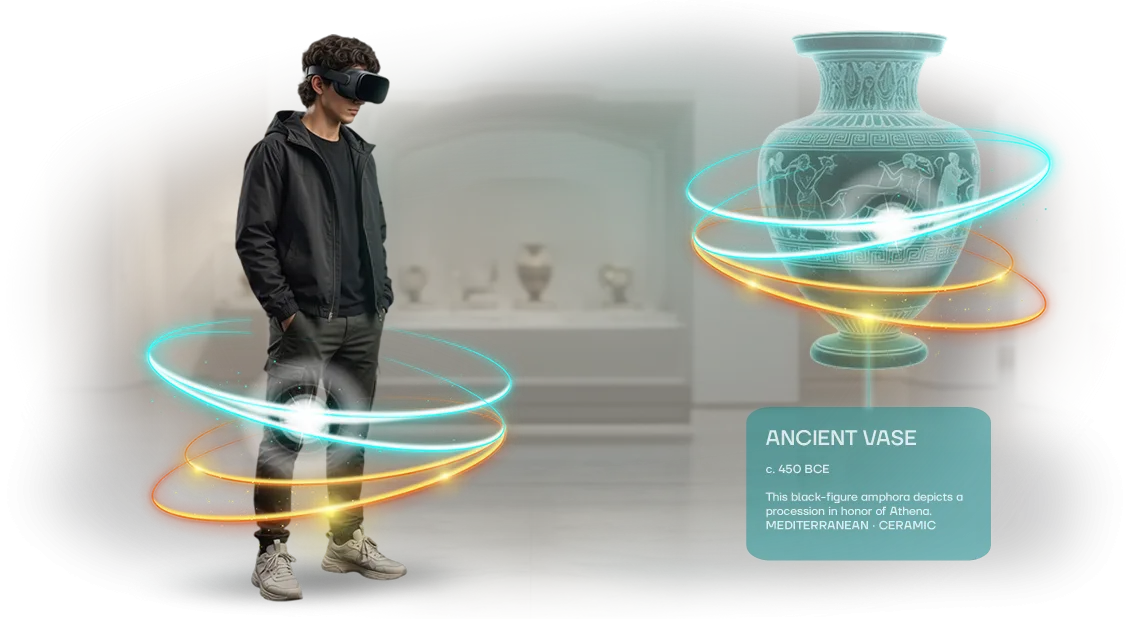






Why does a staff training center need a virtual tour?
Prospective students and corporate clients often choose a staff training center remotely. But without the ability to walk into classrooms, see the simulators, and assess the conditions, trust remains incomplete.
Especially when the center is located in another city — the visit is postponed, interest cools, and the decision is delayed for weeks.
As a result, you lose prospective students who lacked visual proof, and companies that chose a more “transparent” competitor. Managers spend time on endless explanations instead of having a meaningful conversation about cooperation terms.
A virtual tour removes this barrier. It lets you explore the training center from anywhere — see the scale, equipment, and atmosphere as a whole, without spending time. The visitor gets a sense of presence that creates an honest impression and builds trust before the first call.
For your marketing, this is a working customer acquisition tool. The tour is easy to place on your website, use in advertising and mailings — it works as visible proof of expertise.
The client no longer needs to take your word for it: they see with their own eyes what makes your center different from the rest.
Such visual clarity speeds up the decision. Clients submit applications faster, and managers get a ready-made argument for negotiations. We create virtual tours using professional equipment, so the picture is vivid and lifelike.
This is a result that raises the center’s recognition, strengthens its reputation as a reliable partner, and directly affects the flow of applications.
What results will a 3D tour bring to your educational institution?
Prospective students and companies choose an educational center long before their first visit. They study the website, look at photos, and compare institutions with one another.
But static pictures do not convey the atmosphere or the scale of the classrooms, and a trip across town filters out some of the interested candidates.
A virtual tour solves this problem: a person “walks through” the center on their own and, after the first viewing, understands whether they should enroll with you.
our team creates 3D tours for staff training centers that deliver measurable benefits. Recognition — the tour is easy to publish on websites and social media, people forward it to acquaintances, and reach grows without additional advertising spend.
Geography — classrooms and simulators can be shown to applicants from other cities who no longer need to travel specially for a tour. Time savings — managers stop holding dozens of identical meetings and spend time only on those who are already interested.
Such a solution immediately sets the center apart from competitors with ordinary photo galleries. It signals a modern approach: the client sees that the educational institution cares about their convenience, trusts it more, and submits an application more readily.
For the center, the tour pays for itself through an increase in inquiries without expanding the sales department.
We handle the shooting, assembly, and publication of the tour — you get a ready-made sales tool that works around the clock. Submit an application, and we’ll show you how a 3D tour will strengthen your website and shorten the prospective student’s path to enrollment.
Virtual tour formats for an educational institution
Today, a staff training center needs to show students and clients the real learning conditions. A virtual tour makes it possible to present classrooms, simulators, and training rooms without being tied to a schedule or geography. Our team have gathered three working formats — each one solves its own task.
Formats for different training center objectives
| Format | Target audience | What it gives the client |
|---|---|---|
| Panoramic 3D tour | Prospective students, partners, out-of-town learners | Provides a full picture of classrooms and equipment without a visit |
| Interactive tour with navigation points | New employees, instructors | Allows users to follow a route with explanations and check comprehension |
| Tour with video guide | Remote groups, corporate clients | A real instructor’s guidance boosts trust and engagement |
This approach reduces the time needed to onboard new employees and increases course enrollment — guests see the real conditions before their first visit.
Which format should you choose?
If the main goal is to quickly show the center to out-of-town learners, a panoramic tour is sufficient. When you need to embed training directly into the tour, add interactive points with tasks and hints. A video guide suits remote programs where a personal presentation of the material matters.
The formats are easy to combine: a panoramic overview for a general impression, plus interactive zones with tests for training programs. This amplifies the return on training investments and shortens the adaptation period.
How we create a virtual tour for your organization: work stages
Creating a virtual tour for a staff training center is not a one-time shoot but a structured process in which you control every step. We take the extra load off your team: from the first brief to launch, you understand what is happening and when the result will be ready.
After each stage, you receive materials for approval — edits are made before moving to the next step.
Work stages
-
Brief and objectives. We discuss who the tour is being created for, which locations to show, and which training scenarios need to be covered. We set goals, timelines, and readiness criteria.
-
Route and scenario. We propose the tour structure: zones, key viewing points, interactive hints, and transitions between rooms. You approve the route before work begins.
-
Layout approval. We show a tour diagram with a description of each scene — you see what the result will look like even before the shoot. We make edits without additional costs.
-
Shooting and material preparation. We professionally capture the space, stitch the panoramas, and process the images. The result is clean scenes without distortion.
-
Tour assembly and testing. We connect scenes, set up navigation, and add explanatory elements. We check performance on computers, tablets, and smartphones.
-
Launch and support. We publish the tour on your page or inside the learning system and hand over instructions for administrators. We stay in touch for updates and refinements.
What is included in the virtual tour delivery for an educational institution
A virtual tour for an educational institution is a ready-made tool, not just a set of panoramas. We handle the entire process: the filming crew visit, post-processing, assembly, and technical placement. You receive a package that can be immediately shown to prospective students, parents, and partners.
- Spherical photography of the premises. We shoot classrooms, laboratories, libraries, assembly halls, and sports halls — all areas that matter to your future students. We work at a convenient time without disrupting the learning process.
- Post-processing and assembly. We stitch the panoramas into a single space, set up logical transitions, and add navigation points and room labels. The tour comes out cohesive and professional — without “seams” or technical artifacts.
- Integration into your website. We place the tour on your domain or a separate page. No separate developer is needed to launch it — standard website access is enough, and we configure everything from there.
- Instructions for staff. We prepare a clear guide: how to open the tour, embed it on a page, and send the link to prospective students. Any administrator can handle it without technical skills.
- Technical support and update capability. You are never left alone with the product: we help with edits, add new rooms, and answer questions throughout our cooperation.
The final package covers the main objectives of an educational institution: clearly showing the infrastructure, increasing the trust of prospective students and parents, and reducing the number of one-off site tours. Everything needed for launch is already included in the scope of work.
Case study: a virtual tour for a training center increased enrollment by 40%
When a training center prepares specialists for manufacturing, prospective students have many doubts: how do the classrooms look, which simulators are used for practice, what are the conditions.
The website has only photos and program descriptions, which is not enough to make a decision. That is why Training Center “Praktikum Profi” had many applications but low conversion — people studied the pages and left.
We proposed creating a virtual tour of the center: overview tours of the classrooms, demonstrations of study zones and simulator rooms. The client chose the key shooting points and added short video inserts from instructors.
As a result, potential students got the opportunity to “walk through” the center before enrolling, and there were fewer doubts.
Two months after the tour launched, the training center noted a significant increase in inquiries. We compared the metrics for equal periods before and after the launch.
| Metric | Before the tour | After the tour |
|---|---|---|
| Monthly training applications | 80 | 112 |
| Conversion to course enrollment | 2% | 2.8% |
| Average time on page | 1.5 min | 4 min |
| Share of return visits | 5% | 11% |
The total number of applications grew by 40% — this became possible because visitors began to study information more deeply and made decisions more confidently.
In addition, the tour began to be used as part of mailings and presentations for corporate clients, which brought an additional flow of requests for staff retraining.
The center later ordered a mobile version of the tour to use at exhibitions and open days. This confirms that a virtual tour is not a one-off action but a tool that continues to generate applications after the project is completed.
Frequently asked questions about virtual tours for educational institutions
Before launching a virtual tour of a staff training center, managers ask similar questions. We have collected answers to the most common ones: timeline, compatibility, staff training, and loading speed.
How long does it take to create a tour?
We build a standard tour of a training center in 2–4 weeks. The timeline depends on the number of rooms and the required detail level: you can start with key areas and add the rest gradually.
You receive the finished tour in parts — this is convenient when you need to launch a project quickly.
Will the tour work on our equipment?
Yes. The tour opens in any modern browser — on computers, tablets, and smartphones. There is no need to install special programs or buy new devices. The tour can be easily embedded in your website, training portal, or internal learning system.
Do staff need training to work with the tour?
The interface is intuitive: visitors understand it in a couple of minutes, and no special preparation is required. We show administrators how to update information, change descriptions, and add new areas. Training is included in the cost — you don’t spend time or money on additional instruction.
How fast does the tour load?
We use image optimization and streaming loading, so the tour opens in a few seconds even on regular mobile internet. Visitors don’t wait and don’t get annoyed — they immediately enter the virtual space of your center.
This block addresses the main concerns before launch. If you still have a question — just write to us, and we’ll suggest a solution for your specific task.Submit a request for a virtual tour for your organization
Training centers invest in equipment, methods, and instructors — but until a learner arrives, the physical facilities are not visible. A virtual tour of a staff training center turns them into a showcase: classrooms, simulators, and practice areas are revealed before the visit. This speeds up the enrollment decision and simplifies negotiations with corporate clients.
For the tour to bring value, rather than just being a beautiful picture, an implementation plan is needed. We provide consultations and propose a sequence — from the first meeting to the published tour, with clear checkpoints.
Here is what the next steps look like:
- You submit a request — we contact you within one business day.
- We conduct a consultation: we clarify the goals, audience, and shooting location.
- We prepare an implementation plan: timelines, stages, scope of work, and performance indicators.
- We agree on the tour scenario: routes, shooting points, and interactive layers.
- We shoot and assemble the tour, showing intermediate versions for edits.
- We test on different devices and launch it on your website.
- We hand over tools for analytics and content updates.
This is a path we have walked with dozens of training centers. On average, it takes from a few days to a couple of weeks, depending on the scale. Submit a request: after the consultation, you will receive an implementation plan tailored specifically to your organization.
How to choose the right virtual tour format for your objectives?
Each staff training center sets its own goals for a virtual tour: some need to shorten newcomer adaptation, some need to show the equipment in simulator rooms, and some attract corporate clients and partners.
There is no universal solution, so the format depends on the desired result: a quick overview of the premises, a detailed equipment demonstration, or a route with instructors’ commentary.
We start from the question “what result does the business need” and only then select the technology.
The first selection criterion is the audience. If newcomers first explore the center on a smartphone, we choose a lightweight panoramic tour that opens without installing applications.
For partners and investors who need the full picture, a detailed 3D presentation with the ability to examine every training module is more suitable.
The second criterion is the frequency of updates. Courses, equipment, and layouts change, so the tour must remain relevant. We discuss in advance how often edits will be needed and suggest a format that is easy to supplement without a full reshoot.
The third criterion is the purpose of use: training, presentation, or course sales. For training, route logic and expert commentary matter; for presentation, visual impact; and for negotiations, the ability to show the center remotely in real time.
At the meeting, we ask several questions and offer 2-3 format options with a clear difference in timeline and cost. Together we choose a solution that covers the staff training center’s objectives and does not require overpaying for unnecessary functions.
As a result, you get not just a pretty picture, but a working tool for applications and staff time savings.