

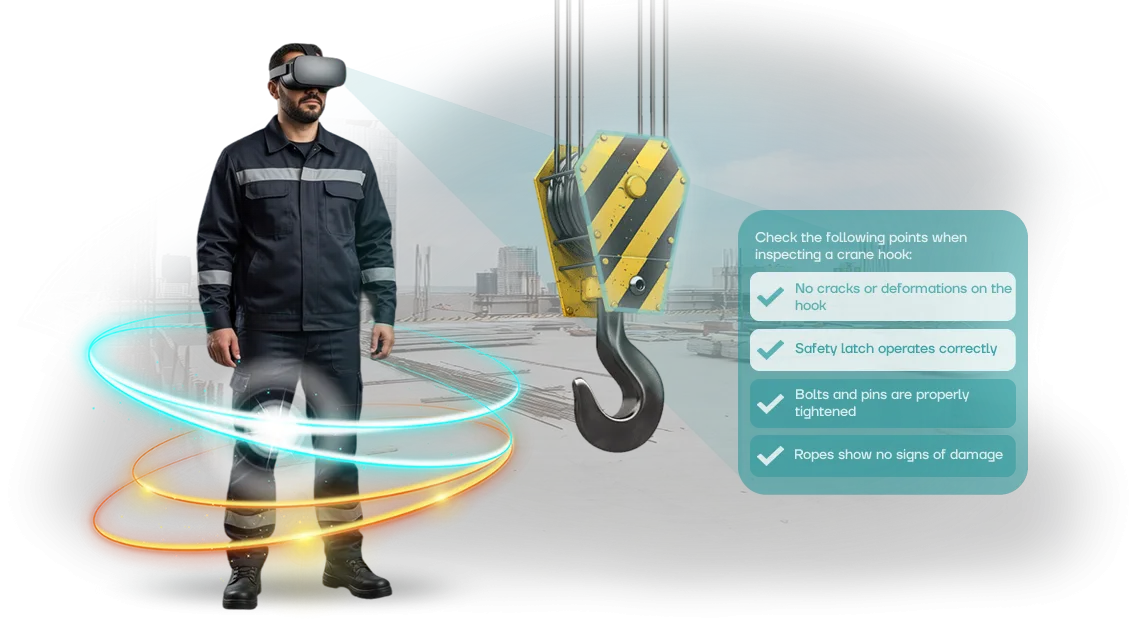
VR simulators for industrial safety in mechanical engineering
Traditional occupational safety training in mechanical engineering has long stopped working the way it should. Lectures and briefings provide theory, but an employee first encounters a real accident only on the production floor, where the price of a mistake is health and life. That is why injury rates do not go down, even if staff regularly pass knowledge checks.
The problem is that classic formats do not build a lasting skill. A person mechanically memorizes instruction points, but in a stressful situation acts out of habit, not memory.
Moreover, dangerous scenarios—falling from heights, working with equipment, interacting with moving machinery—cannot be safely practiced in a real workshop. Any mistake in such training could be the last one.
A VR simulator solves this problem differently. It immerses the employee in a realistic production environment where they can make a mistake without consequences, see its result, and develop the correct reaction before going out onto the floor.
Occupational safety ceases to be an abstraction: the worker experiences a dangerous situation, remembers it on a muscle-memory level, and in the future acts consciously.
This is how injury rates are reduced through practical experience, not through a formal mark of having completed a briefing.
We have been developing VR simulators for industrial safety in mechanical engineering for more than 10 years.
Our solutions immerse employees in scenarios as close to reality as possible and are practiced on professional equipment that delivers a stable and predictable result.
The client receives not an “entertainment” but a tool that measurably reduces production risks and builds a safety culture among the team.
How a VR simulator works: benefits and advantages for the plant
A virtual simulator is an exact digital copy of your workshop, machine, or hazardous area, into which an employee “immerses” using a VR headset. They perform real production operations: start equipment, work at height, act during an accident.
Everything happens in an environment as close as possible to the factory floor, but the cost of a mistake is zero.
Our team designs such scenarios based on your regulations and typical incidents, so the employee trains specifically on the risks that exist at your enterprise.
Employees see the consequences of their actions immediately. For example, if a machine lockout is violated or they enter a danger zone, the system shows what that leads to in reality and gives them the chance to correct the action.
Skills are thus brought to automaticity—but without a single day of production downtime and without any threat to health.
Engagement with this format is many times higher than with traditional briefings. A person does not listen to a lecture but controls the scenario themselves, makes decisions, and sees the result.
This holds attention and helps remember the sequence of actions for a long time—after training, employees behave more confidently on the floor and violate safety rules less often.
Another value for the plant is objective personnel assessment. The system records every action: reaction time, completeness of performance, number of errors. The manager receives a clear report of who is already ready for independent work and who needs additional training.
This reduces injuries and accidents, cuts costs from downtime and incident investigations, and builds a safety culture among workers that stays with them every day.
VR simulator formats for mechanical engineering production tasks
For mechanical engineering production, one universal scenario does not fit—different workshops and positions have different risks.
Therefore, we develop VR simulators for a specific task: from practicing equipment handling skills to behavior during fire, evacuation, and other emergencies.
This approach allows you to meet occupational safety requirements without stopping production and without risk to personnel.
| VR simulator format | For whom | What it gives the client |
|---|---|---|
| Work with equipment | Machine operators, machine setters, maintenance services | Practice of safe techniques before being allowed to a real machine; fewer errors and injuries in production |
| Fire safety | All workshop personnel | Understanding how to act in case of fire, where fire extinguishing equipment is located, how not to panic |
| Evacuation | Enterprise employees | Automating actions during smoke and panic; short building exit time |
| Emergency situation | Shift supervisors, safety officers | Practicing the action algorithm and communication during an accident, up to coordination of subordinates |
In each format, we reproduce the real layout of the workshop and the specifics of your equipment—the employee enters a familiar environment, but with the opportunity to make mistakes without consequences.
For you this means stable audit results and confidence that every worker knows what to do in a critical moment.
Stages of implementing a VR simulator at a mechanical engineering enterprise
Every project to implement a VR simulator for a mechanical engineering enterprise follows a proven scheme. You understand what happens at each stage, see timelines and results—no “black boxes” and no surprises at the end.
-
Briefing and workplace audit. We gather information: what operations are performed, where mistakes most often occur, which regulations need to be practiced. The output is a clear description of the future simulator and its goals.
-
Scenario approval. We develop the training scenario together with your occupational safety specialists. You approve the storyline, the list of hazards, and evaluation criteria—the simulator reflects real regulations, not an abstract picture.
-
VR scenario development. We create a virtual copy of the production environment: machines, movement zones, emergency situations. The employee trains to act as needed without health risks and without stopping production.
-
Testing and debugging. We test the simulator on your scenarios: correctness of prompts, logic of action evaluation, operational stability. You receive a test protocol and all revisions within the agreed timeline.
-
Implementation and launch. We install the system on the necessary devices and configure it for your network and training rooms. We train instructors—they will be able to launch training sessions independently and change settings.
-
Support and development. We provide support after launch: updates, consultations, refinements for new regulations. If necessary, we expand the program to other workshops, professions, or enterprise sites.
Thanks to this sequence, you always know what stage the project is at and can influence the outcome. And employees get a modern training format that reduces the number of violations and improves the safety culture in production.
What is included in the delivery of a VR simulator to the client
When ordering a VR simulator for occupational safety, you receive not “a headset and a program” but a ready-made training process. A safety specialist does not need to understand virtual reality—they just open the manual and launch the scenario. We include everything needed for launch at your enterprise in the delivery.
The complete package includes:
- Scenarios tailored to your tasks — not abstract “actions during fire,” but specific situations: working at a machine, repairing equipment, moving loads, working at height. The scenarios match your regulations and typical mechanical engineering risks.
- Methodological materials for the instructor — course program, skill assessment map, checklists for verifying actions. The manual is designed so that even a new OSH department employee can conduct a session without preparation.
- Training for your instructors — we conduct 2–3 sessions with the team that will work with the simulator. After that, your people organize training sessions, assign scenarios, and monitor results on their own.
- Operating instructions — brief reference cards for the operator and administrator: how to prepare a session, move equipment to another workshop, what to do in case of failure. Everything is written in plain language, without technical complexity.
- Technical support — support from the moment of shipment and for the entire service life. Our engineers answer by phone and remotely connect to the system to restore operation within a working day.
- Scenario updates — regulations change or new machines appear? We refine scenarios to current conditions so training never becomes outdated.
- Reports for management — data for each employee: course completion, number of attempts, typical errors. This helps justify permits for hazardous work and see safety trends in production.
This approach closes the main procurement risk: the equipment does not gather dust in a corner but is actually used. Employees regularly practice skills, the OSH department gets a control tool, and the manager gets clear training metrics. This reduces injuries, shortens the time for introductory briefings, and eliminates paper tests.
Case study: how a mechanical engineering plant reduced injuries with VR
A large mechanical engineering plant faced a typical problem: after an introductory briefing, newcomers still made mistakes when working with machines, and experienced employees lost skills in non-standard situations.
Lectures and posters did not deliver the desired effect, and every minor injury meant downtime and additional costs. Management was looking for a way to make training practical and measurable—so that invested money would produce a tangible result.
We developed a VR simulator based on real workshop scenarios—from equipment setup to actions during an accident. Training takes place on professional equipment, fully immersing the employee in a production environment.
Mistakes in the simulator do not lead to injuries, but they provide immediate feedback and allow workers to practice the correct algorithm to the point of automaticity.
This removes the main fear of any occupational safety specialist: the briefing was conducted, but the person is not actually ready.
Six months later, the plant received results that both management and inspecting authorities could see. The number of erroneous actions during control checks decreased by 40%.
Employee engagement grew: they go through the scenarios with interest rather than serving time at a lecture. The project paid for itself within six months thanks to reduced downtime and fewer minor injuries—the economic effect was higher than expected.
The head of the plant's occupational safety service notes: “The VR simulator has become part of our safety system.
People stopped treating briefings formally, and inspectors see real skills, not memorized answers.” Over six months, 250 employees completed the training, and a repeat request came within three months—the plant asked for new scenarios for adjacent professions and included VR training in the onboarding of all new employees. This confirms that the result was stable and scalable to other departments.
How to choose a VR simulator for your tasks?
Choosing a VR simulator starts not with equipment but with your production tasks. When you understand which employee actions need to be practiced and which risks to address first, the decision is made in weeks, not months.
It is important to compare three criteria: scenarios, number of employees, and budget—and only then look at implementation timelines.
Scenarios are the foundation. A good simulator lets you adapt processes to your regulations rather than forcing employees to act according to an abstract instruction.
If you have several workshops, each with its own dangerous areas, that is also taken into account during configuration.
The number of employees affects the training format: one shift may need only one kit, while several sites require a scalable scheme to process everyone without downtime.
Cost is determined not by the price of the “hardware” but by the completeness of the solution: scenario content, adaptation to your standards, support, and updates. A transparent approach means you pay for a finished result and can expand functionality gradually.
This is more cost-effective than buying a universal product that will still need to be refined to match your plant's reality.
Launch timelines depend on scenario complexity and the number of workplaces: typically three to six weeks for a pilot project.
A reliable contractor offers a small test launch first so you can evaluate effectiveness on one group of employees, and then scales to the entire enterprise.
With this approach, the investment pays off through reduced injuries and faster training of new employees—and that is the main measurable result.
Frequent client questions about VR training
We understand: the decision to implement VR training often comes down to questions that concern any manager.
Is it difficult to restructure the process, what happens to the equipment, who is responsible for the result—these doubts are natural, because you are responsible for employee safety and budget efficiency.
Below are answers to the questions that mechanical engineering clients ask most often. If you do not find yours, just write to us—an engineer and a project manager are available.
Who is responsible for equipment maintenance?
Equipment is our responsibility. We deliver the kit, configure it for your tasks, and train your employees in a 15-minute session.
If something goes wrong, you do not need to figure it out yourself—you submit a request, and we replace or configure the device in a short time. Your training will not stop.
Is it difficult to integrate VR into the current training system?
No. The VR simulator is integrated into your existing occupational safety program as an additional format: you decide whether to use it for initial briefing, knowledge checks, or practice of emergency actions.
Configuring scenarios to your regulations is our job. In fact, you only need to allocate a 2–3 square meter room and agree on a training schedule.
How do I know that the training worked?
The scenario records every employee action: route, reaction speed, errors. After the session, you receive a report: who completed it, what mistakes were made, which skills need strengthening.
The result is visible immediately—you can assess an employee's readiness for a real shift, not just their attendance at a lecture.
What happens after launch, do we need technical support?
We do not “hand over the project and disappear.” During the training period and after its completion, a personal manager works with you: adjusts scenarios, adds exercises, helps with equipment. If your workshop's process changes, we update the simulator for new risks. This is a working relationship, not a one-time delivery.
Tell us about your task—we will let you know whether this format suits you and calculate launch timelines for your production.Order a VR simulator — get an estimate and a demo
After contacting us, you receive not abstract promises but a concrete implementation plan for a VR simulator tailored to your production tasks.
We analyze your situation, select training scenarios, and prepare a commercial proposal with transparent terms—no hidden payments and no technical complications. It all starts with a short consultation and takes 1–2 business days.
When a request comes in, we act according to a proven scheme—from the first conversation to launch readiness. Here is what you can expect at each step:
- 📞 Consultation — we discuss your training process, production specifics, number of employees, and current risks. We clarify which skills need practice: emergency actions, working at height, evacuation, interaction with equipment.
- 📊 Cost estimate — we prepare an assessment based on your scenario: development scope, number of modules, implementation timelines. You immediately see which stages form the price and how it can be optimized.
- 🎮 Demo scenario — we show a working sample of the simulator using your example: a typical situation from your workshop that an employee must correctly complete. You evaluate realism, usability, and training effect.
- 📄 Commercial proposal — we fix the scope of work, timelines, support and update conditions. No vague wording—only clear stages and measurable results.
- 🤝 Pilot launch — after approval, we launch a pilot with a group of employees, collect feedback, and adjust the scenario before full implementation. You receive data on completion rates and error reduction.
- 🔄 Support and development — the simulator does not become “a project with a done label”: we support the launch, train your internal team, and help expand the scenario library as regulations change.
This approach already works in mechanical engineering companies: instead of lectures and posters, employees get practice in a safe environment, and the occupational safety department sees objective statistics for each worker.
You reduce the time spent on introductory briefings and get training that actually changes behavior on the floor.
We process your request within a few hours and schedule a consultation at a convenient time for you—in person or via video call. Leave your contacts—we will tell you how a VR simulator fits into your occupational safety system and prepare a demo for your real production scenario.