

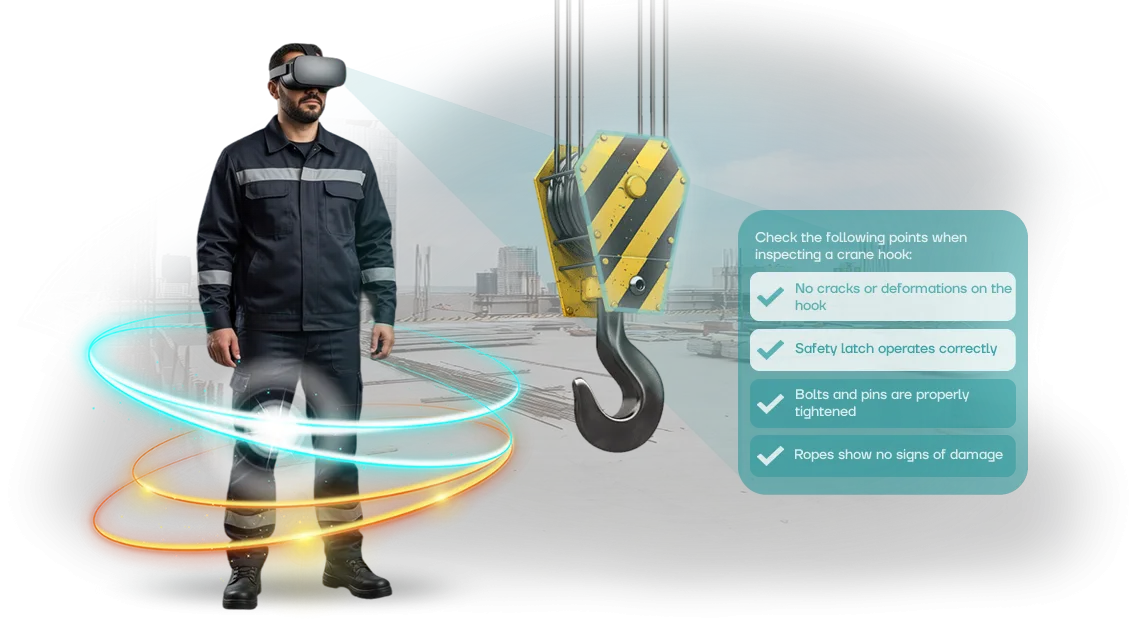
Occupational Safety: Why Businesses Lose Millions on Incidents
Every incident at a production site starts small: inattention, fatigue, formal safety briefing. But the cost of a mistake is measured not only by fines for occupational safety violations, but also by downtime, investigations, compensation, and rising insurance premiums. For a business, these are direct losses that could have been prevented at the training stage.
At the same time, reputational damage is often more expensive than any sanctions. One high-profile case — and clients start doubting the supplier's reliability, partners review contracts, and top specialists no longer want to work for a company that doesn't value employee safety. Occupational safety becomes not just a formal requirement, but a factor in business survival.
The problem is that classic briefings and tests do not motivate staff. People absorb theory mechanically, and when faced with real risk on the production floor, they act out of habit rather than according to procedure.
VR training radically changes the approach: the employee enters a virtual environment where the consequences of an error are visible immediately, yet there is no physical threat. This is how proper muscle memory and a conscious attitude toward safety are formed.
We work on professional VR equipment and create scenarios that are as close to your real workshops and sites as possible. Each simulator reflects the specifics of the enterprise, so training becomes practice rather than an abstract lecture.
As a result, you get trained personnel who reduce production risks and protect the business from million-dollar losses — and occupational safety stops being an expense item and becomes an investment in stability.
What Benefits Does Business Get from VR Simulators
Occupational safety training is not just a formality, but a way to protect employees and the company budget. Ordinary briefings are forgotten within a few days, while VR simulators immerse the worker in a realistic situation and reinforce safe behavior skills. What does this give a business in practice?
- Reduced injuries. Practicing dangerous scenarios in a virtual environment helps employees act correctly in real life. Fewer accidents — lower costs for compensation and downtime.
- Savings on fines. Workplace injuries lead to inspections and fines. Implementing VR training reduces the risk of violations — you invest in safety rather than pay for consequences.
- Employee engagement. Boring lectures are replaced by an interactive experience. Employees go through training with interest, remember the material better, and are less likely to skip briefings.
- Company image. A modern approach to training increases employer attractiveness and partner trust. This is a plus for reputation and a competitive advantage.
We develop VR simulators for the specific tasks of a particular enterprise: from practicing fire response to working at height. The program takes into account industry specifics and regulatory requirements.
You get a ready-made solution that pays for itself through reduced risks and improved safety metrics.
VR Occupational Safety Training Formats for Different Industries
Different industries face different risks: a warehouse worker needs one set of skills, an office employee needs a completely different one.
Universal occupational safety briefings do not provide the required level of preparation: employees formally complete the training but get lost in a real situation.
That is why we adapt VR scenarios to the specifics of your industry and check whether your staff has actually absorbed the material.
| VR training format | For whom | What it gives the client |
|---|---|---|
| VR for retail | Store staff, cashiers, administrators | Practicing actions during conflicts, evacuation, and working with heavy loads without stopping the trading process |
| VR for logistics | Warehouse workers, forklift drivers, order pickers | Fewer injuries when working with equipment and practicing procedures in confined spaces |
| VR for manufacturing | Line operators, maintenance personnel | Safe training on working with equipment and practicing emergency situations without production downtime |
| VR for construction | Workers, site supervisors, engineers on site | Knowledge of danger zones and practicing work-at-height actions before even arriving on site |
| VR for offices | Office employees and managers | Evacuation and first aid training in a familiar office environment in 30–40 minutes |
| VR for healthcare | Medical staff, clinic administrators | Practicing actions during biological threats and evacuation in a clinical setting |
Each scenario immerses the employee in a realistic environment where they make decisions themselves and see the consequences of mistakes. Our team creates such simulators for your business tasks: from short briefings to full courses with result evaluation.
After completion, you receive a report on which skills have already been practiced and which topics are worth reviewing — this saves time and significantly reduces the risk of incidents.
How VR Simulator Development Works: 5 Steps
We don't take on a project until we understand your task. That is why the first stage is a brief: we discuss exactly which skills employees need to practice, which incidents happen most often, and what a realistic scenario should look like. Based on this, we form the structure of the future simulator and a cost estimate.
Below are the five steps that make up VR simulator development:
-
Brief and audit. We define the goals: what we are training for — fire response, work at height, behavior on a production site. We collect your regulations, instructions, and violation statistics. Based on the brief, we propose the format and scope of the simulator.
-
Scenario and approval. We create the storyline: step-by-step employee actions, typical mistakes, decision points, and consequences. You receive a text document and visual references. After your edits, we lock the scenario — it becomes the basis for further development.
-
Prototype. We build a working version of the simulator's key episode. At this stage, you "put on" the VR headset and check how natural the environment looks and whether the tasks are clear. Revisions are made before the full product is created — this saves budget and time.
-
Full version development. We create all scenes, occupational safety tasks, and an evaluation system. The simulator records the employee's actions: completion time, mistakes, reaction speed. After this, you receive a demo version for final testing.
-
Launch and support. We install the simulator on your equipment or provide access to a cloud platform. We train employees to work with the system and hand over instructions. Throughout the entire period of use, we update content to meet new requirements and fix issues.
Each stage ends with approval: you see the result, not a "black box". We provide fixed deadlines and do not change the cost after the scope of work is approved.
As a result, you get a simulator that integrates into your training system and reduces the risk of injuries, rather than just "technology for the sake of technology".
What Is Included in VR Simulator Delivery for the Client
The VR simulator delivery package includes everything needed to start training from day one. We assemble a solution for your tasks, configure it, and hand it over — you won't need to look for additional equipment or figure out technical details.
Here is what you get:
- VR equipment: headsets and controllers that have been checked and verified. Employees put them on and immediately start working in the scenario.
- A library of VR occupational safety scenarios: dozens of situations, from working with tools to fire response. Scenarios are adapted to the specifics of your production.
- A tracking and reporting system: you see which employees have completed the training, what mistakes were made, and how results are improving. This simplifies personnel readiness control.
- Instructions and regulations: guides for employees and administrators, document templates for putting the solution into operation.
- Training for your team: demonstration and practice so that administrators can confidently work with the simulator and help others.
- Technical support and warranty: we stay in touch after launch, provide remote assistance, and visit your site if necessary.
This package covers all the client's needs: employees get real hands-on safety training, managers get clear data on results, and inspectors see that training is conducted systematically.
Full handover takes one or two days, after which the simulator operates in the regular mode of your enterprise.
Case Study: How a Retail Chain Reduced Injuries by 30%
The hypermarket chain "Market City" faced a rise in warehouse injuries: falling loads, cuts, sprains. Classic briefings did not produce results — employees formally passed tests but in reality did not notice risks.
We proposed replacing part of the training with VR occupational safety simulators: in a virtual environment, the worker encounters typical dangerous situations and learns to act without risk to health.
In 6 months, we trained 2,500 warehouse and sales floor employees. Injuries decreased by 30% — this is confirmed by the company's internal statistics.
Training time was cut in half: instead of a two-hour lecture, an employee completes a 20-minute session, and the skills are absorbed more deeply because the brain remembers the lived experience, not the text of an instruction.
According to a post-training survey, 92% of employees began paying attention to dangerous zones, and 87% are confident they can respond correctly in an emergency.
The head of the chain's occupational safety service shared the results: "We used to spend hours on briefings, and people still made mistakes. VR training showed exactly where employees make wrong decisions.
In six months, the number of incidents dropped by a third, and this directly affected insurance payments and staff downtime."
After a successful pilot in three stores, the chain scaled the program to all branches in the region. We adapted the scenarios for each site: for the warehouse — working with a forklift, for the sales floor — installing anti-slip mats and handling liquid spills.
The company has now ordered simulators for two new distribution centers and plans to update the program annually.
This case is not a one-off. Our simulators run on professional VR equipment, and scenarios are built on real incidents from your industry. That is why we can predict the effect: fewer injuries, less downtime, greater employee loyalty. If you want similarly measurable results — let's discuss your scenario on site.
Common Client Concerns About VR Training and the Truth
Concerns before implementing VR are a normal part of the process.
Most often, clients worry that the equipment will fail at the most critical moment, that employees will not accept the new technology, and that the training will turn out to be a formality that doesn't affect real safety. Let's look at these fears one by one — and show that most of them are not confirmed by practice.
Will the equipment break? Professional VR kits are designed for intensive use and are checked before every launch. We are responsible for functionality at all stages: we configure the system, train your administrators, and stay in touch if something goes wrong.
On-site support and equipment replacement within agreed timelines are part of the service, not a separate paid option.
Won't employees accept the technology? In practice, VR training is perceived more easily than a briefing in a classroom. People get involved in the process because it is an understandable and visual format — closer to a game than to a lecture.
For older employees, there is a simple launch scenario: put on the headset, pick up the controllers — and follow the prompts inside the scenario. Usually after the first session, doubts disappear.
Will the training be formal? A VR simulator models real work situations where knowledge needs to be applied, not just listened to. Mistakes are analyzed immediately, and the employee forms a clear "action — consequence" connection. This significantly increases engagement and material retention.
What if an employee is afraid to put on the headset?
Before training starts, we conduct a short adaptation session at a calm pace. The person gets comfortable in the virtual environment, understands how the controls work, and only then moves on to the main scenario.
Statistics show that less than 5% of people experience discomfort, and most of them adapt within 2-3 minutes.
Who is responsible for the equipment after launch?
We hand over the kit with instructions and train the administrator in basic actions. Equipment self-check takes a couple of minutes and is built into the launch scenario.
If the hardware needs repair or replacement — you contact us, and we resolve the issue under warranty within the agreed timeframes.
What guarantees that employees actually learn?
The VR simulator records not only the result but also every step the employee takes: where they made a mistake, how much time they spent on the task, and what hints they requested.
Based on the results, you receive a group report and can see who has mastered the material and who needs additional review. This is objective data, not a "pass/fail" based on the instructor's mood.
Doubts are normal, but in our case they have been tested by years of practice. We take on setup, support, and training outcomes. Your task is to provide scenarios and employee time — we handle the rest.Discuss Your VR Training Project and Get a Calculation
Tell us about your occupational safety task — we will advise how a VR simulator can help your specific business. Contact us for a consultation: we will discuss where employee training delivers the greatest effect and calculate the cost of an individual project.
We start by clarifying the task, not by pushing ready-made solutions. We will ask questions about your production, existing instructions, and typical violations. Based on this, we will prepare a proposal that fits into your training plan and does not require stopping work.
The project follows a simple flow:
- You submit a request on the website or in a messenger — it takes a couple of minutes.
- We hold a consultation with an occupational safety specialist and a methodologist, and clarify the tasks.
- We prepare a cost calculation and exact timelines — usually within one business day.
- We develop a scenario and tasks based on your instructions.
- We assemble the simulator, configure it to your specifics, and conduct testing.
- We hand it over along with instructions and training materials for employees.
- We stay in touch: answer questions and refine scenarios to meet new requirements.
This sequence eliminates surprises: you know the budget and timeline in advance. And thanks to remote work, VR training can be ordered from any city.
To clarify details, just write to us — a manager will respond within one business day and prepare a preliminary calculation for your situation.
How to Choose the Right VR Training Format?
Choosing a VR training format starts not with technology, but with the business task and the specifics of your production.
For a factory with an assembly line and hazardous zones, full-scale scenarios simulating real emergency situations are suitable, while an office company or logistics center needs shorter modules.
The key criteria are the number of employees who need training and the complexity of the skills that need to be practiced.
Pay attention to the variety of formats: full immersion with controllers for practicing hands-on actions, panoramic video for familiarizing with evacuation routes, and interactive scenarios with decision-making choices.
For occupational safety, a hybrid approach is most often effective: first, the employee studies the rules, then enters a virtual environment where they must apply that knowledge under pressure.
Our experience shows that this is the format that creates a lasting skill: people remember the algorithm of actions 80% better than after traditional briefings.
Don't chase maximum realism at the start. Begin with one critical area — where violations happen most often or where a mistake costs the most.
We help you choose a scenario that pays off fastest: it replaces two hours of lectures and shortens the onboarding time for a new employee.
In a month, you will see concrete dynamics in the number of violations, and based on that data, you can scale the program to other departments and facilities.
To choose the right solution, ask yourself three questions: what skill should be formed after training, how often do you update regulations, and what equipment do employees already use.
If the answers aren't obvious, invite us for a consultation — we will recommend a format that fits into your processes without unnecessary costs. You will get not "VR for the sake of VR", but a tool that addresses specific risks and measurably improves workplace safety.