

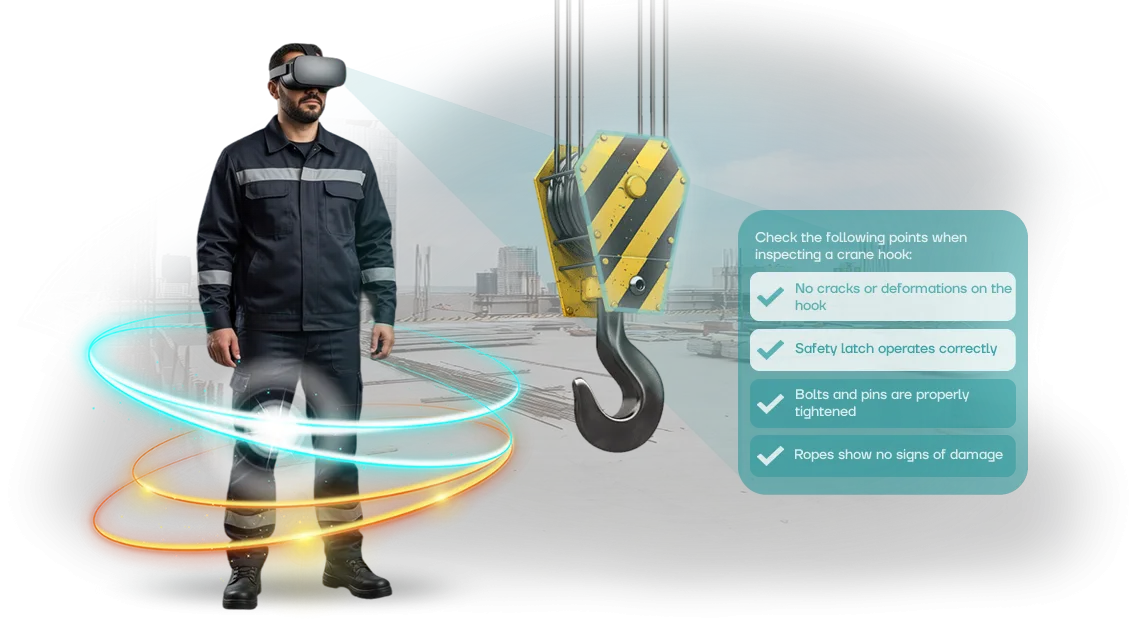
Occupational Safety in Glass Production: Why Safety Briefings Don’t Work
Glass production is a high-risk environment: molten mass, fragile sheets, heavy machinery, and dust that settles in the lungs. An employee mistake here costs more than a reprimand — it leads to injury, line downtime, and inspections by regulatory authorities.
Every such case hurts company revenue and reputation. Yet most incidents happen not because instructions are missing — they exist, and even detailed ones.
The problem is that traditional safety briefings have long become a formality. A 40-minute lecture, a signature in the log — and a week later the employee no longer remembers what to press in an emergency or how to safely pick up a sheet of glass.
People don’t remember static text and images — they remember their own experience, especially when something went wrong. And in glass production, the price of such a “wrong” is especially high: cuts, burns, electric shock, and vapor poisoning.
That is exactly why the rate of workplace injuries remains high despite all the paper regulations.
An employee must not just read about a dangerous situation — they must experience it: see with their own eyes how glass shatters, understand what happens if safety glasses are neglected, and practice the correct response until it becomes automatic.
That cannot be achieved with a paper manual, but it can be achieved through immersion in a virtual environment.
We close that gap: we develop VR simulators that place the worker in a realistic glass production workshop and force them to make decisions under conditions as close to reality as possible.
After such training, the employee doesn’t just know the rules — they know how to act, and that directly reduces the number of injuries and company costs.
What VR Simulator Training Gives for Employee Safety
In glass production, the cost of a mistake is especially high: hot glass, heavy lines, limited visibility, and the risk of cuts. Traditional briefing can provide theory, but it does not build a lasting skill for acting in an emergency.
Employees often treat training formally, so knowledge quickly fades. This is where VR occupational safety training becomes a strategic solution that changes how staff relate to safety.
The first major benefit is employee engagement. The virtual environment immerses a person in real workshop conditions: they see machines, hear sounds, and make real-time decisions. The brain perceives what is happening as real, so emotions and muscle memory engage fully.
Such training is remembered for a long time and is many times more effective than lectures, posters, and videos. Employees don’t just sit through it — they actively act, which means they gain real experience.
The second benefit is practicing actions without risk. The simulator can model the most dangerous scenarios: fire, spilled glass cullet, equipment failure, and smoke.
The employee trains to act in a critical situation, tries different options, and sees the consequences of their mistakes. This is safe for life and health, yet provides invaluable experience that cannot be gained in a real workshop without danger. After such training, reactions become automatic, and the sequence of steps becomes correct.
The third benefit is reduced injuries and related losses. When employees have already “lived through” emergency scenarios in VR, they act calmly and collectedly on the real production floor.
This means fewer accidents, less downtime, and lower costs for compensation and investigations. In addition, the overall safety culture improves: workers start taking more responsibility for themselves and their colleagues, and management gets manageable, predictable statistics.
Formats for Implementing VR Occupational Safety Simulators: Choose for Your Task
Safety training in glass production cannot be done “by eye”: cutting lines, glass feeding, and work with fragile material — every operation carries risks.
Therefore, the VR simulator format should be matched to a specific task: where training will take place, how many people will take part, and what skill needs to be practiced. A properly chosen format covers both briefing requirements and the employee’s real readiness to act.
Comparison of VR Training Formats
| Format | Best suited for | What it offers the client |
|---|---|---|
| Fixed VR simulator | For regular training of new hires and scheduled safety briefings | Always available in the workshop or training room. An employee completes the scenario at a convenient time, and you see their results in a report |
| Mobile VR kit | For remote areas, shift work, and on-site audits | No dedicated room required: equipment is brought to the site and launched within minutes. Several shifts can be trained without stopping production |
| Individual training | For practicing a specific operation — glass replacement, cutting setup, actions after a cut | Targeted skill practice until automatic. The system records mistakes, and the instructor spends less time on each check |
| Group training | For team briefings, emergency situation analysis, and shift skill development | 5–10 people are trained simultaneously, practicing actions during an accident or fire. The common safety culture develops faster |
As a rule, clients combine formats: a fixed simulator is placed in the training room, a mobile kit is used for remote lines, and group sessions are launched before seasonal work.
This provides flexibility without extra costs — you pay only for the scenarios and formats you actually use. During a consultation, we will select a model based on your employee count, shift schedule, and production specifics.
How VR Training Development for Glass Production Works
Adapting training to the real risks of glass production is a task no less complex than the production process itself. Standard video lectures do not account for the specifics of your workshop: hot glass, batch handling, conveyor movement, and actions during a melt breakout.
That is why we structure the work transparently, in stages — you see how a custom scenario is formed and control the result at each stage.
- Production risk audit — we visit the site or work with your occupational safety documentation. We record the typical violations and emergency situations that your employees specifically need to practice.
- VR simulator scenario design — we create the storyline: from a routine shift to an emergency. We align learning objectives, criteria for evaluating worker actions, and hint logic.
- Development of virtual areas and equipment — we model your production areas, machines, and protective equipment. The employee enters a familiar environment, so they transfer skills to reality without “novelty shock.”
- Assembly of interactive tasks — we script correct and dangerous action scenarios. The simulator reacts to mistakes, explains consequences, and allows repetition until the skill is firmly established.
- Integration with the training system — we load the simulator onto your VR headsets or into the training room. We configure completion tracking, error statistics, and reports for the occupational safety department.
- Pilot launch with a group of employees — we conduct a test session, collect feedback, and refine details: task difficulty, session duration, and clarity of instructions.
- Full deployment and support — we launch training for all shifts, train your instructors, update content when regulations change, and provide technical assistance throughout the entire service life.
This approach removes surprises: you know in advance what skills staff will gain, how long deployment will take, and how the simulator will fit into your existing occupational safety system.
Most importantly, employees begin to see hazards they previously missed and act more calmly in emergency situations.
What Is Included in an Occupational Safety VR Simulator Project
When you order a VR simulator for safety in glass production, you receive not an isolated program but a complete turnkey package.
The project scope is designed so that you can launch employee training without external developers and immediately integrate it into your existing occupational safety system.
The complete package includes:
- A scenario and VR model of typical hazardous zones in glass production — from the cutting line to polishing areas. The employee practices actions on a digital twin, where they can safely make mistakes and see the consequences.
- Methodology materials for the instructor: session procedure, evaluation criteria, and checklists for knowledge verification. This covers the question of how to use VR in existing training.
- Employee instructions: clear guides for operating equipment, entering the scenario, and safe behavior rules.
- Administration and statistics: a dashboard showing who completed the training, what mistakes they made, and who needs refresher training. The manager receives objective data for control.
- Staff training: your instructor runs a demonstration session with our support and then independently organizes group and individual drills.
- Technical support during launch and afterward: we update scenarios when regulations change, answer questions, and support deployment. Stable operation is guaranteed.
In the end, you get a closed loop: from scenario to result tracking and support. Employees practice safe actions, and you receive documented proof of training for inspections and a reduced risk of production incidents.
Case Study: Reducing Injuries at a Factory with VR Training
GlassTrade, a manufacturer of architectural glass, faced a typical industry problem. Several accidents occurred on the cutting line during the year, and the induction briefing for new employees took three days and required experienced mentors to step away from their work. The occupational safety manager was looking for a way to reduce risks without stopping production.
We proposed a VR simulator that recreated the real workshop: cutting, sheet movement, and crane operation. In the virtual environment, the employee encounters dangerous situations and learns to respond, while the system evaluates every action.
This makes it possible to practice skills that cannot be safely demonstrated on a live production line.
Implementation Results
In the first two months, 120 employees completed the simulator — including experienced operators who said they saw their mistakes from the outside for the first time.
The number of micro-injuries on the site fell by a third, and training time was reduced to four hours instead of three days.
The economic effect was no less important. Line stoppages caused by novice mistakes stopped, and mentors returned to their core duties.
After the positive results, the client ordered the development of two more modules for neighboring workshops — a repeat engagement that confirmed the value of the solution.
For business, this means predictable safety: fewer injuries, lower costs for staff replacement, and faster onboarding of new employees to full productivity. That is why VR training today is not a toy, but a working risk management tool in production.
How to Choose the Right VR Simulator Format for Occupational Safety?
Choose the VR simulator format based on two parameters: the number of employees you need to train and the specific risks of your production.
For glass production, this is especially important — mistakes in the furnace area or during glass cutting are expensive, and VR allows the most dangerous situations to be safely practiced.
If the company has up to one hundred employees, one kit with ready-made scenarios for typical operations is usually enough. A large plant with several workshops and high staff turnover will need multiple stations and custom module development for specific areas.
Scenarios must replicate the real workshop: equipment layout, warning zones, and characteristic emergency moments. Training in a virtual copy of the production area builds correct skills faster than traditional briefing and does not stop workshop operations.
At the same time, you see each employee’s results — retention percentages, operation completion times, and mistakes. This makes the work of the occupational safety department easier and simplifies reporting.
The scale of the enterprise also determines the deployment method. A small factory may find it convenient to rent equipment for the training period or start with one device and gradually purchase additional modules.
For a holding company, a dedicated VR lab integrated into the regular briefing system is more effective. Check whether you can update scenarios when production processes change.
The main criterion is whether the format covers your real risks and scales to the number of trainees. We select a solution for a specific production: from a standard kit to a fully custom program.
Start with a short review of your production situations — it takes one day and will show which format will deliver the greatest effect for your company.
Frequently Asked Questions About Developing VR Safety Simulators
Implementing VR simulators in glass production raises questions — and that is normal. Below we answer the main concerns: how installation works, who supports the equipment, and what happens if employees do not understand it. The answers are short and practical.
What about timelines and production downtime? Deployment does not stop factory operations. The entire cycle — from training your team to launch — takes 2–4 weeks, and the simulator itself runs on a dedicated computer. Installation is done remotely or in one day on site, so you do not lose a single shift.
What guarantees do you offer on the simulator and results? We provide a warranty on the software and maintenance for the entire service life: if something fails, we restore it on request within two business days.
During the pilot launch, we support your instructors, and afterward we adjust scenarios to regulatory changes. Glass and temperature conditions differ — we adapt the simulator to your specific area.
Is it difficult for employees to learn with VR? People without virtual reality experience get accustomed to it in 5–10 minutes.
We design the interface around a specific workshop: the worker sees a familiar line, crane, and glass containers, and the prompts look like a regular safety briefing. Age and computer literacy do not affect the result — we bring the skill to automaticity in one session.
What about software and equipment — will it stop working after a month? We use professional headsets designed for intensive industrial use. We handle updates and component replacement, and we write instructions for your technician in Russian. If equipment fails, we replace it under warranty without unnecessary approvals.
What if a scenario needs to be changed? Scenarios change without a complete rework: you add a new unit, control zone, or regulation — we update the logic within 1–2 weeks. This is cheaper and faster than reshooting training videos or holding on-site sessions.
For working with contractors, the simulator scales to several users simultaneously — without loss of training quality.
For most clients in the glass industry, deployment takes less time than management expects. And if you still have questions about a specific area, we will send a detailed plan to your email — just request it through the form.
Get a Commercial Proposal for VR Training for Production
To get an occupational safety VR simulator that actually reduces injuries in glass production, you do not need to understand the intricacies of development.
Leave a request — we will prepare a commercial proposal for your tasks, show the cost and timelines, and advise which training format to choose for your workshop.
After you contact us, you will receive:
- a preliminary consultation: we will review your scenarios, risk points, and occupational safety requirements;
- a commercial proposal with clear stages, timelines, and cost;
- a format recommendation: a full VR simulator or a compact interactive for induction briefing;
- examples of completed projects for glass-working industries;
- a benefit estimate: less downtime, lower risk of injuries and related costs;
- a personal manager who handles the project from task definition to launch.
For over 10 years, we have been creating simulators for companies with especially high safety requirements. We work remotely, so we can handle the task in any region.
Our solutions are used for employee training and knowledge verification — they have already confirmed a reduction in the number of violations in production, which is why clients return to us with repeat orders.
The next step is a request. Call or write to us: within one business day we will get in touch, clarify the details, and prepare a custom commercial proposal. This is non-binding — just a consultation and a cost estimate based on your scale.