

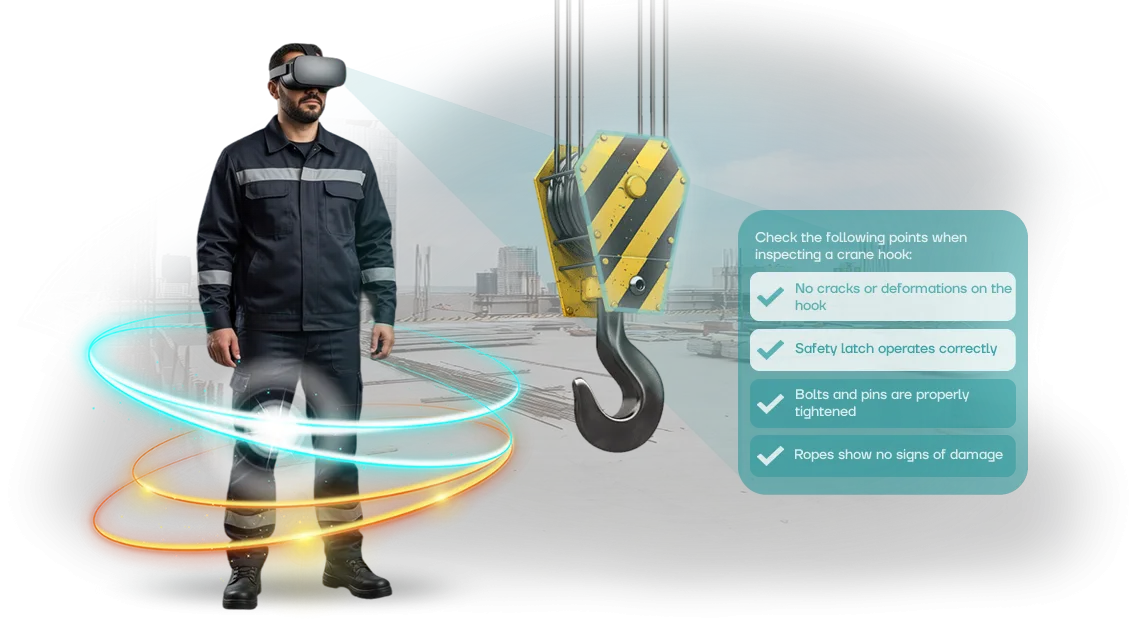
VR Simulators for Mechanical Engineering: When the Cost of a Mistake Is a Life
On a mechanical engineering production floor, the cost of a mistake is measured not in money, but in the health and life of an employee.
Working with heavy equipment, cranes, presses, and moving machinery demands instant reaction and precise actions — a moment of hesitation or a wrong step can be fatal.
Every such incident is not only pain and fear, but also a stopped assembly line, inquiries from regulatory authorities, and lost orders.
Traditional occupational safety training often comes down to lectures and briefings. An employee passes a test, but acts hesitantly in a real emergency.
Until the skill is practiced under conditions close to the real thing, the risk of injury and industrial incidents remains high. That is why companies are increasingly moving from theory to practice with the help of modern tools.
A virtual simulator changes this approach: the worker enters a digital copy of the shop floor and practices dangerous scenarios — from getting caught in a machine to a fire — without risk to themselves or others. They learn to act on reflex, not from memory.
Every employee can complete this training regardless of shift or experience, and session recordings help reveal the team’s weak points.
For the company, this means reduced injuries, no regulatory fines, less downtime, and maintaining a reputation as a responsible employer. Staff training becomes predictable and measurable: we see where an employee goes wrong and bring their skills up to the required level. Managers get a clear picture of each worker’s readiness for an emergency.
We implement VR simulators for mechanical engineering on a turnkey basis: we analyze risks, develop scenarios for your equipment, and support you at every stage.
We help you meet industrial safety requirements and give your team real hands-on experience in situations where a mistake costs a life.
What VR Training Delivers: Safety, Speed, Cost Savings
On a mechanical engineering production line, the cost of a mistake is measured not by fines, but by a person’s health and line downtime. Formal briefings do not build skills: employees know the rules on paper, but freeze in a real emergency.
A VR occupational safety simulator moves training into a safe environment where they can make mistakes without consequences and build their reactions.
What the business gets
- Fewer injuries. Employees practice dangerous scenarios — from working at a machine to fire response — and turn correct behavior into second nature.
- Time savings. Training takes hours, not days, does not stop production, and does not require travel to a site.
- Measurable results. The system records reaction time, missed steps, and areas of uncertainty. Managers see who is ready for a shift and who needs another training cycle.
We design simulators around your shop floor’s real scenarios: layout, specific machines, and internal procedures.
We use professional VR tools so that motion response and the visual environment are as realistic as possible — engaging muscle memory rather than simply watching a video.
As a result, workplace safety becomes measurable: you check readiness before a shift instead of analyzing consequences after an incident. Training becomes faster, injuries drop, and the habit of acting correctly stays with employees out on the real shop floor.
VR Simulator Formats for Your Production Needs
For a mechanical engineering plant, mass staff training, skill development for hazardous occupations, and realistic shop-floor scenarios are equally important.
Different tasks require different VR training formats — this determines how quickly workers absorb the rules and begin applying them in practice.
We match virtual simulators to your specific production task: sometimes you need rapid coverage of an entire shift, sometimes deep immersion in a rare emergency. Below is a format comparison to help you choose.
Comparing VR training formats
| Format | For whom | What it gives the client |
|---|---|---|
| Virtual simulators for mass training | Line staff, newcomers, all shifts | Rapid coverage without stopping production, a uniform knowledge-check standard |
| Scenarios for hazardous occupations | Electricians, welders, riggers | Practice of emergency situations without risk to life and health |
| Immersive shop-floor briefing | New employees, contractors | Visual introduction to routes and rules before first stepping onto the site |
| Comprehensive workstation simulator | Machine operators, maintenance crews | Full practice of procedures on a virtual copy of the site before a real shift |
This approach covers both mass training and targeted preparation for hazardous occupations. We start with one shop floor, measure the results, then scale the solution to other sites.
We develop virtual simulators around your shop-floor scenarios, not generic templates. Employees transfer their skills to real work with no reteaching needed — all that remains is choosing a format, and we will help you with that during a consultation.
How VR Simulator Implementation Works: Stages and Timelines
Implementing a VR simulator is not buying a box; it is a structured project. We support you from the initial brief through launch and post-project support, so you know the timelines and outcomes at every stage in advance.
On average, implementation takes 2 to 6 weeks, depending on the number of scenarios and the complexity of your production processes.
- Brief and needs audit. We define training goals, your production specifics, and occupational safety requirements. We agree on format and timelines. This usually takes 3–5 days.
- Risk analysis and scenario development. We study real workstations and typical errors, identify danger zones, and build simulator scenarios around them. Timeline: 1–2 weeks.
- Concept approval. We demonstrate a scenario prototype on screen, make revisions, and lock in the scope of work. This stage takes 3–5 days.
- VR simulator development. We model the production environment, work out employee actions, and integrate an error-scoring system. Duration: 2–4 weeks.
- Pilot launch. We install equipment and run test sessions with real employees, collect feedback, and refine details. Stage: 5–7 days.
- Launch and team training. We hand over the simulator and train your instructors to conduct sessions on their own. Timeline: 2–3 days. After that, we remain on support.
- Support and development. We update scenarios as regulations change, provide technical support, and help expand the training program.
What Is Included in the VR Simulator Delivery
Delivering a VR simulator is like setting up a ready-made training workstation, not assembling a kit from parts. You receive the software, equipment, instructions, and support — everything needed to launch employee training on site or in a training room within days.
- Ready-made training scenarios for mechanical engineering tasks: machine operation, loading and unloading operations, electrical safety, and moving around the shop floor.
- A set of professional VR equipment: headsets, controllers, and a storage and charging station — all configured and tested before shipping.
- Instructor dashboard: you see who completed the training, how many attempts were needed, and what mistakes each employee made.
- Instructions and handouts: a guide for instructors, a session script, and training log templates.
- On-site installation and setup: our specialists deliver the equipment, connect it, demonstrate how it works, and train your designated staff member.
- Content updates: when regulations change or new tasks appear on the shop floor, we add scenarios and expand the program.
- Support for the entire operating period: consultations, equipment diagnostics, and updates — without long waits for a response.
In the end, you get not a “box of hardware”, but a working training system that your team does not need to refine or configure. You save time on organizing briefings, reduce the risk of injuries, and obtain documented training results for regulatory bodies.
Case Study: VR Simulator for a Mechanical Engineering Holding
We implemented VR training for a mechanical engineering holding: 340 employees from shop floors and maintenance services went through scenarios such as “working at a machine”, “changing tooling”, and “actions during smoke conditions”.
Previously, the briefing was two hours of theory; now everyone practices emergency situations in an environment close to a real shop floor — with visuals, sound, and limited decision time.
The main thing the client saw in the first six months was a 38% reduction in hazardous situations and an increase in correct actions during safety inspections.
Employees stopped “walking past” the regulations: after the VR simulator, they themselves identify danger zones and no longer skip steps they used to ignore.
| Metric | Before VR training | After VR training |
|---|---|---|
| Hazardous situations at work | 14 per quarter | 9 per quarter (−36%) |
| Share of employees passing occupational safety check on first attempt | 61% | 87% |
| Time spent on onboarding briefing for a new employee | 4 hours | 1.5 hours |
| Program payback period | — | 8 months (through reduced downtime and payouts) |
This dynamic was possible because the VR scenario forces employees to make decisions with their hands, rather than memorize items from the instruction manual.
The holding placed a follow-up order for the next year without a tender — the occupational safety department and the CFO saw a direct link between the simulator and lower costs for compensation and downtime.
For mechanical engineering this is especially important: here the cost of a mistake is a person’s health and a stopped line. We are ready to show a detailed case study with figures for your industry — leave a request, and we will prepare a cost estimate for your workshop.
How to Choose a VR Simulator for Your Plant’s Specifics?
Choosing a VR simulator starts not with selecting equipment, but with the specifics of your production: the plant’s real risks — heavy equipment, emergency line stops, evacuation.
These scenarios should form the basis of the program, so that occupational safety training becomes practicing actions, not a formal procedure.
The first question when choosing a format is who is being trained and at what pace. For mass shift briefings, 10–15 minute modules that fit into the schedule are suitable. For new employees and rare emergencies, a series of scenarios with error analysis works better.
The second question is where the simulator will be used. A fixed zone in a training room is convenient for scheduled assessments; a mobile kit can be moved between shop floors.
Think in advance about how results will get into your reporting: successful attempts, completion time, repeat training sessions.
The third criterion is a measurable result: less time spent on briefings, a higher share passing the assessment, fewer violations. If a contractor does not discuss these metrics, that should be a red flag.
We start with an audit of risks and the training process, then propose a format — from individual modules to a comprehensive program.
The result is a simulator built around the plant’s processes, not a template: employees act with more confidence, and managers see real training statistics. If you are not sure where to start, tell us about your site — we will advise which format suits your production.
Frequently Asked Questions about Virtual Simulators and Occupational Safety
Implementing virtual simulators for occupational safety in mechanical engineering is a process that raises questions. People most often ask about equipment, timelines, employee adaptation, and safety.
We answer these concerns based on our experience implementing solutions at real production sites.
Below are answers to typical questions. They will help you understand how the training will go, how long it will take, and how employees will respond to the new format.
What equipment is needed?
You do not need to buy computers or headsets. We bring ready-to-use kits, configure them for your shop floor, and take them back after the training. The equipment is professional and withstands intensive use.
How long does implementation take?
From brief to first launch — several weeks. Training does not stop production: employees take sessions during an off shift or during breaks. We adjust the schedule to your rhythm.
How do employees adapt to VR?
The orientation takes 5–10 minutes, and the interface is intuitive even for beginners. Our specialist is present for the first sessions to help everyone get comfortable and answer questions.
Is virtual reality training safe?
Yes. The space is enclosed, and scenarios avoid sudden movements. Sessions are held under an instructor’s supervision and fully comply with occupational safety standards.
Launch VR Occupational Safety Training at Your Enterprise
Workplace safety is not just reporting; it is real protection for people and uninterrupted operations for the enterprise.
In mechanical engineering, a mistake while working with equipment can lead to injury, downtime, and inspections, so occupational safety training must be effective.
A VR simulator lets employees practice dangerous scenarios without stopping the shop floor, without health risks, and in conditions as close to real life as possible.
We take on the entire project — from evaluating your needs to launching the simulator and providing support. After contacting us, you receive a ready-made checklist:
- Audit of shop floors and workstations — training scenarios are built on the typical situations of your specific production.
- Design of the VR simulator to meet occupational safety requirements: emergency algorithms, protective techniques, and actions in abnormal situations.
- Integration with the briefing and assessment program, so training is carried out in a single system.
- Training of your specialists — they will get the rights to launch the simulator and monitor results.
- A set of methodological materials to justify the decision to management and inspectors.
- Technical support at all stages and content updates after safety rules change.
- Scaling: a single equipment kit covers training for all shifts and allows you to quickly onboard new hires.
Leave a request to order a VR simulator — within one business day we will prepare a preliminary solution and show you a demo. We will calculate the launch timeline for your enterprise, and as a result of implementation, you will get better-trained employees and fewer incidents.