

Leather Manufacturing: Why Workplace Safety Requires VR
Leather manufacturing is one of the most injury-prone sectors of industry. It combines heavy equipment, chemical compounds, heavy loads, and monotonous operations — any employee mistake results in injury, line downtime, or fines from regulatory authorities.
At the same time, management has no room for experimentation: the cost of training is people's health, company reputation, and production continuity.
Traditional safety briefings have long ceased to be a solution. Lectures and posters don't hold attention, and employees have no way to safely try out a dangerous situation.
Real understanding of risks is formed only through practice — but how do you provide it without putting people in danger?
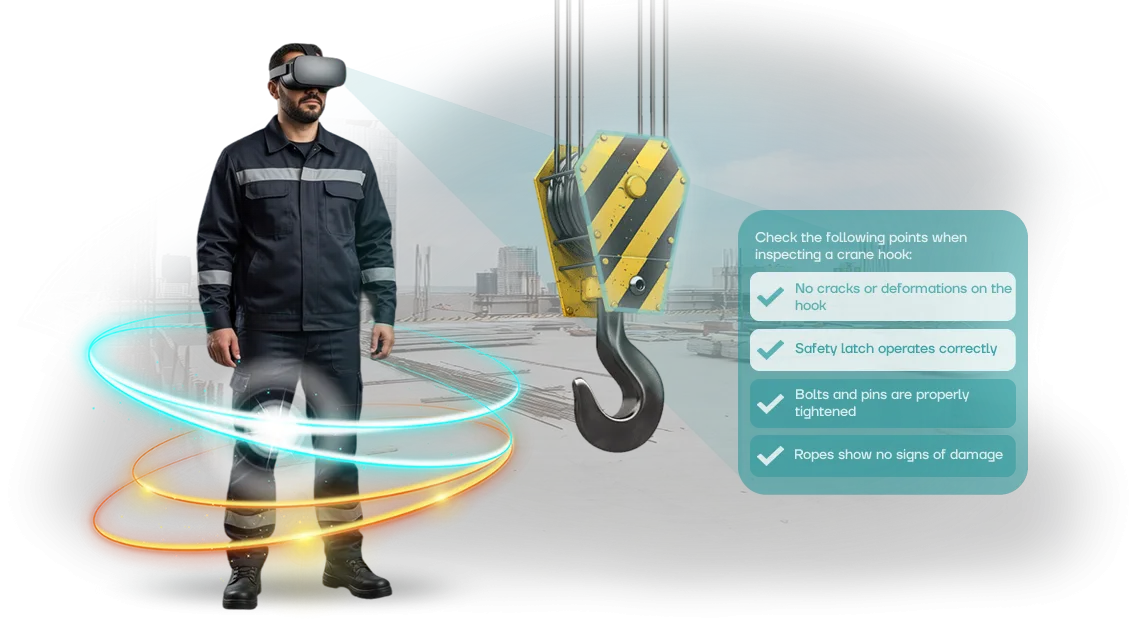
That's exactly why VR safety training was created: an employee experiences an emergency situation in a virtual environment, remembers the action algorithm, and trains their reaction without stopping production.
We help leather enterprises solve the problem of injuries and downtime. Instead of abstract briefings — scenarios that replicate the real workplaces of your workshop: from working with machinery to actions during fires or chemical spills.
The employee trains until the skill becomes automatic, and you get documented training — with transparent statistics on completion and errors.
What Implementing VR Safety Simulators Provides
Implementing VR simulators changes the approach to safety training: instead of lectures and posters, employees go through realistic scenarios in a safe environment.
We have been helping manufacturers move briefings into the practical realm for several years — and clients see measurable results.
Employee Engagement
Virtual reality immerses you completely in the scenario, so even experienced workers perceive it as a real situation. Interest in training grows, which means employees are less likely to skip briefings and remember the rules better.
Training Effectiveness
Practice shows: after a VR simulator, material retention is several times higher than after a standard presentation.
Mistakes that could cost dearly in real life here happen without consequences — a person learns from their own actions and brings skills to the point of automation.
Fewer Violations
When an employee "lives through" an accident on the simulator themselves, they begin to treat safety requirements differently.
On leather production lines, where there's a lot of manual labor and equipment, this directly reduces the number of injuries and violations — fewer downtime, fewer fines, less risk for employees.
Training Statistics
The system records each employee's actions: who completed the training, what mistakes they made, where help was needed. The manager sees the full picture for a workshop or the entire enterprise — transparent reporting for control and evidence for inspectors.
As a result, the enterprise gets not just a "briefing completion mark," but real staff readiness to act in emergency situations. Moreover, any training is integrated into the current process without stopping production.
VR Simulator Formats for Workplace Safety Training
In leather manufacturing, practicing safety skills is tied to real risks: working with chemicals, equipment, knives, and hot surfaces. Stopping the line for training is expensive, and a newcomer without practice isn't ready for an emergency.
VR simulators let an employee act in a safe virtual copy of the workshop, without stopping equipment or risking injury.
Choose a format to match the task: from individual scenarios to group training sessions. We design scenarios around your actual production areas — fleshing, tanning, dyeing — and integrate them into training programs, briefings, and knowledge checks.
Formats That Address Workplace Safety Tasks
| VR Simulator Format | For Whom | What It Gives the Client |
|---|---|---|
| Orientation session for new employees | Trainees entering the workshop for the first time | Quick immersion in movement routes, emergency exits, and behavior rules; fewer rookie mistakes in the first month of work |
| Emergency response practice | Workers in key trades, process operators | Skill in responding to chemical spills, fires, equipment failure without real threat; decisions are tested in a safe environment |
| Annual knowledge check | All workshop personnel | Objective assessment of employees using uniform scenarios; completion and typical error reports for the safety department |
| Group training for a team | Section supervisors, maintenance services | Practicing coordination during evacuation and joint actions in emergency conditions; a clear algorithm for each participant |
| Tool safety briefing | Fleshing and cutting operators | Practicing safe techniques with knives and machines, monitoring typical errors, reducing minor injuries |
This approach doesn't replace the instructor but removes routine work and delivers a measurable result: training proceeds faster, staff are ready for inspections by regulatory authorities, and scenarios are easily updated when regulations change.
How a VR Simulator Implementation Project Proceeds
No "dark rooms" or surprises — we've broken the process into transparent stages, where you always understand what's happening and what you're paying for.
The project takes from two weeks, but the key point is that at every step you have a working result, not a "raw mockup."
-
Briefing and audit of your production. We meet (or hop on a call), review your real scenarios: which operations are dangerous, where mistakes most often occur, what briefings already exist. No abstract "training in general" — only your specific workshops and tasks.
-
Scenario and simulator plan. In 2–3 days we prepare the scenario: which situations to practice, which errors to record, what the "exam" looks like for the employee. You receive a document you approve before work begins — and only then do we launch production.
-
Virtual environment development. We create a model of your workshop or area, populating it with the machines and materials you actually have.
After the simulator, an employee arrives at their workstation and recognizes every corner — this speeds up the transfer of skills into reality.
-
Interim version demo. Within 5–7 days of the start, you see a working version of the simulator on your screen or headset. We refine details — atmosphere, instruction wording, movement logic. It's easier to change now than after launch.
-
Launch and test training. We install the equipment on your site or set up remote access.
We conduct a short training for instructors: how to start a session, how to view statistics, what to do if an employee "gets stuck." The first employees complete training on launch day itself.
-
Support and development. We don't disappear after delivery. We set up regular reports on results (how many completed, which mistakes are most common), update the simulator when regulations change, and add new scenarios. Returning for more is normal, not an overhead expense.
--- The entire process — one dedicated manager on your side and one on ours.
That means you communicate with a person who knows your project from the first brief to the final report, rather than being "passed along the chain" or having to repeat your requirements three times.
Over 10 years, we've covered this distance with hundreds of companies, so we know how to anticipate most questions and resolve them in advance.
What's Included in VR Simulator Delivery for Manufacturing
When a manager first encounters VR training, the main question is what exactly comes in the package and who will manage it. We structure delivery so it solves a specific task: quickly start training employees in leather manufacturing and not stop halfway.
The complete delivery package looks like this:
- Professional VR equipment that works reliably in workshop conditions and is easy to maintain in-house.
- Ready-made scenarios for typical leather manufacturing situations: working with machines, chemicals, personal protective equipment.
- A set of "drill" scenarios that simulate emergency situations without real risk to people or equipment.
- Configuration tools so your specialist can independently update scenarios and add new processes — without programming knowledge.
- Analytics system: a manager's dashboard with progress and error trends — broken down by workshop, shift, or employee.
- Methodological materials for internal instructors: session procedures, assessment checklists, onboarding training plans.
- Training for your team: we pass on skills in using the simulator and tracking system on-site or remotely.
- Technical support for the entire service life: consultations, content updates, setup assistance, and prompt resolution of issues.
This package covers the entire cycle — from equipment delivery to your employees starting to learn and seeing measurable results. You get not disposable devices, but a system that works for you.
Case Study: Leather Manufacturer Cuts Injuries by Half
In leather manufacturing, almost every area involves cutting and press machines — a mistake at a machine costs dearly: line downtime, medical treatment, fines. The previous training boiled down to a video and a signature in a logbook.
A new employee was formally cleared to work but wasn't actually ready for an emergency. Management was looking for a way to reduce injuries without spending a week on each person.
We took the client's real scenarios and built a VR simulator where you can make mistakes without consequences. Our team modeled the most common tasks: changing a cutting element, working with a press, smoke and evacuation.
The employee immerses themselves in the situation, makes decisions, and the system records every action — this lets you precisely close gaps in knowledge.
Measurable Results
Three months later, the plant got the numbers that justified the project. Injuries dropped by half compared with the same period last year. The share of employees who successfully passed the safety briefing grew from 64% to 97% — with the same staff and the same equipment.
Knowledge check time fell from four hours to thirty minutes per person, which for a plant with 250 employees means almost a month of saved working time per year.
Transparency also appeared: the manager sees which step causes difficulty for each worker. This enabled targeted retraining sessions instead of general lectures. Within two months, the client returned for a second scenario — this time for the leather chemical processing workshop. The repeat order was the best confirmation: the result was visible to everyone.
How to Choose a VR Simulator for Your Production Specifics?
When choosing a VR simulator for leather manufacturing, the main benchmark is not how "cool" the technology is, but how closely the scenario reflects the real risks of your workshops.
Every enterprise has its own dangerous areas: rotating equipment, chemical solutions, heated surfaces, moving heavy tubs. A simulator that practices abstract rules won't teach an employee to act at your machine.
That's why we first study production specifics: site layouts, typical staff routes, briefing logs, recorded violations. Based on this, we propose scenarios that test exactly the actions your enterprise needs. Compare the formats:
| Simulator Format | For Whom | What It Gives the Client |
|---|---|---|
| Ready-made scenario library | Enterprises with typical risks that need to quickly train a large group | Lower entry barrier, time savings on launch, training on basic regulations |
| Adaptation to your workshop | Productions with unique layouts or equipment | Staff recognize their own workstations, practice on familiar objects, higher engagement |
| Custom scenario for a process | Leather plants with hazardous operations, frequent staff turnover, special regulatory requirements | Full alignment with your technological maps, verification of specific skills, readiness for emergencies |
Whichever option you choose, we support the project: we gather a brief with your safety specialists, show a scenario prototype, and refine it before launch.
If equipment changes or new regulations are introduced, the scenario can be updated — this isn't a one-time delivery but a working tool.
A properly selected format delivers a measurable result: shorter onboarding briefings, fewer errors around hazardous areas, confident employee actions in emergency situations.
Choosing a VR simulator for your production specifics isn't choosing a gadget — it's reducing risk for people and business.
Frequently Asked Questions About VR Simulators and Workplace Safety
"Leather manufacturing is a constant risk of injury: working with chemicals, heavy blanks, moving machinery. Will staff treat a VR simulator as an expensive toy? Will employees resist the new format, and will the equipment break down in the middle of training?
— these doubts are understandable. Let's go through the most common questions and show how we address each objection.
Employees won't take the VR simulator seriously — won't they refuse to train?
VR training is built as scenarios, not a lecture. A person enters a familiar workshop with leather, tanning solutions, and presses — and makes their own decisions in a hazardous area.
This creates natural engagement: employees get involved faster because they see the consequences of their mistakes visually, not on slides.
Experience shows: those who are most skeptical about briefings are the ones who pick up VR most easily. The format is like a computer game, so it requires no special preparation.
In 20–30 minutes, an employee completes the scenario, reinforces the skill — and carries away real experience, not abstract rules.
What if the equipment breaks or becomes obsolete — will we be left with an expensive kit?
We're responsible for the entire setup cycle and test every system before launch. The simulator comes with service support: if something malfunctions on site, our specialists quickly connect remotely and resolve the issue.
The training kit is also built for daily use — this isn't a fragile prototype, but proven equipment for intensive work.
Training scenarios are designed so they can be updated to match new enterprise regulations. When you change a technological map or introduce new safety requirements, we refine the VR module — and the simulator keeps working for years.
How long does it take to launch training — won't this take months?
We prepare a standard scenario for a workshop's key risk in 2–3 weeks. You don't need to configure anything or understand the technology — we handle installation, commissioning, and briefing for the person responsible for workplace safety. The simulator launch aligns with your training schedule, so production doesn't have to stop.
Training takes the form of short sessions: groups of employees complete the simulator sequentially during the workday. This fits easily into leather manufacturing shifts without creating downtime.
Will a VR simulator pay off if we're a small factory with up to 50 employees?
One workplace accident costs an enterprise significantly more than workplace safety training.
A VR simulator pays off even if you conduct training only a few times a year: scenarios consume no materials, require no training ground rental or workshop shutdown — all employees train with a single kit.
Beyond incident costs, VR training reduces the risk of fines from regulatory authorities. You document each employee's full completion of the briefing, and the report is generated automatically. Accounting sees savings, safety sees order, and management sees reduced injuries.
Submit a Request for a VR Simulator for Your Enterprise
Submit a request for a VR simulator — and within one working day, get a concrete plan tailored to your leather manufacturing operation. We don't sell a "box"; we build a solution around your safety department's tasks: your risks, your instructions, your scenarios.
Where do we start? With a consultation: we'll review which areas need training first, how to integrate the simulator into your existing briefing system, and which formats already deliver results at other manufacturing sites.
After that, we'll prepare a cost estimate — transparent, without hidden surcharges or ties to "one right" package.
What you get after contacting us:
- A personal consultation with a workplace safety specialist with industrial experience.
- An analysis of your instructions and regulations — we translate them into simulator scenarios.
- Cost calculation based on your scale: from a single workstation to multiple workshops.
- A pilot project demonstration — you'll see the simulator in action before purchasing.
- An implementation plan that accounts for shift schedules and equipment downtime.
- Support after launch: scenario updates and technical assistance.
A pilot project is the safest way to evaluate the impact without large investments. On a limited group of employees, you'll test how the VR format affects material retention and gather the first numbers for management.
Submit a request for a VR simulator right now — we'll call back within one business day, answer your questions, and prepare a proposal for your leather manufacturing operation.