

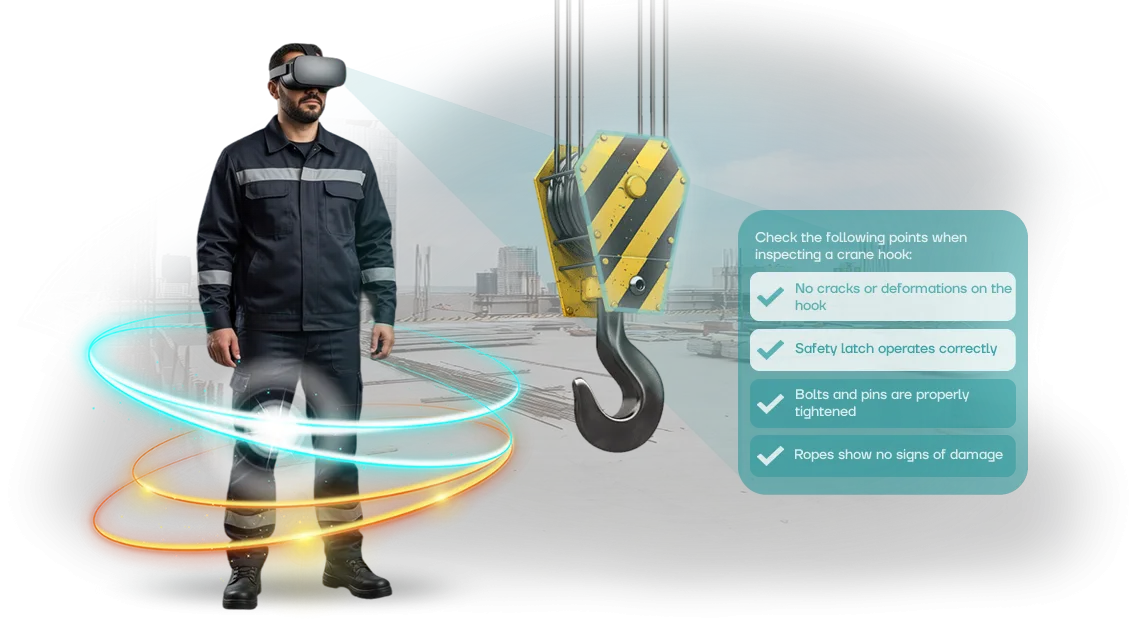
Why an on-prem VR simulator reduces workplace injuries
Traditional occupational safety briefings often become a formality: the employee listens to a lecture, signs the logbook, and within a week is back to old habits.
The price of such formality is injuries, downtime, investigations, and fines that cost the business tens of times more than quality training.
A manager is responsible for people and results, so they need a tool that actually changes behavior on the floor, not just records attendance.
VR training solves this problem: the employee enters a realistic production environment and practices actions in dangerous situations without physical risk.
The brain remembers such experience significantly better than text or video — in a critical moment the employee acts on a well-practiced skill rather than confusion. This is not entertainment, but a practical personnel training tool that directly affects workplace safety.
An on-prem VR simulator amplifies this effect for the company: training data and employee results stay within your perimeter, do not go to external services, and are protected from leaks.
The system works reliably even with limited internet access, deploys on your infrastructure, and easily scales to new sites and professions.
For the manager, this means full control over the training process, transparent reporting, and confidence that every employee has actually completed the training, not just "sat through" the briefing.
We develop such simulators for the specific tasks of a given production facility: we model your workshops, equipment, and typical emergency scenarios.
As a result, the company gets not a pretty demo video, but a working tool that reduces injuries, improves discipline, and pays for itself through prevented incidents.
What immersive occupational safety training delivers: 5 key results
Immersive occupational safety training ceases to be a formal instruction and becomes a manageable business process.
Instead of a checkbox in the logbook, the employee gains real experience of acting in a dangerous situation — and the company gets measurable results that affect costs, reputation, and operational stability.
The first and main result is reduced injuries. By practicing emergency scenarios in a virtual environment, the employee learns to act without health risks.
Muscle memory and correct behavior algorithms are reinforced faster than when reading a handout, so the number of workplace accidents drops noticeably — along with lost work time and compensation payments.
The second result is increased engagement. A VR simulator holds attention entirely, not "in the background" like a video. The employee makes decisions themselves and sees the consequences, so the training is remembered as a personal experience, not a boring lecture. This improves material retention and reduces the number of retakes.
The third result is savings on fines and claims from regulatory authorities. When the briefing is conducted genuinely rather than nominally, the number of violations found during inspections decreases. This means fewer administrative penalties and litigation risks.
The fourth result is training speed. An immersive scenario allows practicing several emergency situations in a single session — situations that in reality happen once a year.
The company reduces the time of initial briefing and periodic knowledge checks without losing training quality.
The fifth result is standardization and manageability. All employees undergo an equally objective skills assessment, and the results are recorded in the system.
The manager sees the real skill level of each employee and can send them for additional training in time — before a mistake leads to an incident.
Training formats: which option fits your task
VR simulator formats differ not in technical sophistication, but in launch speed, budget, and precision in matching your processes. Some need a standard briefing as early as this month, others need a scenario for specific regulations and equipment. The choice of format directly affects implementation timelines and return on investment.
To simplify the decision, we have broken the options into four clear groups. Below is a comparison of formats: what the business gets in each case.
Format comparison
| Format | Who it suits | What the client gets |
|---|---|---|
| Ready-made VR simulator | Need to quickly cover a standard topic | Launch within weeks, transparent pricing |
| Custom development | Have own regulations and equipment | Scenario mirrors your processes |
| On-prem VR simulator | Enterprise data protection is critical | Everything inside the perimeter, no external services |
| Hybrid: core + customizations | Need a balance of budget and uniqueness | Faster than custom development, tailored to nuances |
The on-prem option is especially relevant for plants and enterprises with a closed perimeter: data on employee actions stays inside the company boundary. We take care of deployment, configuration, and maintenance — you don't need to dig into server details.
Whichever format you choose, the result is measured in business metrics: fewer errors at workstations, faster initial briefings, higher employee engagement. Tell us your task — we'll help you choose an option for your budget and timeline.
How implementation works: stages and timelines
We have structured the process so that you understand what happens at every step and how long it takes. No "black boxes": before the start, you see the plan, timelines, and cost.
A typical cycle is 4 to 8 weeks; exact timelines depend on the number of scenarios and the specifics of your production.
- Brief and interview. We gather scenarios, regulations, and typical employee mistakes that need to be practiced in the simulator.
- Prototype and scenario approval. We show how the training will look, discuss the content — you make edits before development starts.
- Plan and cost estimate. We fix the stages, timelines, and cost in the contract so you see what you are paying for.
- Development. We create the 3D environment, interactive scenarios, and an action assessment system, and give you access to a demo version.
- Testing with your team. Employees go through the training, you provide feedback, we make final edits.
- Launch. We install the on-prem solution on your equipment, set up user accounts and reports, and train the administrator.
- Support. We update scenarios for new regulations and help expand the program to other departments.
Each stage ends with a clear result: a document, a demo version, a working simulator. You always know where the project stands and when it will be ready.
What's included in the VR simulator delivery: launch kit
You get not just a VR program, but a ready-to-work kit. It contains everything needed to start training from day one: methodology, scenarios, instructions, and initial support. Here's what's included in the VR simulator delivery:
- Training methodology — the course is divided into short blocks: briefing, skill practice, knowledge check. The employee progresses from simple to complex scenarios without overload.
- Ready-made VR scenarios — typical production situations: from grounding to emergency response. Scenarios are adapted to your site and regulations.
- Instructions for employee and administrator — guides on how to put on the headset, complete a session, and view results. Nothing to invent — just hand them out and go.
- Learning management system — see who completed the training, on which attempt, and where mistakes were made. A report for the manager is generated automatically.
- Launch and setup — our specialists install the software, check the equipment, and conduct the first session together with your employees.
- Training for your instructors — we show how to run sessions independently, modify scenarios, and work with reports.
- Support in the first weeks — we consult on questions and update scenarios and instructions if necessary.
This kit removes the main risk: you are not left alone with the technology. Everything needed to start is already packaged — all that remains is to schedule a group and begin.
Case study: how an industrial holding reduced injuries by 40%
For the MetallurgProm holding, high injury rates were a direct threat: workshop downtime, compensation payments, and the loss of qualified personnel. Standard briefings and posters did not build the skill — employees knew the rules but acted incorrectly in stressful situations.
We proposed an on-prem VR simulator: the system runs on the client's equipment, and data never leaves the security perimeter. Employees go through scenarios in a virtual copy of the workshop — from smoke to falling loads. A mistake in VR has no consequences, but is remembered better than any poster.
Result in 8 months
In 8 months, 1,400 employees completed the simulator training — all shifts, including rotational workers. Workplace injuries dropped by 40%, and the number of violations during scheduled occupational safety inspections fell 2.5 times. Spending on compensation for minor injuries was cut in half — significant annual savings.
Why the client stayed with us
Within six months, the holding ordered a second on-prem VR simulator — for fire response practice — and expanded licenses to adjacent sites.
The repeat order did not come out of politeness: the occupational safety department compared statistics before and after and saw that VR training reduces briefing time and delivers measurable results visible to both the CFO and the plant manager.
What if the format doesn't fit our production?
Your concern is understandable: every production is unique, and a standard solution may not fit your regulations and real conditions. That's why we don't sell a "box" — we design the simulator for a specific site, equipment, and action scenarios.
At the start, we conduct a workplace audit and, together with your specialists, determine which situations should be practiced first.
To reduce risks, we begin with a pilot site. In a few weeks, we prepare a working prototype that you and your employees can use to check how realistic the model looks and how convenient it is to interact with.
After that, we make adjustments to scenarios, difficulty levels, and action sequences — before rolling the solution out to all workshops.
The simulator does not replace your existing training system; it complements it. We integrate it into your briefings, track completion statistics, and generate reports for certification.
We install the equipment directly on the enterprise premises and configure it for your infrastructure — data stays inside the company, which is especially important for secured facilities.
If at some stage the format turns out to be ineffective, you are not left alone with the problem. The contract specifies stages with result checkpoints, refinement, and post-launch support.
We have already adapted VR training for various industries — from mechanical engineering to food production — and in every case we found an option that delivers a measurable effect in personnel training and risk reduction.
Frequently asked questions about training implementation
Doubts before adopting a new training format are normal. We have collected the questions managers ask most often and answer them directly: what about repairs, how does operation work, and when will the return on investment appear. Short and to the point.
What happens if the simulator breaks down?
We build the system on professional equipment and server architecture, so a failure is a rare situation. But if it happens, you won't have to deal with it alone: engineers diagnose the problem remotely and, if needed, quickly replace the component. Training will not stop during the repair — some scenarios can be run at backup stations.
Is such a simulator difficult to operate?
No. The system starts with a "turn it on and go" approach: the instructor selects the program, puts on the headset, and the employee begins the training.
You don't need to hire a dedicated administrator or study complex manuals — training takes one day, after which you work independently. All result reports are collected automatically.
How quickly will an on-prem VR simulator pay off?
The payback comes from three sources: reduced costs for renting training facilities, fewer errors and hazardous situations, and faster onboarding of new employees. In most projects, the difference becomes noticeable within 3-4 months — especially with regular training.
The exact period depends on the number of employees and training frequency, but usually does not exceed a year.
What does the company need to provide for implementation?
Only a space of 3-4 square meters and a standard power outlet. We deliver and configure the equipment ourselves and handle all the technical side. You just need to assign someone responsible for the schedule — and you can launch the first groups.
Leave a request for implementation consultation
Think about the cost of a workplace accident — downtime, fines, loss of reputation. A VR simulator practices emergency scenarios without risk to people, but for it to deliver value, you need to choose the right scenario and format. That's exactly why we conduct an implementation consultation.
Leave a request — and in a single conversation you will get:
- Expert assessment: whether an on-prem VR simulator fits your tasks and how to integrate it into your current training;
- A cost estimate for your scenario — no hidden fees or "fine print";
- An implementation plan: from equipment procurement to launching the first training sessions;
- A demonstration of similar projects — see how it works in your industry;
- Clear timelines: when the simulator will go live and who will support it;
- Format recommendations: stationary zone, mobile class, or hybrid.
After the consultation, you will understand which specific skills you will practice with your employees, what it will cost, and when it will start delivering results. No obligations — just useful information and specifics.
Now is a good time to prepare your training program for the next inspection season. Leave a request — our engineer will call you back within a business day, answer your questions, and prepare an individual proposal.