

Corporate rewards do not motivate: how Microsoft Teams will fix this?
Employees stop responding to familiar corporate incentives: certificates, commendations, and gift cards are perceived as a formality. The value of a reward drops when it cannot be chosen or exchanged for something truly needed.
As a result, internal motivation programs run idle—and along with them, engagement and the desire to achieve results decline.
The problem is not a lack of care for personnel, but the format. When bonuses come from above without employee involvement, they do not create a sense of choice or personal value.
Engagement is born when a person decides for themselves what to spend earned points on and sees the path from achievement to prize.
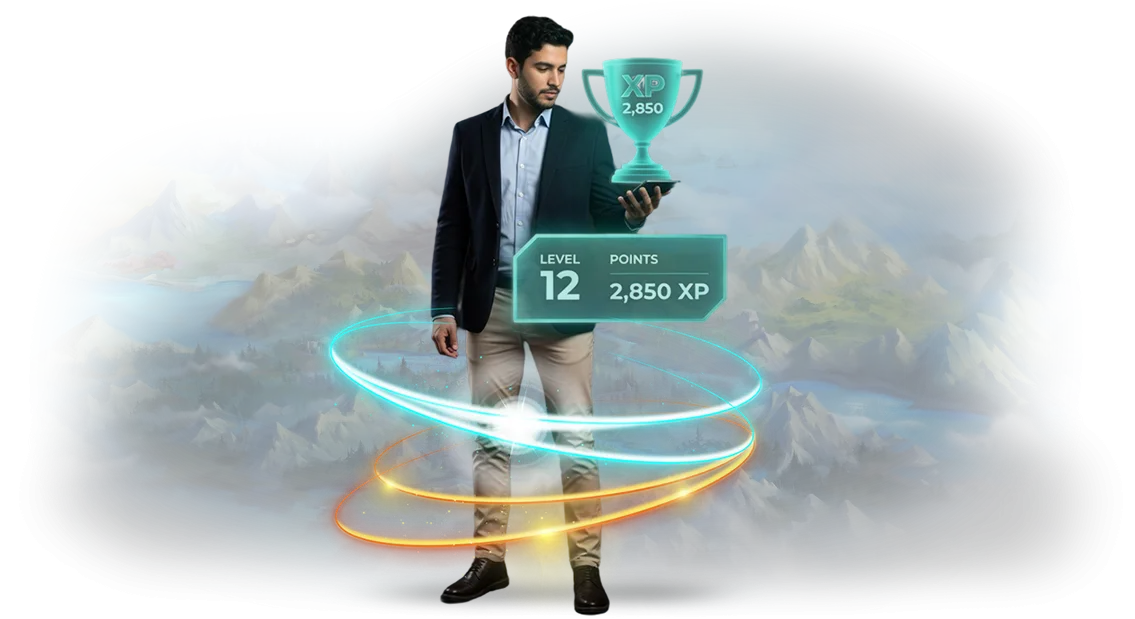
This is exactly what a corporate reward store inside Microsoft Teams provides. An employee accumulates points for completed tasks, challenge wins, and contributions to shared projects, then chooses a reward from the storefront—from an extra day off to merch or training.
Teams is already part of everyone's workflow, so no additional training is required, and the reward itself is always at hand.
For businesses, this is a working motivation tool, not a one-off campaign. Managers see which actions are rewarded, employees see transparent rules and the real value of bonuses.
Such a reward storefront restores meaning to the recognition system: it links results with personal benefit and makes achievements visible to the entire team.
We create corporate reward stores tailored to a specific company's objectives: we configure the catalog, point accrual rules, and the storefront interface in Teams. Implementation takes a few weeks—and the system begins working to retain employees and grow their engagement.
The result is measured not by the number of gifts given, but by how people's attitude toward achieving goals changes.
What implementing a reward store will bring to business and employees
A corporate reward store is not just a nice bonus, but a full-fledged gamification tool built into Microsoft Teams. It turns routine tasks into a game with clear rules and valuable prizes.
For business, it is a way to increase employee engagement without inflating the budget for motivation programs.
Here are five key benefits you will notice after launch:
- Increased activity. Employees begin to engage in processes on their own: completing tasks, helping colleagues, participating in corporate events. Points and rewards serve as a constant reminder of goals, and the system gently nudges even passive participants into action.
- Bonus transparency. Each employee sees in their personal account how many points they have earned, for what exactly, and which rewards are available. Disputes and feelings of unfairness disappear: compensation becomes clear and deserved. This increases trust in management and reduces tension in the team.
- Emotional connection with the brand. Rewards with corporate branding, gift certificates, and unique experiences create positive emotions. An employee does not just meet targets—they feel a sense of belonging to the company and its culture. This approach strengthens corporate culture and makes the employer brand more attractive.
- Data collection. The reward store provides analytics: which activities actually engage the team, which departments are more active, which prizes are in demand. You get a transparent picture of gamification effectiveness and can adjust strategy based on numbers, not intuition.
- Employee retention. A clear point accumulation system and long-term major rewards create a perspective. A person sees that their efforts are rewarded and does not want to lose what they have accumulated. Based on our project experience, companies report a reduction in turnover by an average of 15–20%.
Each of these benefits directly affects business results: higher productivity, lower hiring costs, and a strong HR brand. We will help you configure a reward store for your tasks, integrate it with Teams, and launch mechanics that work every day.
Reward store formats in Microsoft Teams: from basic to premium
A corporate reward store turns one-off incentives into a system that works constantly. An employee sees their achievements, chooses a gift or bonus, and a manager approves the accrual—all within the workspace. Such a store motivates the team and eliminates manual spreadsheets and correspondence.
We offer three implementation formats so you pay only for the functionality you need. Below is a comparison based on the tasks each option solves.
| Format | For whom | What the client gets |
|---|---|---|
| Starter | Small team, first steps in gamification | Quick launch of a reward storefront in a few days, manual population, basic points, and exchange for prizes |
| Standard | Growing business with an active team in Teams | Automatic point accrual for tasks, gift catalog, engagement reports without manual work |
| Premium | Large companies and chains | Custom scenarios, HR system integration, effectiveness analytics, priority support |
The Starter format is suitable if you need to quickly launch a storefront and test employee reactions. Standard covers the task of regular motivation: points accrue automatically, managers see activity, and the gift catalog is easy to update.
Premium is a full-fledged motivation management system that takes development plans into account and links rewards to business metrics.
Whichever format you choose, we work with proven tools and use the native capabilities of Microsoft Teams—this guarantees stable operation and data safety. We will help you decide on an option, calculate the load, and offer a solution for your tasks.
The main thing is that you get a transparent system that increases engagement and reduces the burden on HR.
How we will create the reward store: stages and timelines
You will see what is happening at every step and can influence the result. We record agreements in a document to avoid mismatched expectations. The process is divided into six stages—from brief to support. On average, the full cycle takes 3–4 weeks, including all approvals.
- Brief and discovery — you tell us about the goals of the motivation program and the rules for point accrual. We propose a work plan with milestone dates.
- Store concept — we define reward categories, point values, limits, and validity periods. You get logic that any employee can understand.
- Prototype approval — we show how the storefront looks inside Microsoft Teams: reward selection, order placement, status. You make edits before development starts.
- Development and integration — we set up the connection to your point accrual system, roles, and access rights. At an intermediate stage, you test the result in a trial mode.
- Launch and training — we enable the store for employees, prepare a short guide, and, if necessary, hold a presentation for the team.
- Support and development — we monitor operations, answer user questions, and help add rewards and change rules without reworking the system.
The outcome is a store that works in Microsoft Teams and requires no management effort from you: employees choose rewards themselves, while you see statistics and manage the catalog.
What is included in the delivery: a ready-made store for Teams
The delivery package includes everything needed to launch a corporate store in Microsoft Teams without involving developers.
You get not just a technical solution, but a working motivation tool: employees see rewards, accumulate points, and exchange them for pleasant bonuses—immediately after installation.
- Reward catalog: ready-made content aligned with your values—from merch to extra days off. You decide on the items and change them at any time without the help of programmers.
- Store storefront: a clear interface inside Teams. An employee opens the tab, sees available rewards and the conditions for receiving them—without unnecessary navigation or explanations.
- Point balance system: automatic tracking of accruals and deductions. A manager sees each employee's balance, and an employee sees their transaction history.
- Design and branding: adaptation of the storefront to your corporate style—logo, colors, fonts. The store looks like part of your ecosystem, not a third-party service.
- Employee instructions: short guides and video tips. Anyone can figure it out in a couple of minutes, even if they have never used such services before.
- Admin training: a practical session for HR specialists and managers. We cover catalog settings, point management, and typical scenarios so you can run the store independently.
We hand over the project with full documentation and launch support. As a result, you get a ready-made tool that starts working on the day of implementation and increases employee engagement from the first week.
Case study: how a company increased engagement with rewards
Managers often face the problem of employees being indifferent to corporate programs: they rarely visit the portal, forget about achievements, and skip training. Common incentive methods—certificates and mass emails—do not evoke emotion and quickly stop working.
The reason is a lack of gamification: there is no clear scenario that turns routine actions into a game with a reward.
We implemented this gamification case for a retail chain with thousands of employees. The team works in a messenger every day, so the corporate reward store was placed directly inside Microsoft Teams.
Employees receive points for completed tasks, completed courses, and helping colleagues, then exchange them for bonuses and offers. No new systems or extra passwords—everything in one window that people are already familiar with.
Project results
After launch, employee activity grew by 45%, and the number of completed tasks increased noticeably. People began participating in training more often because they see a concrete result from their efforts.
Managers, in turn, gained a transparent picture of engagement: it became clear which employees are working in the flow and who needs additional motivation.
Six months later, the client expanded the storefront with new reward categories and returned for further system development.
This confirms the value of the approach: gamification became embedded in daily work processes and began delivering benefits without constant manual oversight.
The company received not a one-off campaign, but a tool that steadily increases engagement and keeps employee interest high.
How to choose the right reward store format?
The right reward store format depends directly on the scale of the incentive program and the expected result. A small team that wants to quickly congratulate employees only needs a simple storefront with a limited catalog.
A large business with several departments needs a full-fledged corporate store in Microsoft Teams: it automatically deducts points, shows balances, and prepares reports for managers.
There are three key factors: the number of employees, the frequency of rewards, and the degree of automation. These determine the development cost—the more participants and reward types, the higher the requirements for reliability and administration.
But this does not mean you will have to overpay: you can always start with the basic format and expand it as you grow.
How to choose correctly? Define your priority: quick launch, low price, or deep integration with existing processes. If the team is small and rewards are rare—take the simplified format.
If you plan to reward regularly, with new categories and budgeting—choose a functional store with automation.
We do not recommend selecting a format by template. A short conversation with the head of HR and marketing is enough—and we will offer 2–3 options with a clear range of timelines and budget.
You can compare the capabilities of each option and choose the one that covers your tasks without unnecessary expense.
The main benchmark is employee convenience and your confidence that the system will last more than one year. A properly chosen format pays off through automation and engagement growth, rather than requiring rework after six months.
Therefore, solution selection starts with your business goals, not technical details—we help from the very first step.
Common doubts: answers to fears before ordering
Before launching gamification, many clients have the same questions: will it disrupt work processes, how protected is the data, and who will help after launch. We answer the main fears honestly—without technical details, only about what matters to your business.
Won't the reward storefront distract employees from work?
On the contrary—it motivates them to perform targeted actions: closing deals, delivering projects, helping colleagues. An employee opens the familiar Teams interface, sees their progress, and understands what to do next.
This is not a game for the sake of a game, but a tool that integrates into your business processes and increases engagement without coercion.
How safe is it to use corporate data?
All information stays within your Microsoft infrastructure. Only those employees you have granted access to can see the reward storefront—no outsiders will see internal data.
We do not request anything extra: we work with the same permissions as a regular Teams application, and all actions are recorded for your control.
Who will support the system after launch?
After project delivery, we do not disappear: a communication channel with our team remains, where you can ask any question. If you need to adjust reward accrual rules or add new prizes, we will make changes promptly. We also provide a clear guide so your administrator can manage the storefront independently.
Is it difficult to integrate the storefront with the company's current processes?
Integration happens inside Teams, which employees already use—there is no need to install new systems or change familiar work tools. We configure reward rules according to your criteria: for which actions, to whom, and how points are accrued.
Launch takes from a few days to a couple of weeks depending on scale, and you receive intermediate results throughout the process.
If you recognize your own doubts in these questions, that is normal. We have completed dozens of implementations and know how to make the process comfortable for business: with clear stages, quick launch, and support at every step. Leave a request—we will review your scenario and show how gamification will work specifically for you.Order a turnkey reward store today
Want employees to actually use corporate rewards instead of forgetting about them after a week? A reward store for Microsoft Teams turns recognition into a simple and visible process right where the team already works. It works even where rewards were previously given rarely.
We handle all development—from idea to launch—all you have to do is accept the finished result. You will not need to figure out the settings—we will do everything for you.
Order a turnkey development—and get a tool that increases engagement and creates a culture of gratitude inside the company. Before starting, we will prepare a project calculation, propose an implementation plan, and answer all questions.
No hidden conditions—only clear timelines, a fixed estimate, and a result you will see in action right away. Here is what the project includes:
- Project calculation and estimate before work begins
- Consultation on reward scenarios
- Store design aligned with corporate style
- Configuration of rights, roles, and reward categories
- Testing and launch without stopping work
- Admin training and post-launch support
Leave a request on the website—we will contact you within one business day, clarify your tasks, and prepare an individual proposal. The consultation is non-binding: you will receive a project calculation, an implementation plan, and answers to your questions.
After that, you can calmly compare, weigh, and make a decision—or simply start working on your reward store.