

Employees Don't Use SharePoint: How to Fix It
The corporate portal on SharePoint exists, but employees avoid it. From our observations, only a small part of the team regularly logs in: documents get lost, approvals drag on, and internal communications scatter across email and messengers. As a result, the portal turns into a "digital warehouse" that people visit occasionally.
Why does this happen? Employees don't see any personal benefit in working with the portal. For them, it's mandatory routine, not a tool that helps them achieve goals.
Without feedback, recognition, and rewards, motivation quickly fades — even if the interface is convenient and the features are useful.
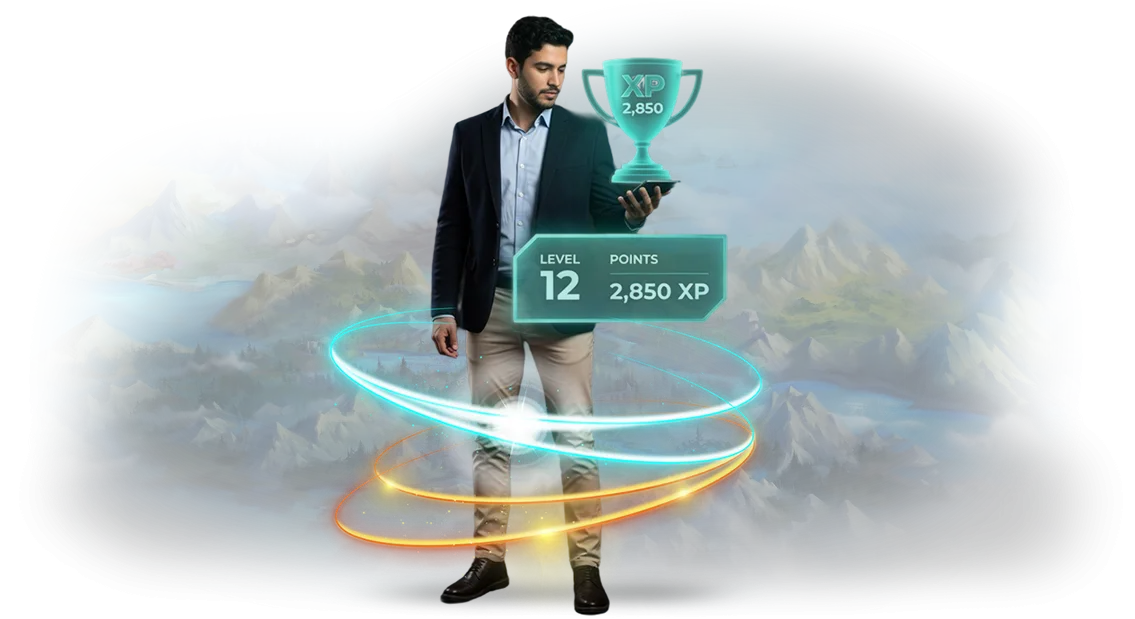
Gamification solves exactly this problem. We turn working in SharePoint into an engaging process: employees earn points for completed tasks, unlock levels, compete with colleagues, and exchange accumulated rewards in the corporate store.
This isn't a game for fun, but a proven way to boost engagement and make the portal a familiar work tool.
As a result, activity in the system grows: employees start using SharePoint for documents, tasks, and communications on their own. Managers see process transparency, and HR gets real motivation tools that work without coercion.
We develop a virtual corporate rewards store (Corporate Store) for SharePoint: from point mechanics to a prize catalog. Tell us about your goals — we'll find a solution for your team and help bring your corporate portal to life.
What a Corporate Rewards Store Brings to Business
A corporate rewards store on SharePoint turns the recognition system from a formal procedure into a living, clear tool. Employees always see how many points they've earned and immediately choose a reward. This changes their attitude toward work: the result becomes visible and tangible.
-
Employee motivation. A clear connection between "result → points → reward" drives people to engage more actively than abstract promises. Employees strive to get what they chose themselves.
-
Fast rewards. Points are awarded immediately after achievement, and the storefront is always open. Employees don't wait for the end of the quarter — they see the value of their work here and now.
-
Employee retention. Accumulated points and favorite rewards are a compelling reason to stay with the company, especially when the assortment is regularly updated and reflects team interests.
-
Employer brand. A modern reward system is part of a company's image. It shows that the company values its people, which attracts strong specialists in the job market.
-
Transparency and trust. Everyone sees the accrual rules and their own balance. Conflicts over "unfair" bonuses disappear — everything is objective and open.
As a result, the company gets not just a "corporate gift," but a working motivation management tool. Turnover decreases, engagement and productivity grow — investments in team development pay off.
Gamification Formats for Business Processes
Gamification formats differ not in the set of points, but in which business task they solve. Ratings fuel the competitive spirit, quests engage people in learning, and a virtual rewards store turns accumulated points into real value for employees. Whether participants feel a personal interest in the process depends on the format chosen.
When selecting mechanics, it's important to understand: is your goal a one-time event or an ongoing motivation system? A rewards store works as a long-term tool — employees accumulate points, see their achievements, and choose themselves what to spend them on. Other mechanics deliver quick results but burn out faster.
| Format | When to Choose | What It Gives the Client |
|---|---|---|
| Virtual rewards store | You need a system that works for years: rewarding results, retaining valuable employees | Employees see the "action — reward" connection, choose the prize themselves, turnover decreases |
| Ratings and honor boards | You need to stimulate competition in a sales department or among managers | Rapid activity growth, healthy competitive spirit, public recognition of top performers |
| Quests and scenarios | You need to onboard new hires or launch a product | Game-based learning, fewer mistakes, engagement from the first days |
| Levels and ranks system | You need to maintain interest in routine tasks | A clear "career path" inside the company, each next level keeps interest alive |
As you can see, each format has its own audience and lifecycle. For an ongoing loyalty program, we recommend a virtual rewards store on SharePoint — it integrates easily into work processes and requires no retraining of employees.
But choosing the right format always starts with your goal. We'll help you pick the right mechanics for your specific task — from idea to implementation.
How Gamification Implementation Works: Stages
We don't start work until you see the entire path. Gamification implementation into business processes is structured so you control every project stage and know what you'll get by a specific date.
You don't need to understand technical details — just approve decisions, and we take on implementation and support.
-
Brief and goal setting. We discuss why gamification is needed: increasing engagement, accelerating learning, boosting sales. We define the target audience and expectations so we don't have to redo anything later.
-
Game mechanics concept. We design a scenario for your processes: rewards storefront, points, recognition rules. It must be clear to employees how to participate and interesting enough to make them want to come back.
-
Plan and timeline approval. We show the project stages with dates and checkpoints. You approve the plan, see development and launch timelines, and lock in the budget before work begins.
-
Interface design. We create a rewards storefront in your SharePoint: a convenient store, personal account, request statuses. The design follows your company's brand style.
-
Setup and integration. We connect the system to the employee directory and rewards catalog. Together we test key scenarios so there are no failures at launch.
-
Launch and team training. We take the storefront live and prepare instructions for employees and administrators. We show how to award points and issue rewards.
-
Support and development. We analyze activity and collect feedback. When needed, we adjust mechanics, add new rewards, and improve the interface.
What's Included in the Corporate Rewards Store Delivery
A virtual rewards store is not just a prize catalog, but a working motivation tool that turns corporate recognition into a clear game. Employees see which rewards are available, how many points they've accumulated, and what's needed to get the next one. Managers get a ready-made recognition system that works for brand awareness and team engagement.
Here's what's included in the corporate rewards store delivery package:
- Rewards catalog with storefront — a convenient structure: e-certificates, brand merchandise, souvenirs, extra vacation days. Employees easily find what interests them and understand the "price" of each item in points.
- Points and rules accrual system — you set which actions earn points: KPI completion, contest wins, helping colleagues. No confusion — all conditions are transparent and visible to every participant.
- Employee personal accounts — accrual history, current balance, reward order status. People see at any moment how much they've earned and what else they can get.
- SharePoint integration — a single entry point for employees, seamless synchronization with the corporate portal. No need to get used to a new system — the rewards storefront becomes a natural part of the workspace.
- Gamification mechanics — levels, badges, progress, rankings. This turns point accumulation into an engaging process that sustains interest throughout the program.
- Administration module — you manage the catalog, rules, and balances through a clear dashboard. Adding new rewards, adjusting prices, manually awarding points — all done in a few clicks.
- Performance reporting — data on which rewards are in demand, how many points were awarded, how often employees participate in the program. Use this information to improve your motivation scheme.
- Documentation and training — instructions for administrators and participants, plus initial setup for your processes. The team gets everything needed to work independently right after launch.
Every item in the package addresses a specific task: from rule transparency to budget control. You get a ready-made corporate solution that stays flexible and evolves with your business.
Case Study: How Gamification on SharePoint Boosted Activity by 40%
Do employees only visit the corporate portal when forced? Reports submitted at the last minute, training completed just to check a box, and internal services left unused.
A retail chain manager with 1,500 employees came to us with exactly this problem: the portal existed, but activity stayed at a minimum. We proposed turning routine into a game — through a virtual rewards store on SharePoint.
Within a month, we rolled out a corporate rewards store: employees earned points for business-relevant actions — submitting results reports, completing courses, participating in internal contests.
Points accumulated in personal accounts and could be spent on perks: an extra day off, certificates, branded gifts. We designed the process so employees had no questions — from earning points to receiving the prize.
We measured the effect after two months: portal activity grew by 40%, completed training modules doubled, and daily returns to the system increased by 35%. The manager got transparent statistics for every department and could see which actions motivated the team most.
Importantly, the growth continued after the first phase ended: gamification became part of everyday work, not a one-time incentive.
This successful project became the starting point for scaling: the company ordered two more initiatives — a rewards store for managers and team competitions between branches.
A repeat order and expanded implementation are the clearest proof that the approach solves a real business problem and delivers measurable results.
Frequently Asked Questions About Gamification Implementation
We hear the same questions from managers before launching gamification. So you can decide calmly and without surprises, we've collected answers to the main concerns.
Let's start with this: our experience spans dozens of implementations on SharePoint corporate portals, so we know where doubts usually arise.
How difficult is it to implement gamification in an existing SharePoint?
The rewards store connects as a separate module and doesn't break the portal's current structure. Employees will see a new tab with their storefront; other sections work as before.
You don't migrate data or retrain the team — all configuration is done on our side within agreed timelines.
What if employees don't use the rewards storefront?
We tailor the mechanics to your corporate culture: points, statuses, public recognition of achievements. Such a system is intuitive and requires no special training. In typical projects, 60–70% of the team engages within the first month, and then the competitive effect kicks in. You also get ready-made announcement materials and built-in hints that guide users step by step.
What guarantees that the project won't drag on?
The contract fixes stages with dates: brief, prototype, setup, testing, launch. At each step, you accept the work, and only after your "okay" do we move forward. The average launch time for a rewards storefront is four weeks. All approvals happen online — no meetings needed.
What about support after launch?
We don't disappear after project delivery. We stay in touch, answer employee questions, adjust settings, add new reward categories. If you want to expand the mechanics after six months, it will be an addition at a clear price, not a new project from scratch.
How do we measure that gamification brings value?
By default, we provide you with a results dashboard: who received rewards, how many points were accumulated, which departments participate most actively. These numbers are easy to present to leadership and connect to growth in recognition and lower turnover. If desired, we set up monthly reports sent automatically to managers.
If at least one question matches yours — that means we've already accounted for it in the process. Let's discuss your task and show how a rewards storefront will fit into your portal.Order Gamification and Launch the Store in 45 Days
Launching a corporate rewards store in 45 days is a realistic timeline, confirmed by dozens of projects. We've structured the process so you don't wait for months — you get a working tool in just a month and a half.
Launch stages:
- Week 1 — brief and audit of current processes: we define goals, roles, and point accrual rules.
- Week 2 — storefront and catalog prototype: you see the structure of the future store before development begins.
- Weeks 3–4 — core development: SharePoint integration, point accrual, employee personal account.
- Week 5 — testing and refinement: we verify scenarios and address feedback.
- Week 6 — launch and administrator training: you get a working store and instructions.
- After launch — support and development: we add new rewards and adjust rules per your requests.
Why start now? The earlier you order gamification, the sooner employees engage with the process and start reaching goals. The store becomes a point of attraction, and the reward system becomes a driver of sales and activity.
Implementation timelines are fixed in the contract, and responsibility for the result lies with us. Leave a request on the website — we'll contact you within one business day, clarify your task, and prepare a tailored proposal. Launch employee motivation this very quarter.
How to Choose a Gamification Format for Your Company's Goals?
There is no universal gamification format: what motivates salespeople won't work for onboarding new hires. So first, we define your business goal — what employee behavior you need: consistent sales, fast product mastery, or engagement in company life. The format choice depends on this.
For example, ratings and competitions suit sales activity. For onboarding, quests with sequential steps and rewards work well. And for long-term motivation, the best choice is a virtual rewards store: employees accumulate points and decide themselves how to spend them. Each mechanic solves its own task, and it's important not to mix them up.
How to choose correctly? We analyze your audience, current motivation points, and the processes that need strengthening. We look at what prevents employees from achieving goals and select mechanics that remove those barriers.
This approach eliminates costly mistakes where a game looks impressive but business metrics don't change.
We offer a preliminary consultation on solution selection: we break down your tasks, show 2–3 suitable formats with examples from similar projects, and explain what effect you'll get. This is non-binding — you can calmly compare options and make a balanced decision.
If you already work in SharePoint, we integrate the corporate rewards store directly into your portal. Employees see points, choose prizes, and redeem them without switching between systems — and you get transparent gamification without extra implementations. We'll help you decide on the format and implement it turnkey.