

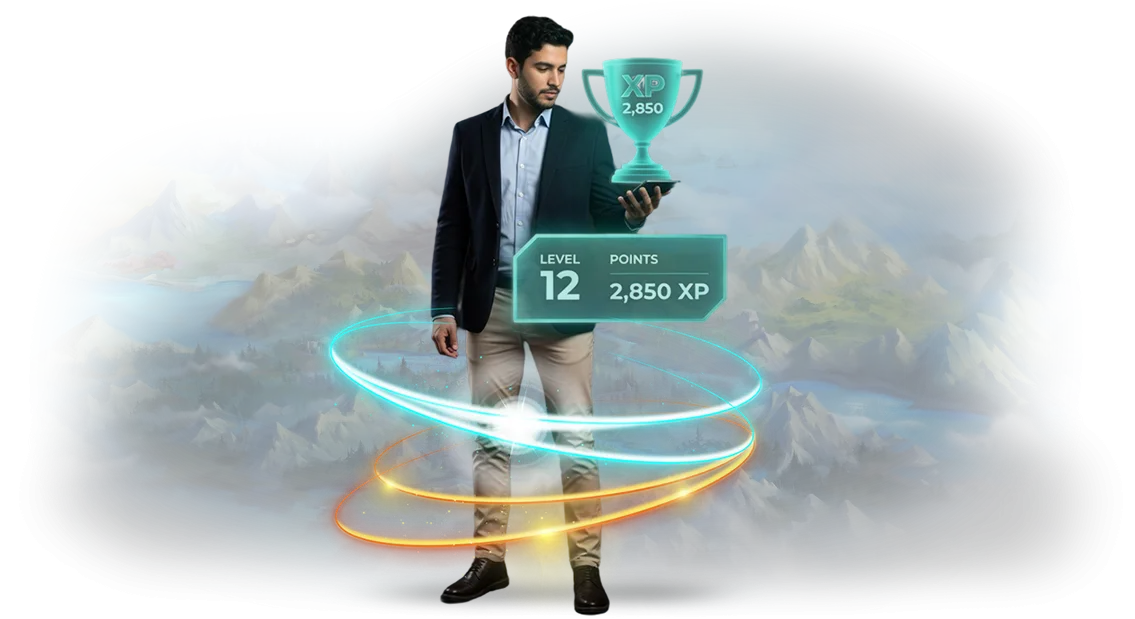
Employees Not Engaged? That Affects Profit
Declining motivation starts imperceptibly: an employee meets the plan but without enthusiasm. Routine eats away at interest, engagement drops, and along with it — work speed and quality of decisions. Managers often put this down to the "human factor," but the cause is systemic.
Engagement is directly linked to profit. Unmotivated staff process requests slower, make more mistakes, and communicate worse with clients. On a company scale, this means hours of lost time and missed revenue every month.
What if you turned work tasks into a game? Not for entertainment, but for results: points for completed goals, skill levels, team rankings, rewards for achievements.
Large companies already use these mechanics to bring excitement back into daily processes and retain top employees.
We develop corporate gamified applications for Windows — they run on the computers you already have. Implementation requires no equipment purchases and doesn't disrupt work: the employee sees a familiar interface, and motivation accrues automatically.
Gamification solves three problems at once: personnel motivation becomes manageable, engagement grows, and productivity increases along with it. Is such a tool right for your company?
Let's calculate based on your business processes — send us a description of your tasks, and we'll show exactly where gamification pays off.
Benefits of Gamification: Motivation, Engagement, Performance Growth
Gamification of business processes is not a game mechanic for fun, but a system that translates routine tasks into the language of achievements and rewards.
Employees and customers stop acting under compulsion — they engage because they are interested in seeing progress and results.
The first and main benefit is growth in key metrics. In our projects, after gamification is implemented, sales conversion increases, order processing time decreases, and the average check grows. This happens because game elements activate a natural drive for competition and completing goals.
The second benefit is loyalty. For customers, it's a reason to return: accumulated points, levels, and statuses create a long-term connection with the brand.
For employees — reduced turnover: people leave less often when they see a clear growth system and recognition of achievements.
Effectiveness is confirmed by research. According to Gallup, companies with high employee engagement show 21% higher profitability compared to competitors. Gamification is one effective way to build that engagement.
We implement such projects on the Unity platform with Windows deployment. This means the application installs on standard work computers, requires no additional equipment, and easily integrates with your accounting systems.
You get not a game, but a working tool that pays for itself through measurable improvements in business metrics.
Gamification Formats for Your Business Tasks
Most companies implement gamification intuitively: they add rankings and badges, and then a month later see that employee interest has faded.
The problem is not the idea itself, but the format — it must be based on a real business objective: boost sales, reduce onboarding time, or improve knowledge sharing between departments.
Below is a comparison of the three main formats. This is not a rigid classification, but a practice-tested foundation we use as a starting point in design. You can combine elements, but the core is always selected for a specific business process.
| Gamification Format | Who It's For | What It Delivers to the Client |
|---|---|---|
| Competitive | Sales departments, service specialists, operational teams | Growth in key metrics through healthy competition, meeting plans on time, clear feedback on each participant's results |
| Training | New employees, frontline staff, teams launching a new product | Shorter time to competency, less painful absorption of procedures, greater engagement in mandatory training |
| Cross-functional | Project groups, teams from different departments, distributed offices | Improved communication and knowledge sharing, breaking down "silos" between departments, higher quality of joint decisions |
How to Choose Your Format
There is no one-size-fits-all answer — one client needs just an internal ranking for the sales department, while another needs a full training system with levels and branching scenarios.
We start with a diagnostic: together with you, we identify the current metric to improve (revenue, onboarding speed, repeat inquiry rate), and only then propose the mechanics.
It's important to understand: the competitive format accelerates short-term results, the training format solidifies knowledge, and the cross-functional format drives systemic change within the team.
In most projects, we combine two formats to achieve immediate impact and long-term reinforcement. Design takes one to two weeks, and first results are visible already at the pilot launch.
Windows App Development: Stages and Schedule Control
Developing a Windows application is a process where the client values predictability and transparency. We have built a phased scheme: at every step you see an intermediate result, understand what is ready, and keep schedules under control without diving into technical details.
-
Brief and Task Immersion. We establish goals, target audience, and desired behavior of employees or clients. The outcome is a clear technical specification tied to your business metrics, not abstract "features."
-
Prototype and Game Scenario. We show how the application will look and work on Windows: screens, logic, motivation mechanics. You approve the concept before development starts — this prevents costly rework in later stages.
-
Interface and Logic Development. We build the application with professional tooling, adapting it to corporate requirements and your infrastructure. Every 1–2 weeks we hold a demo: you see the work in action and make edits along the way.
-
Testing on Real Scenarios. We test the application on different Windows configurations and address failures and bottlenecks before launch. You get a stable version that will not let you down on the first day of deployment.
-
Launch and Team Training. We install the application, set up access, and briefly explain how to use the system. We help make the first rollout widespread — without chaos or "what do we do?" questions.
-
Support and Evolution. After launch, we monitor performance, collect user feedback, and offer refinements for new business objectives.
Each stage is a control point. You always know where the project stands, what has already been done, and when the next result is due. This approach lets you launch gamification on time and with predictable quality.
What's Included in the Deliverable Windows Solution
You get not "source code on a floppy disk" but a ready-to-use working tool that immediately integrates into your business processes.
The package includes everything needed to launch, operate, and evolve gamification on Windows devices — without hiring a separate developer or working through technical details.
Here's what you get:
- Ready-to-Run Windows Application — an installation package that deploys on employee computers or terminals in a couple of hours. The application runs reliably, does not require a permanent internet connection, and is adapted to corporate security policies.
- Admin Panel for Management — you configure scenarios, tasks, points, levels, and rewards yourself. A manager or HR specialist can change the game rules at any time without a programmer's involvement.
- Team Training — we run a short online training for administrators and participants so that within the first week everyone understands how to use the system and why it is needed.
- Documentation and Manuals — clear guides for installation, setup, and daily use. Everything is written in Russian, with images and scenarios from your industry.
- Source Code and Rights — you fully own the solution: you can refine it with internal resources or order changes from us. No tie-in to a "third-party" server and no hidden payments.
- Post-Launch Support — we stay in contact for the first months: helping with updates, answering questions, and quickly fixing any issues that arise.
This package eliminates the client's main fear: "they'll give me a program and then I have to figure it out myself." You get not just code, but a working product with training and support. All you need to do is set the task — the launch and employee adoption are our responsibility.
Case Study: How We Boosted Employee Engagement with a Windows Application
We developed a gamified Windows application for the dealership network AutoPremium — a team of 120 people across seven cities.
Before launch, only 40% of employees completed mandatory service-standard courses; the rest put off training until the last minute and formally passed the tests. Our task was to turn boring procedures into a process that staff would complete voluntarily, not under duress.
We proposed a gamification case with daily quests, points, levels, and a team leaderboard. Managers, engineers, and drivers competed across departments: complete a target — earn points and unlock new content.
Scenarios took 5–7 minutes a day — not distracting from work but creating a useful habit. Within two months, employee engagement grew from 40% to 95%: staff opened the app several times a day to keep their streak.
The effect was also visible in business metrics. The share of those who completed the program reached 78%, the number of errors in documents dropped by a third, and the time to onboard newcomers was cut in half.
Managers gained clear analytics for each employee — it became visible who truly mastered the material and who simply reported completion.
"We were afraid the staff would perceive the app as just another mandatory chore, but after a month of the pilot, employees themselves were reminding colleagues about quests.
Sales of additional equipment in the test group grew by 11% — a direct result of people starting to use new scripts in real conversations with clients," comments the HR director at AutoPremium.
The Windows application easily integrated into the client's existing infrastructure: no equipment changes or complex integrations were required. Compatibility with corporate computers and stable offline operation ensured regular use even during network outages.
This case shows: well-designed gamification motivates staff more effectively than fines and orders — and the application remains a working tool long after the project ends, taking part of the load off the HR department.
Windows or Another Platform: How to Choose the Right One?
Corporate gamification only works when the right platform is chosen: a solution that is too heavy delays launch, one that is too narrow doesn't cover all employees.
So the first step is to look together at how people will go through the scenarios: on a desktop computer, a laptop, or a smartphone during a break between meetings. This determines not only convenience but also the future reach of the program.
For most companies, Windows is the optimal choice: it is the standard for office PCs and laptops, so there is no need to buy additional equipment or get used to a new system.
The corporate application built on Unity runs on all versions of Windows, works reliably on a local network, and easily integrates with corporate security policies.
Employees simply open the program at their workstation — without installing third-party services or registering in external systems.
Alternatives are worth considering if your team is predominantly mobile: sales representatives, field engineers, field personnel. For them, a lightweight smartphone app or browser access from any device is more convenient.
This format suits programs that last no more than a couple of months and do not require complex analytics. But if gamification is part of a long-term motivation system, a web or mobile version often becomes a functional limitation.
We do not offer a "default solution": we analyze the tasks, number of participants, and office technical readiness, then recommend a platform based on launch speed and ease of support.
In most cases, Windows remains the most predictable option for a corporate environment. And if you need a hybrid, we build a version for the key platform and test it on your employees' devices — so you get results rather than having to sort through technical details.
Frequently Asked Questions About Gamification Implementation
Gamification seems expensive and complicated until you see it in action. But doubts usually arise not from the price but from more practical concerns: will it fit current processes, when will the investment pay off, and what if the team doesn't accept the system.
We hear these questions at every meeting with clients. So we have collected the three most common ones — and answered them briefly.
How does gamification integrate with our current systems?
We don't touch your work environment and don't replace your accounting systems. The application runs on standard office Windows computers and is deployed as a separate layer on top: it connects to your data via a secure channel and returns results to familiar reports.
You continue working in 1C, CRM, or Excel, while gamification simply picks up events and motivates the team.
How much does it cost, and what does the final price depend on?
The cost is determined not by the number of screens but by the number of scenarios and the depth of integration. A basic version for one team will cost a reasonable amount and pays for itself in a few months.
The final price depends on how many processes you want to digitize and how complex the reward rules will be. If you want, we'll send an estimate for your case — with no obligation.
When will gamification start paying off?
The first measurable effects — higher conversion, faster deals, or reduced turnover — usually appear within the first quarter after launch. After that, the effect strengthens: the program accumulates statistics and adapts more precisely to employee behavior. In our projects, the average payback period is about six months.
These are the questions we hear most often. Below, we've covered a few more — about engaging different roles, post-launch support, and intermediate results.Ready to Launch Gamification? Leave a Request
If you've read this far, the idea of gamification probably sounds viable to you. Now it remains to understand how it will fit your business processes and what it will deliver in practice.
We'll explain how gamification will fit into your company's Windows environment and what to expect from implementation. That's exactly what our consultation is for — the first step toward launching a project.
How We Implement Gamification
We work by a transparent plan: you always know what stage the project is at and what comes next.
- You submit a request — we send a brief to dive into your task.
- During the consultation, we discuss goals, audience, and business growth areas.
- We design mechanics and a scenario for your processes.
- We show a Windows prototype — you see the product before launch.
- We implement the solution, train employees, and help with launch.
What You'll Get After Contacting Us
After a short conversation, you'll have concrete details for making a decision:
- An understanding of whether gamification will work in your situation.
- Two or three mechanics options for your task.
- An estimate of budget and timelines with no prepayments or "surprises."
- Examples of solutions from your industry.
- A recommendation on launch format — pilot or full implementation.
Leave a request for a consultation — we'll call you back within one business day, answer your questions, and prepare a proposal.