

Motivation of UI Designers and UX Specialists: Preventing Burnout
UI designers and UX specialists are the key link in any digital product. How clients perceive your service or application directly depends on their visual literacy, taste, and engagement.
But these are precisely the employees who burn out faster than others: endless iterations, vague feedback, the feeling that results are never truly visible — and the design team's motivation melts before your eyes.
Managers notice the problem through indirect signs: first, design team engagement drops, then mockup delivery speed slows down, the number of revisions grows, and deadlines slip.
If you don't intervene in time, a key specialist leaves — and that means lost expertise, project downtime, and an expensive search for a replacement. UX specialist burnout costs the business far more than it seems at first glance.
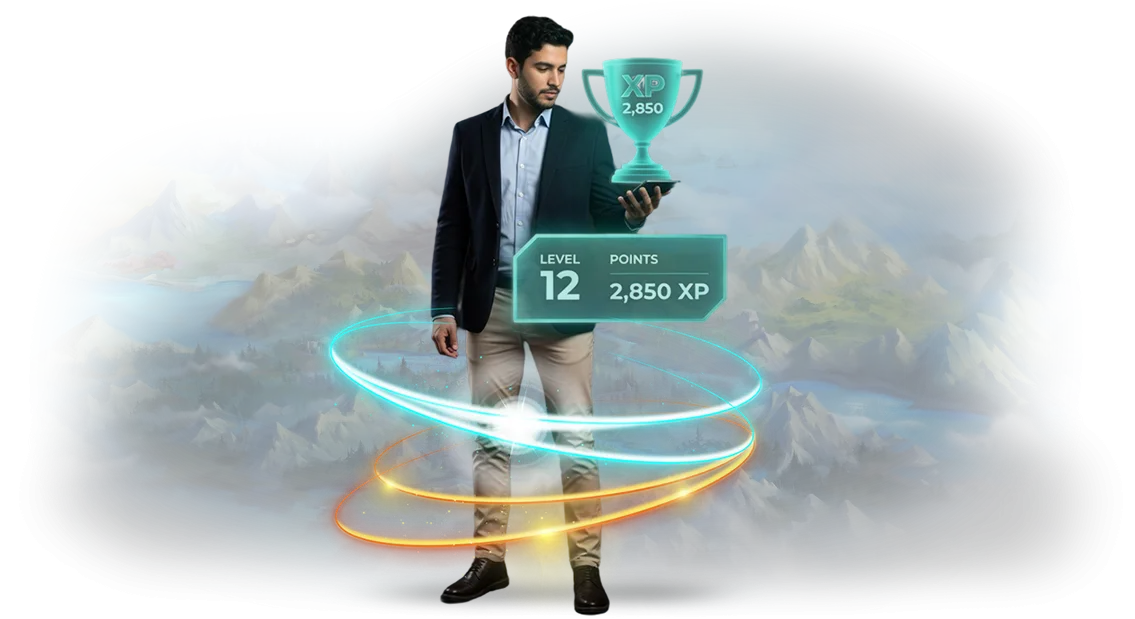
We address this pain through gamification of processes: we turn routine work tasks into a system with clear goals, progress, and achievements. The employee sees their own growth, receives regular feedback, and feels excitement for work again.
This way, employee retention stops depending on random moods — interest is supported systematically, not just with bonuses and persuasion.
For a business owner, this means predictable quality and a steady work pace: key people stay on the team, the product ships on time, and accumulated expertise doesn't leak to competitors.
Gamification is not entertainment but a management tool that directly affects profit by reducing turnover and increasing productivity. Let's discuss your situation — we'll select mechanics that will bring your design team back to life.
What Gamification Gives the Design Team: Engagement, Growth, and Quality
Engagement and Motivation
Routine revisions exhaust designers, and interest in work declines. Gamification turns tasks into a game with levels and rewards: employees themselves strive to do more and better, turnover decreases, and fewer deadline reminders are needed.
This gives the client a stable team that is passionate about the project rather than just putting in hours. The manager doesn't have to constantly control the process — people work on intrinsic interest.
Speed and Productivity
Competitive mechanics and visible progress accelerate the completion of stages. The team moves faster through the "design — approval — refinement" cycle, reducing product launch time.
For the business, this means getting to market earlier than competitors without losing quality. Tasks progress evenly, with no last-minute firefighting at the end of a stage.
Quality of Solutions
Rewards for well-thought-out interfaces and clean solutions motivate the team to think about the user. The result: fewer errors, higher conversion, and greater client loyalty to the product.
In one of our projects, after implementing gamification, the number of revisions after approvals was reduced threefold, and the department began delivering mockups that passed on the first try.
Management Transparency
Game analytics show each employee's contribution: who moves the project forward and who needs help. The manager gets objective data for bonuses, career growth, and workload redistribution.
Gamification becomes a management tool, not just a "perk." With objective metrics, it's easier to decide who to reward and who to send for training.
Gamification Formats for UI Designers and UX Specialists
Gamification of a UX team is not tournaments for entertainment but a tool that turns routine into achievement. UI designers and UX specialists quickly get used to similar tasks, which leads to declining engagement, missed deadlines, and lost quality.
A well-chosen mechanic gives the team clear goals, a sense of progress, and a real reward for results.
To choose a format, it's important to start from the specific task: speed up mockup delivery, improve accuracy, or enhance collaboration within the department. Below are the main types of gamification for design and UX teams that we integrate into business processes.
Main Gamification Formats for UI Designers and UX Specialists
| Format | For Whom | What It Gives the Client |
|---|---|---|
| Rankings and competitions | Design departments and UX teams | Increases delivery speed: participants see progress and strive to stay ahead of colleagues |
| Levels and rewards | Specialists working with standard mockups | Reduces routine: each completed project brings you closer to a new level, quality and accuracy grow |
| Quests and scenarios | Cross-functional groups (design + marketing + product) | Engages teams in complex tasks through a narrative: the team progresses through stages — results improve |
| Team challenges | UX teams working on a large product | Develops collaboration: shared goals improve communication and experience exchange |
| Skill tree | Growing UX teams | Systematically builds expertise: specialists choose which skill to develop themselves |
We select the gamification format after an audit of your processes. If necessary, we combine mechanics: for example, a ranking for deadline control + a skill tree for development.
The key is that game mechanics for UI designers and UX specialists work toward your business result, not away from it.
How Gamification Implementation Works: From Brief to Launch
Gamification implementation is not a "black box" with unclear settings. We've broken the process into simple stages so you always know what's happening with the project and how it affects the motivation of your designers and UX specialists. Below is a typical route from the first brief to the launch of the game system.
-
Brief and immersion — we meet with the manager and team and identify the goals: increased productivity, reduced turnover, engagement in routine tasks. We collect current metrics and formulate gamification objectives.
-
Strategy and plan — we propose a mechanics concept: which actions will be rewarded, how levels, rewards, and feedback are structured. We agree on success metrics and implementation timelines.
-
Game scenario design — we develop the rules, interface, and logic of the system. You receive a prototype that can be adjusted before development begins.
-
Implementation and testing — we configure the motivation system and integrate it with your work tools. We launch it in pilot mode with part of the team to make sure everything works and resonates with the designers.
-
Launch and training — we onboard all employees, give a short presentation and instructions, and answer questions. We make sure the adaptation goes smoothly.
-
Support and development — we regularly analyze activity, show you the results, and adjust rewards and tasks. The system lives and evolves together with your team.
The full cycle from brief to launch usually takes 3–6 weeks — we set the exact timeline in the plan before work begins. After launch, we don't leave you without support: we help with fine-tuning, answer the team's questions, and develop the mechanics for new challenges.
What's Included in a Gamification Project: Turnkey Package
The gamification package is not a set of separate game elements but a holistic motivation system for UI designers and UX specialists. The turnkey project includes everything: game mechanics, participant interfaces, admin panel, reporting, training, and support.
The solution integrates directly into your work processes and doesn't require assembly by your team.
Here's what's included in the project:
- Game mechanics tailored to your tasks: levels, points, missions, and rankings linked to the work results of designers and UX specialists.
- Participant interfaces: an employee's personal space with progress, rewards, nearest goals, and game rules.
- Motivation admin panel: the manager configures roles, rules, and rewards themselves, without involving developers.
- Gamification reporting: activity, task completion, and engagement metrics by employee and period.
- Employee gamification training: a short hands-on session and simple instructions so the team starts without questions.
- Administrator guide for a team lead or HR manager: how to change scenarios, add participants, and adjust rewards.
- Launch support and first weeks of operation: we help adapt the system to the team's real rhythm until it reaches a stable result.
This package covers the entire cycle: from designing mechanics to daily use. You get a manageable motivation system and transparent reporting on its effectiveness — without firefighting and extra manual work.
Case Study: How We Boosted Designer Engagement in a Month
Example from Practice
Here's a real project for a team of 12 UI designers and UX specialists. Before gamification, the average task delivery delay was four days, and a survey showed that 60% of employees performed routine tasks without engagement.
We proposed not "one more metric" but game mechanics that hold attention on their own: points for speed, bonuses for proactivity, team challenges, and a public achievement map.
The results were recorded just one month after launch. Implementation took three weeks, and all changes were made in stages so as not to interrupt the workflow.
| Metric | Before Implementation | After a Month |
|---|---|---|
| Tasks delivered on time | 62% | 94% |
| Average task cycle | 3.2 days | 2.1 days |
| Team turnover | 2 people per month | 0 resignations |
| Engagement by survey | 38% | 81% |
What This Means for the Client
These numbers directly affect the project's economics: task delivery speed increased by a third, and the team stopped missing deadlines.
For the manager, this means a predictable plan, fewer force majeure situations, and retaining strong talent without an urgent search for replacements.
We transfer the methodology to other departments: sales, support, production. The mechanics don't depend on the specifics of the activity — what matters is correctly designing goals and a growth zone for each participant.
After the first successful project, the client extended the engagement for six months and scaled gamification to adjacent departments.
How to Choose Game Mechanics for Your Team's Task?
There is no universal game mechanic: what engages managers in a sales plan won't make a designer work more carefully on an interface.
That's why the question "which gamification to choose" becomes meaningful only after analyzing the task — what exactly needs to be accelerated: reducing the number of revisions, shortening approval times, or pushing the team to master new tools.
The format of mechanics also depends on team size. For a small group, light elements are enough — badges for clean mockups, a revision response rating, a monthly competition.
For a department of 20–30 people, levels, team competitions, and long scenarios are needed; otherwise, competition quickly fades and interest dies after a couple of weeks.
The team's composition also matters: the motivation of a newcomer and an experienced lead is built on different triggers, so the same reward works differently.
Selecting motivation mechanics always starts from the scenario.
If the goal is to reduce the number of iterations on mockups, we use fast feedback cycles and rewards for a low revision rate; if the goal is expertise growth, we build quests and levels with gradual complexity; if the task is designer–UX specialist collaboration, we launch team tasks with shared progress and shared rewards.
That's why the first stage of the project is a short audit of tasks, roles, and current routine. Based on its results, we offer 2–3 suitable gamification options with an effect forecast and launch a pilot on a small segment.
This way, the format is chosen not by preference but by data — and motivation truly changes team behavior instead of turning into a one-off game.
Answers to Frequently Asked Questions About Gamification Implementation
We've gathered answers to the questions clients most often ask before starting a gamification project. The three main fears: implementation timelines, employee interest, and the difficulty of changing mechanics. We cover each — briefly and to the point.
How long does implementation take?
It all depends on the scale and readiness of your processes. We launch the basic version of the motivation system for designers and UX specialists in 2–4 weeks: during this time, you'll see the team's first reactions and have time to adjust course.
If gamification needs to be integrated with the company's internal services, we add another 1–2 weeks for integration alignment. Our process is well-tuned, so timelines are fixed in the contract and don't inflate along the way.
What if employees don't like it?
This is the biggest fear, and we address it with the pilot launch approach. We implement gamification first on one group — for example, the design department — collect feedback, and adjust the scenario.
Mechanics are built on real motivational factors: recognition, mastery growth, interesting challenges.
For designers and UX specialists, this means not abstract "points" but rewards for useful actions: quality of interface solutions, helping colleagues, participating in service improvements. If something doesn't land, we change the rules within a few days.
Can mechanics be changed after launch?
Not just can — it's a mandatory part of the system. Gamification lives and evolves: it's important to update scenarios so interest doesn't fade.
We include a settings interface that lets you change levels, rewards, the points system, and competitive formats without rewriting the project. You see the statistics yourself and make decisions — we help implement them.
Usually, a month or two after implementation, the first scheduled adjustment is made, and then the system works with your update rhythm.
Game mechanic cycles and risks of losing interest?
The concern that "it will get boring in a month" is valid for static solutions. We design dynamic mechanics: online events, seasonal tasks, joint challenges. Your designers and UX specialists get fresh tasks, and you get constant team engagement.
After implementation, we stay in touch: we analyze activity and suggest changes in advance. We control risks by data, not by feelings.
Launch Gamification for Your Team: Submit a Request
We've been implementing game mechanics in business processes for over 10 years. If your UI designers and UX specialists are losing interest in tasks, missing deadlines, and turning in sloppy work, gamification will bring back excitement and healthy competition. Submit a gamification request — we'll analyze your situation and show you how it works in practice.
The request takes a couple of minutes, and you'll receive ready-made solution options. We'll analyze the process ourselves, calculate the workload, and propose mechanics that will deliver results. After your inquiry, you'll get:
- a gamification consultation — we'll determine which processes are worth "bringing to life" first;
- a gamification calculation for your team — timelines, stages, expected effect;
- an implementation plan that's clear to a manager, without technical details;
- examples from our practice — with UI designers and UX specialists;
- a discussion of the gamification project — we'll answer your questions and suggest the best mechanics;
- the option to order motivation gamification right after a short description of your task — without lengthy approvals.
Don't put off team motivation for later. Submit a request today — tomorrow we'll send the calculation and action plan. Gamification can be calculated: it's not binding, but it will show how to bring back interest in work and improve interface quality.